
NovaStar MCTRL vs VX vs TB Series: Which Controller Type Do You Need? (2026)
NovaStar sells three controller families for LED displays — MCTRL, VX, and TB — and buying the wrong architecture costs more than buying the wrong model within one. The MCTRL series is a pure sending controller, the VX series is an all-in-one video processor and sender, and the TB series is an asynchronous multimedia player that stores and loops content on its own. This NovaStar controller comparison walks through all three lines with figures taken from the official NovaStar specification sheets, then shows the overlap zones where two families can do the same job. As an LED screen manufacturer, Unify LED stocks all three series factory-direct and configures the controller with your cabinet layout before shipping.
How Do the NovaStar MCTRL vs VX vs TB Series Compare at a Glance?
| MCTRL Series | VX Series | TB Series | |
|---|---|---|---|
| Architecture | Sending controller only | Video processor + sending controller | Media player + sending controller |
| Video scaling | No — input maps 1:1 to the wall | Yes — independent input/output scaling | No |
| Operation mode | Synchronous — needs a live source | Synchronous — needs a live source | Asynchronous — plays stored content; some models add a sync HDMI mode |
| Pixel capacity | 1.3M – 8.8M | 2.3M – 10.4M | 650K – 2.3M |
| Content management | NovaLCT + a source device | NovaLCT + V-Can / presets | ViPlex Express / ViPlex Handy / VNNOX cloud |
| Typical buyer | Integrators with a fixed source chain | Rental and event companies with multiple sources | Retail chains, DOOH networks, unattended screens |
What Are the Three NovaStar Controller Types, and Where Does Each Sit in the Signal Chain?
Every LED display system has the same chain: content source → control hardware → receiving cards → LED modules. The three NovaStar controller types occupy different positions in that chain, which is the first distinction to fix in your head.
The MCTRL is a sending controller. It takes one digital video signal and distributes it over Ethernet ports to the receiving cards. It does not scale, switch, or layer — the source must output the exact resolution the wall expects. If you need more explanation of how a sending controller works, our MCTRL300 vs MCTRL660 comparison walks through the architecture in detail.
The VX is an all-in-one. It combines a video processor (scaling, source switching, layers, presets) with the sending hardware in one chassis. This is the family for live events where a laptop, a camera feed, and a logo need to share the wall — see our LED video processor article for the processing side.
The TB is a media player. It stores content in flash memory, schedules it, and drives the receiving cards directly — no PC and no live source at the screen. The async/sync split is covered in depth in our synchronous vs asynchronous LED control guide.
What Does Each NovaStar MCTRL Model Offer?
The six MCTRL models share one job — pure sending — and differ in capacity and I/O. The full spec analysis is in our MCTRL series comparison; the short version:
- MCTRL300 — 1.3M pixels, 2 ports, DVI, 3 W, 1.04 kg: small walls and rental fleets. Product page
- MCTRL600 — 2.6M port capacity, 4 ports, HDMI + DVI, light sensor, 6.6 W: the value fixed-install pick. Product page
- MCTRL660 — 4 ports, knob + LCD config without a PC, 8/10/12-bit input, 18-bit grayscale. Product page
- MCTRL660 PRO — adds 3G-SDI, genlock, and 2× 10G fiber outputs for broadcast. Product page
- MCTRL4K — 8.8M pixels, 16 EtherCON ports, HDR10/HLG and 3D: the flagship sender. Product page
- MCTRL R5 — 3840×1080@60Hz ultra-wide canvas with 6G-SDI and image rotation, built for rental stages. Product page
What Does Each NovaStar VX Model Offer?
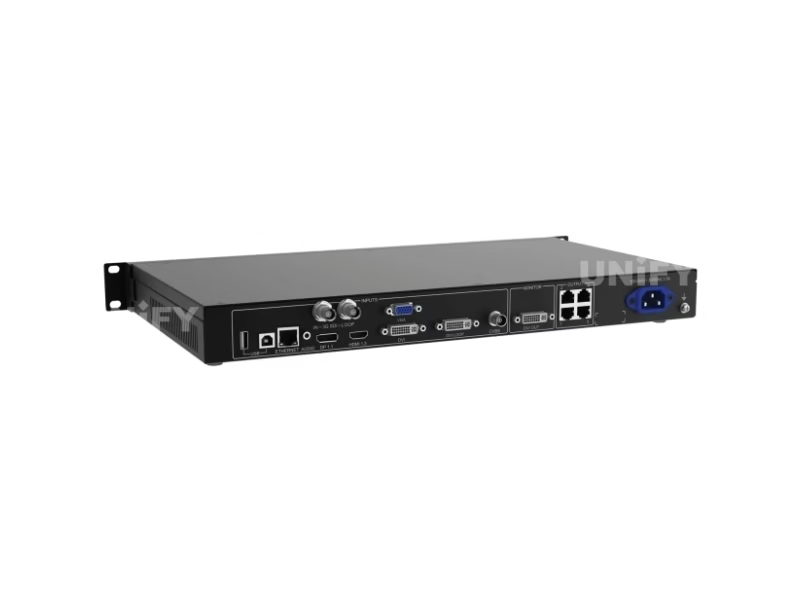
The VX family adds processing on top of the sending function: scaling, input switching, 2–3 layers, and preset recall. NovaStar’s own overview of the line:
- VX4S-N — 2.3M pixels on 4 ports; SDI/DVI/HDMI/DP/VGA inputs; the entry all-in-one for conference rooms. Product page
- VX600 — 3.9M pixels on 6 ports, HDMI 1.3 + DVI + 3G-SDI, 3 layers, 10 presets, light sensor: the mid-range workhorse. Product page
- VX1000 — 6.5M pixels on 10 ports plus a 10G optical port, 4K×1K@60Hz processing, 3 layers: broadcast and large-stage standard. Product page
- VX16S — 10.4M pixels on 16 ports, 4K×2K@60Hz processing, HDMI 2.0 input: the highest VX capacity. Product page
- NovaPro UHD Jr — DP 1.2, 4× DVI, HDMI 2.0 (HDCP 2.2) and 2× 12G-SDI inputs; 10.4M pixels on 16 Neutrik ports + 4 fiber; 8K×1K@60Hz: the dedicated processing tier. Product page
All VX models support video controller, fiber converter, and Bypass working modes — the Bypass mode matters for the overlap question below.
What Does Each NovaStar TB Model Offer?
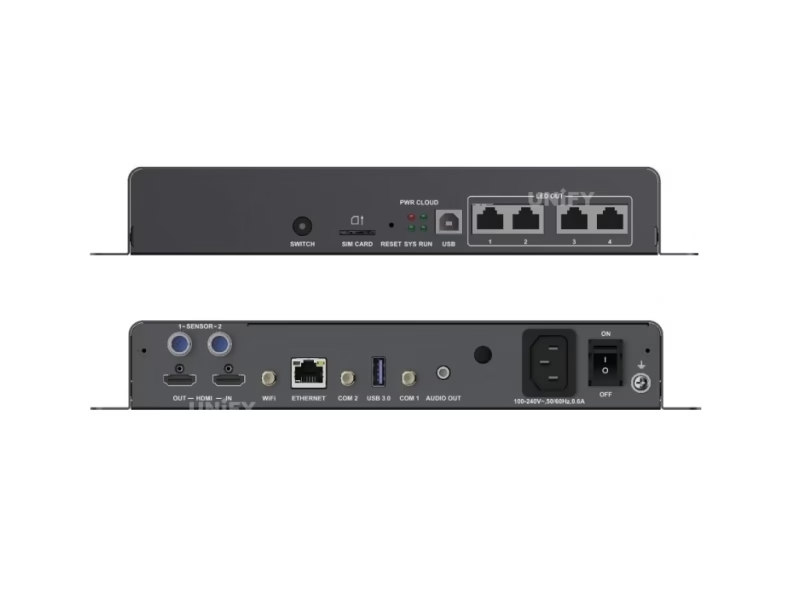
The TB family spans two hardware generations. The second-generation Taurus models are the TB1, TB2, TB3, and TB6; the new-generation models are the TB30, TB40, TB50, and TB60. All store content in flash memory and publish over Wi-Fi, Ethernet, or optional 4G.
- TB1 — 650K pixels, 1080p decoding, 32 GB storage, USB playback: lamp-post and small retail displays. Product page
- TB2 — adds an HDMI 1.3 input and switchable sync/async modes: small screens that sometimes show a live feed. Product page
- TB3 — 650K pixels with a 4096×1920 canvas, H.265 4K decoding, dual Ethernet with redundancy, brightness sensor. Product page
- TB6 — 1.3M pixels, dual-mode with HDMI input, 2 GB RAM: chain stores with occasional live events. Product page
- TB30 — 650K pixels, 4K decoding (1× 4K or 2× 1080p), USB 3.0, dual Wi-Fi: the new-generation entry model. Product page
- TB40 — 1.3M pixels, 4K decoding, HDMI 1.3 with loop, sync + async modes. Product page
- TB50 — 1.3M pixels with the same dual-mode architecture and cloud publishing: the mid-range flagship. Product page
- TB60 — 2.3M pixels on 4 Ethernet ports, 4K decoding, 32 GB storage: the largest Taurus for multi-cabinet DOOH walls. Product page
For choosing between these, our asynchronous media player selection guide covers the decision criteria, and the playlist and scheduling article covers daily operation.
When Do the Three Series Overlap? Bypass Mode, Dual-Mode HDMI, and the Scaler Question
The three families are clean on paper and overlapping in practice. Three gray zones come up in real projects:
VX Bypass mode vs MCTRL. Every VX unit can run in Bypass, passing video through with minimal processing and behaving like a pure sending controller. The VX does the same job as an MCTRL — for a higher price and power draw. Buy the VX only if the project will actually use its scaling, switching, or layers.
TB dual-mode vs MCTRL/VX. The TB2, TB6, TB40, TB50, and TB60 carry an HDMI 1.3 input and switch into a synchronous mode when a live source is connected. A church that plays scheduled announcements on weekdays and a live camera on Sundays can run one TB60 instead of a TB player plus a separate sending controller. The trade-off: the TB’s HDMI mode caps at 1920×1200@60Hz output with no scaling and no layers, so it replaces a small MCTRL setup, not a VX.
MCTRL + external scaler vs VX. A MCTRL needs the source to match the wall resolution. Adding a standalone scaler closes that gap, but a scaler plus a MCTRL600 typically costs more than a VX600, occupies an extra rack unit, and adds one more device to troubleshoot. The break-even: if your only job is resolution matching, the all-in-one wins; if you already own the scaler, the MCTRL wins.
How Do You Choose the Right NovaStar Controller? A Five-Question Selection Guide
Answer these five questions in order. The first mismatch usually settles the family:
1. Does the screen run without a PC or live source? Yes → TB series. No → continue.
2. Does the project have more than one video source, or a source that does not match the wall resolution? Yes → VX series (or MCTRL + an existing scaler). No → MCTRL series.
3. How many pixels? Under 2.3M → VX4S-N / VX600 / TB40-TB50 territory. 2.3M–6.5M → VX600 / VX1000 / TB60 / MCTRL4K. Over 6.5M → VX16S / NovaPro UHD Jr / MCTRL4K. The pixel math works the same for every family: cabinet resolution × cabinet count. A P3.91 500×500 mm cabinet is 128×128 pixels, so a 4 m × 3 m wall (48 cabinets) is 786,432 pixels — inside a single MCTRL300, VX4S-N, or TB40. A P2.6 500×500 mm cabinet is 192×192, so a 6 m × 3.5 m wall (84 cabinets) is 3,096,576 pixels — that needs a VX600, MCTRL4K, or two TB60s.
4. Will the wall be filmed, or does the source chain include SDI? Filmed/broadcast → MCTRL660 PRO or VX1000 with genlock. HDMI/DVI only → the cheaper models.
5. Who operates it? A rental crew moving venues weekly → VX presets (10 on VX600, up to 256 on Pro models) or the MCTRL R5’s ultra-wide canvas. A retail chain managing screens from headquarters → TB plus cloud publishing — see our cloud-based remote content updates guide.
On the rental side, controllers ship inside complete solutions — this clip shows how Unify LED packs processors, flight cases, and spares into one rental kit:
The eight project types we see most often map to the three families like this:
| Project | Recommended | Why |
|---|---|---|
| Retail chain, unattended, scheduled content | TB40 / TB50 / TB60 | Standalone playback, cloud publishing, no on-site PC |
| Small fixed install, one PC source at wall resolution | MCTRL300 / MCTRL600 | Cheapest correct architecture, no unused processing |
| Conference room, laptop + camera feed | VX4S-N | Built-in switching and scaling, 2.3M px |
| Mid-size rental stage, 2–4 sources | VX600 | 3 layers, 10 presets, 3.9M px |
| Broadcast or IMAG with SDI + genlock | MCTRL660 PRO / VX1000 | Native SDI, genlock, fiber outputs |
| 4K or HDR wall over 8M pixels | MCTRL4K | 8.8M px, HDR10/HLG — no VX model supports HDR |
| Ultra-wide rental canvas 3840×1080 | MCTRL R5 | 6G-SDI, image rotation, 8 ports + 2 fiber |
| Small screen with occasional live feed | TB2 / TB6 dual-mode | HDMI input switches the player into sync mode |
One rule closes the remaining gaps: the receiving cards pair with any of the three families. The A8s fits fine-pitch HUB320 modules, the DH7516-S covers 16 HUB75E outputs, and the MRV416 adds dual-card backup for control rooms.
How Do You Set Up Each Controller Type? NovaLCT vs ViPlex Express
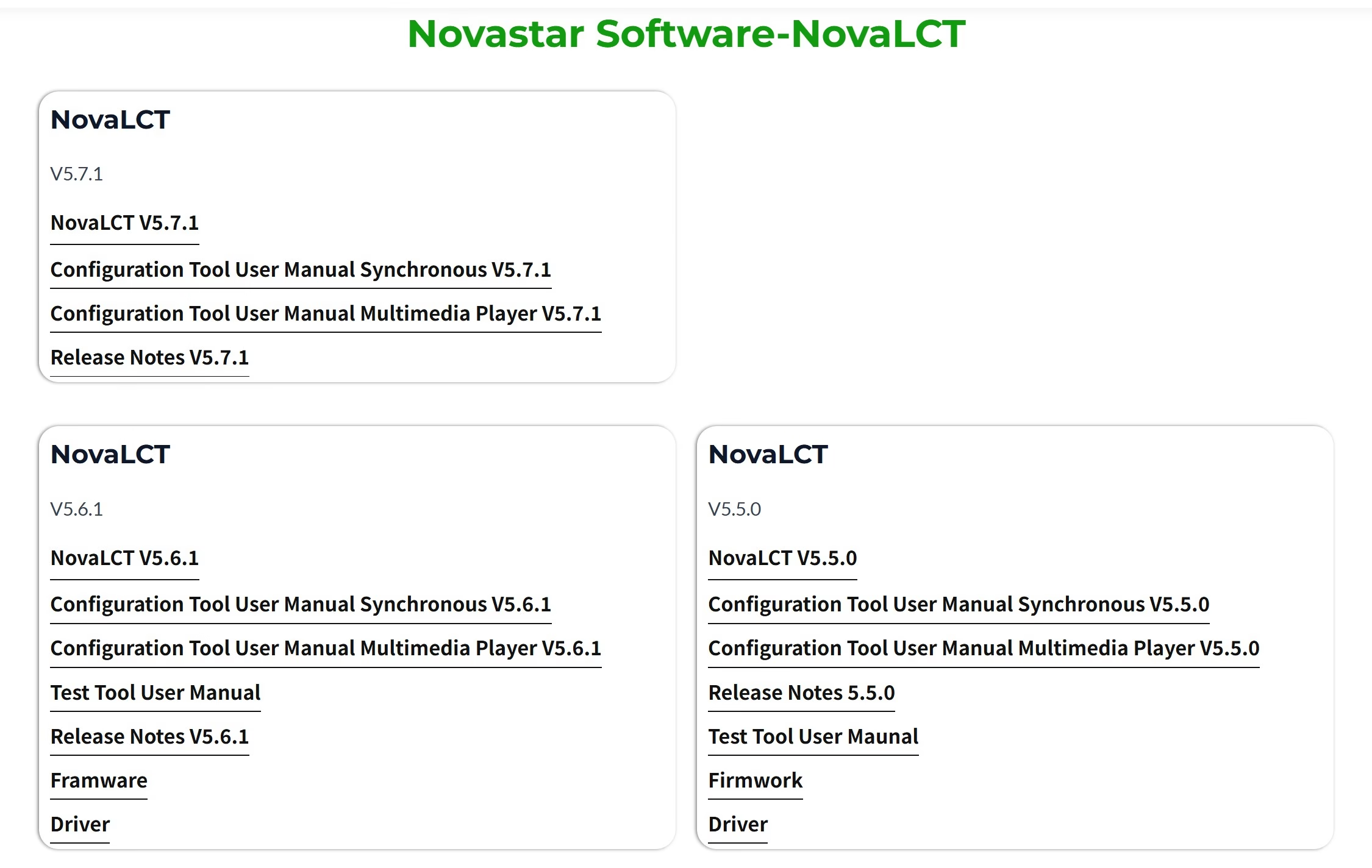
The software split follows the sync/async split. MCTRL and VX units are configured in NovaLCT — screen mapping, port loading, calibration, and backups, with VX units adding layer and preset management in V-Can. TB players are published from ViPlex Express or the ViPlex Handy mobile app: build a program, set the schedule, push it over Wi-Fi, LAN, 4G, or USB.
The most common field mistake in both worlds is the same: saving the configuration to the PC instead of the hardware, then losing everything at the venue. Reading a configuration back from the hardware takes under two minutes:
Step-by-step first-time setup: how to configure an LED sending card.
What Do Buyers Frequently Ask About the MCTRL vs VX vs TB Series?
Can I mix MCTRL, VX, and TB units in one screen? No. Different architectures mean different timing and control protocols. One screen, one controller model; expand with identical units.
Which NovaStar controller suits a fixed installation? Single source at a fixed resolution → MCTRL600 or MCTRL660. Multiple sources or resolution mismatch → VX600. Unattended playback with scheduled content → TB50 or TB60.
Does a VX controller replace a sending card? Yes — the sending function is built in. The VX connects directly to the receiving cards over its Ethernet ports.
Does a TB player work with live camera feeds? Only the dual-mode models — TB2, TB6, TB40, TB50, TB60 — and only up to 1920×1200@60Hz through their HDMI input. For a full live production, pair a VX or MCTRL with a camera switcher instead.
Which is cheapest to run long-term? For a screen that repeats the same content, a TB player eliminates the PC, the media server license, and most site visits. For live events, the VX removes the external scaler from the bill. The MCTRL wins when neither processing nor standalone playback is needed.
Do all three families work with the same receiving cards? Yes. MCTRL, VX, and TB units all drive the same A-series, DH-series, and MRV-series receiving cards.
Which NovaStar Controller Should You Buy? Final Verdict
The NovaStar MCTRL vs VX vs TB series decision is a three-way fork: no PC and no live source → TB; one source at the wall’s native resolution → MCTRL; multiple sources, scaling, or layers → VX. The pixel count then picks the model inside the family, and the gray zones resolve with one question each: will the processing actually be used, and is the TB’s 1920×1200 HDMI ceiling enough for the live feeds?
Send your cabinet layout and source list to our team through the Unify LED contact page, and we will confirm the controller, the receiving card count, and the cabling plan for your specific project.