
NovaStar All-in-One Series

NovaStar VX16s All-in-One LED Display Controller

Professional 4K×2K@60Hz all-in-one controller — 10.4 million pixels, 16 Ethernet ports, 3 independent layers, V-Can software control, in a 2U rack-mount chassis.

10.4M
Pixels
16x
Ethernet
4K@60
Hz
3
Layers

Get Quote & Availability

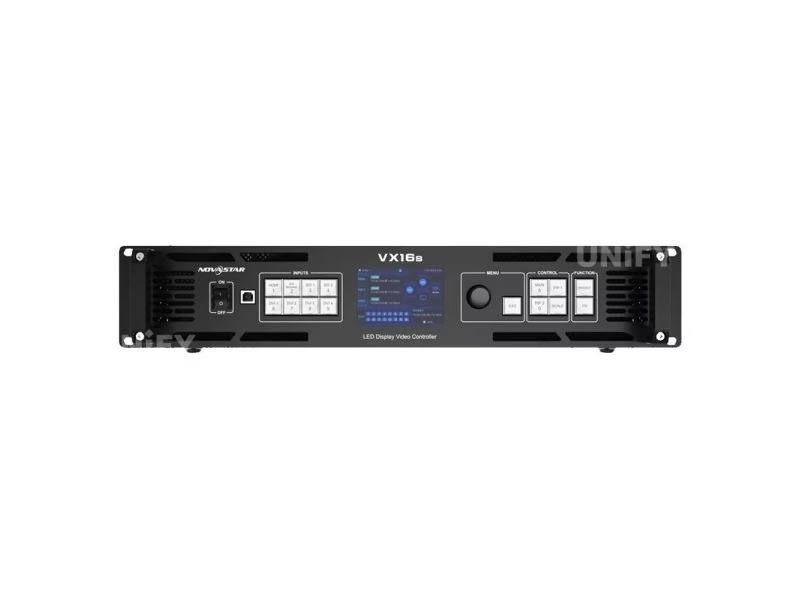
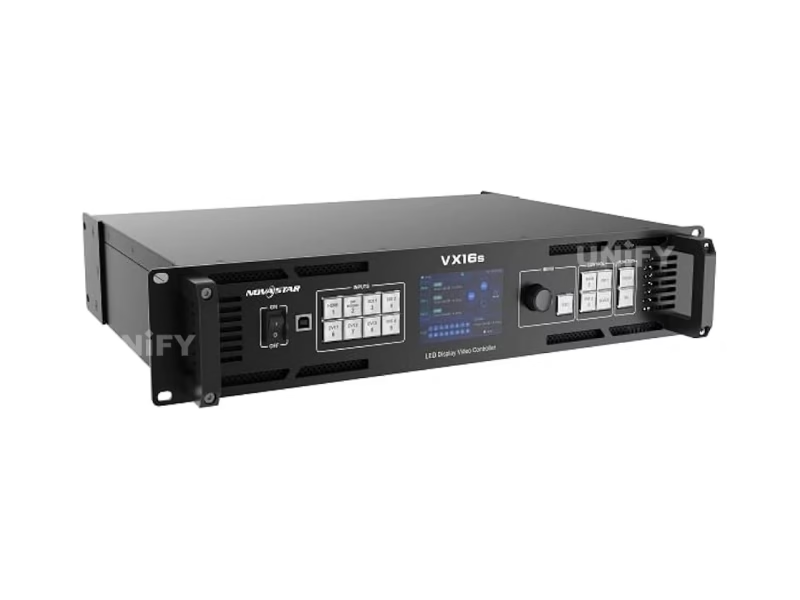
NovaStar VX16s All-in-One LED Display Controller front panel product photo

13+
Years Experience
108+
Countries Served
6+
Certifications
24h
Quote Response

What Is the NovaStar VX16s All-in-One Controller?

The NovaStar VX16s All-in-One LED Display Controller integrates video processing, video control, and LED screen configuration into a single 2U chassis. It replaces the traditional three-device stack — external video scaler, sending card, and configuration hardware — with one unit that drives up to 10,400,000 pixels across 16 Gigabit Ethernet ports at 4K×2K@60Hz.

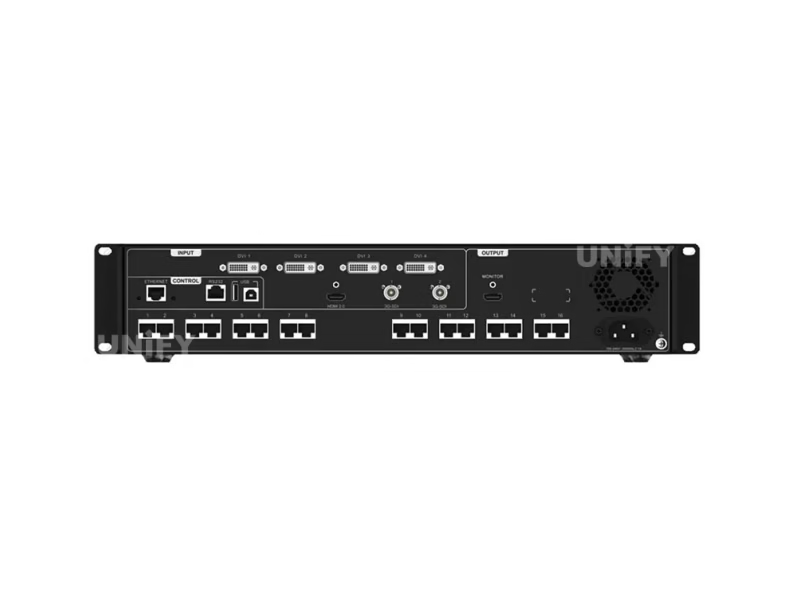
With 2× 3G-SDI, 4× DVI, and 1× HDMI 2.0 inputs, the VX16s handles broadcast cameras, media servers, and presentation laptops simultaneously. The three-layer architecture — one 4K×2K main layer plus two 2K×1K PIP layers — enables complex multi-source compositions managed via NovaStar’s V-Can software. See our LED video processor guide for architecture comparison.

Certified to CE, FCC, IC, RoHS, UL, CB, and KC standards. 70W power draw at 2U rack size. Designed for stage control, conferences, exhibitions, high-end rental, and fine-pitch LED displays.

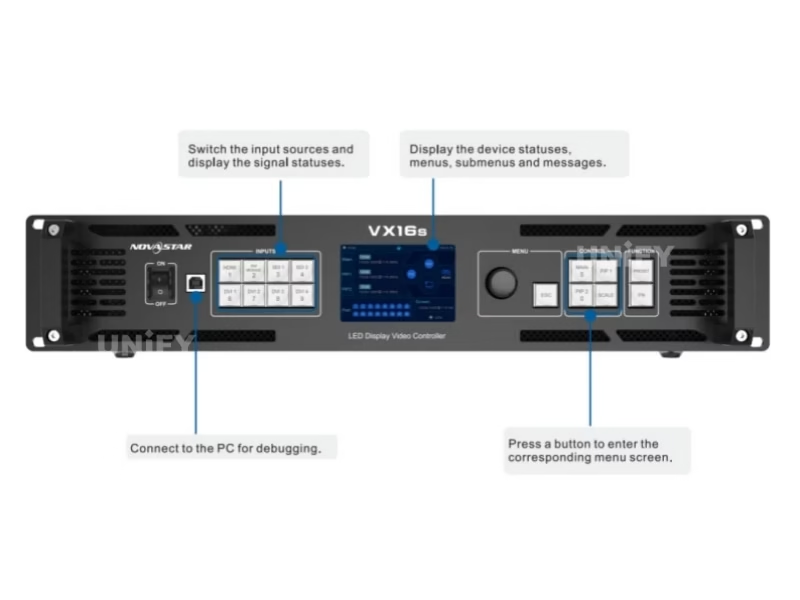
NovaStar VX16s All-in-One LED Display Controller front panel with OLED display and control buttons

ENHANCE YOUR ARSENAL — NovaStar All-in-One Video Controllers Official Lineup Overview

VX16s Technical Specifications

Based on NovaStar official documentation V1.0.0.

Video Input

Connector Qty Max Resolution Notes
HDMI 2.0 1 3840×2160@60Hz HDCP 2.2 · EDID 1.4 · Custom EDID
3G-SDI 2 1920×1080@60Hz Deinterlacing · Interlaced & progressive · ST-424/ST-292
DVI 4 1920×1200@60Hz each
Custom EDID: max 3840×3840 px
HDCP 1.4 · DVI Mosaic (4→1) · Single-link

Video Output & Control

Connector Qty Details
Ethernet 16 Gigabit · 10.4M px total · 650K per port · Max 16384×8192
MONITOR 1 HDMI 1920×1080@60Hz output monitoring
ETHERNET 1 PC communication / Network control
USB 2 Type-B: PC debug + cascade input · Type-A: cascade output
RS232 1 Central control device integration

Physical

Dimensions 482.6 × 372.5 × 94.6 mm (2U)
Net / Gross Weight 6.22 kg / 9.78 kg
Power Consumption 70 W (AC 100–240V 50/60Hz, 2.1A)
Operating Temp 0°C to 50°C
Noise Level 45 dB(A) at 25°C
Certifications CE · FCC · IC · RoHS · UL · CB · KC

Layer Architecture

Main Layer 4K×2K · HDMI 2.0 or DVI Mosaic input
PIP 1 2K×1K · independent position & size
PIP 2 2K×1K · independent position & size
Priority Adjustable: 1 (back) / 2 (middle) / 3 (front)
Scaling Full Screen · Pixel-to-Pixel · Custom

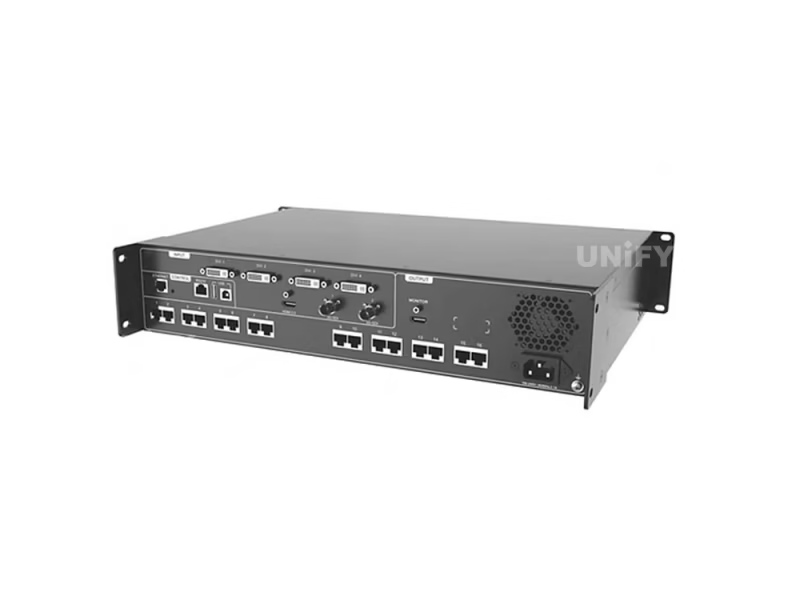
NovaStar VX16s rear panel — input/output connector layout

Core Features of the VX16s Controller

Each evaluated from an integrator and production environment perspective.

4K×2K@60Hz Processing

HDMI 2.0 input accepts full 3840×2160@60Hz with HDCP 2.2. Output frame rates from 23.98Hz to 120Hz cover film, broadcast, and high-refresh applications. 3D mode supported when paired with NovaStar EMT200 emitter (halves loading capacity).

3 Independent Layers

One 4K×2K main layer + two 2K×1K PIP windows with adjustable position, size, crop, and priority (1/2/3). HDMI and DVI Mosaic sources exclusive to the main layer. Dedicated MAIN, PIP1, PIP2 front-panel buttons for instant layer access during live operation.

10.4M Pixel Capacity

16 Gigabit Ethernet ports deliver 10,400,000 pixels — 650,000 per port. Maximum screen dimensions: 16,384 px wide × 8,192 px tall. For context, this drives a 4K screen (8.3MP) with 25% headroom, or a 16K-wide ultra-format display from a single 2U chassis.

DVI Mosaic

Combine 4 DVI inputs into one logical ultra-wide source — ideal for multi-output graphics cards and media servers. Custom EDID supports resolutions up to 3840×3840 pixels per DVI input. HDCP 1.4 compliant for protected content playback.

🛡️

Device Backup Mode

When the primary VX16s loses signal or an Ethernet port fails, a paired backup unit takes over automatically — the screen stays live instead of going black mid-show. Critical for broadcast, live events, and 24/7 installations where a single controller failure cannot be permitted.

10 Presets + Quick Recall

Save complete layer configurations — input sources, positions, sizes, priorities, scaling modes — as presets. Copy presets between slots. Recall with one button press. Rental companies: pre-configure presets for each venue layout before arriving on site.

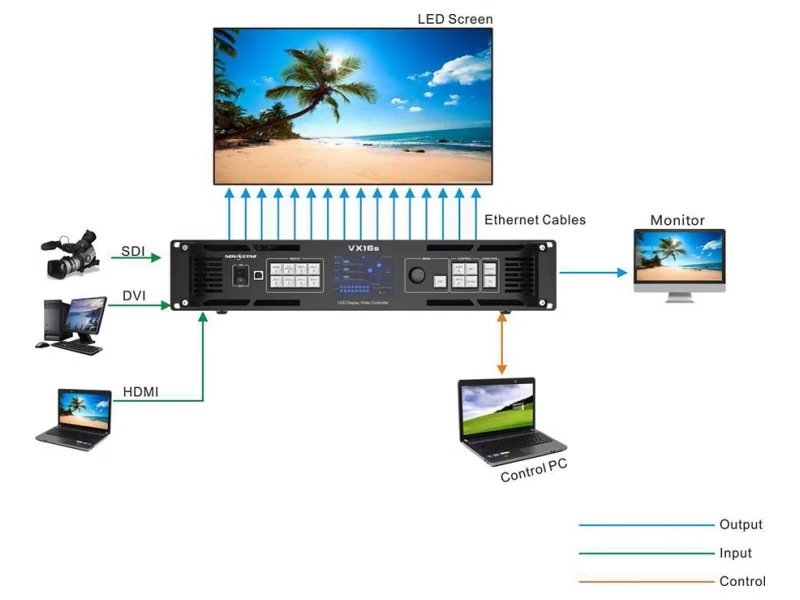
NovaStar VX16s signal workflow diagram — input sources through processing to 16 Ethernet outputs
NovaStar VX16s integrated LED screen controller system architecture

V-Can Software & NovaStar Control System

The VX16s operates within NovaStar’s synchronous LED control system ecosystem. Download NovaStar LED controller software for free.

V-Can — Video Control

  • 3-layer management: position, size, crop, priority
  • Input source switching for all layers
  • Image mosaic across up to 4 VX16s units
  • 10 presets with save/load/clear/copy
  • Test pattern generation (color bars, grayscale, grid)
  • Windows + macOS compatible

NovaLCT — Configuration

  • Receiving card setup & rcfgx management
  • Screen mapping & cabinet topology
  • Pixel pitch & resolution calibration
  • Brightness & color temperature adjustment
  • Firmware updates via USB or Ethernet
  • Refresh rate optimization (up to 120Hz)

Basic Knowledge Of NovaStar Control System — Official NCE Training by NovaStar

VX16s Setup Guide

Key deployment steps for field technicians. See LED screen installation guide and official manual for complete procedures.

1

Screen Brightness

Press the knob on the home screen → Screen Brightness → rotate to adjust in real-time. The LED screen displays changes as you adjust. Press the knob to apply. Proper brightness extends LED lifespan and reduces power draw.

2

Screen Settings & Quick Config

Set Cabinet Row/Column Qty, Port 1 Cabinet Qty, and Data Flow pattern. For standard rectangular screens with uniform cabinets, Quick Configuration auto-maps the entire layout. Port 1 must be the physical connection start. Real-time preview on the LED screen during setup.

3

Layer Setup

Press MAIN/PIP1/PIP2 to enter each layer. Set input source, scaling mode (Full Screen/Pixel-to-Pixel/Custom), dimensions (H Width/V Height up to 32,768 px), position (Initial X/Y), input crop, and priority (1/2/3). HDMI and DVI Mosaic sources available for main layer only.

4

Presets & Backup

Save up to 10 presets (Save/Load/Clear/Copy To). Enable device backup mode: when the primary VX16s loses signal or an Ethernet port fails, the backup unit takes over automatically. For image mosaic across multiple units, configure load areas via the Image Mosaic menu.

NovaLCT Basic Configuration — Official NCE Online Training by NovaStar

Redundancy Setting for LED Display — How to Set Up Backup to Avoid Black Screen

Where the VX16s Excels

Four scenarios where 10.4M-pixel capacity, 3 layers, and backup mode prove decisive.

Multiple NovaStar VX16s units in rack-mount deployment configuration

🎪

Stage & Live Events

10 presets pre-configured per show segment — opening act, keynote, awards. Independent PIP layers for speaker close-up + countdown timer. Backup mode ensures the screen never goes dark. For stage LED displays where continuity is non-negotiable.

🎬

Broadcast & Studios

Dual 3G-SDI inputs with deinterlacing for studio cameras. Frame rates from 23.98Hz to 60Hz ensure judder-free film and broadcast content. 3D mode (with EMT200 emitter) for immersive productions. RS232 port for Crestron/AMX central control integration.

🏛️

Conferences & Exhibitions

PIP layers support presentation + speaker + branding simultaneously. For conference LED display solutions, the OLED display and front-panel knob allow venue techs to adjust without a PC. Image mosaic cascades up to 4 units for exhibition halls.

🚚

Rental & Touring

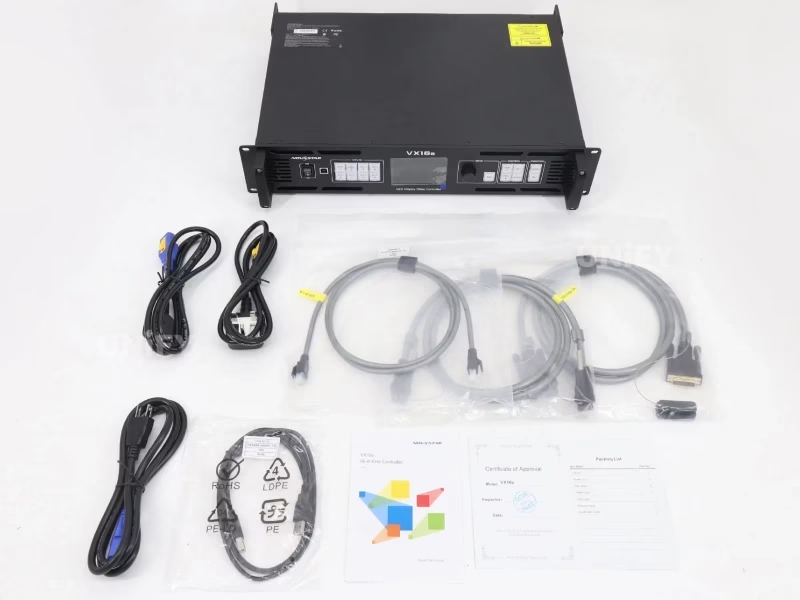
6.22 kg 2U chassis with carrying accessories included (EU/US/UK power cords, Cat5e, USB, DVI, HDMI cables). V-Can software enables fast venue-to-venue reconfiguration. For rental LED display fleets: presets per venue, backup mode insurance.

VX16s vs. NovaStar VX Series

Understanding the VX16s position in NovaStar’s all-in-one controller lineup.

Feature VX16s VX1000 VX6s VX4S-N
Max Pixels 10,400,000 6,500,000 3,900,000 2,300,000
Ethernet Ports 16 10 6 4
Layers 3 (Main 4K + 2× PIP 2K) 3 3 PIP
Max Resolution 4K×2K@60Hz 4K×2K@60Hz 1920×1200 1920×1200
Chassis 2U 1U 1U 1U
Market Price $2,700–$3,800 $1,500–$2,500 $700–$900 $1,049–$1,100

VX16s highlighted. Contact UnifyLED for factory-direct pricing on any model.

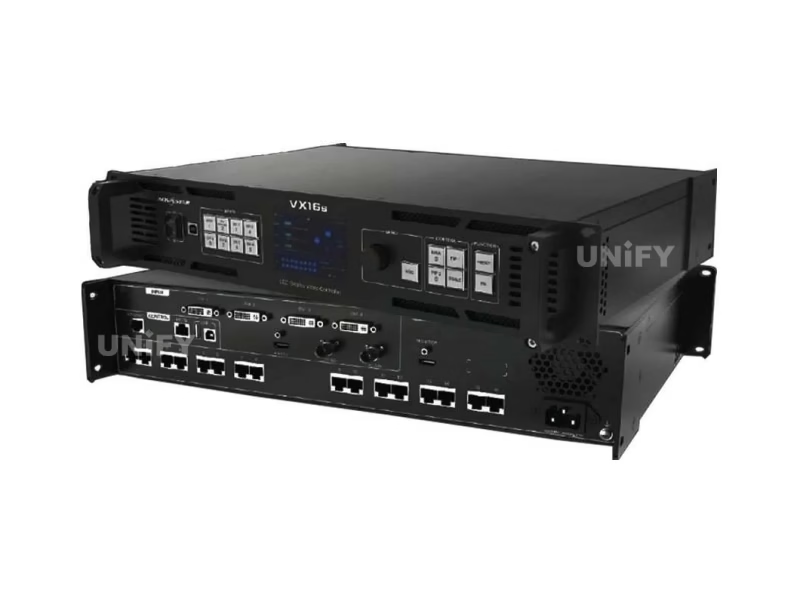
NovaStar VX16s close-up detail view of front panel OLED display

Why Source Your VX16s from UnifyLED?

As a direct LED screen manufacturer and NovaStar partner, we offer factory-direct pricing, pre-shipment testing, and integrated ecosystem support.

💰

Factory-Direct Pricing

15–30% below distributor pricing ($2,717–$3,799 retail). We pass procurement efficiency directly to B2B buyers.

🔍

Pre-Shipment Testing

Every VX16s tested with a live LED screen before packaging. Our quality control process catches issues before they leave our LED display factory.

🔗

Integrated Ecosystem

LED cabinets + VX16s controller + receiving cards — pre-configured. Single warranty, single support contact. Compatible with all NovaStar receiving cards and COB LED display systems.

🌍

Global Logistics

80+ countries. HS codes, CE/FCC/UL documentation included. Ships with EU/US/UK power cords, Cat5e, USB, DVI, HDMI cables, and Quick Start Guide.

NovaStar VX16s complete package with accessories and documentation

Frequently Asked Questions

Q: What is the maximum loading capacity of the VX16s?

10,400,000 pixels across 16 Gigabit Ethernet ports. Maximum: 16,384 px wide × 8,192 px tall. Each port handles 650,000 pixels.

Q: How many layers does VX16s support?

Three independent layers: one 4K×2K main layer (HDMI 2.0 or DVI Mosaic input) plus two 2K×1K PIP layers with adjustable position, size, crop, and priority. Dedicated MAIN/PIP1/PIP2 buttons on the front panel.

Q: Can I cascade multiple VX16s units?

Yes. Up to 4 VX16s units can be linked via USB (Type-B → Type-A) using Image Mosaic. Each unit requires its own input source. Configure load areas via the Image Mosaic menu.

Q: Does VX16s support backup/ redundancy?

Yes. In backup mode, when the primary device loses signal or an Ethernet port fails, the backup VX16s takes over automatically — zero-frame blackout. Both units must be identically configured.

Q: What is DVI Mosaic and when to use it?

DVI Mosaic combines 4 DVI inputs into one logical source — ideal for multi-output graphics cards and media servers. Exclusive to the main layer. Custom EDID supports up to 3840×3840 pixels per DVI port.

Q: Can the VX16s be wall-mounted?

No. The VX16s is designed for horizontal placement only. Install in a standard 19-inch rack or flat surface with adequate ventilation.

Q: What certifications does VX16s carry?

CE, FCC, IC, RoHS, UL, CB, and KC — meeting regulatory requirements for North America, Europe, and Asia-Pacific. Noise level: 45 dB(A) at 25°C.

NovaStar VX16s — The Complete B2B Buyer’s Guide

Published July 2026 · UnifyLED Engineering Team · 14 min read

1. Why the VX16s Matters — 10.4M Pixels in a Single 2U Box

The NovaStar VX16s All-in-One LED Display Controller represents the high end of NovaStar’s VX all-in-one family. With 10,400,000 pixels of capacity — more than any other VX-series controller — it is purpose-built for large-format LED walls where a single-device control architecture simplifies deployment and reduces failure points. Unlike the three-box approach of external scaler + sending card + configuration hardware, one VX16s does all three. For a stage LED display driving an 8K-wide backdrop, that is 16 Ethernet cables from one device instead of coordinating outputs across multiple sending cards.

2. Three-Layer Architecture — What You Can Actually Do With It

The VX16s layer system is not a simple PIP overlay. The main layer accepts HDMI 2.0 at up to 3840×2160@60Hz or a DVI Mosaic source (4 DVI inputs combined). The two PIP layers each accept up to 2K×1K resolution. Each layer has independent: input source assignment, horizontal/vertical dimensions (up to 32,768 pixels each), X/Y position on screen, input crop (64 px to full input resolution), and priority (1 = back, 3 = front). The TAKE button on the front panel swaps main/PIP assignments during live operation. For conference LED display solutions, this means slides + speaker close-up + countdown timer — all independently controllable.

3. Input Architecture — HDMI 2.0, SDI, and DVI Working Together

The HDMI 2.0 port is the primary 4K input, accepting 3840×2160@60Hz with HDCP 2.2 and EDID 1.4. The two 3G-SDI ports (BNC) accept up to 1920×1080@60Hz with hardware deinterlacing — plug in broadcast cameras directly without external converters. The four DVI ports serve dual roles: individually as standard 1920×1200@60Hz inputs, or combined via DVI Mosaic into a single ultra-wide source. An important constraint: HDMI and DVI Mosaic sources can only feed the main layer. PIP layers must use SDI or individual DVI sources.

4. Output Capacity — 16 Ports, 650K Pixels Each

Sixteen Neutrik Gigabit Ethernet ports each carry up to 650,000 pixels — identical to the per-port capacity of the NovaPro UHD Jr and MCTRL4K. The total 10.4M-pixel budget is distributed across ports based on your cabinet topology. For a 3840×2160 screen (8.3MP): 13 ports are consumed, leaving 3 ports unused — a 23% headroom that accommodates irregular cabinet layouts. The MONITOR HDMI output (1920×1080@60Hz) provides a real-time confidence feed, switchable between preview and program.

5. Device Backup Mode — How It Actually Works

Device backup mode on the VX16s is a hot-standby architecture, not a cold failover. Both the primary and backup VX16s units receive the same input signals and process identical frame data. The backup unit monitors the primary via the Ethernet control network. If the primary loses signal or any Ethernet port fails, the backup takes over — the screen does not flash, blank, or glitch. This is fundamentally different from Ethernet-level redundancy (which protects against cable failure but not controller failure). For broadcast, live events, and 24/7 control rooms, device-level backup is operational insurance that Ethernet redundancy alone cannot provide.

6. Image Mosaic — When One VX16s Is Not Enough

Up to 4 VX16s units can be cascaded via USB (Type-B output → Type-A input) for screens exceeding 10.4M pixels. Example: a 7680×4320 (33.2MP) LED wall requires 4 VX16s units, each loading 1920×4320 pixels. Configure via the Image Mosaic menu: set total pixel count, rows/columns, and each unit’s load area. Important: each unit requires its own input source. Use an external DA (distribution amplifier) if all units need identical content.

7. Frame Rate Flexibility — 23.98Hz to 120Hz

The VX16s supports an unusually wide range of output frame rates: 23.98, 24, 25, 29.97, 30, 47.95, 48, 50, 56, 59.94, 60, 70, 71.93, 72, 75, 85, 100, 119.88, and 120 Hz. This matters for three use cases: film content (23.98Hz avoids 3:2 pulldown judder), PAL broadcast (50Hz native), and high-refresh installations (100–120Hz for sports venues and esports). The 3D mode (with EMT200 emitter) halves loading capacity while active but supports frame-sequential 3D at up to 60Hz per eye. See LED display refresh rate for refresh-vs-fps distinction.

8. V-Can Software — Beyond the Front Panel

While the VX16s front panel provides complete standalone operation, V-Can software unlocks the full workflow: drag-and-drop layer positioning, visual preset management, test pattern generation, and multi-unit image mosaic configuration from a single PC. V-Can (V3.8.0) is available for Windows and macOS. NovaLCT handles the engineering layer: receiving card configuration, rcfgx management, firmware updates, and calibration. The VX16s communicates via Ethernet (TCP/IP) or USB Type-B.

9. Total Cost of Ownership — 5-Year Analysis

Separate Components: 4K video scaler ($800–$2,000) + 16-port sending card solution ($500–$1,200) + configuration hardware + extra rack space = $1,300–$3,200 hardware cost, plus the operational complexity of 2–3 separate devices.

VX16s: Single device at $2,717 (market reference). 5-year electricity at 70W × 8h/day × $0.12/kWh ≈ $123. The integrated approach eliminates inter-device cabling, reduces rack space (2U vs. 3–5U for separate components), and provides a single point of configuration, firmware management, and vendor support. With LED display lifespan of 100,000 hours, controller reliability over the deployment lifetime is a primary procurement consideration.

10. Sourcing Strategy — Factory Direct vs. Distributor

B2B buyers face a genuine choice: regional distributor (local stock, local warranty, $2,717–$3,799) vs. factory-direct from a LED screen manufacturer that is also a NovaStar partner (15–30% lower, pre-shipment configuration, integrated ecosystem support). Key evaluation questions: Does the supplier test each VX16s with a live LED screen before shipping? Can they provide the complete system — cabinets + controller + receiving cards — pre-configured? Do they offer technical support in your time zone? Our quality control process documentation details our procedures — we encourage direct comparison.

11. Conclusion — Is the VX16s Right for Your Project?

The NovaStar VX16s All-in-One LED Display Controller is the highest-capacity all-in-one controller in NovaStar’s VX series, positioned for large-format LED walls that need 4K processing, three independent layers, and 10.4M-pixel headroom — without the cost and complexity of a flagship NovaPro UHD. For B2B buyers deploying LED screens above 4MP where layer compositing and device-level backup matter, the VX16s offers a compelling single-box solution. When evaluating, move beyond the spec sheet: ask about pre-shipment testing, configuration support, and what happens when something fails at 2 AM during a live show. At UnifyLED, we answer these questions with verifiable data.

Ready to Deploy the VX16s?

Factory-direct pricing, pre-shipment testing, integrated technical support. Send your specifications — we respond within 24 hours.

Get Factory Quote

Explore the Complete NovaStar Controller Range

From Taurus multimedia players to VX all-in-one controllers and MCTRL sending boxes.

Taurus Players

VX All-in-One

Download VX16s User Manual

Official NovaStar VX16s user manual.

VX16s User Manual (PDF)


Contact Us!

Order LED Screen? Please feel free to contact us at any time, and we will respond to you within 24 hours.