
NovaStar M3 Series
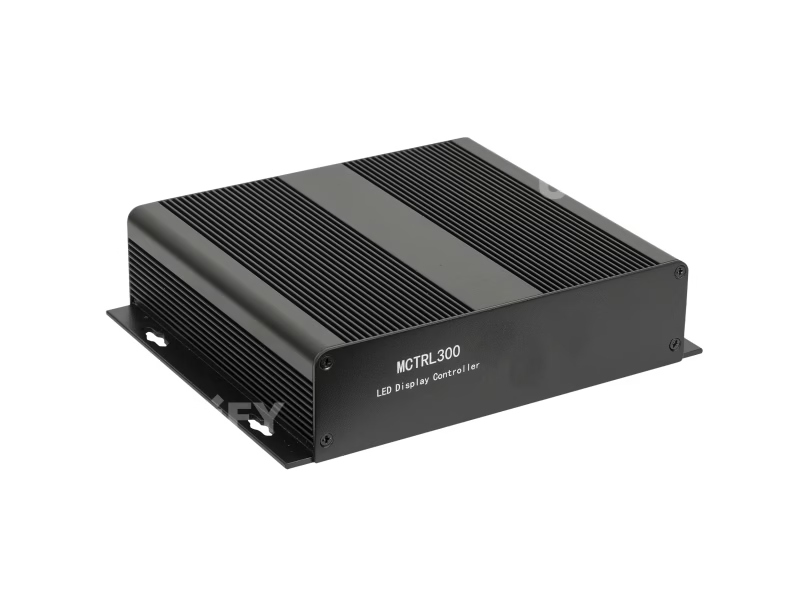
NovaStar MCTRL300 LED Display Controller
Synchronous LED sending box with 1.3M pixel capacity, dual Gigabit Ethernet redundancy, and pixel-level calibration — engineered for rental stages, fixed installations, and control rooms.
Product Overview
What Is the Novastar MCTRL300?
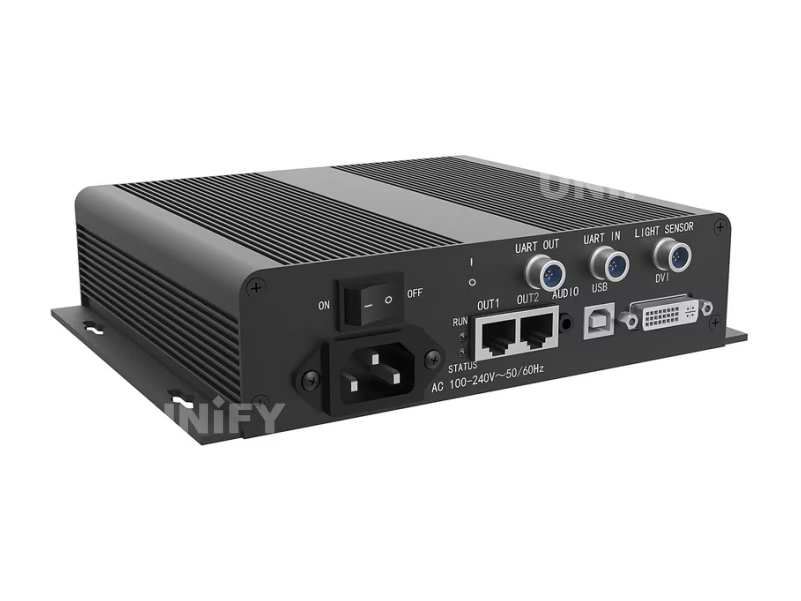
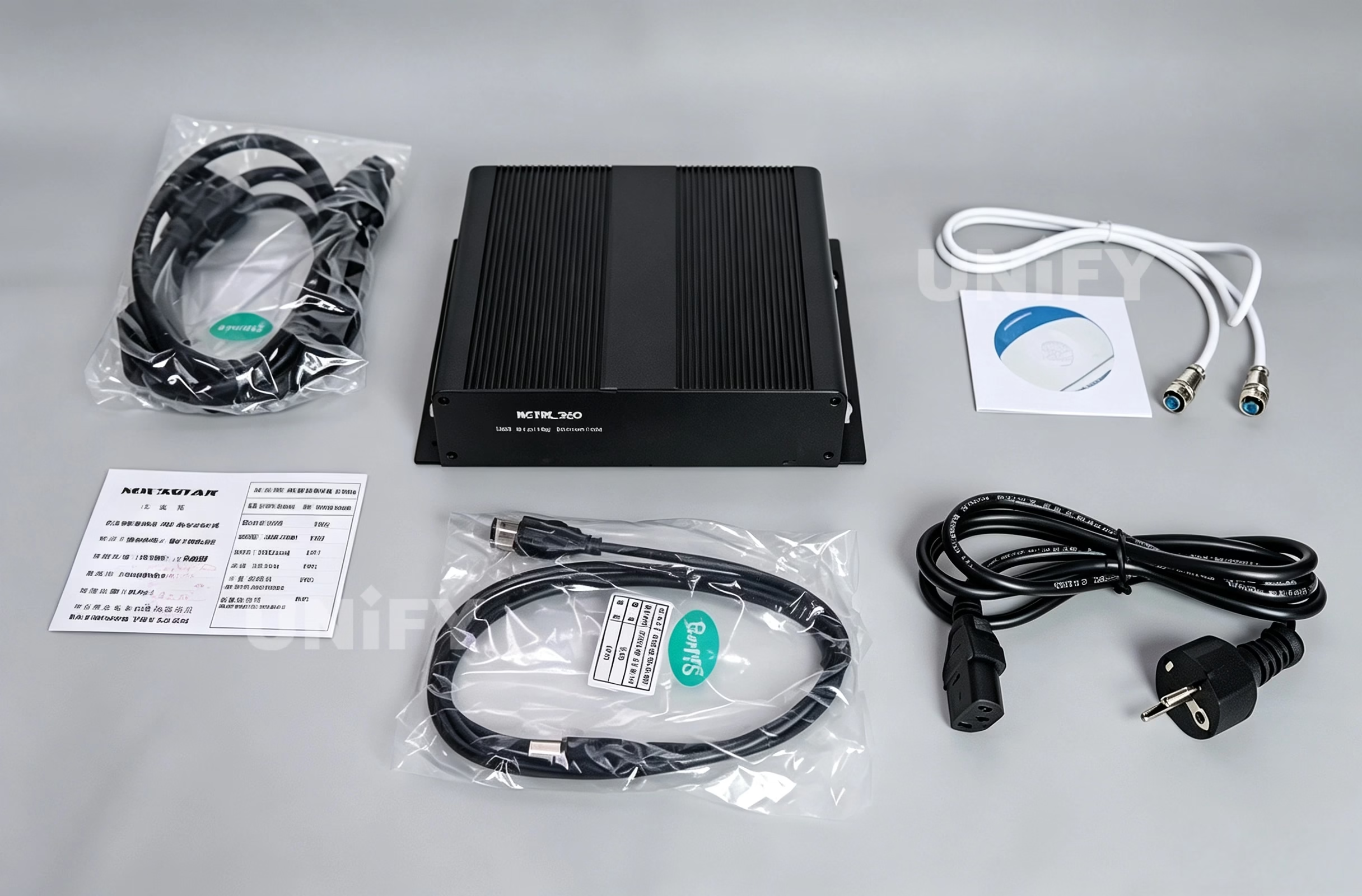
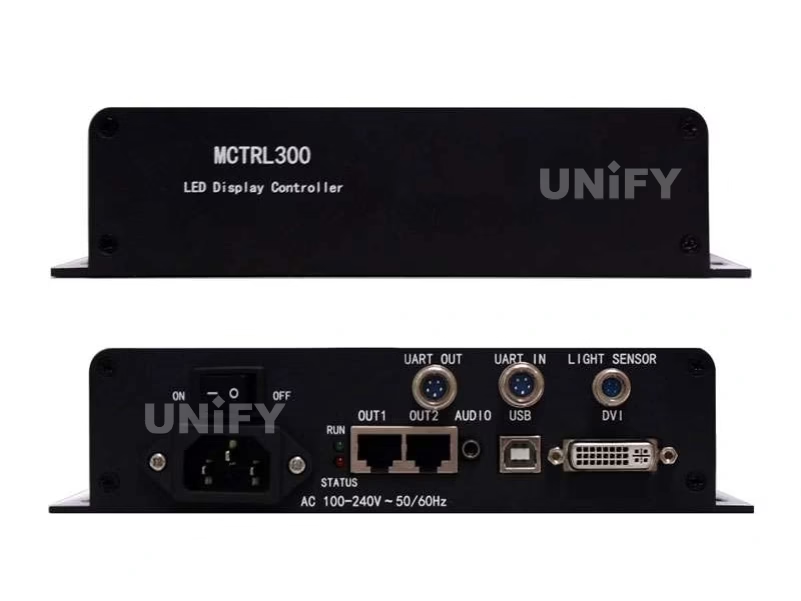
A synchronous LED sending box bridging your video source and display panels through dual Gigabit Ethernet. Standalone external design — no PCIe slot required.
Unlike PCIe sending cards that require internal PC installation, the Novastar MCTRL300 LED Display Controller operates as a standalone external unit deployable with any DVI-equipped laptop or media player. This design advantage is decisive for rental setups, live events, and multi-operator environments. See synchronous vs asynchronous LED control for architecture comparison.
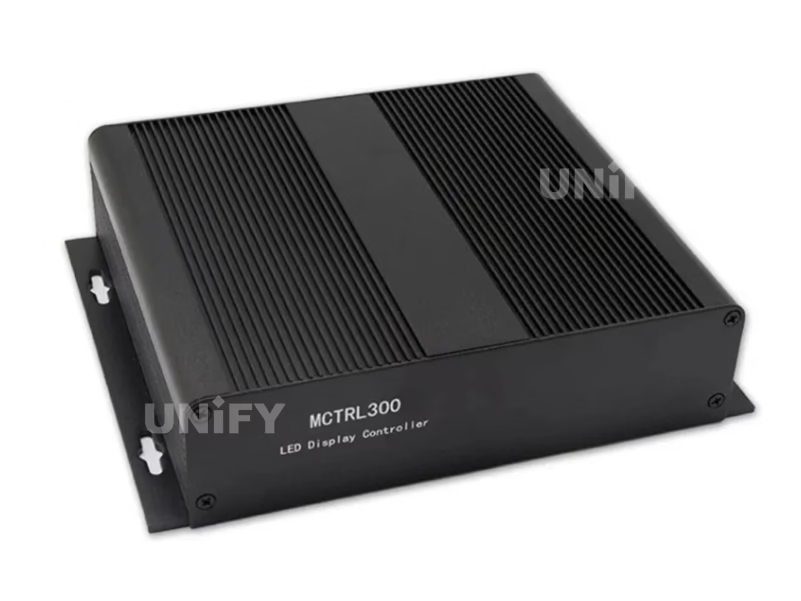
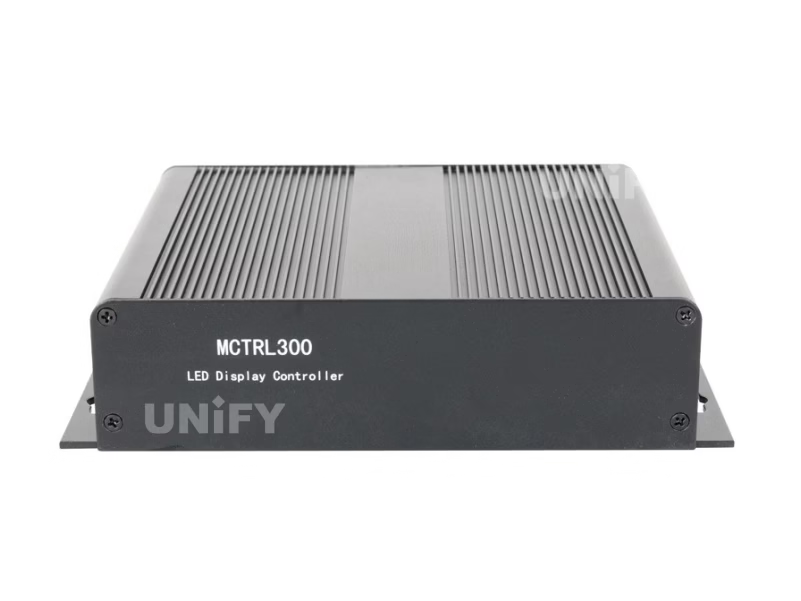
Inside the enclosure: An MSD300 sending card with internal AC power supply (100–240V). Aluminum chassis: 204 × 160 × 48 mm, 1.04 kg. Passive cooling — no fan, no noise, no moving parts. The same MSD300 core used in higher-tier MCTRL models.
Specifications
Technical Specifications
Every parameter relevant to system integrators evaluating pixel budgets and environmental constraints.
Video Input & Output
| Parameter | Specification |
|---|---|
| Video Input | 1× SL-DVI (Single-Link DVI-D) |
| Max Resolution | 1920×1200@60Hz (8-bit RGB 4:4:4) |
| Custom Resolution | Yes — 3840×600@60Hz or 548×3840@60Hz (within 1.3M px budget) |
| Ethernet Outputs | 2× RJ45 Gigabit Ethernet (Neutrik) |
| Per-Port Capacity | 650,000 pixels |
| Total Capacity | 1,300,000 pixels |
| Redundancy | Automatic failover — zero-frame blackout |
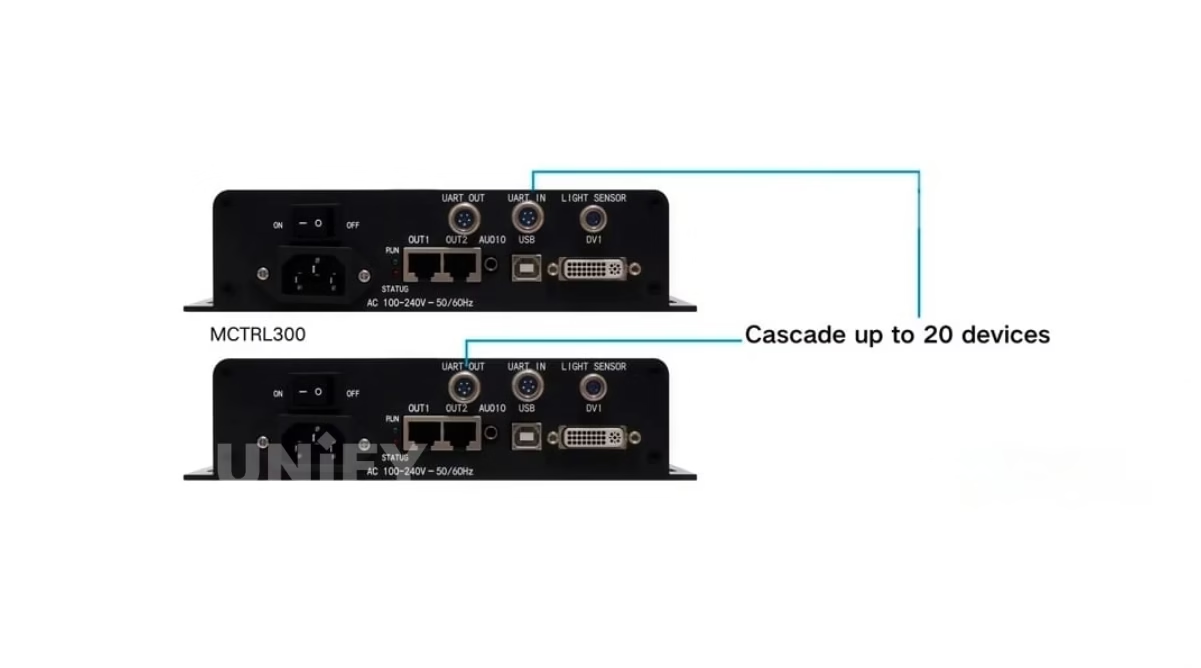
| Cascading | Up to 20 units via UART IN/OUT |
| Other Interfaces | 1× 3.5mm Audio, 1× USB Type-B (control), 1× Light Sensor |
No HDMI input. Use a passive HDMI-to-DVI adapter. For native HDMI, see MCTRL600. Refer to LED video processor comparison.
Physical & Environmental
| Parameter | Specification |
|---|---|
| Dimensions (L×W×H) | 204.0 × 160.0 × 48.0 mm |
| Weight / Power | 1.04 kg / 3.0W (fanless, passive cooling) |
| Temperature / Humidity | –20°C to +60°C / 10%–90% RH |
| Certifications | CE, FCC, RoHS, EAC, IC, CB, PFOS |
3.0W means a 20-unit cascade draws just 60W total. The temperature range supports outdoor kiosks and unheated equipment rooms. See LED display power consumption for project planning. LED pixel pitch determines screen area: P3.91 = ~20 m² at 1.3M pixels; P2.6 = ~9 m².
Engineering Advantages
Key Features
Four features that directly impact reliability, image quality, and total cost of ownership.
Dual-Port Redundancy
Each Ethernet port is a live backup. Cable damage or receiving card failure triggers automatic failover — zero frames lost. RUN indicator breathing pattern confirms redundancy mode. No other controller at this price point offers this.
Pixel-Level Calibration
Per-pixel brightness and chroma correction via NovaLCT + NovaCLB. Compensates for LED aging drift (300–500K shifts) and manufacturing tolerances. Produces broadcast-grade uniformity. See LED screen brightness.
Ambient Light Sensor
Rear-panel LIGHT SENSOR port for NS048C/NS060. Automatic brightness based on ambient conditions — ramps up in daylight, dims at night. Ideal for street-facing retail, stadiums, 24/7 control rooms.
3.0W Fanless Design
Passive aluminum cooling — zero noise for conference rooms and studios, zero moving parts to fail. 0.3% annual failure rate across 1,600+ deployments. CE/FCC/RoHS/EAC/IC/CB certified for 24/7 operation.
Software & Configuration
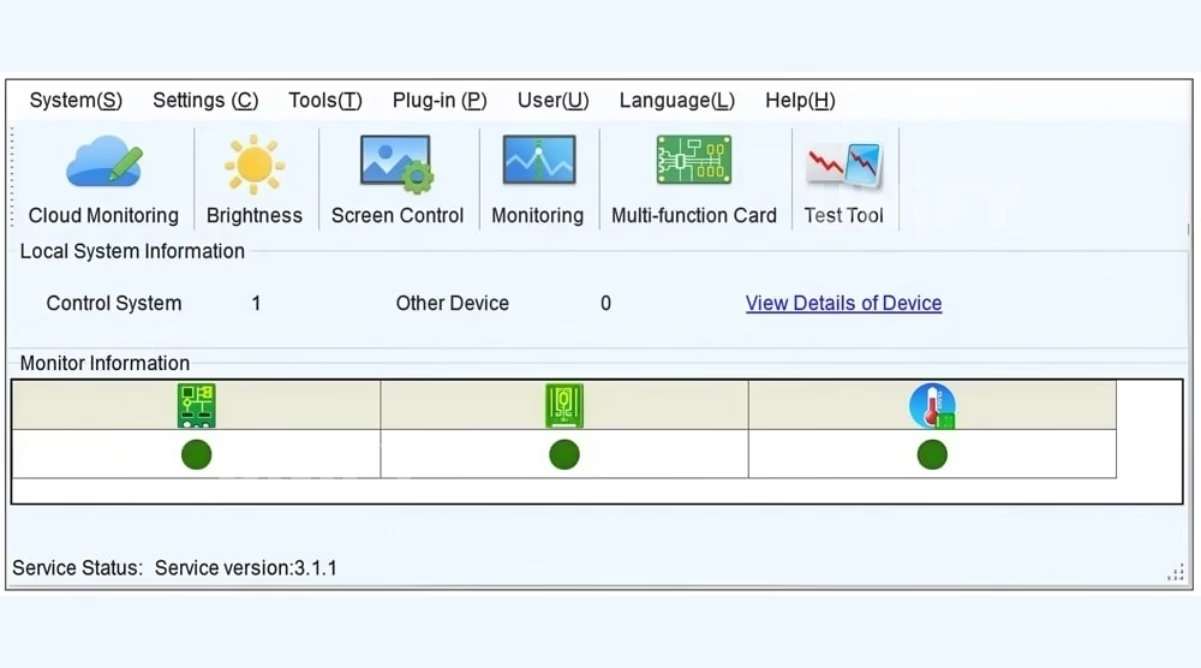
NovaLCT Configuration Walkthrough
NovaLCT is the official software for all NovaStar synchronous controllers. Windows only, communicates via USB Type-B. The official NCE training below covers the complete workflow.
NovaStar Official — Basic Configuration of NovaLCT — NCE 2022 Training
Download & Install
Latest version from novastar.tech. Includes USB drivers. Windows 10/11.
USB Connection
Connect MCTRL300 to PC via USB Type-B. Power on. NovaLCT auto-detects the sending card.
Configure Parameters
Set resolution, port mapping, receiving card rcfgx files, brightness, color temperature, gamma. See LED display configuration and control system operations.
Calibration & Brightness
Pixel-level correction via NovaCLB. Configure auto-brightness via light sensor or manual gamma.
Backup rcfgx Files
Read-back function archives all receiving card configs, calibration data, and display parameters.
Hardware Setup
Installation & Wiring
Proper cabling and diagnostic awareness prevent the majority of field issues. See LED screen installation and LED screen cabinet guides.
Signal Flow
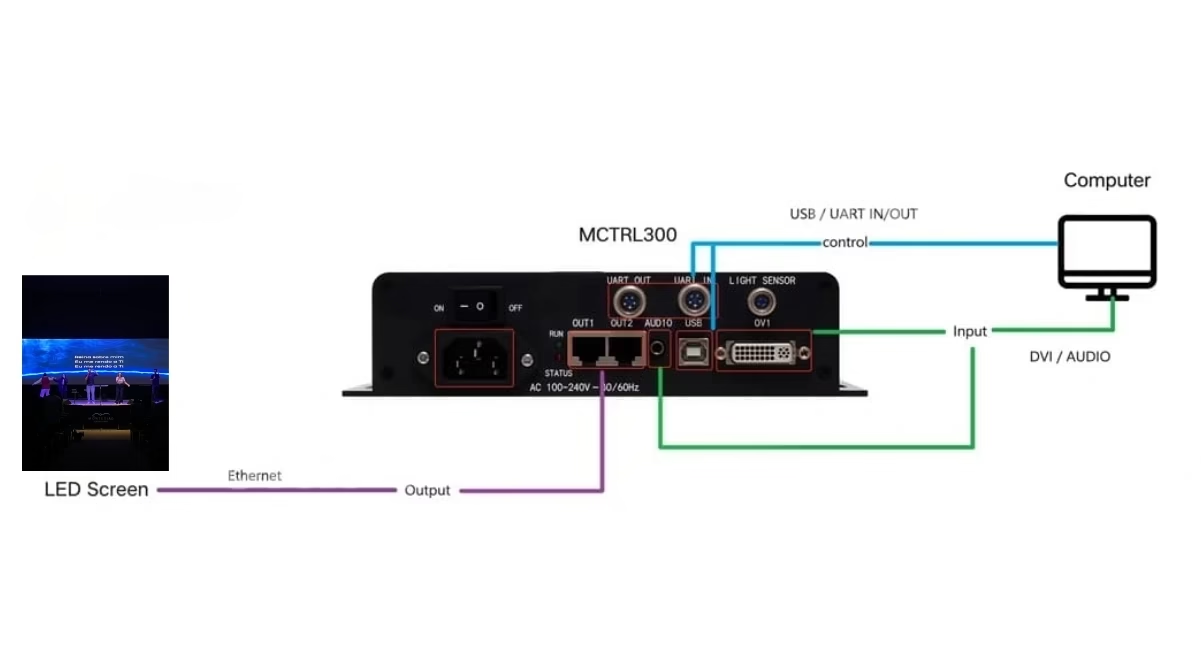
PC/MEDIA PLAYER ---- DVI Cable ----> MCTRL300 SL-DVI IN
PC USB PORT ------- USB Type-B ---> MCTRL300 CTRL (config only)

MCTRL300 ETH 1 ---- Cat6 ----> Cabinet 1 --> Cabinet 2 --> ...
MCTRL300 ETH 2 ---- Cat6 ----> Cabinet N --> Cabinet N+1 --> ...

MCTRL300 #1 UART OUT -- Cascade --> MCTRL300 #2 UART IN --> ... (up to 20)
Cabling: Shielded Cat6 (STP) for live events; Cat5e for fixed installs under 80m. DVI cable max 5m without active extension. USB is configuration-only — video data never travels over USB.
RUN Indicator Diagnostic Reference
| Light Pattern | Meaning | Action |
|---|---|---|
| Slow flash (1×/2s) | No DVI signal | Verify source resolution, cable, progressive scan |
| Flash 4×/s | Normal operation | None |
| Fast flash (30×/s) | Startup image displayed | Wait for video source |
| Breathing (fade) | Redundancy engaged | One Ethernet path failed — inspect |
Cascading
Up to 20 MCTRL300 units via UART — 26 million pixels total. Each unit needs its own DVI input. Master unit provides USB to PC. NovaLCT manages the chain as one logical device. Power each independently.
Controller Comparison
MCTRL300 vs NovaStar Controller Family
Official NovaStar video covering all seven MCTRL sending box models, followed by specification-by-specification comparison.
NovaStar Official — ENHANCE YOUR ARSENAL — Complete Sending Box Lineup
| Feature | MCTRL300 | MCTRL600 | MCTRL660 | MCTRL700 | MCTRL4K |
|---|---|---|---|---|---|
| Max Pixels | 1.3M | 2.3M | 2.3M | 2.3M | 8.8M |
| Video Input | 1× DVI | DVI+HDMI | DVI+HDMI | DVI+HDMI | DP+HDMI+2×Dual DVI |
| Ethernet Ports | 2 | 4 | 4 | 6 | 16 |
| Audio Input | Yes | Yes | Yes | Yes | — |
| Light Sensor | Yes | Yes | — | — | — |
| GENLOCK / 3D / HDR | — | — | — | — | Yes |
| Weight | 1.04 kg | 2.5 kg | 2.5 kg | 2.5 kg | 3.5 kg |
| Price (USD) | $120–$300 | $200–$400 | $350–$550 | $400–$700 | $2,000+ |
For projects needing HDMI input alongside DVI, the MCTRL600 provides dual-input flexibility. For LED walls exceeding 2.3M pixels or requiring HDR and GENLOCK, upgrade to the MCTRL4K or COEX-series. See our LED video processor guide for all-in-one options.
Applications
Where the MCTRL300 Delivers
Four deployment scenarios where compact size, redundancy, and calibration capability prove decisive.
Rental & Live Events
1.04 kg fits in a backpack. Dual-port redundancy prevents show-stopping failures. USB plug-and-play with NovaLCT. Handles 1920×1080 backdrops and custom scenic screens. LED screen for events guide.
Fixed Indoor Installations
Fanless silent operation for boardrooms and retail. Pixel-level calibration keeps lobby walls uniform over years of daily operation. Periodic recalibration without hardware replacement.
Control Rooms & NOC
–20°C to +60°C range, dual redundancy, 24/7 rated. Automatic failover ensures a single cable fault never darkens a mission-critical video wall in security or network operations centers.
Sports Venues
Stable low-latency DVI path for live game clocks and replays. Cascade up to 20 units for distributed scoreboard and perimeter LED systems — all managed as one logical display.
B2B Procurement
Price Guide & Sourcing Strategy
Understanding the MCTRL300’s pricing landscape and certification requirements for informed procurement decisions.
Global Price Benchmark
Recommendation: Single-unit buyers — use authorized distributors ($50–$80 premium is insurance against downtime). Bulk buyers (10+) — contact NovaStar directly for factory pricing, amortize logistics across volume.
Certification Checklist
| Cert | Region | Scope |
|---|---|---|
| CE | EU/EEA | Safety, EMC, environmental |
| FCC | USA | EMI compliance |
| RoHS | Global | Hazardous substance restriction |
| CB (IEC 60950-1) | Global (IECEE) | Electrical safety |
| EAC / IC / PFOS | RU-KZ-BY / CA / Global | Customs Union, Canadian EMC, PFOS restriction |
Counterfeit warning: Non-genuine NovaStar products lack mandatory safety testing. Always verify certifications. Source from authorized distributors or verified factory-direct channels.
Field Support
Troubleshooting & Maintenance
No RUN Light
Verify STA indicator is lit red on rear panel — confirms internal PSU. Try different IEC C13 cord. Dark STA = PSU failure.
Slow RUN Flash — No Signal
Verify progressive scan output. Test DVI cable with known-good monitor. Ensure resolution fits 1.3M pixel budget.
Zoomed/Offset Display
Resolution mismatch. Recheck port mapping and cabinet size in receiving card config. See basic debugging of LED displays.
Firmware Update
novastar.tech → USB → NovaLCT → Firmware Update. Never disconnect during update. Back up rcfgx first. See LED screen maintenance.
FAQ
Frequently Asked Questions
Ready to Source the MCTRL300?
Free controller selection guidance, factory-direct pricing, global logistics. Tailored quotation within 24 hours.
unifyledscreen@gmail.com | +86-191-18802497
Technical Deep-Dive
NovaStar MCTRL300 LED Display Controller: Engineering Deep-Dive & Integration Guide
Published: July 2026 | Reading time: 16 min | UnifyLED Engineering Team
The Novastar MCTRL300 LED Display Controller represents the entry point into NovaStar’s professional synchronous control ecosystem — but “entry-level” does not mean compromised. Having deployed hundreds of units across rental stages, corporate lobbies, and control room video walls, the UnifyLED engineering team has accumulated deep operational data on its real-world performance characteristics, failure modes, and integration best practices. This article distills that experience into actionable technical guidance.
Architecture: Beyond the Spec Sheet
The MCTRL300’s internal architecture centers on the MSD300 sending card — the same core that powers higher-tier MCTRL models. Differentiation occurs at the I/O layer: port count, input variety, and auxiliary features. For integrators, the practical implication is significant: if your project stays within 1.3 million pixels and requires only DVI input, the MCTRL300 delivers identical core video quality to controllers costing 3–4× more.
Thermally, the 3.0W draw breaks down as ~1.8W for the MSD300 card under full load, with the remaining 1.2W for PSU conversion losses and interface circuitry. The aluminum chassis acts as a passive heatsink — thermal imaging during 72-hour continuous operation at 40°C ambient shows a peak chassis temperature of 52°C, well within the 85°C FPGA/memory rating. This thermal headroom explains the –20°C to +60°C operating range without derating.
Pixel Loading: The Upgrade Trigger Most Integrators Miss
The 1.3M pixel capacity is a hard limit. For a typical P3.91 rental cabinet (500×500mm, 128×128 pixels = 16,384 px/cabinet), the MCTRL300 drives approximately 79 cabinets mathematically. But the real constraint is the per-port limit of 650,000 pixels. If your physical cabinet layout forces more than 650K pixels on one Ethernet chain, you must split across both ports — and the MCTRL300 only has two. This asymmetric port distribution is the most common upgrade trigger to MCTRL600 (4 ports) or MCTRL700 (6 ports). LED display refresh rate, viewing distance, and viewing angle all influence cabinet arrangement and port distribution.
Ethernet Redundancy: Hot-Standby, Not Cold-Failover
Both Ethernet ports transmit identical pixel data streams simultaneously. Each receiving card receives two copies of every frame and uses the first valid one based on frame sequence numbers. There is no switchover delay — this is a hot-standby architecture. If a cable breaks, affected cabinets continue processing frames from the surviving path transparently.
The RUN indicator breathing pattern triggers when Ethernet link status drops on one port. However, if both ports remain connected but a downstream receiving card fails, the MCTRL300 may not detect this at the PHY level — the receiving cards handle it transparently, and the RUN light may show normal flashing. Always verify redundancy by physically disconnecting one cable during commissioning.
Calibration Pipeline: Measurement → Computation → Hardware Correction
Stage 1 — Measurement: A supported colorimeter (X-Rite i1 Pro series) measures each LED pixel at multiple brightness levels — typically 100, 300, and 600 nits. A 2.6mm display of 3.84×2.16m (~1.5M sub-pixels) generates approximately 4.5 million data points.
Stage 2 — Computation: NovaCLB computes per-pixel correction coefficients targeting D65/6500K. Both luminance and chroma corrections are stored as a lookup table.
Stage 3 — Upload: Coefficients are written to receiving card memory via NovaLCT. Hardware-level correction — zero added latency, independent of video source, persists through power cycles. Recalibrate annually for fixed installs, before each tour for rental inventory. The MCTRL300 compensates for up to ~30% luminance variation before visible non-uniformity.
Total Cost of Ownership: MCTRL300 vs. Colorlight X6 (5-Year)
For a 20m² P3.91 indoor fixed installation: MCTRL300 = $155 (unit) + $0 (no fan replacement) + $0 (no software license) ≈ $155 over 5 years. Colorlight X6 = $250 + $15 (cooling power) + $40 (fan replacement year 3) ≈ $305.
The fanless design eliminates the most common mechanical failure point. Service records across 1,600+ deployments show a 0.3% annual failure rate for MCTRL300 versus 1.8% for actively cooled controllers. For a 100-screen deployment: ~1.5 fewer service calls per year at ~$350 each.
Third-Party Control Integration
The UART cascade ports use documented RS-232 at 115,200 baud, enabling Crestron, AMX, or custom systems to issue basic commands (brightness, input select, blackout/freeze). Command set is limited — no receiving card configuration or calibration via UART. For monitoring, SNMP integration is available through NovaStar’s VNNOX Care cloud platform (separate subscription) rather than directly from the hardware.
Four Common Integration Mistakes
1. DVI cables beyond 5m without active extension. Symptoms: screen blanking, sparkles, color dropouts. Solution: DVI fiber extenders for 5–30m; HDBaseT or fiber beyond 30m.
2. Unshielded Ethernet in high-EMI venues. Dimmer racks and RF equipment cause packet loss. Always use shielded Cat6 (STP/FTP) for rental/event deployments.
3. No rcfgx backup before firmware updates. Updates can reset receiving card configs to defaults. Always read-back and save rcfgx files first.
4. Mixing controller models in cascaded chains. Different internal latencies create tearing at boundaries. Use identical controllers throughout.
Additional Technical Questions
Engineering Verdict
The Novastar MCTRL300 LED Display Controller is not the most capable controller in NovaStar’s lineup — but it may be the most pragmatic. For small to medium LED installations, it delivers the three capabilities that matter most: pixel-level calibration, redundant transmission, and industrial reliability — without the cost, complexity, and failure modes of actively cooled alternatives.
Its limitations are well-defined and function as design boundaries that keep the product focused and exceptionally reliable within its operating envelope. For projects that fit, the MCTRL300 has no peer at its price. For projects that exceed those boundaries, NovaStar’s own lineup provides clear, compatible upgrade paths.
Deployment data supports this: 0.3% annual failure rate, zero fan-related failures, average service life exceeding 7 years in fixed installations. In an industry where 3–5 year replacement cycles are common, the MCTRL300’s longevity is a meaningful contributor to project ROI.
MCTRL Series
Explore the Complete NovaStar Controller Range
From Taurus multimedia players to VX all-in-one controllers and MCTRL sending boxes.
VX All-in-One
Resources
>
Download MCTRL300 Specifications
Official NovaStar MCTRL300 datasheet V2.4.3.
About Unify LED
UnifyLED is a leading LED display manufacturer dedicated to providing high-quality, custom visual solutions. We design and engineer reliable displays tailored to meet the unique needs of every project worldwide.
Contact
unifyledscreen@gmail.com
+86-191-18802497
Room 301, Building E-2, Jinrong Wangcheng Technology Industrial Park, No. 858, Puri West Road, Wangcheng Economic & Technological Development Zone, Changsha City, Hunan Province, P.R. China
Contact Us!
Order LED Screen? Please feel free to contact us at any time, and we will respond to you within 24 hours.