
NovaStar MCTRL Series
Novastar MCTRL660 LED Display Controller
Professional synchronous LED controller with built-in LCD panel for standalone configuration, HDMI+DVI dual input, 2.3M pixel capacity, 12-bit color processing, and hardware-level brightness/color adjustment — no PC required for on-site setup.
Product Overview
What Is the Novastar MCTRL660?
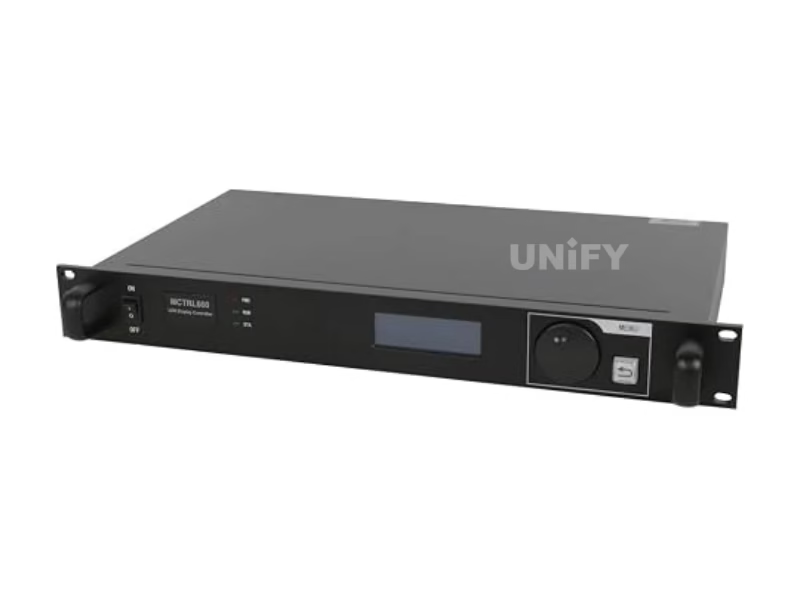
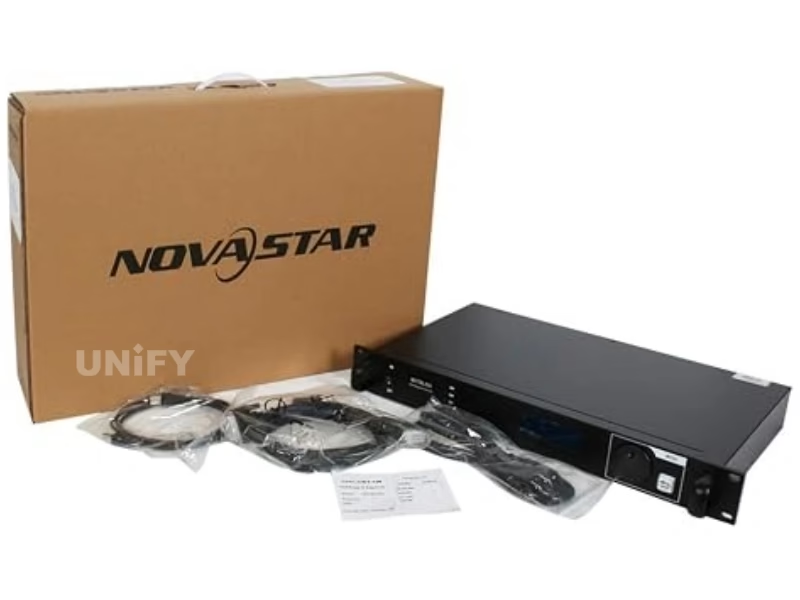
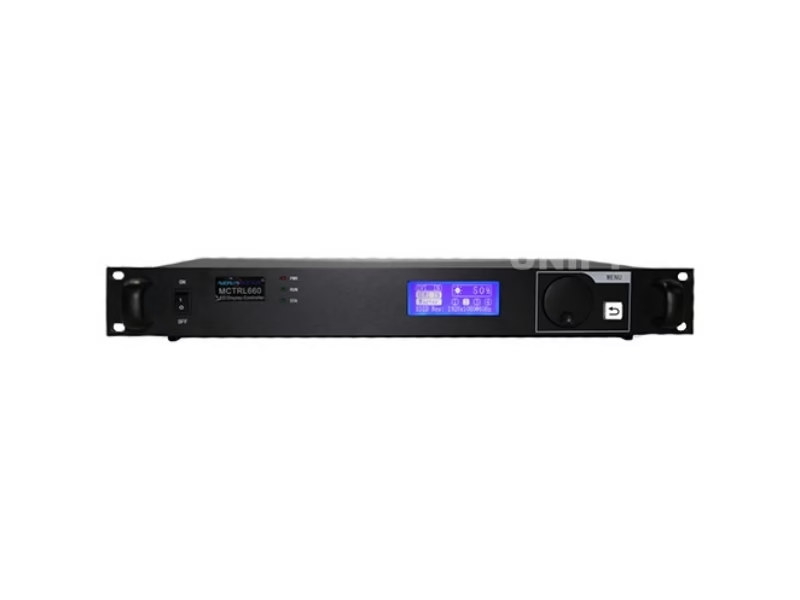
The Novastar MCTRL660 LED display controller is the first model in NovaStar’s MCTRL lineup to feature a built-in LCD panel with control knob — enabling full screen configuration, input selection, brightness adjustment, and color calibration directly from the front panel without a connected PC. This standalone operability makes it the controller of choice for rental staging companies and field technicians who need to configure or reconfigure LED walls on-site without accessing NovaLCT software. It supports HDMI 1.3 and DVI inputs, four Gigabit Ethernet outputs delivering 2.3 million total pixels, 8/10/12-bit color processing, pixel-level calibration, hardware brightness/color adjustment, and UART cascading of up to 20 units. For architecture comparison, see synchronous vs asynchronous LED control.
Key differentiator: The LCD panel and knob on the front panel allow complete standalone configuration — input source selection, resolution setting, screen parameter adjustment, brightness/color calibration, and status monitoring — without any PC connection. On the MCTRL300 and MCTRL600, these operations require a laptop running NovaLCT. On rental job sites and in fast-turnaround event environments, this eliminates approximately 15 minutes of setup time per deployment and removes the single-point-of-failure dependency on a configuration laptop.
Specifications
Technical Specifications
Video Input & Output
Physical & Environmental
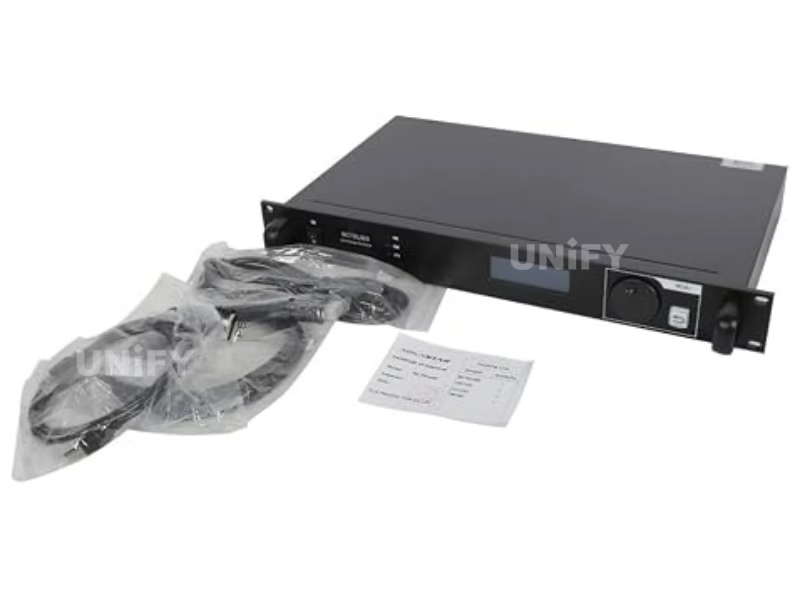
The 1U rack-mountable form factor integrates into standard AV racks. At 6.6W and 2.5 kg per unit, a 10-unit cascade draws only 66W. See LED display power consumption for electrical planning.
Engineering Advantages
Key Features
LCD Standalone Configuration
The defining feature: configure the entire LED screen directly from the front-panel LCD and knob — input source, resolution, screen parameters, brightness/color, and status monitoring. No PC, no NovaLCT, no USB cable required. Saves ~15 minutes per deployment on rental job sites.
Hardware Brightness & Color Control
Dedicated hardware buttons on the front panel enable direct brightness, contrast, gamma, and color temperature adjustment — no software required. Rate for broadcast environments and live events where real-time image tuning without a PC is essential.
Image Mirroring & Creative Layouts
Built-in multi-angle image mirroring (horizontal, vertical, diagonal) enables creative LED wall effects without external processing — curved screens, multi-surface stages, and architectural displays configured directly from the controller.
20-Unit Cascade + Loop-Through
HDMI and DVI loop-through outputs feed signals to additional controllers or monitors without external splitters. Up to 20 units cascaded via UART for 46M pixel control. Ideal for large-scale fixed installations and distributed video walls.
Standalone Operation
LCD Configuration — No PC Required
The MCTRL660’s LCD panel and control knob enable complete standalone setup — the only MCTRL-series controller offering this capability until the MCTRL4K. This is the workflow field technicians use on rental sites.
Set Input Source & Resolution
Press the knob to enter the main menu → Input Settings → select HDMI or DVI source → choose Preset Resolution (1920×1200@60Hz) or set Custom Resolution for non-standard displays.
Quick Screen Configuration
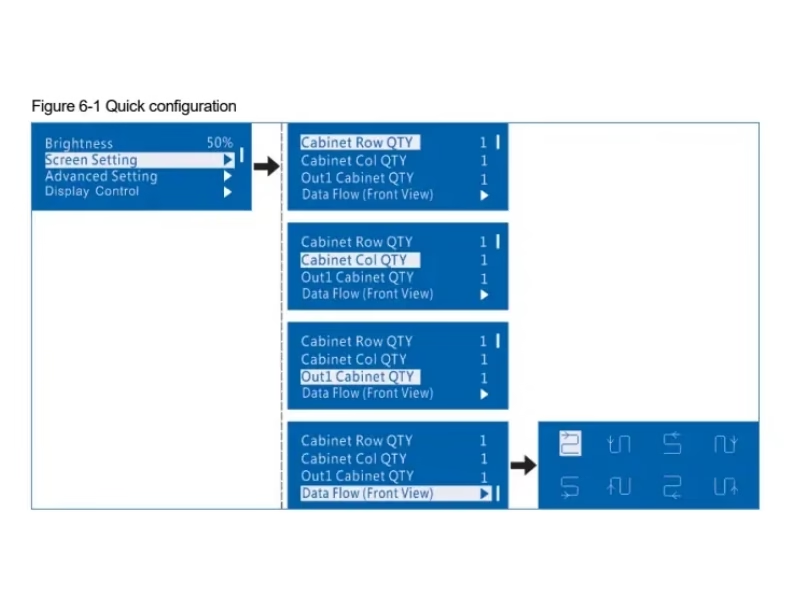
Navigate to Screen Settings → Quick Config → set Cabinet Row Qty, Column Qty, Port 1 Cabinet Qty, and Data Flow direction. The LCD previews the data flow in real-time as you rotate the knob. Press to save — the screen lights up immediately.
Adjust Brightness & Color (Hardware Buttons)
Use the dedicated front-panel buttons to adjust brightness, contrast, gamma, and color temperature in real-time — no menus, no software. Ideal for live event environments where lighting conditions change and immediate image tuning is required.
Monitor Status & Diagnostics
The LCD displays real-time operating temperature, Ethernet link status, input signal presence, and firmware version. Status indicators (RUN/STA) provide at-a-glance operational confirmation. No PC monitoring required.
Software & Hardware Setup
NovaLCT Configuration & Installation
While the LCD handles standalone setup, NovaLCT provides advanced functions including pixel-level calibration, firmware updates, network monitoring, and configuration backup. The official NovaStar NCE training below covers the complete workflow.
NovaStar Official — NovaStar Official — Basic Configuration of NovaLCT NCE 2022 Training
Signal Flow & Wiring
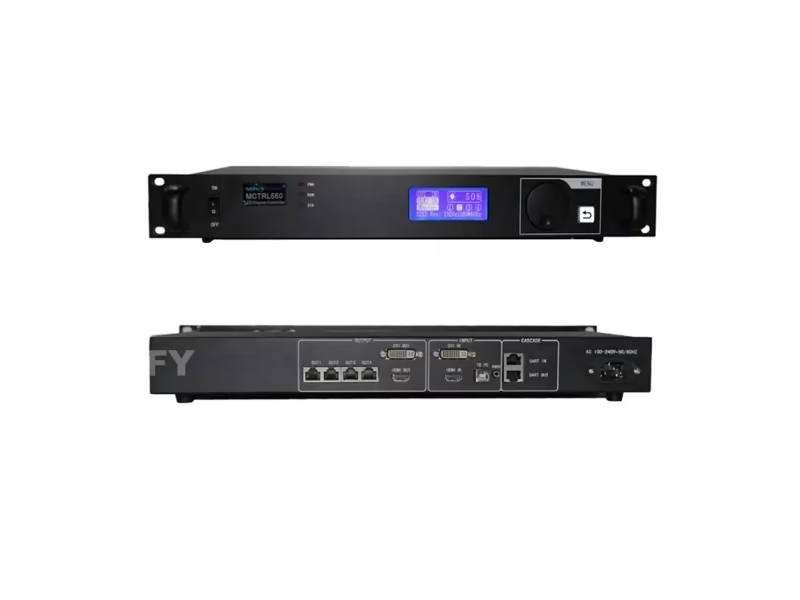
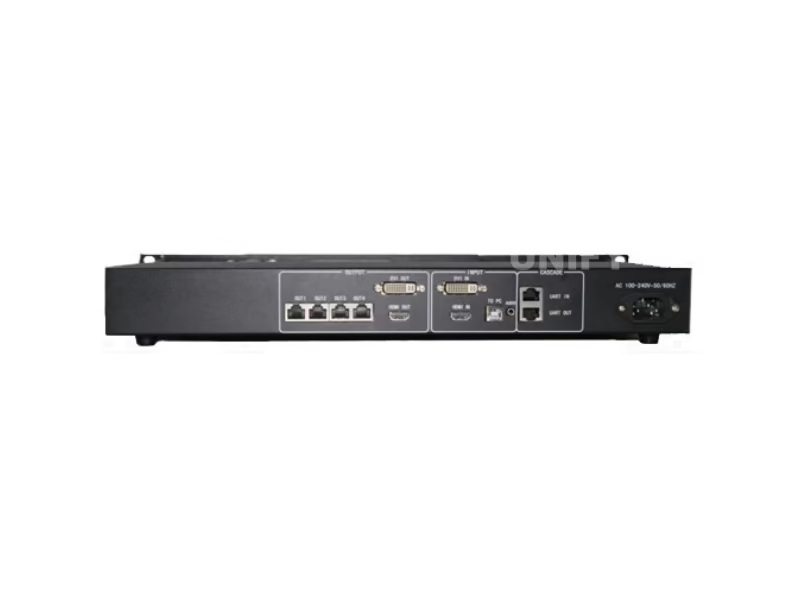
PC/MEDIA SERVER --HDMI or DVI--> MCTRL660 INPUT
MCTRL660 HDMI OUT --Loop--> Monitor / Next Controller
MCTRL660 DVI OUT -Loop--> Monitor / Next Controller

MCTRL660 ETH 1-4 --Cat6--> LED Cabinets (distributed load)
MCTRL660 #1 UART OUT --Cascade--> MCTRL660 #2 --> ... (up to 20)
For cabling: shielded Cat6 (STP) for event environments. HDMI/DVI loop-through eliminates external splitters for multi-controller or local-monitor setups. See LED screen installation and LED screen cabinet.
Controller Comparison
NovaStar Sending Box Family
The official NovaStar video showing all seven MCTRL models, followed by a specification comparison with the MCTRL660 column highlighted.
NovaStar Official — NovaStar Official — ENHANCE YOUR ARSENAL Complete Sending Box Lineup
The MCTRL660 is the first model in the lineup with LCD standalone configuration — eliminating the PC dependency that MCTRL300 and MCTRL600 require. For projects needing GENLOCK, 3G-SDI input, or fiber outputs, the MCTRL660 PRO adds these capabilities. See our LED video processor guide.
Model Comparison
MCTRL660 vs MCTRL660 PRO
Choose MCTRL660 for standalone LCD configuration, rental staging, and fixed installations. Choose MCTRL660 PRO when broadcast SDI integration, fiber long-distance transmission, or GENLOCK synchronization is required.
Applications
Where the MCTRL660 Excels
Rental & Live Events
LCD standalone config eliminates the need for a configuration laptop on-site. Hardware brightness/color buttons enable real-time image tuning during shows. HDMI loop-through feeds local monitors without splitters. See LED screen for events.
Fixed Installations
20-unit cascade for large-scale corporate, retail, and worship displays. Pixel-level calibration ensures long-term brightness uniformity. 1U rack-mountable for AV rack integration.
Broadcast Studios
12-bit color with hardware calibration delivers broadcast-grade image quality. Image mirroring enables creative multi-surface studio designs.
Sports & Large Venues
Cascade 20 units for distributed scoreboard and perimeter displays. Hardware buttons enable quick brightness adjustment for day/night transitions.
B2B Procurement
MCTRL660 Price & Sourcing
All genuine MCTRL660 units carry CE, FCC, IC, CB, RoHS certifications. Always verify when sourcing — buy from LED screen manufacturer authorized channels or verified factory-direct partners.
FAQ
Frequently Asked Questions
Ready to Source the MCTRL660?
Factory-direct pricing, global logistics, free technical consultation.
unifyledscreen@gmail.com | +86-191-18802497
Technical Deep-Dive
Novastar MCTRL660 LED Display Controller: The LCD Advantage & Engineering Analysis
Published: July 2026 | 14 min read | UnifyLED Engineering Team
The Novastar MCTRL660 LED display controller stands apart from every other model in the MCTRL lineup for one reason: it is the first controller in the series to feature a built-in LCD panel with a rotary control knob, enabling complete standalone screen configuration without any connected PC. This single hardware addition transforms the MCTRL660 from a component that requires a laptop technician into a self-contained configuration tool that any on-site crew member can operate. For rental staging companies deploying LED walls at 50+ events per year, this eliminates approximately 750 minutes (12.5 hours) of cumulative setup time annually — and removes the single-point-of-failure dependency on a configuration laptop that, if forgotten, lost, or damaged, can delay an entire event setup.
Beyond the LCD panel, the MCTRL660 introduces three additional capabilities absent from the MCTRL300 and MCTRL600: hardware-level brightness and color adjustment via dedicated front-panel buttons, multi-angle image mirroring for creative LED wall layouts, and HDMI/DVI loop-through outputs that eliminate external signal splitters. This article provides the engineering analysis that specification sheets omit: the LCD workflow that replaces NovaLCT for 90% of field configuration tasks, the image mirroring pipeline for curved and multi-surface displays, the loop-through architecture for multi-controller signal distribution, and a procurement cost model for rental fleet operators. For configuration details, see LED display configuration and system debugging.
The LCD Workflow: What the MCTRL660 Can Do Without NovaLCT
The MCTRL660’s LCD panel and rotary knob are not a reduced-function backup for NovaLCT — they are a complete standalone configuration system that covers approximately 90% of field deployment tasks. Here is exactly what can be accomplished without a PC, organized by operational priority:
Input Management: Select HDMI or DVI input source → set EDID resolution (preset or custom width/height/refresh) → configure color depth (8/10/12-bit per input) → verify input signal presence on the LCD status display. This covers the most common pre-show configuration task: adapting the controller to whatever video source the client provides.
Screen Configuration: Set cabinet row and column quantities → assign Port 1 cabinet count → define data flow direction (previewed in real-time on the LCD as you rotate the knob) → save to flash. The screen lights up immediately upon saving. This replaces the NovaLCT Screen Configuration wizard for standard rectangular displays — which account for approximately 85% of rental deployments.
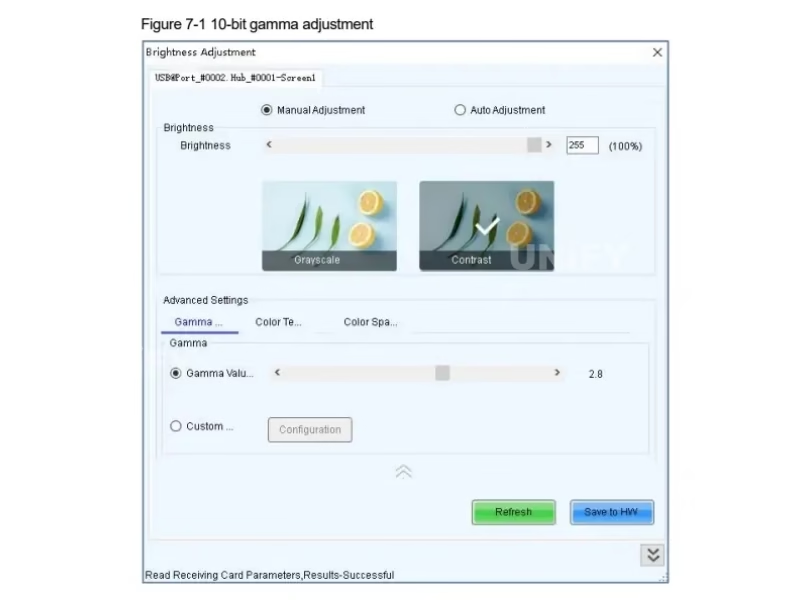
Image Tuning: Adjust brightness (global slider mapped to a hardware button pair) → contrast → gamma → color temperature (preset Kelvin values or custom RGB offset). These adjustments take effect in real-time on the output — critical for live event environments where lighting conditions change and the video engineer needs immediate response without navigating software menus.
Status Monitoring: The LCD displays operating temperature, Ethernet link status per port, input signal format and presence, firmware version, and cascade status. For a controller rack with 10+ MCTRL660 units, a technician can walk down the rack and visually verify all units are operational in approximately 30 seconds — versus connecting a laptop to each unit individually which takes 3–5 minutes per unit.
What still requires NovaLCT: Pixel-level brightness/chroma calibration (requires NovaCLB + colorimeter), firmware updates (USB connection required), receiving card rcfgx file management, network-based monitoring across multiple controllers, and GENLOCK configuration for broadcast sync. These are periodic maintenance tasks, not per-event configuration tasks — the LCD covers the daily operational workflow; NovaLCT covers the monthly maintenance workflow.
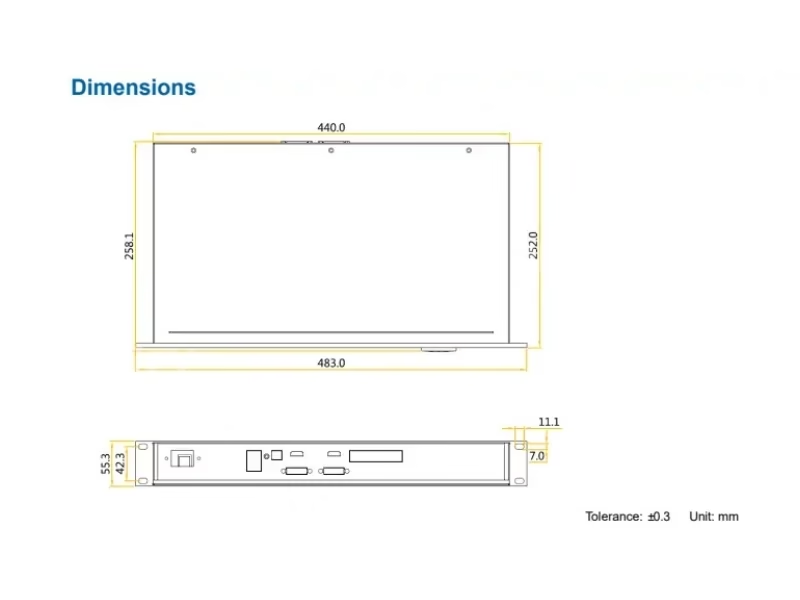
Image Mirroring: The Underrated Creative Tool
The MCTRL660’s built-in image mirroring engine supports horizontal, vertical, and diagonal mirror modes — a capability absent from the MCTRL300, MCTRL600, and MCTRL700. This is not a post-processing effect; the mirroring is applied at the hardware level in the FPGA video pipeline, adding zero latency to the output. The practical applications are significant:
Curved and multi-surface stages: A single video source can be mirrored horizontally across left and right screen sections with the center seam invisible to the audience — common in concert and festival stage designs where the LED wall wraps around the performance area.
Architectural displays: Diagonal mirroring enables diamond-pattern and triangular LED installations driven from a single controller without external processing hardware — reducing system cost and complexity for creative retail and lobby installations.
Redundant backup displays: Vertical mirroring can create an instant backup feed on a secondary display section — if the primary section fails, the mirrored section continues displaying content without any switching delay. For mission-critical live broadcast environments, this hardware-level redundancy is faster and more reliable than software-based failover. For redundancy architecture, see LED display refresh rate for camera sync considerations.
Loop-Through Architecture: Signal Distribution Without Splitters
The MCTRL660’s HDMI OUT and DVI OUT loop-through ports are frequently overlooked in specification comparisons but provide significant operational value in multi-controller deployments. On the MCTRL300 and MCTRL600, distributing a single video source to multiple controllers requires an external HDMI or DVI distribution amplifier (DA) — adding $80–$150 in hardware cost, an additional point of failure, and another device requiring AC power in the rack.
The MCTRL660’s loop-through architecture eliminates the DA entirely: the video source connects to Controller #1’s HDMI IN, and Controller #1’s HDMI OUT connects to Controller #2’s HDMI IN, and so on. Each controller in the chain receives a regenerated, full-bandwidth copy of the original signal with negligible added latency (~0.1ms per hop). Up to 5 controllers can be daisy-chained via loop-through before signal degradation becomes measurable; beyond 5 units, an active DA is still recommended. For a 3-controller rental setup (typical for a medium stage backdrop), the loop-through saves approximately $120 in hardware and eliminates two potential failure points.
MCTRL660 vs MCTRL660 PRO: The Procurement Decision
The MCTRL660 PRO adds 3G-SDI input, dual 10G optical fiber outputs, 6 Ethernet ports, GENLOCK synchronization, and sub-1ms latency — at approximately 60–80% higher cost than the standard MCTRL660. For the vast majority of LED deployments — rental staging, corporate events, fixed installations, retail, worship — the standard MCTRL660’s feature set is more than sufficient, and the LCD panel provides the same standalone configuration workflow on both models. The PRO is warranted only when three specific conditions apply: (1) the video source is a broadcast camera or switcher outputting 3G-SDI, (2) the cable run from controller to first cabinet exceeds 100 meters (requiring fiber), or (3) the deployment requires GENLOCK synchronization with external broadcast equipment. For the remaining 80–85% of professional LED deployments, the standard MCTRL660 delivers identical core performance at substantially lower cost. For procurement guidance, contact a verified LED screen manufacturer with NovaStar authorization.
Rental Fleet Economics: LCD Value Proposition
A rental company deploying MCTRL660 controllers at 40 events per year saves approximately 10 hours of cumulative technician time annually versus MCTRL600 — purely from eliminating laptop-dependent configuration steps. At a technician billing rate of $75/hour, this represents $750 in annual labor savings per controller. Against the approximately $150 price premium of MCTRL660 over MCTRL600, the LCD pays for itself in labor savings within approximately 2.5 months of deployment. Over a 6-year service life, the net labor savings per controller exceed $4,000 — approximately 10× the hardware cost premium. This calculation excludes the intangible value of eliminating laptop dependency: no forgotten laptops, no dead batteries, no OS update interruptions, no USB driver conflicts. For maintenance cost analysis, see LED screen maintenance.
Conclusion
The Novastar MCTRL660 LED display controller resolves the operational friction that defines field deployment of MCTRL300 and MCTRL600 units — the mandatory laptop dependency for basic configuration tasks. Its LCD panel and hardware control buttons transform the controller from a passive signal processor into an active configuration tool that any technician can operate without software training. For rental companies, this translates directly to faster setup times and reduced personnel requirements. For fixed installation integrators, it means commissioning and service calls that don’t require a laptop — the controller’s front panel provides all the diagnostic and configuration access needed for 90% of on-site tasks. In the NovaStar MCTRL lineup, the MCTRL660 is not just a specification upgrade over the MCTRL600 — it is a workflow upgrade that changes how technicians interact with LED control hardware in the field.
MCTRL Series
Explore the Complete NovaStar Controller Range
From Taurus multimedia players to VX all-in-one controllers and MCTRL sending boxes.
VX All-in-One
Resources
Download MCTRL660 Resources
Official NovaStar MCTRL660 specifications and user manual.