
NovaStar All-in-One Series

NovaStar NovaPro UHD Jr Video Processing Controller

All-in-one 4K LED controller integrating video processing, sending card, and screen configuration into a single 3U chassis.

10.4M Pixels
16× Ethernet
4× Fiber
3U Rack

Get Quote & Availability

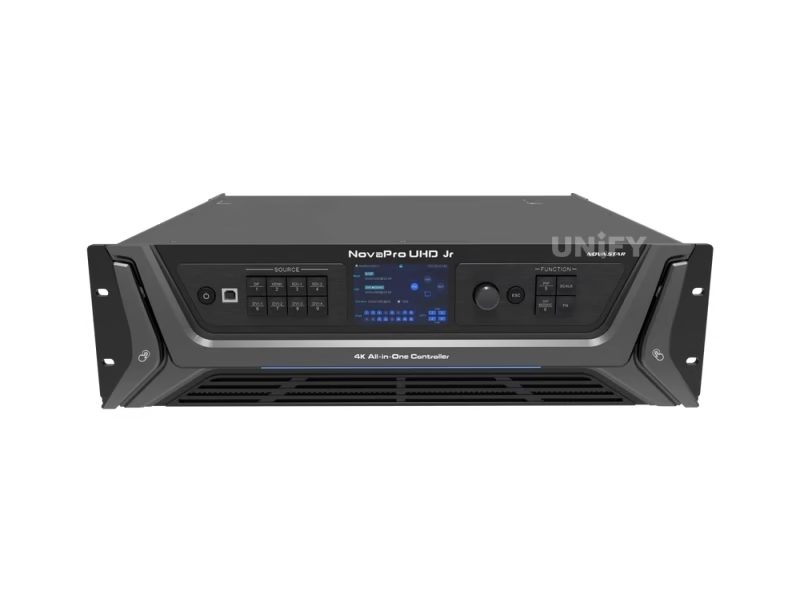
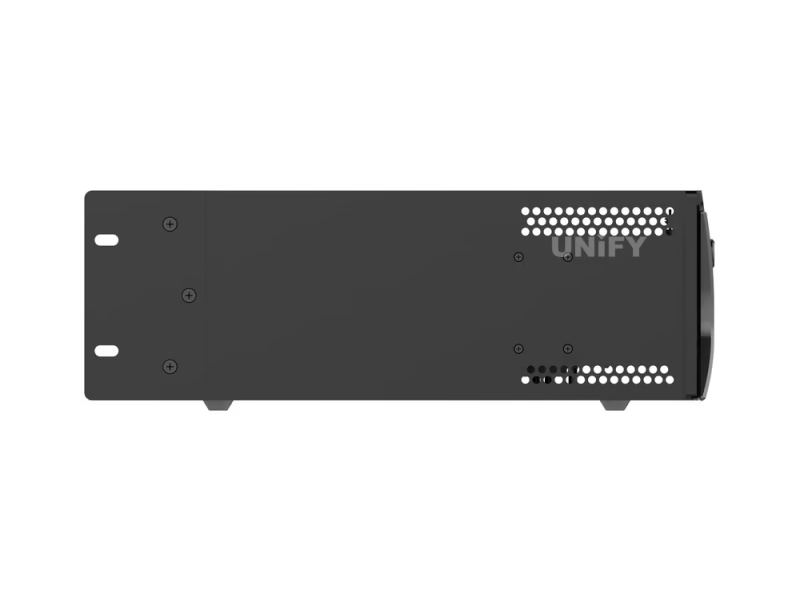
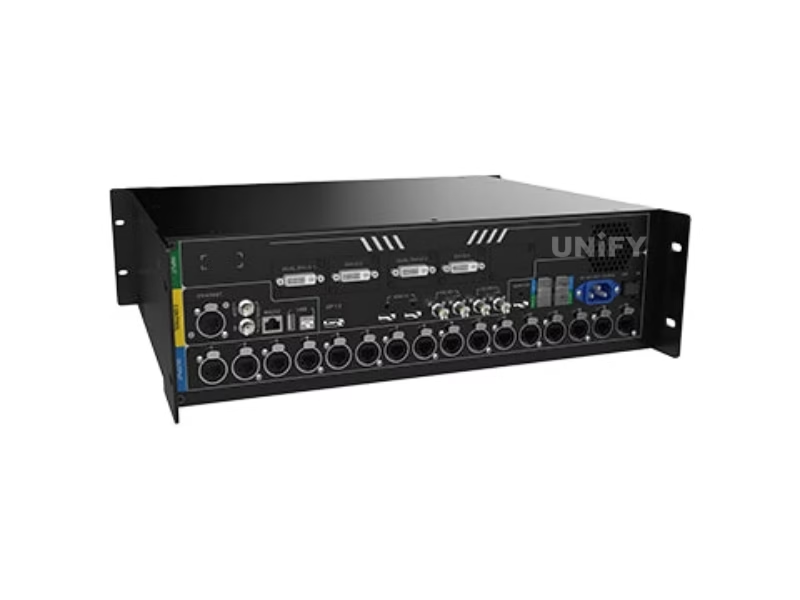
NovaStar NovaPro UHD Jr All-in-One Video Processing Controller product photo


13+
Years Experience
108+
Countries Served
6+
Certifications
24h
Quote Response

What Is the NovaPro UHD Jr All-in-One Controller?

The NovaStar NovaPro UHD Jr Video Processing Controller consolidates three critical components — a 4K LED video processor, a sending card, and a screen configuration tool — into a single 3U rack-mountable chassis. For B2B buyers evaluating LED control systems, this integration means reduced hardware cost, simplified cabling, and one device to manage instead of three.

With 4K×2K@60Hz input/output, 8 simultaneous input connectors, 16 Neutrik Ethernet ports, and 4 optical fiber outputs, the NovaPro UHD Jr drives up to 10,400,000 pixels — enough for a 16K-wide or 8K-tall LED wall from a single unit.

Certified to CE, FCC, UL, CB, IC, and PSE standards. See our synchronous LED control system guide for architecture comparison.

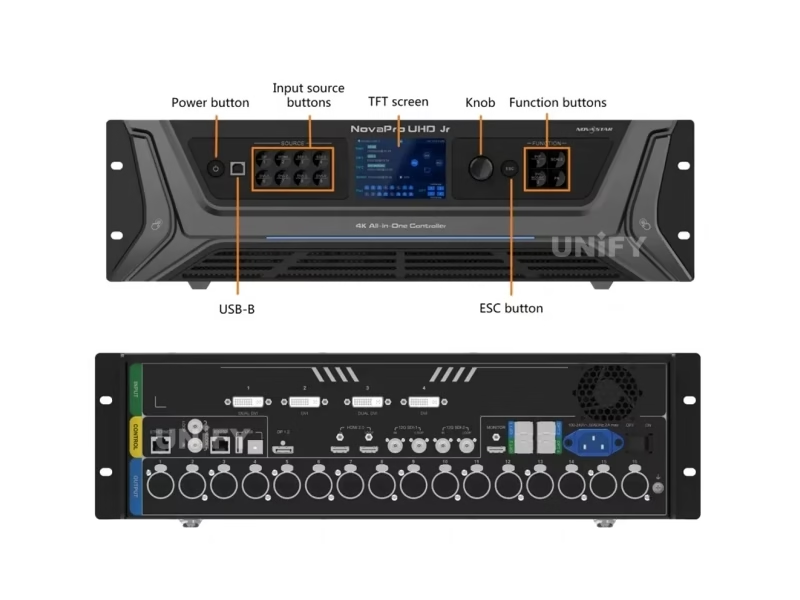
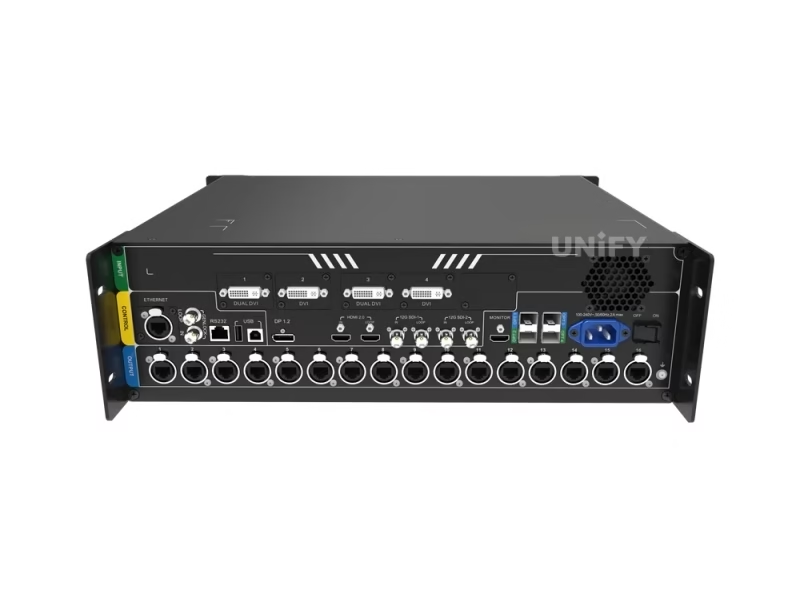
NovaPro UHD Jr all-in-one LED display controller with port labels

NovaPro UHD Jr Technical Specifications

Every parameter relevant to system integrators evaluating pixel budgets, input requirements, and rack deployment.

Video Input

Connector Quantity Max Resolution Notes
DP 1.2 1 3840×2160@60Hz HDCP 1.3 · 8/10/12-bit · RGB/YCbCr 4:4:4/4:2:2/4:2:0
HDMI 2.0 1 3840×2160@60Hz HDCP 2.2 · Loop output · EDID management
DVI 4 2048×1152@60Hz each
Dual-link DVI 1&3: 3840×1080@60Hz
HDCP 1.4 · DVI Mosaic (4→1) · Custom EDID
12G-SDI 2 4096×2160@60Hz ST-2082-1/2081-1/424/292 · Loop output · Interlaced support

Video Output

Connector Quantity Capacity Notes
Ethernet (Neutrik) 16 650K px/port (8-bit)
320K px/port (10/12-bit)
Gigabit · 10.4M px total · Max 16384×8192
OPT Fiber 4 10G per port Hot Backup + Copy modes · OPT3→OPT1 / OPT4→OPT2
HDMI LOOP 1 Up to 4K×2K@60Hz 1-level cascade · HDCP 2.2
MONITOR 1 1920×1080@60Hz HDMI · Dedicated monitoring output

Physical

Dimensions 482.6 × 396.0 × 139.0 mm (3U)
Weight 6.3 kg (13.9 lbs)
Power Consumption 70 W (AC 100–240V 50/60Hz)
Operating Temp –10°C to 50°C
Certifications CE · FCC · UL · CB · IC · PSE

Control Interfaces

ETHERNET PC communication / Web control
USB Type-B PC device control / Mosaic cascade input
USB Type-A Mosaic cascade output
GENLOCK IN-LOOP Multi-unit frame synchronization
RS232 Central control device integration

NovaPro UHD Jr technical specifications and port layout diagram

Core Features That Set the NovaPro UHD Jr Apart

Each evaluated from a B2B operator’s perspective — how it reduces downtime, improves image quality, or saves hardware cost.

8-Input Simultaneous Support

DP 1.2 + HDMI 2.0 + 4× DVI + 2× 12G-SDI connected concurrently. Front-panel input buttons with LED status indicators for instant source switching — no software required. Eliminates external input switchers in live event setups.

10.4M Pixel Loading

16 Neutrik Gigabit Ethernet ports deliver 10,400,000 pixels total — 16K max width, 8K max height from a single 3U chassis. With compatible receiving cards, the free topology function optimizes port bandwidth without wasting capacity on unused screen areas.

✨ HDR10-Optima Output

HDR10 processing expands dynamic range — deeper blacks, brighter highlights without clipping. On high-brightness LED walls (1,000+ nits), the perceptual contrast ratio improvement is visible under ambient stage lighting.

⚡ Low-Latency (2-Frame Reduction)

Paired with NovaStar Armor series receiving cards (A8/A8s/A9s/A10s Plus), pipeline latency drops by ~33ms at 60Hz. Critical for live IMAG where camera-to-screen delay must stay under 3 frames to avoid visible lip-sync drift.

DVI Mosaic & Multi-Unit Cascade

Combine 4 DVI inputs into one logical ultra-wide source. Cascade up to 4 NovaPro UHD Jr units via video distributor for super-large screens. GENLOCK IN-LOOP ensures frame-accurate sync across all connected units.

3 Layers + 1 OSD + Custom BKG

Main layer + 2 PIPs with adjustable priority, independent OSD overlay for branding/info, and customizable background (solid color or captured frame). Three scaling modes: full screen, pixel-to-pixel, custom. 10 presets for instant scene recall.

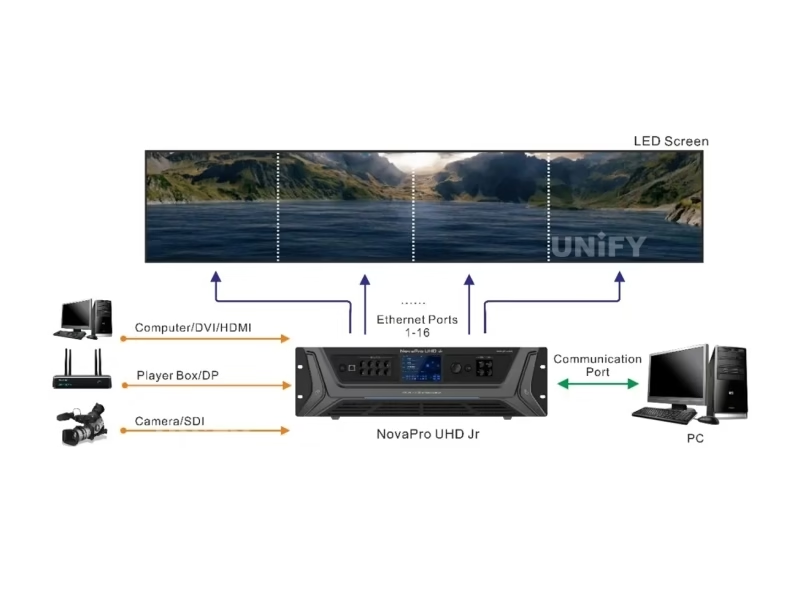
NovaPro UHD Jr signal workflow diagram — input to processing to output
NovaPro UHD Jr complete system workflow with V-Can software

Smart Control: V-Can & NovaLCT Software

NovaStar’s software suite — V-Can for video control, NovaLCT for screen configuration. Free downloads, Ethernet or USB connectivity. Download NovaStar LED controller software from our resource center.

V-Can — Video Control

  1. Layer management: position, size, crop, priority
  2. Input source switching with transition effects
  3. Image mosaic across multiple NovaPro UHD Jr units
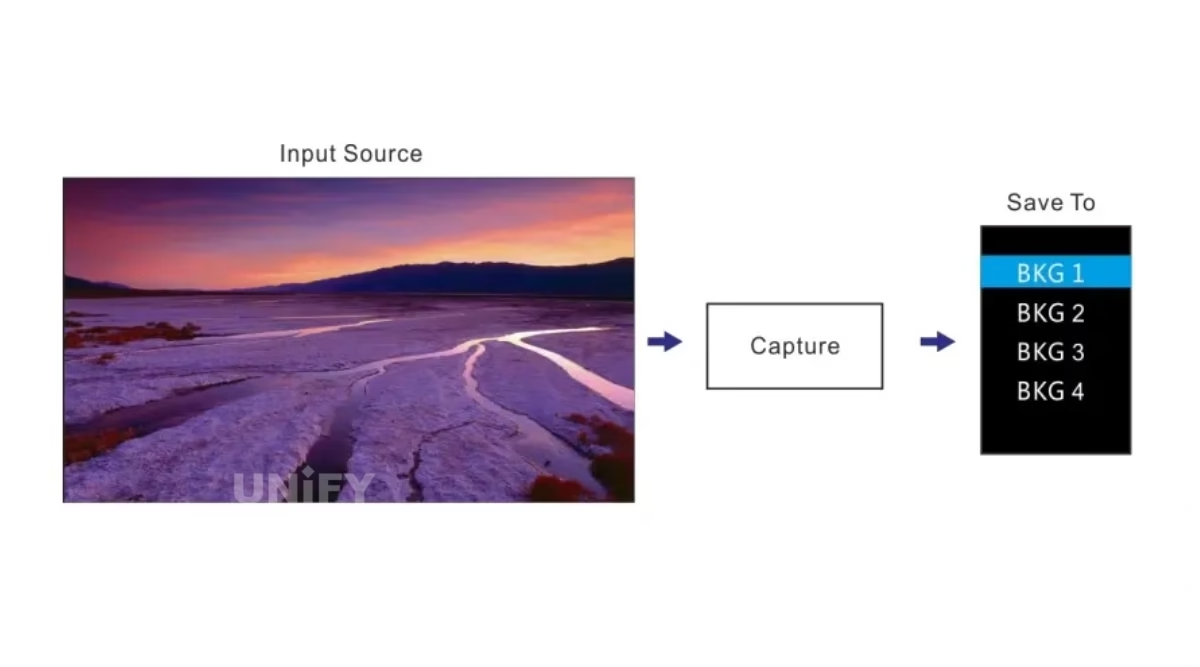
  4. BKG upload, capture, and management
  5. Test pattern generation (bars, grayscale, grid)
  6. 10 presets with instant recall
  7. Available for Windows + macOS

NovaLCT — Screen Configuration

  1. Receiving card parameter configuration
  2. Screen mapping & cabinet topology
  3. Pixel pitch & resolution calibration
  4. Brightness & color temperature adjustment
  5. rcfgx backup & restore
  6. Refresh rate & scan mode optimization

How to Read Back Configuration File from NovaLCT — Step-by-Step Tutorial

Watch: Back up and restore LED screen configuration using NovaLCT — essential LED screen maintenance knowledge.

NovaPro UHD Jr Setup Guide

Four-step deployment workflow for field technicians. For detailed instructions, see LED screen installation guide and official user manual.

1

Physical Connection

Mount the 3U chassis in a standard 19-inch rack. Connect input sources (DP/HDMI/DVI/SDI) and outputs (Ethernet/fiber) to LED cabinets. Connect ETHERNET control port to PC or network. Power on — TFT screen displays status within seconds.

2

Screen Configuration

Launch NovaLCT. Configure receiving card parameters: pixel pitch, scan mode, cabinet layout. Map physical topology with visual mapping tool. Set total screen resolution, color depth (8/10/12-bit), and refresh rate.

3

Video Setup in V-Can

Open V-Can, connect via IP or USB. Assign input sources, configure 3-layer layout, set scaling mode, enable HDR output if desired. Adjust color temperature and brightness. Save 10 presets for each operational scenario.

4

Backup & Verification

Back up rcfgx files from every receiving card — critical for rapid recovery if a card is replaced. Test all inputs, verify Ethernet port backup via the built-in backup test function, confirm GENLOCK sync if multiple units are cascaded.

How to Read Back and Update Receiving Card Program — Configuration Backup Tutorial

How to Reload the rcfgx Configuration File — Restore Your LED Screen Settings


Where the NovaPro UHD Jr Excels

Four deployment scenarios where the all-in-one architecture proves decisive over separate processor + sending card configurations.

Multiple NovaPro UHD Jr units stacked in rack-mount configuration

🎪

Stage & Live Events

Multi-input (SDI cameras + HDMI playback + DP media server) makes it ideal for stage LED displays. 10 presets let FOH engineers pre-program looks for each segment. Low-latency mode keeps IMAG feeds synchronized with live audio.

🏢

Conferences & Exhibitions

PIP layers enable presentation + speaker close-up + branding overlay simultaneously. For conference LED display solutions, the front-panel TFT + knob allow venue techs to adjust settings without a connected PC.

Fine-Pitch LED Displays

Driving fine-pitch LED displays (P1.5 and below), 10/12-bit color depth prevents banding artifacts. HDR10-Optima ensures smooth gradients for corporate lobbies, broadcast studios, and COB LED display installations.

🚚

Rental & Touring

6.3 kg 3U chassis built for transport. EDID management prevents “no signal” with client-provided sources. For rental LED display companies, fiber output supports stages where control racks sit 100m+ from the screen.

NovaPro UHD Jr vs. NovaStar Controller Family

Understanding where the NovaPro UHD Jr sits in NovaStar’s product line ensures you select the right controller for your project scope.

NovaPro UHD Jr detailed port and button close-up view

Feature NovaPro UHD Jr NovaPro HD MX20 VX1000 MCTRL4K
Max Pixels 10,400,000 2,300,000 6,500,000 6,500,000 8,800,000
Input Resolution 4K×2K@60Hz 1920×1200 4K×2K@60Hz 4K×2K@60Hz 4K×2K@60Hz
Ethernet Ports 16 (Neutrik) 4 8 10 16
Layers 3 + 1 OSD + BKG 1 + BKG 2 + BKG 2 + BKG
HDR Support HDR10-Optima
12G-SDI Input 2 (with loop) 1
Optical Fiber Out 4 (10G) 1 2 4 4
Chassis 3U Rack 1U 1U 1U 1U

NovaPro UHD Jr column highlighted. See also: NovaStar MCTRL660 PRO. Market pricing: NovaPro UHD Jr $5,000–$9,000 | NovaPro HD $800–$1,200 | MX20 $1,500–$2,000 | VX1000 $1,500–$2,500 | MCTRL4K $2,000+.


Why Source Your NovaPro UHD Jr from UnifyLED?

As a direct LED screen manufacturer and NovaStar partner, we offer factory-direct pricing, pre-shipment configuration, and integrated technical support.

NovaPro UHD Jr all-in-one display controller ready for integration

💰

Factory-Direct Pricing

15–30% below US/EU distributor pricing. Compare: $7,049–$8,999 retail vs. our factory quotes. We pass procurement efficiency directly to B2B buyers.

🔍

Pre-Shipment Testing

Every NovaPro UHD Jr is powered on, configured, and tested with a live LED screen before packaging. Our quality control process catches issues before they leave our LED display factory.

🔗

Integrated Ecosystem

Complete chain: LED cabinets + NovaStar controllers (MCTRL4K, MCTRL660 PRO) + receiving cards + cables — pre-configured. Single warranty, single support contact.

🌍

Global Logistics

80+ countries served. HS codes, certificates of origin, CE/FCC/UL compliance documentation included. Your NovaPro UHD Jr arrives on time and deployment-ready.

NovaPro UHD Jr Pricing & B2B ROI

Data-driven total cost of ownership analysis over a projected 5-year operational lifespan.

Market Price Reference

BlizzardPro (US) $7,049
Phantom Dynamics (US) $8,099
Markertek (US) $8,999
Controller-LED (Online) $5,000
UnifyLED (Factory-Direct) Contact for Quote

5-Year TCO Advantage

All-in-one design eliminates separate video scaler ($800–$2,000) and sending card ($200–$500) purchases. With LED display lifespan of 100,000 hours and 70W max draw, 5-year electricity cost ≈ $307 (at $0.12/kWh, 8h/day).

Compared to deploying separate processor + sending card + scaler configurations, the NovaPro UHD Jr reduces hardware count by 2–3 devices and cabling by 30–50%. For a mid-size rental company operating 20+ screens per year, the setup time savings alone recover the hardware cost within the first season.


Frequently Asked Questions

Q: What is the maximum loading capacity of the NovaPro UHD Jr?

The NovaPro UHD Jr supports up to 10,400,000 pixels across 16 Neutrik Gigabit Ethernet ports. Maximum: 16,384 px wide × 8,192 px tall. Per port at 8-bit: 650,000 pixels. Per port at 10/12-bit: 320,000 pixels. Four 10G optical fiber ports extend transmission distance for large installations.

Q: Can I cascade multiple NovaPro UHD Jr units for larger screens?

Yes. Up to 4 units can be cascaded via a video distributor. GENLOCK IN-LOOP synchronizes all connected units for frame-accurate output across the entire display surface.

Q: Does NovaPro UHD Jr support HDR content?

Yes — HDR10-Optima output delivers enhanced contrast and vivid color on compatible LED displays. Especially valuable for fine-pitch installations where image quality is critical.

Q: What software controls the NovaPro UHD Jr?

V-Can (video control — layers, inputs, presets, scaling) and NovaLCT (screen configuration — receiving cards, mapping, calibration). Both free downloads, Windows. V-Can also available for macOS. Web-based control accessible via ETHERNET port.

Q: How does the low-latency mode work?

Paired with NovaStar Armor series receiving cards (A8/A8s/A9s/A10s Plus), pipeline latency drops by 2 frames (~33ms at 60Hz). Critical for live IMAG where camera-to-screen delay must stay under 3 frames for lip-sync accuracy.

Q: NovaPro UHD vs NovaPro UHD Jr — what is the difference?

The NovaPro UHD Jr is the streamlined, more cost-effective version. Both support 4K×2K@60Hz. The Jr focuses on the essential all-in-one feature set in a 3U chassis — optimized for stage, conference, exhibition, and rental applications.

Q: What certifications does the NovaPro UHD Jr carry?

CE, FCC, UL, CB, IC, and PSE — meeting regulatory requirements for North America, Europe, and Asia-Pacific markets.


NovaStar NovaPro UHD Jr — The Complete B2B Buyer’s Guide

Published July 2026 · UnifyLED Engineering Team · 14 min read

1. Why Your LED Controller Choice Determines Project Success

The NovaStar NovaPro UHD Jr Video Processing Controller represents a strategic inflection point in LED control system design. In conventional deployments, integrators must specify, procure, cable, and configure three separate devices: a video scaler for input management, a sending card for data transmission, and a screen configuration tool for pixel mapping. Each additional device introduces a potential failure point, consumes rack space, adds cabling complexity, and multiplies vendor support relationships.

The all-in-one architecture consolidates these three functions into a single 3U, 6.3 kg chassis drawing 70W maximum. For a stage LED display rental company deploying 20+ screens per year, the operational simplification — one device to rack, one device to cable, one device to configure — can reduce on-site setup time by an estimated 30–45 minutes per event. Over a 50-event season: approximately 30–37 labor-hours recovered.

2. Core Specifications — What the Numbers Mean in Practice

The headline figure of 10,400,000 pixels warrants careful interpretation. This is cumulative across all 16 Neutrik Ethernet ports — not per-port. At 8-bit color depth, each port delivers 650,000 pixels. At 10-bit or 12-bit depth, the per-port capacity drops to 320,000 pixels due to increased bandwidth per pixel. A practical example: driving a 1920×1080 (2MP) screen requires only 3 Ethernet ports at 8-bit; driving a 3840×2160 (8.3MP) screen requires 13 ports — still well within capacity.

DP 1.2 and HDMI 2.0 both accept 3840×2160@60Hz with HDCP compliance (1.3 and 2.2 respectively). The two 12G-SDI inputs accept up to 4096×2160@60Hz — critical for broadcast integration where SDI remains standard. The 4 DVI inputs support single-link 2048×1152@60Hz each, with dual-link mode on DVI 1 and 3 bumping to 3840×1080@60Hz.

For comparison across models: the NovaStar MCTRL4K offers 4K input but lacks integrated video processing layers. The NovaStar MCTRL660 PRO provides 6.5M-pixel capacity in a smaller form factor but without the same input variety or layer management. The NovaPro UHD Jr occupies a distinct category: all-in-one control for projects needing both processing power and sending capacity in a single chassis.

3. Input/Output Architecture — Understanding Real-World Connectivity

The rear panel reveals the routing flexibility. A typical conference setup: presenter laptop via HDMI, backup playback via DP, two PTZ cameras via 12G-SDI, confidence monitor via HDMI loop output. Front-panel input buttons with LED status indicators provide tactile switching — a feature live event technicians consistently rank as essential when software switching adds unacceptable latency during critical moments.

On the output side: Neutrik etherCON connectors survive repeated plug/unplug cycles that degrade standard RJ45 — decisive for rental and touring. The four 10G optical ports support Copy mode (OPT 3 mirrors OPT 1, OPT 4 mirrors OPT 2) and Hot Backup (automatic failover on primary fiber failure). For mission-critical installations — broadcast studios, control rooms, 24/7 digital signage — this redundancy is operational insurance.

The synchronous LED control system architecture ensures all 16 Ethernet ports operate in lockstep — every frame transmitted in real time, maintaining perfect synchronization across the entire LED surface.

4. HDR10-Optima and Low Latency — Operational Impact

HDR on LED walls is fundamentally different from HDR on consumer TVs. LED walls are inherently high-brightness (1,000–5,000 nits), so HDR processing must map content to avoid clipping highlights or crushing shadows. NovaPro UHD Jr’s HDR10-Optima engine handles this with perceptually optimized tone curves. Result: specular highlights in concert footage retain detail; shadow details in cinematic content remain distinguishable — even on screens at high brightness levels.

Low-latency mode achieves its 2-frame reduction (~33ms at 60Hz) by optimizing the data path between sending card and Armor series receiving cards. For IMAG applications, total glass-to-glass latency (camera → processor → sending card → receiving card → LED driver → photon emission) stays under 3 frames. Above 3 frames, the human visual system detects lip-sync discrepancies — a failure mode that degrades audience experience at any event.

5. Total Cost of Ownership — 5-Year Analysis

Separate Components Approach: External video scaler ($800–$2,000) + independent sending card ($200–$500) + screen configuration hardware + additional cabling ($50–$150) + extra rack space (2–3U) = hardware cost $1,050–$2,650 before operational overhead.

NovaPro UHD Jr Approach: Single device, single cable set, single 3U rack space, single configuration point. 5-year electricity cost: 70W × 8h × 365d × 5yr × $0.12/kWh ≈ $123.

The real savings emerge in operational efficiency. One manual. One firmware update. One support contact. With LED display lifespan of 100,000 hours (11+ years at 24/7), controller longevity is a primary procurement consideration.

6. Real-World Deployment: Stage, Conference, Fine-Pitch & Rental

In stage productions, the 10 presets become show-critical. A FOH engineer pre-configures Preset 1 for opening act (single camera, full screen), Preset 2 for keynote (PIP: slides + speaker), Preset 3 for awards (two PIPs: nominee + winner camera). Each preset recalls input assignments, layer positions, scaling, and color settings in under a second.

For conference LED display solutions, the front-panel TFT + knob provide a backup control path if V-Can or the PC connection fails mid-event. In fine-pitch LED display installations (P1.5 and below), 10/12-bit color depth prevents banding artifacts in smooth gradients. For rental LED display operations, EDID management solves the recurring “no signal” scenario with client-provided source devices.

7. Installation Best Practices & Common Pitfalls

Pitfall 1 — Exceeding per-port pixel limits at high color depth: Switching from 8-bit to 10-bit drops per-port capacity from 650K to 320K pixels. A screen that loaded correctly at 8-bit may show blank areas at 10-bit. Solution: Recalculate port allocation before changing bit depth.

Pitfall 2 — Neglecting rcfgx backups: If a receiving card fails without a backup, manual reconfiguration takes 30–60 minutes per card. Solution: After every successful configuration, read back and save rcfgx files from every receiving card. Store in at least two locations.

Pitfall 3 — Optical fiber mode misconfiguration: OPT 3 and 4 only provide backup/copy functions for OPT 1 and 2 respectively. Verify the working mode in device settings. We cover these topics in our LED Academy.
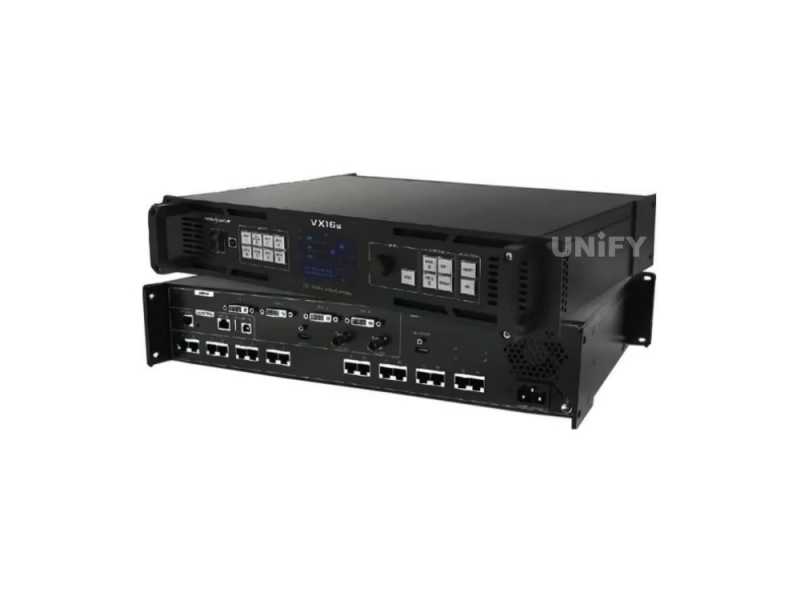
NovaPro UHD Jr all-in-one LED screen controller front panel with TFT display

How to Read Back Configuration File from NovaLCT — Backup Your LED Screen Settings Before Maintenance

8. Software Ecosystem: V-Can, NovaLCT & Web Control

NovaStar’s software strategy provides three complementary tools. V-Can (V3.8.0) handles operational video control — what the operator sees during a live event. NovaLCT (V5.8.1) handles engineering configuration — what the technician sets up before the event. SmartLCT (V3.5.14) provides an alternative configuration interface. All three communicate over Ethernet (TCP/IP) or USB.

The web-based control interface — accessible by navigating to the device’s IP address — provides a lightweight alternative for basic operations: input switching, brightness adjustment, preset recall from any browser. This is valuable for setups where the AV team may not have a dedicated control PC.

9. Maintenance & Long-Term Reliability

The front-panel TFT displays Ethernet port status in real time. The Ethernet port backup test function simulates primary port failure and confirms backup path functionality — this should be part of every pre-event checklist. For LED screen maintenance, we recommend: monthly input port verification, quarterly rcfgx/preset backups, annual connector inspection and vent cleaning. The 70W power draw generates minimal heat, but 1U rack gap above and below extends component lifespan measurably.

10. Sourcing Strategy — Factory Direct vs. Distributor

B2B buyers face a genuine choice: regional distributor (local stock, local warranty, relationship continuity) vs. factory-direct from a LED screen manufacturer that is also a NovaStar partner (15–30% lower pricing, pre-shipment configuration, integrated ecosystem support).

Key evaluation questions: Does the supplier test each unit with a live LED screen before shipping? Can they provide the complete system (LED cabinets + controller + receiving cards) pre-configured? Do they offer technical support in your time zone? Our quality control process documentation details our testing procedures — we encourage direct comparison.

11. Conclusion — Is the NovaPro UHD Jr Right for Your Project?

The NovaStar NovaPro UHD Jr Video Processing Controller occupies a distinct market position: the most capable all-in-one controller below the flagship NovaPro UHD, offering 10.4M pixels, HDR10 output, 12G-SDI broadcast integration, and multi-unit cascading in a field-proven 3U chassis with global certifications. For B2B buyers whose projects exceed a basic sending card but don’t require the full feature set and price point of the flagship NovaPro UHD, the Jr represents the optimal balance of capability, reliability, and cost.

When evaluating your next LED controller purchase, move beyond the specification sheet. Ask your supplier: Is this unit tested before it ships? Can you pre-load configuration files? What happens when I need support at 2 AM local time during a live event? These operational considerations — not just pixel counts and input types — determine whether a controller contributes to project success or becomes a source of recurring frustration.


Ready to Deploy the NovaPro UHD Jr?

Factory-direct pricing, pre-shipment testing, integrated technical support. Send your specifications — we respond within 24 hours.

Get Factory Quote

Explore the Complete NovaStar Controller Range

From Taurus multimedia players to VX all-in-one controllers and MCTRL sending boxes.

Taurus Players

VX All-in-One

VX4S-NVX600VX16sNovaPro UHD Jr

Download NovaPro UHD Jr Resources

Official NovaStar NovaPro UHD Jr specifications, user manual, web manual, and quick start guide.

Contact Us!

Order LED Screen? Please feel free to contact us at any time, and we will respond to you within 24 hours.