
NovaStar Taurus Series
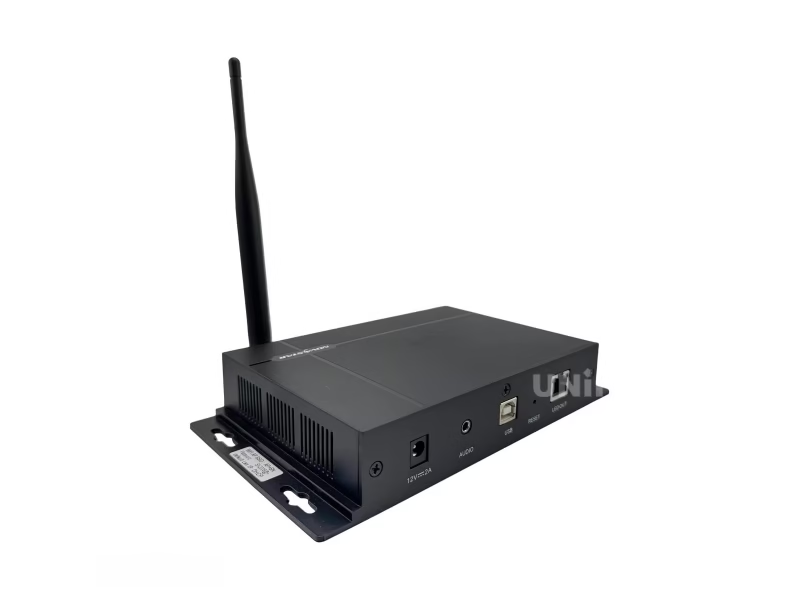
Novastar TB2 Multimedia Player
Dual-mode Taurus multimedia player with HDMI input — switch between synchronous (live HDMI feed) and asynchronous (internal playback) with one button. Wi-Fi, optional 4G, USB, and cloud control.
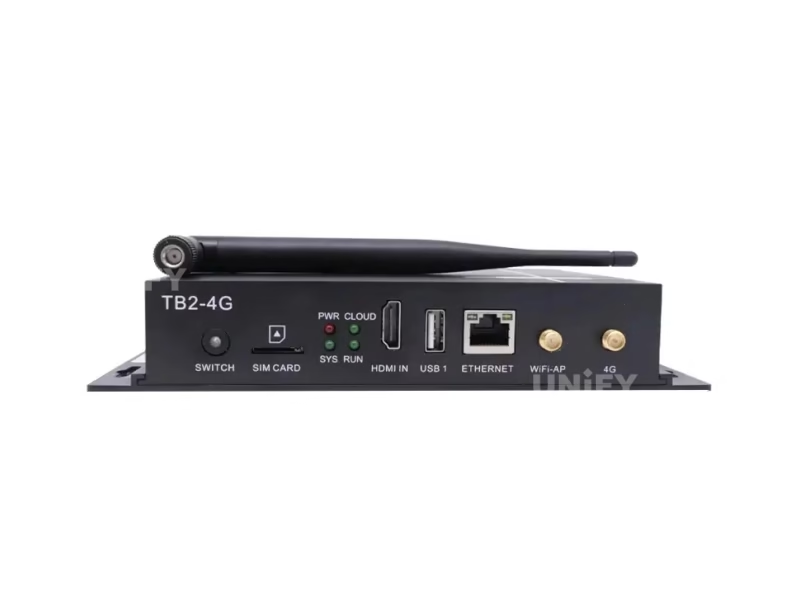
Product Overview
What Is the Novastar TB2 Taurus Multimedia Player?
The TB2 is the dual-mode member of NovaStar’s Taurus series — the only one with an HDMI input for synchronous live feed alongside full asynchronous playback capabilities.
The Novastar TB2 Multimedia Player builds on the TB1 platform with one critical addition: an HDMI 1.3 input that enables synchronous mode. When an HDMI source is connected, the TB2 functions like a traditional synchronous LED controller — the screen mirrors the live HDMI feed in real time. When no HDMI signal is present, it operates as an asynchronous multimedia player with internal playback from USB, Wi-Fi, or cloud. A single SWITCH button on the front panel toggles between modes.
TB1 vs TB2: TB1 is async-only (internal playback). TB2 adds HDMI input for sync mode — use it when you need both a standalone media player AND the ability to display a live HDMI feed (camera, laptop, set-top box) on the same screen. No PC required in either mode.
▶ The Taurus Multimedia Player — Official NovaStar Product Video
Specifications
Technical Specifications
Source: NovaStar official datasheet V1.9.0.
Hardware & Performance
| Parameter | Specification |
|---|---|
| Processor | Quad-core @1.2 GHz |
| RAM / Storage | 1 GB / 32 GB (28 GB user available) |
| OS | Android (third-party apps not supported) |
| Video Playback | 1×1080p / 2×720p / 4×480p / 4×360p simultaneously |
| Image Support | JPG/BMP/GIF/PNG/WEBP up to 4096×2160 |
Input & Output
| Connector | Qty | Details |
|---|---|---|
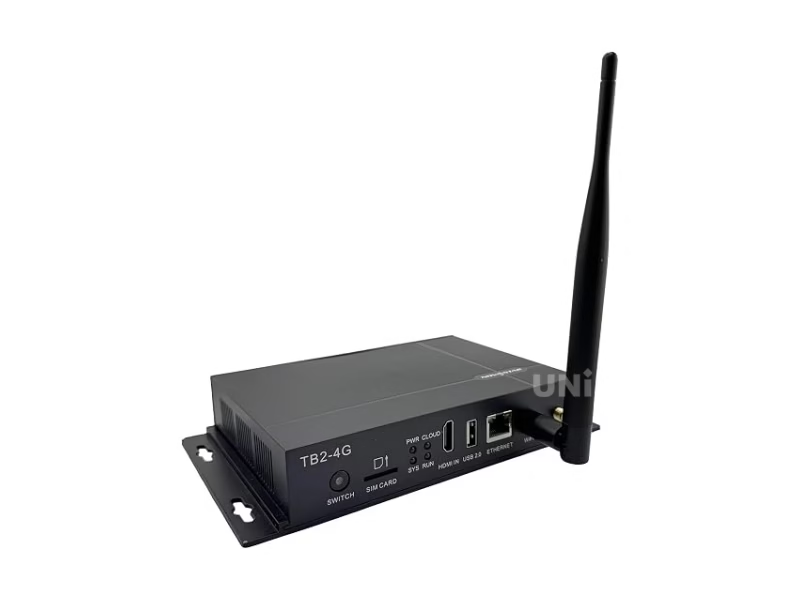
| HDMI 1.3 | 1 | Video input for synchronous mode · Auto-fit to screen |
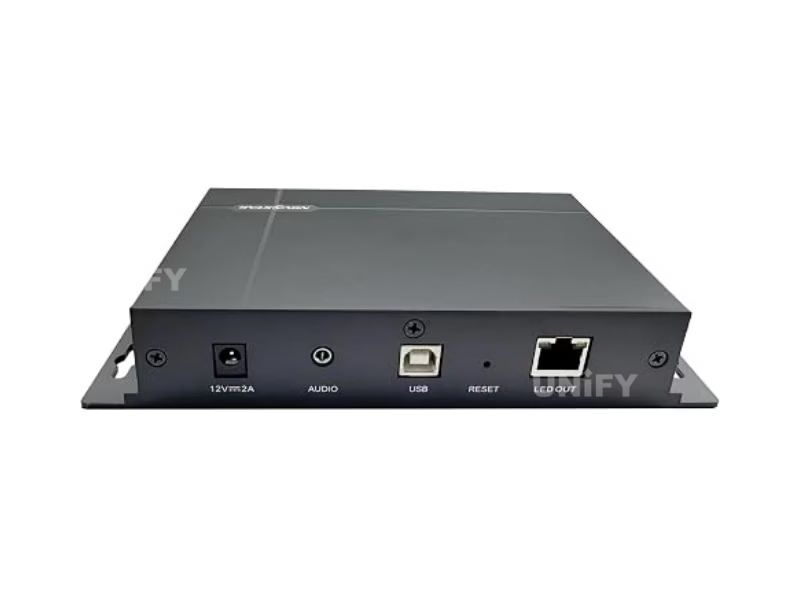
| LED OUT | 1 | Gigabit Ethernet · 650K px · Max 1920×1080 |
| AUDIO | 1 | 3.5mm stereo output |
| USB 2.0 (Type A) | 1 | Playback & storage · FAT32, max 4GB/file |
| USB (Type B) | 1 | PC connection for config & publishing |
| ETHERNET | 1 | Fast Ethernet · Network or PC |
| Wi-Fi / 4G | 1+1 | 2.4GHz AP+STA · 4G module optional |
Physical & Power
| Parameter | Specification |
|---|---|
| Dimensions | 196.0 × 115.5 × 34.0 mm |
| Net Weight | 301.8 g |
| Power | DC 12V 2A · Max 18W · Recommended 25W supply |
| Operating Temp | –20°C to +60°C |
| Certifications | CQC · SRRC |
Dual-Mode Operation
Synchronous + Asynchronous — The TB2’s Defining Advantage
No other Taurus model can do both. The TB2’s HDMI input and dual-mode architecture make it the most versatile player in the series.
Synchronous Mode (HDMI)
Live HDMI feed — screen mirrors source in real time.
- Connect any HDMI source: camera, laptop, set-top box, media player
- Content auto-fits to screen resolution
- SWITCH button turns green when sync mode is active
- Use for live presentations, video feeds, TV broadcasts
- No PC, no software, no network required
Asynchronous Mode (Internal)
Standalone playback — no external source needed.
- USB flash drive plug-and-play
- Wi-Fi AP for phone/tablet control without network
- VNNOX cloud for cross-regional management
- SWITCH button off = async mode active
- Use for scheduled content, digital signage, remote displays
Real-world use case: A retail store runs promotional videos in async mode during the day. When a manager connects a laptop via HDMI to show a live sales dashboard, the TB2 switches to sync mode automatically. Disconnect HDMI — it returns to async playback. One device, two roles, zero reconfiguration.
Key Features
Core Capabilities
🌐
Cloud (VNNOX)
Publish, control, and monitor from any browser. Multi-unit cluster management.
📶
USB Plug-and-Play
FAT32 USB drive with auto-playback. No config, no network, no software.
📱
Wi-Fi AP + STA
Built-in hotspot for phone control, or connect to existing Wi-Fi for cloud access.
📡
Optional 4G
Cellular connectivity for locations without Ethernet or Wi-Fi.
HDMI Sync Mode
Video Source & HDMI Configuration
Configure the HDMI input source, set auto-fit behavior, and manage the sync/async switching logic.
▶ Taurus Media Player Video Source Settings — Gear Up Tutorial
USB Playback
USB Content Playback
Load media onto a USB drive, insert, and the TB2 plays automatically. The simplest deployment method for fixed-content displays.
▶ USB Playback Solutions — NovaStar Official Tutorial
Cloud Management
VNNOX Cloud Platform
Manage content across hundreds of TB2 units from any browser. Push updates, monitor status, OTA firmware.
▶ NovaStar Cloud-Based Display Management System
Applications
Where the TB2 Excels
🏪
Retail & Chain Stores
Async mode for scheduled promotions. HDMI for live dashboards or TV feeds. VNNOX manages all locations from one dashboard.
🏨
Restaurants & QSR
USB playback for menu boards during service. HDMI from set-top box for sports/entertainment. One SWITCH button changes the entire display mode.
💡
Lamp-Post & Street Displays
4G + cloud for municipal information. Async playback of announcements. HDMI option for emergency broadcast override.
🎥
Conference & Meeting Rooms
HDMI sync mode for presentations. Async mode for welcome messages and schedules between meetings. No PC needed for daily content rotation.
TB2 vs. Taurus Series
| Feature | TB1-4G | TB2-4G | TB3 | TB4 |
|---|---|---|---|---|
| HDMI Input (Sync) | ❌ | ✔ Dual-Mode | ✔ | ✔ |
| Pixel Capacity | 650K | 650K | 1.3M | 2.3M |
| RAM / Storage | 1GB / 32GB | 1GB / 32GB | 2GB / 16GB | 4GB / 32GB |
| Market Price | ~$100–$200 | ~$120–$250 | ~$200–$300 | ~$300–$400 |
TB2 highlighted. The only Taurus with dual-mode HDMI + async at this price point.
Why Source Your TB2 from UnifyLED?
As a direct LED screen manufacturer and NovaStar partner.
💰
Factory-Direct Pricing
15–30% below distributor.
🔍
Pre-Shipment Testing
Every TB2 tested with live LED screen.
🔗
Integrated Ecosystem
LED screen + TB2 — pre-configured.
🌎
Global Logistics
80+ countries. Full documentation.
Frequently Asked Questions
Novastar TB2 Taurus — The Complete B2B Buyer’s Guide
Published July 2026 · UnifyLED Engineering Team · 12 min read
1. The TB2’s Unique Position — Dual-Mode Changes Everything
The Novastar TB2 Multimedia Player occupies a unique position in the Taurus lineup: it is the only model that bridges synchronous and asynchronous operation. The TB1 is async-only. The TB3 and TB4 add more pixel capacity but start at higher price points. The TB2 sits at the intersection — 650K pixels, HDMI input for live feed, full async playback — making it the most versatile Taurus for small to medium displays that need both operational modes. For B2B buyers, one TB2 replaces two devices (a media player AND an HDMI-to-Ethernet converter) in hybrid deployments.
The practical implication is significant. A restaurant that runs menu content from USB during lunch service but wants to switch to a live sports feed via HDMI from a set-top box during evening hours can do both from one device — no rewiring, no device swap, no configuration change. Press the SWITCH button on the front panel. Green light = HDMI live. Off = async playback. This operational simplicity is the TB2’s core value proposition over traditional LED video processors that require a PC for any content change.
2. HDMI Sync Mode — When You Need Live Video
The HDMI 1.3 input is the TB2’s defining hardware feature. In synchronous mode, the TB2 functions as a real-time video receiver: connect any HDMI source, and the content auto-fits to the configured LED screen resolution. This is the same operational principle as a synchronous LED controller — the screen mirrors the source in real time. HDCP 1.4 compliance means protected content (set-top boxes, Blu-ray players) passes through without issues. The HDMI input does not support interlaced signals — ensure your source outputs progressive scan.
Key constraint: HDMI is available to the main layer only. PIP and multi-layer compositing are not supported in sync mode. For multi-source setups requiring layer management, consider a VX-series all-in-one controller instead.
3. Async Mode — When You Want Set-and-Forget
In asynchronous mode, the TB2 operates identically to the TB1: quad-core 1.2GHz processor, 1GB RAM, 32GB storage (28GB user-available), hardware 1080p decoding. The key difference from TB1 is the playback capacity — TB2 supports simultaneous playback of 1×1080p, 2×720p, 4×480p, or 4×360p video streams. This multi-stream capability is relevant for displays showing multiple content zones (main video + scrolling text + logo overlay).
4. Indicator Diagnostics — The SWITCH Light and Status LEDs
The TB2 adds one critical indicator over the TB1: the SWITCH button LED. Green = sync mode (HDMI active). Off = async mode. The four standard Taurus LED indicators remain: PWR (red, solid = power OK), SYS (green, flash/2s = OS normal), CLOUD (green, solid = internet, flash/2s = VNNOX connected), RUN (green, flash/0.5s = FPGA normal, flash/2s = no video source). For field diagnostics, these four lights tell a technician everything they need to know without connecting a PC or logging into software — critical for LED screen maintenance in remote deployments.
5. TB2 vs TB1 — When to Pay the Premium
The TB2 costs approximately $20–$50 more than the TB1. For that premium, you get: HDMI 1.3 input, sync/async dual-mode operation, SWITCH button, and multi-stream video playback (TB1 plays one stream at a time). If your deployment will never need a live HDMI feed — pure digital signage with pre-produced content — the TB1 is the more cost-effective choice. If there is any possibility of connecting a live source (laptop, camera, set-top box) now or in the future, the TB2’s marginal cost difference pays for itself the first time you avoid buying and installing a separate HDMI-to-Ethernet converter.
6. Sourcing Strategy
For single-unit purchases, authorized distributors offer local stock at $120–$250. For volume deployments — chain store rollouts, municipal smart city projects, QSR franchise networks — factory-direct from a LED screen manufacturer that is also a NovaStar partner provides 15–30% lower unit pricing, pre-configuration (Wi-Fi SSID, VNNOX registration, HDMI EDID preset), and integrated support from one vendor. At UnifyLED, we test every TB2 in both sync and async modes with a live LED screen before shipment.
7. Conclusion
The Novastar TB2 Multimedia Player is the pragmatic choice for LED display deployments that need operational flexibility — scheduled content playback for daily operation, with the ability to accept a live HDMI feed when needed. No other Taurus model offers this combination at this price. For B2B buyers evaluating Taurus players, the decision reduces to one question: will this display ever need to show a live HDMI source? If yes, the TB2 is the only correct answer in its price class.
Ready to Deploy the TB2?
Factory-direct pricing, pre-configuration, integrated support. Quote in 24h.
Explore the Complete NovaStar Controller Range
From Taurus multimedia players to VX all-in-one controllers and MCTRL sending boxes.
VX All-in-One
Resources
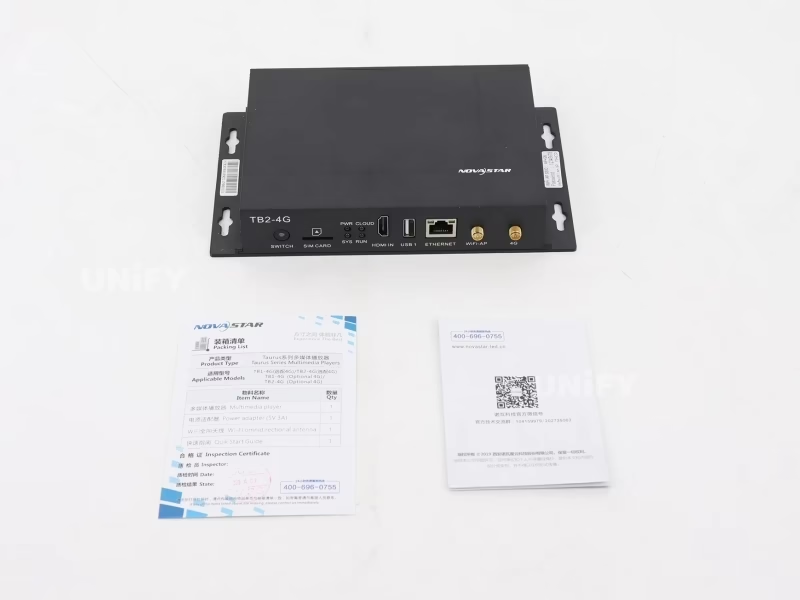
Download TB2 Resources
Official NovaStar TB2 specifications and quick start guide.