
Novastar MRV412 LED Receiver Card
NovaStar’s 12-port performance receiving card — 512×512@60Hz loading with PWM driver ICs, 18bit+ grayscale, Color Management with Rec.709 / DCI-P3 / Rec.2020 gamuts, Low Latency down to 1 frame, 3D support, individual RGB gamma and 90° image rotation. The MRV series flagship for color-critical and latency-sensitive installations.
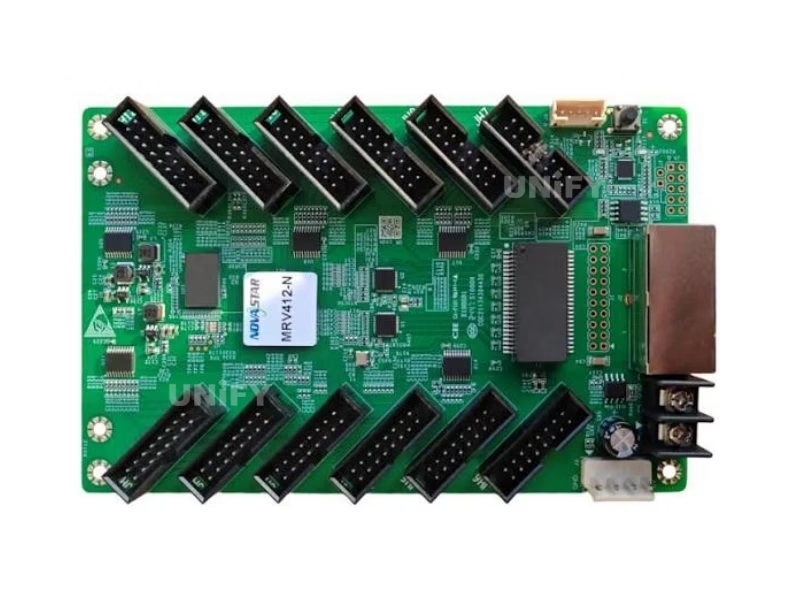
What Is the Novastar MRV412 LED Receiver Card?
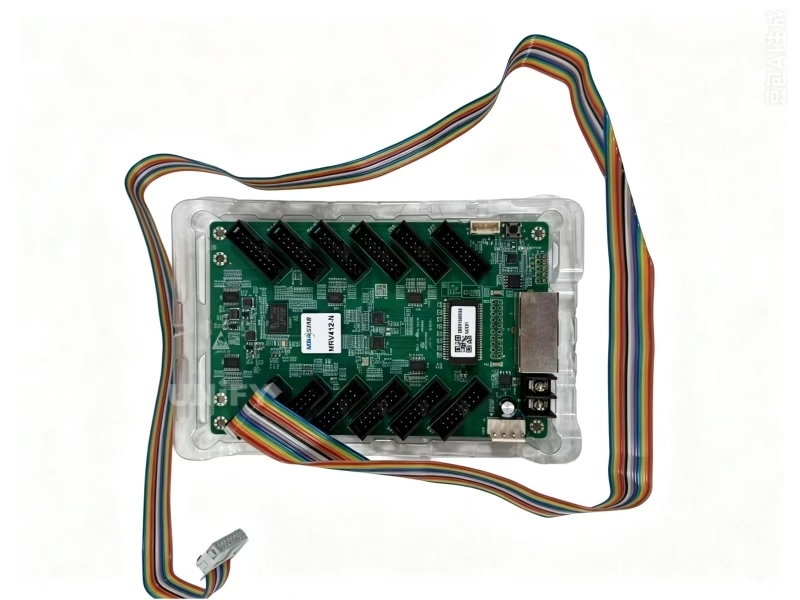
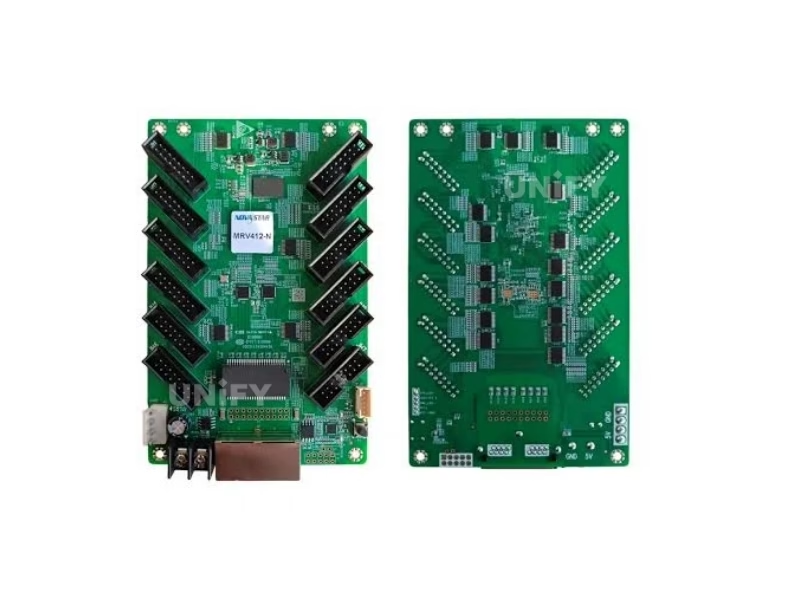
The Novastar MRV412 LED Receiver Card is NovaStar’s 12-port performance receiving card and the flagship of the current MRV line. With 8bit video sources, a single card loads 512×512@60Hz with PWM driver ICs (512×384@60Hz with common ICs) and drives modules through 12 standard HUB75E connectors with up to 24 groups of parallel RGB data. Its display-quality stack is the richest in NovaStar’s receiving card catalog: Color Management with standard and custom color gamuts, 18bit+ grayscale, pixel-level brightness and chroma calibration, multi-batch adjustment, Low Latency down to 1 frame, 3D output, individual RGB gamma adjustment and 90° image rotation. For the receiving card’s role in the control chain, see synchronous vs asynchronous LED control.
Naming clarification — MRV412 vs MRV412-N: The original MRV412 is the older generation. The current version is the MRV412-N, first released 2024-09-19 with its own specification line now at V1.0.3 (2025-05-20). Older listings quoting 3.3V–5.5V input or pre-2024 datasheets refer to the original MRV412 — the MRV412-N official input range is DC 3.8V–5.5V.
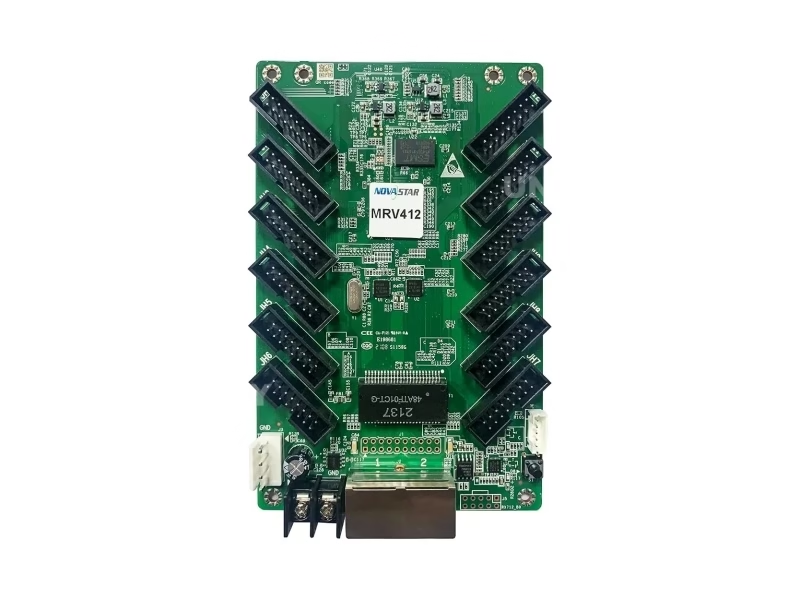
Novastar MRV412 LED Receiver Card Technical Specifications
All data from the official NovaStar MRV412-N specification V1.0.3 (2025-05-20) — the current revision.
Loading & Connectivity
Electrical, Physical & Environment
The –40°C storage rating is the widest low-temperature range in the receiving card line — a practical advantage for cold-climate logistics and winter installations. At 2.5W rated power the card runs with passive cooling only. See LED display power consumption.
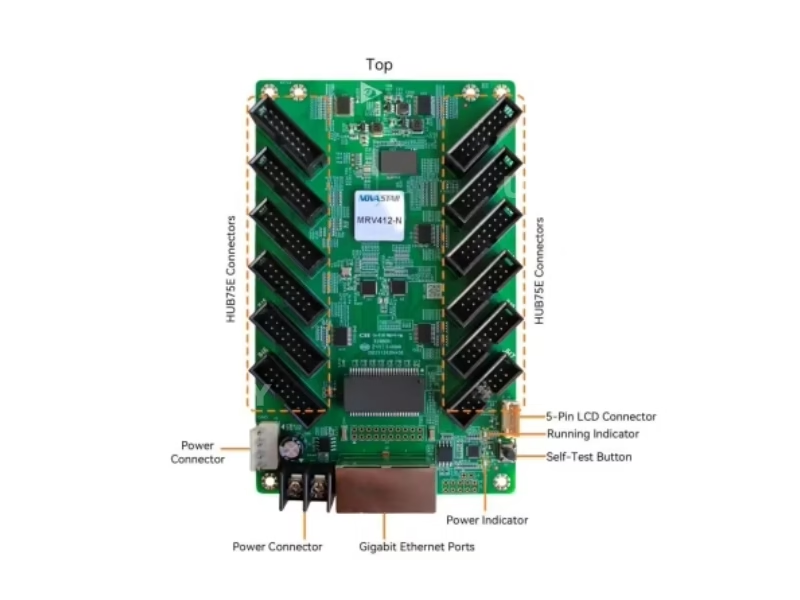
Key Features of the Novastar MRV412 LED Receiver Card
Color Management
Standard gamuts (Rec.709 / DCI-P3 / Rec.2020) plus custom color gamuts — precise color on screen for broadcast and brand-critical content.
18bit+ Grayscale
Grayscale improved 4× to avoid grayscale loss at low brightness — smoother gradients and no banding on fine-pitch walls.
Pixel-Level Calibration
Brightness and chroma calibrated per pixel with NovaStar’s calibration system — high consistency across the entire wall.
Quick Seam & Multi-Batch Adjustment
Dark/bright seam lines corrected instantly; multi-batch adjustment minimizes discrepancies between production batches of modules and cabinets.
Low Latency (1 Frame)
Latency on the receiving card end reduced to 1 frame when enabled, with modules using driver ICs with built-in RAM. Default disabled.
3D Image Output
Working with a 3D-capable controller, the card outputs 3D image content for glasses-based 3D installations.
Individual RGB Gamma & 90° Rotation
Independent red/green/blue gamma controls low-grayscale non-uniformity and white balance offset; image rotates in 90° increments.
Mapping 1.1 & Monitoring
Cabinets display controller/card/Ethernet port info; temperature, voltage, bit errors and Ethernet cable disconnections monitored in real time.
Readback & Stored Image
Firmware and parameters read back locally; custom startup image or no-signal image stored on the card — the screen never goes black.
Loop Backup + Dual Program + Dual Parameters
Three-layer reliability: loop backup survives cable faults, two firmware copies prevent bricking, dual parameter areas allow instant restore. See LED display system redundancy.
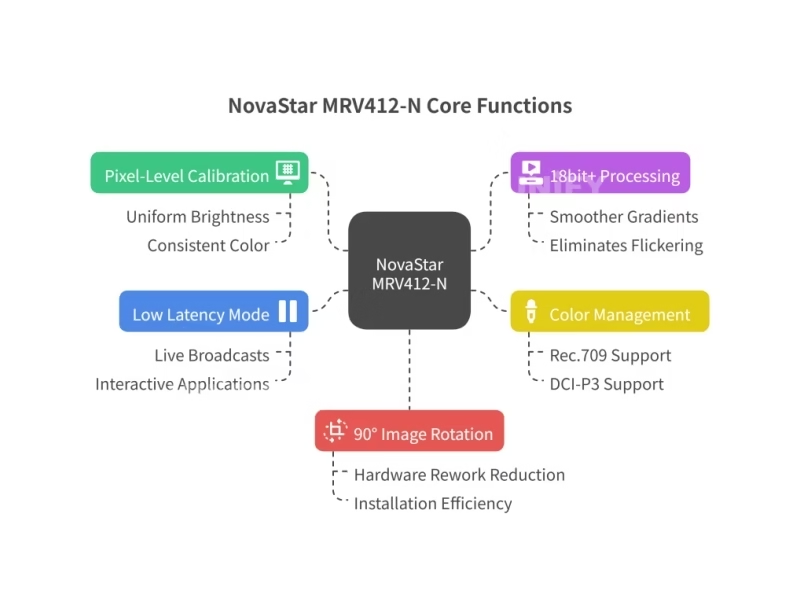
Novastar MRV412 LED Receiver Card Exclusive Features: Color Management, Low Latency & More
Four capabilities set the MRV412 apart from every other receiving card in NovaStar’s catalog — including the DH series. Each is explained with its real-world trigger condition:
Color Management — Standard & Custom Gamuts
Supports Rec.709, DCI-P3 and Rec.2020 gamuts plus custom gamut definitions. Why it matters: an LED wall fed DCI-P3 content on a Rec.709-mapped card shows shifted, desaturated colors. With gamut mapping on the receiving card, broadcast and cinema content renders with the intended color space — this is the feature that separates color-critical installations from “close enough” walls.
Low Latency — 1 Frame, With a Condition
When enabled, video source latency on the receiving card end drops to 1 frame. The condition: modules must use driver ICs with built-in RAM. Default is disabled, so walls not built for latency stay on the standard pipeline. For live camera feeds, interactive displays and esports-style setups, this is the difference between perceptible and imperceptible lag.
Multi-Batch Adjustment
LED modules from different production batches carry small brightness differences even from the same factory. Multi-batch adjustment corrects at the cabinet or module level — the practical answer for walls extended or repaired with modules bought months apart.
Ethernet Cable Disconnection Detection — Added in V1.0.3 (2025-05-20)
The newest feature in the specification: the card counts Ethernet cable disconnection events, identifying intermittent link problems before they become visible faults. Intermittent cable faults are the hardest field problem to diagnose — this turns them into a logged number.
How to Configure the Novastar MRV412 LED Receiver Card in NovaLCT (RCFG Guide)
Five steps to first light:
Wire the card
Connect the card to the module via HUB75E ribbon cables and to the sending controller via Gigabit Ethernet (either port works as input or output for cascading).
Install NovaLCT
Download NovaLCT software, connect your PC to the controller, and let NovaLCT detect the screen.
Load the correct RCFG file
Load the module’s RCFG/RCFGX configuration file from the module supplier — it defines driver IC type, scan mode and data routing. The IC type also determines the loading figure (512×512 for PWM, 512×384 for common ICs). See LED display configuration and system debugging.
Send configuration to the card
Push the configuration to all receiving cards; enable Low Latency and Color Management only where the installation calls for them (both have defaults). Controller side: how to configure an LED sending card.
Verify with the self-test button
Disconnect the Ethernet cable, press the self-test button twice — the card displays a test pattern. If NovaLCT cannot detect the card, see NovaLCT cannot detect sending card: troubleshooting guide.
NovaStar Official — NovaLCT Performance Settings and Receiving Card Configuration Files tutorial
Novastar MRV412 LED Receiver Card vs DH7512-S: Same-Class Comparison
Two current-generation cards share the same profile — 12 HUB75E, 24 data groups, 512×512 loading, 18bit+. The choice comes down to four capabilities. The MRV412 column is highlighted.
Decision rule: both cards deliver the same resolution class with identical wiring. Choose the MRV412 when the wall feeds broadcast/cinema gamuts, carries live camera content, or mixes module batches; choose the DH7512-S for standard high-resolution walls where those four capabilities are not required. Budget path: the MRV208-1 loads 256×256 at 8 ports.
How to Install & Maintain the Novastar MRV412 LED Receiver Card
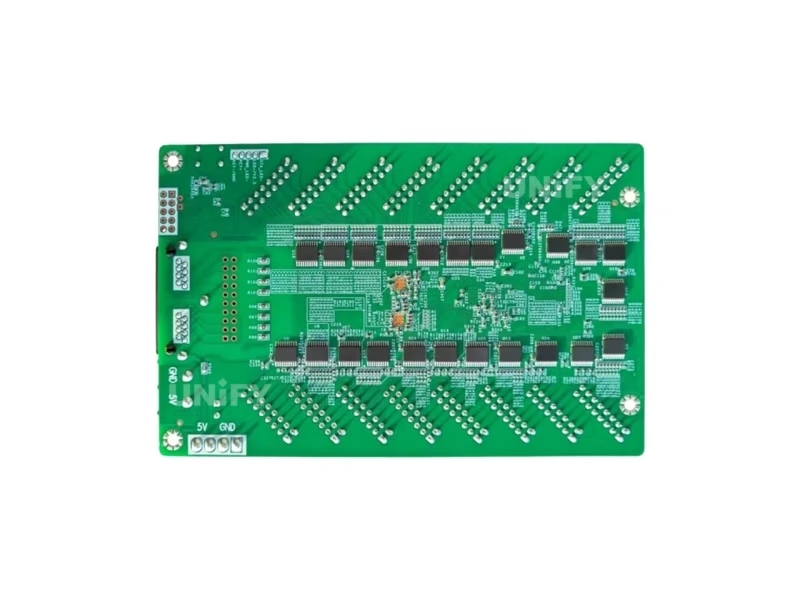
The card mounts onto the module or cabinet with GND-enabled mounting holes. Installation and replacement follow the standard four-step procedure:
Read back the card’s parameters
In NovaLCT, read back firmware and configuration parameters before any replacement and save them locally. See backup and restore LED display hardware settings.
Power down and swap the card
Unplug power and the HUB75E cables, remove the screws, and mount the replacement. Both power connectors are equivalent.
Load the RCFG and configuration
Send the module’s RCFG file and the saved configuration to the card. Re-enable Low Latency or Color Management only where they were previously enabled.
Verify via indicator lights
The green running indicator confirms status at a glance — see the diagnostic table below. Full wall-level guidance in LED screen installation and LED screen maintenance.
NovaStar Official — Gear Up: Troubleshooting H Series – MVR Card Problem
Running Indicator Diagnostic Table
On top of the indicator table, the V1.0.3 specification adds Ethernet cable disconnection counting — intermittent link faults are logged and visible in NovaLCT before they become screen faults. For cable-related issues, see LED display signal cable troubleshooting.
Novastar MRV412 LED Receiver Card Applications
Broadcast & Virtual Production
Color Management (Rec.709/DCI-P3/Rec.2020) keeps camera-fed walls in the intended gamut; Low Latency 1 frame serves live camera pipelines on RAM-IC modules.
Rental & Events
Multi-batch adjustment evens out fleets built from mixed module batches; 90° rotation supports creative stage layouts. See LED screen for events.
Control Rooms & CCTV
18bit+ grayscale keeps fine-pitch monitoring walls banding-free; loop backup plus disconnection detection harden mission-critical links. See control room LED display.
Retail & Brand Environments
Custom color gamuts hold brand colors consistent across store networks — a real problem for global retail programs. See shopping mall LED display.
Why Source the Novastar MRV412 LED Receiver Card From an LED Display Factory
The MRV412’s naming history creates a specific purchasing trap: the original MRV412 and the current MRV412-N are both sold under the same search terms, and older stock with pre-2024 datasheets (3.3V–5.5V, older dimensions) circulates alongside the current platform. We supply the current MRV412-N from NovaStar’s authorized channel — blister packaging, 100 cards per factory box, verifiable serial numbers — and we test every batch on live modules before shipping.
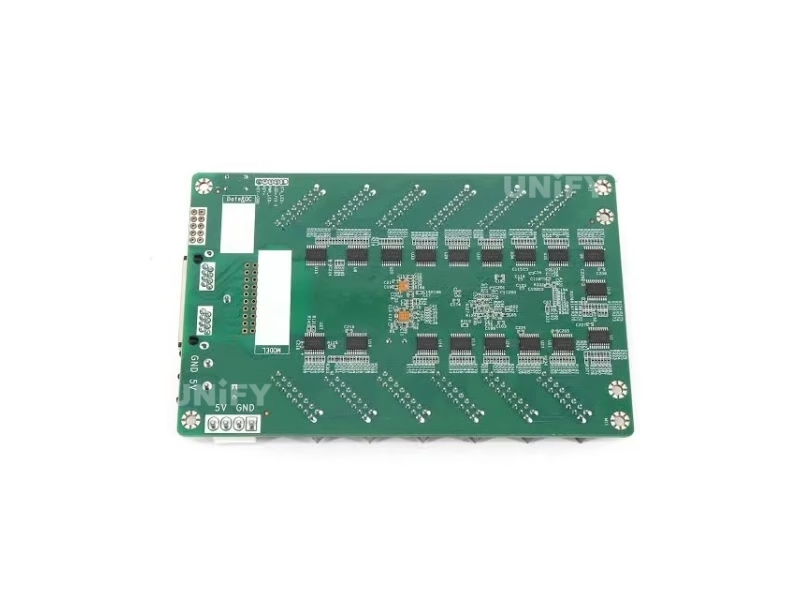
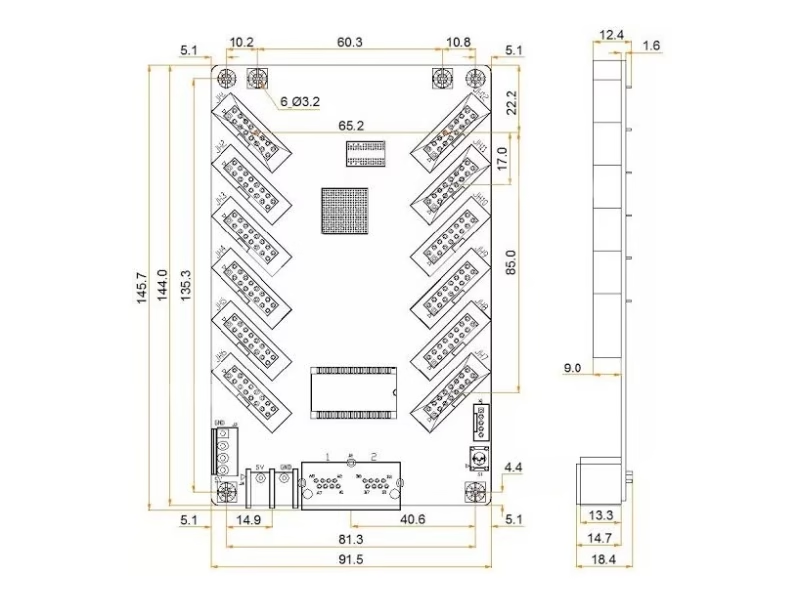
Three verification checks: (1) the specification version — the MRV412-N line starts at V1.0.0 (2024-09-19) and is currently at V1.0.3; (2) input voltage 3.8V–5.5V on the datasheet; (3) board dimensions 145.6 × 91.5 × 19.3 mm. Older documents carrying 3.3V figures or pre-2024 dates describe the original MRV412.
As a full-line LED screen manufacturer, we support Color Management calibration and Low Latency commissioning on site, and our engineers validate RCFG files against your actual modules. Visit our LED display factory and quality control of LED display pages.
Novastar MRV412 LED Receiver Card Price & Sourcing
Marketplace prices for the MRV412 range from $9.50 to $20 per card depending on volume, channel and — critically — which generation is being sold. Factory-direct pricing on the current MRV412-N:
Cards ship in original NovaStar packaging (blister pack, 100 pcs per box) with a 2-year warranty and NovaLCT support including Color Management and Low Latency commissioning. Typical dispatch is 1–3 working days from Shenzhen stock. Source from a verified LED screen manufacturer to guarantee the current MRV412-N platform, not older stock. Pair the card with the MCTRL300, MCTRL660 PRO, or VX16s sending controller.
Novastar MRV412 LED Receiver Card FAQ
Novastar MRV412 LED Receiver Card Certifications
Every batch ships with NovaStar original packaging and full compliance documentation.
Ready to Source the Novastar MRV412 LED Receiver Card?
Factory-direct pricing, current MRV412-N stock, Color Management & Low Latency commissioning support.
unifyledscreen@gmail.com | +86-191-18802497
Novastar MRV412 LED Receiver Card Selection Guide: MRV412 vs MRV412-N vs DH7512-S
Published: August 2026 | 12 min read | UnifyLED Engineering Team
Receiving card selection usually runs on two numbers — pixel loading and connector count — and that is exactly where confusion begins with the MRV412 family, because two different cards answer to that name. The original MRV412 and the current MRV412-N are separate platforms with separate specification lines, and a third option, the DH7512-S, shares the same 12-port profile with the current card. This guide untangles all three: what the “-N” changed, what the current card actually offers, and how to choose among same-class options without overpaying for features or under-buying capability.
Chapter 1 — The 12-Port Class: What the Profile Means
The 12-port receiving card class sits between the 8-port entry cards and the 16-port connectivity leaders. Its profile is 12 HUB75E connectors with up to 24 parallel RGB data groups — two data groups per connector — which makes it the workhorse for mid-size and large walls built from standard 320×160 mm modules. The class’s defining trade-off: 12 ports attach 50% more modules per card than an 8-port card, at the same 256×256-to-512×512 loading territory, without the cabling density of a 16-port layout. For integrators, the profile determines the wiring plan inside every cabinet, which is why same-profile replacement matters more than raw loading when upgrading a wall.
Within the class, loading separates the tiers. The 8-port MRV208-1 loads 256×256@60Hz; the 12-port cards load 512×512@60Hz with PWM driver ICs — four times the pixels per card. That gap changes wall economics directly: a 1920×1080 wall needs 32 cards at 256×256 loading, but 8 cards at 512×512 — one quarter of the hardware, one quarter of the cascade points, one quarter of the failure surface. When a wall is being specified from scratch, the 12-port 512×512 class is the default choice; the 8-port cards are for budgets and legacy replacements.
Chapter 2 — MRV412 vs MRV412-N: What the “-N” Changed
The MRV412-N is a new platform, not a revision. Its specification line begins fresh: V1.0.0 dated 2024-09-19, followed by V1.0.1 (2025-01-02, certifications added), V1.0.2 (2025-01-10, appearance and dimension diagrams updated) and V1.0.3 (2025-05-20, Ethernet cable disconnection detection added). The original MRV412’s documentation predates all of this, and the two generations circulate under the same search terms — which is why quotes and datasheets must be version-checked. The current card’s official figures: 512×512@60Hz with PWM driver ICs (512×384 with common ICs) at 8bit video sources, DC 3.8V–5.5V input, 145.6×91.5×19.3 mm, 96.0 g, RoHS with EMC Class A.
The version check that costs nothing: the specification’s change-history table. Every NovaStar spec carries one on its second page, and it is the fastest way to tell which platform a quote describes. Pre-2024 dates or a 3.3V input range mean the original MRV412. V1.0.0-or-later dates and 3.8V–5.5V mean the current MRV412-N. Asking the supplier to state the specification version is a reasonable question any authorized channel can answer in seconds — and the inability to answer is its own information.
The change history also shows how NovaStar maintains the platform: V1.0.1 added certification information, V1.0.2 updated the appearance and dimension diagrams, and V1.0.3 added Ethernet cable disconnection detection — a feature that counts disconnection events so intermittent link faults become logged data instead of mystery flicker. That cadence of updates, three revisions in the platform’s first year, is itself a buying signal: the MRV412-N is under active maintenance, which is what a receiving card you will still be buying spares for in five years should look like.
Chapter 3 — The Same-Class Rival: MRV412-N vs DH7512-S
The DH7512-S shares the MRV412-N’s entire core profile: 12 HUB75E connectors, 24 data groups, 512×512@60Hz with PWM ICs, 18bit+ grayscale, 3D, individual RGB gamma and 90° rotation. On paper the two cards are interchangeable for most walls — same wiring plan, same loading, same grayscale. The differences live in four capabilities the MRV412-N carries and the DH7512-S does not: Color Management with standard and custom gamuts, Low Latency down to 1 frame, multi-batch adjustment, and Ethernet cable disconnection detection. If none of those four apply to the project, the cards are functionally equivalent and the decision comes down to price, availability and channel preference.
The honest way to use the comparison: run down the four capabilities against the actual content plan. Broadcast or cinema content produced in DCI-P3 or Rec.2020: Color Management pays for itself on the first color check. Live camera feeds with RAM-IC modules: Low Latency is the point of the wall. Modules bought in multiple batches over the wall’s life: multi-batch adjustment is routine maintenance. None of those: buy the cheaper available option and spend the difference on spare cards. Features on a receiving card are only worth what the content plan uses.
One practical detail seals the interchangeability: the two cards share the same board footprint class and the same 12-connector wiring plan, so a wall wired for one can take the other without re-cabling. That matters in two directions — new walls can keep both options open until procurement, and existing MRV412-N walls can top up with DH7512-S cards if supply dictates, provided the section replacement rule is respected and the RCFG files come from the module supplier for each card generation. Mixed generations on one wall still drift at the boundary; interchangeable wiring does not make interchangeable calibration.
Chapter 4 — Color Management in Practice
Color Management maps the receiving card’s output to standard gamuts — Rec.709 for broadcast television, DCI-P3 for cinema, Rec.2020 for wide-gamut production — or to custom gamut definitions. The failure it prevents is systematic color shift: an LED wall fed DCI-P3-mastered content while mapped to Rec.709 renders desaturated, warmer colors, and the error survives every calibration pass because calibration fixes uniformity, not color space. With gamut mapping on the card, the wall renders the content’s intended color space natively. For global retail programs where brand colors are contractually specified, custom gamuts keep every store consistent regardless of which module batch the wall was built from.
A practical note on expectations: Color Management is not a substitute for calibration — the two stack. Calibration equalizes brightness and chroma across pixels; gamut mapping defines the color space the equalized wall renders into. Walls that need accurate color need both, which is why the MRV412-N’s feature set lists them separately and why commissioning a color-critical wall includes a gamut decision at specification time, not at first power-on.
Chapter 5 — Low Latency and Its Condition
Low Latency on the MRV412-N reduces video source latency on the receiving card end to 1 frame — but the specification attaches a hard condition: it works only with modules using driver ICs with built-in RAM. The condition exists because frame-buffered driver ICs can hold the frame data on the module side, letting the card push data without the pipeline’s normal buffering stages. It is disabled by default, and enabling it on modules without RAM ICs does nothing useful. The practical workflow: confirm the module’s driver IC type from the RCFG datasheet before enabling the feature, and re-verify after any module replacement that changes the IC population.
Where the feature earns its place: live camera feeds where the wall is part of the production chain, interactive installations where perceived lag breaks the illusion, and event stages where the wall mirrors a live camera with the audience watching both. In those deployments, one frame versus three to five frames of pipeline latency is the difference between “live” and “delayed” to the human eye. For pre-recorded content playback, the feature is irrelevant — leave it disabled and take the standard pipeline.
A measurement note for spec writers: the 1-frame figure is the receiving card’s contribution, not the end-to-end system latency. The sending controller, the scaler, the camera and the module’s own scanning all add their own stages, so quoting “1 frame” without context overstates the system. The receiving card being one frame rather than several is the point — it removes the card layer as the dominant latency contributor and leaves the system total to the parts of the chain the integrator controls. Latency budgets should be written layer by layer, and the MRV412-N’s job in that budget is the smallest number in the chain.
Chapter 6 — Multi-Batch Adjustment and Calibration Continuity
LED modules from different production batches differ slightly in brightness and chroma — the LED binning tolerance — even from the same factory. Walls extended or repaired with later-batch modules show the seams on solid-color content, and traditional calibration treats the whole wall as one population. Multi-batch adjustment corrects at the cabinet or module level, evening out the batch differences directly. It is the feature that keeps extended walls looking like one surface, and the reason rental fleets built from mixed batches favor the MRV412-N.
The coefficient workflow underneath it is the same one every receiving card shares: calibration coefficients upload quickly to the cards, and readback preserves them across replacements. The official demonstration of coefficient adjustment:
NovaStar Official — Adjust Calibration Coefficient tutorial video
The maintenance habit that protects all of it: read back each card’s parameters and store the files before any replacement, then reload them onto the new card. A swap without readback loses the coefficient state and forces a fresh calibration pass — an after-hours job that costs more than the card. See backup and restore LED display hardware settings for the procedure.
Chapter 7 — Buying: Current Platform, Verifiable Channel
Marketplace prices for the MRV412 span $9.50–$20, and part of that spread is generational: older MRV412 stock and current MRV412-N stock trade at overlapping prices under the same listing names. The version check from Chapter 2 is the buyer’s first tool — specification version, voltage range, dimensions. The second tool is packaging: genuine NovaStar cards ship in individual blister packs inside a 100-card factory carton, and the current platform’s serial numbers are traceable to production batches. The third is channel behavior: an authorized channel states the specification version on request, provides the RCFG files matched to your module model, and supports Color Management and Low Latency commissioning questions with actual engineers.
Warranty expectations follow the family pattern: solid-state design, 2.5W rated power, passive cooling — failures are dominated by manufacturing defects and installation damage, not wear. A 2-year warranty with NovaLCT support is the practical standard, and well-installed cards typically outlive the LED modules they drive, with LED screen lifespan driven by the modules rather than the electronics. The one storage-spec advantage worth remembering for cold-climate projects: the MRV412-N’s –40°C storage rating is the widest low-temperature range in the receiving card line, which simplifies winter logistics for northern installations.
That –40°C figure earns its mention in procurement documents because LED projects in northern regions fail in the warehouse, not on the wall. Cards shipped and staged through unheated storage in January sit at –30°C or below for weeks, and a card rated to –25°C storage is outside its specification before it reaches the cabinet. The MRV412-N’s –40°C rating covers those logistics honestly — the card can sit in a cold warehouse, warm up at installation, and power on per specification. It is a small number in the datasheet and a real difference in February.
Conclusion
The Novastar MRV412 LED Receiver Card, in its current MRV412-N form, is the most capable 12-port receiving card NovaStar sells — 512×512@60Hz loading, 18bit+ grayscale, and four capabilities no other card in the catalog combines: Color Management, Low Latency, multi-batch adjustment and Ethernet disconnection detection. The selection discipline is the same discipline that applies to every card: verify the platform version, run the four capabilities against the actual content plan, and buy from a channel that can state its specification versions. Walls that use color gamuts, live camera feeds or mixed module batches deserve the MRV412-N; standard high-resolution walls are equally served by the DH7512-S at the same profile. Choose on requirements, verify on documentation — and the receiving card layer disappears into the wall where it belongs.
Explore the Complete Novastar LED Receiving Card & Controller Range
From legacy MRV cards and current MRV platforms to DH and A series, AT entry cards, sending controllers and software resources.
Download Novastar MRV412 LED Receiver Card Resources
Official NovaStar MRV412-N receiving card specifications — current revision V1.0.3.