
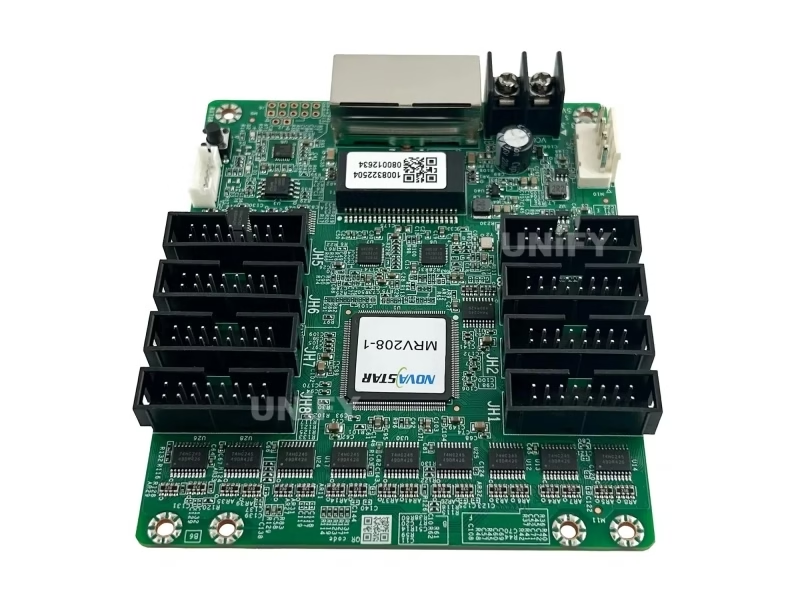
Novastar MRV208-1 LED Receiver Card
NovaStar’s entry-level receiving card and the direct replacement for the discontinued MRV328 — 256×256@60Hz loading, 8 HUB75E connectors, up to 16 groups of parallel RGB data, 12-bit precision pixel-level brightness and chroma calibration, 3D support, loop backup, dual program and dual parameter backup. RoHS certified with EMC Class A compliance.
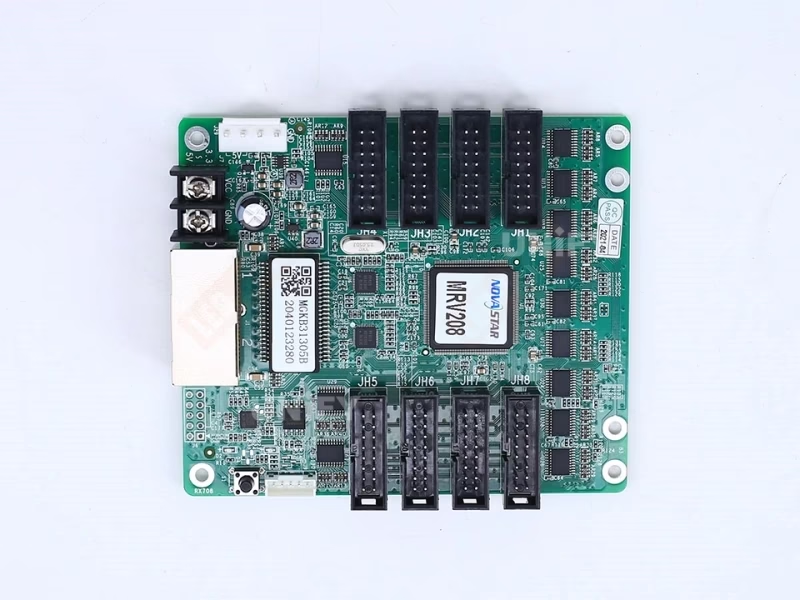
What Is the Novastar MRV208-1 LED Receiver Card?
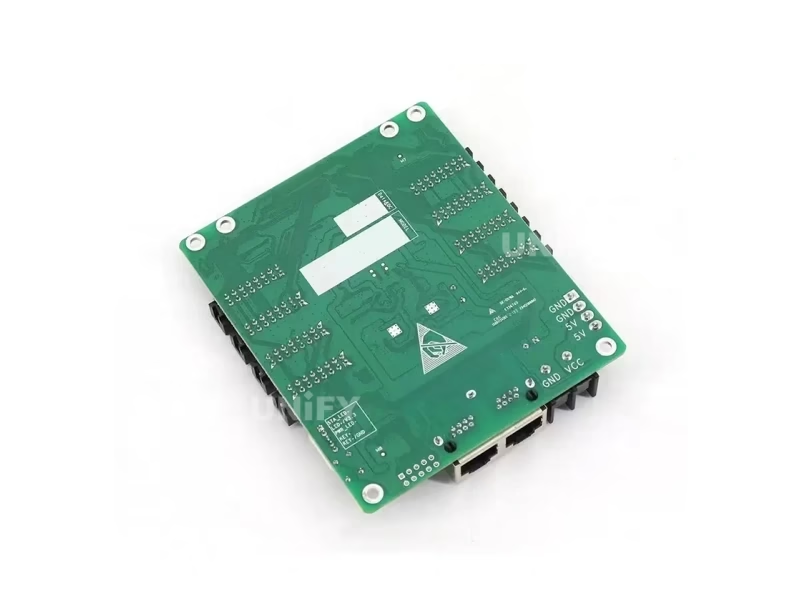
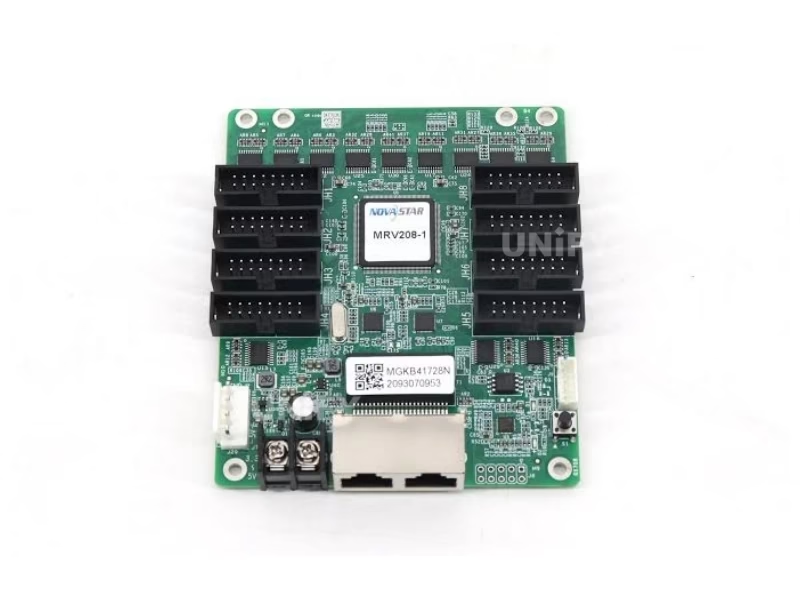
The Novastar MRV208-1 LED Receiver Card is NovaStar’s entry-level receiving card and the direct replacement for the discontinued MRV328 — the card generation that powered thousands of indoor and outdoor LED walls built between 2015 and 2022. A single card loads up to 256×256 pixels at 60Hz and drives them through 8 standard HUB75E connectors with up to 16 groups of parallel RGB data. It carries NovaStar’s high-precision calibration stack: pixel-level brightness and chroma calibration at 12-bit precision, quick adjustment of dark or bright lines, 3D output with a compatible sending card, Mapping function, pre-stored startup image, temperature and voltage monitoring, cabinet LCD support, bit error detection, firmware and parameter readback, loop backup, and dual program and dual parameter backup. For the role of receiving cards in the control chain, see synchronous vs asynchronous LED control.
Naming clarification — MRV208 vs MRV208-1: The original MRV208 (2019, specification V1.0.0) used 8 HUB75 connectors and a 3.3V–5.0V input range. The MRV208-1 (current version, specification V1.0.3) upgrades the connectors to HUB75E, widens the input to DC 3.8V–5.5V, and adds an EMC-compliant hardware design with EMC Class A certification. If a listing shows “HUB75” or “3.3V–5.0V” for an MRV208-1, it is copying outdated documentation.
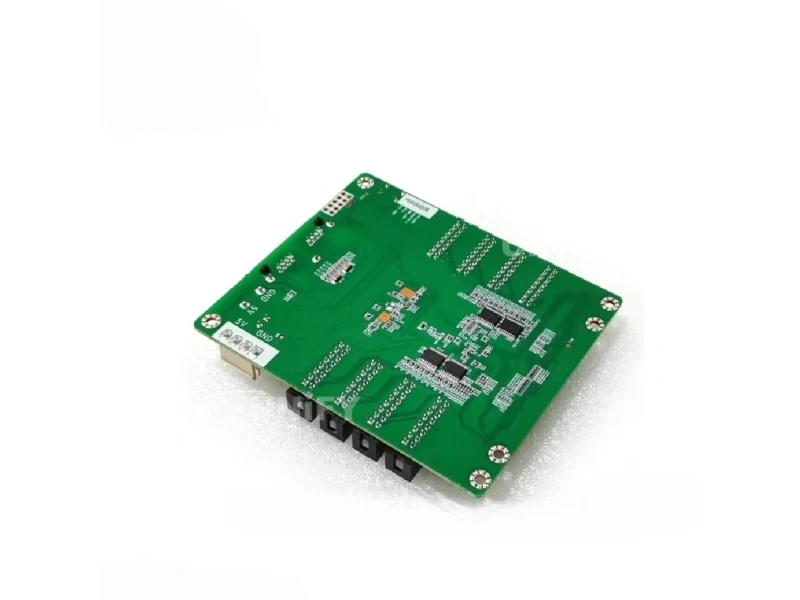
Novastar MRV208-1 LED Receiver Card Technical Specifications
All data from the official NovaStar MRV208 specification V1.0.3 (2022-08-31) — the current authoritative version.
Loading & Connectivity
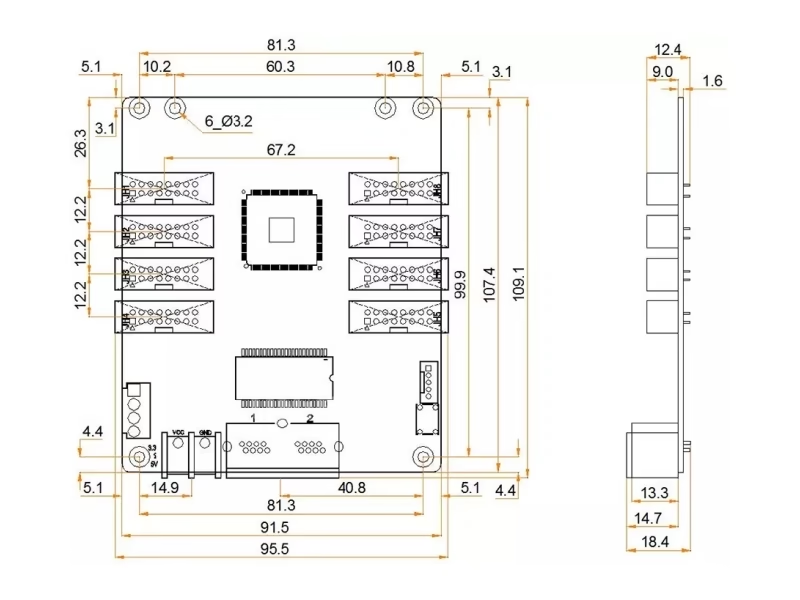
Electrical, Physical & Environment
At 2.5W rated power the card runs with passive cooling only — no fan to fail in outdoor cabinets. See LED display power consumption to size your system power budget.
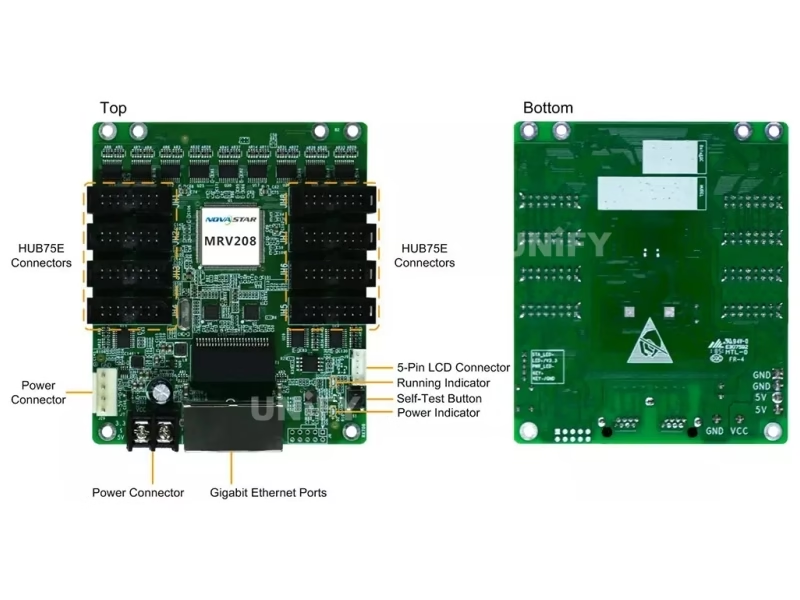
Key Features of the Novastar MRV208-1 LED Receiver Card
Pixel-Level Brightness & Chroma Calibration
12-bit precision brightness and chroma calibration on every LED, working with NovaStar’s high-precision calibration system (NovaCLB) — removes brightness and color differences across modules for uniform image quality.
Quick Adjustment of Dark or Bright Lines
Seam lines caused by module and cabinet splicing are adjusted in NovaLCT and take effect immediately — no full recalibration needed after cabinet swaps.
3D Image Output
Working with a 3D-capable sending card, the receiving card outputs 3D image content — the foundation of glasses-based 3D LED installations.
Mapping Function
Target cabinets display the receiving card number and Ethernet port information — technicians locate any card and read the wiring topology of the whole wall at a glance.
Pre-Stored Image Setting
A custom image can be set as the screen’s startup image, or displayed when the Ethernet cable is disconnected or no video signal is present — your screen never goes black.
Monitoring & Bit Error Detection
Temperature and voltage are monitored without extra peripherals; the cabinet LCD can display them plus single and total run time. Ethernet communication quality is monitored with erroneous packet counting (NovaLCT V5.2.0+).
Firmware & Parameter Readback
Firmware programs and configuration parameters can be read back and saved locally — copy a working card’s exact state to a replacement card in seconds.
Loop Backup + Dual Program + Dual Parameters
Three-layer reliability: loop backup keeps the screen running through a cable fault, two firmware copies prevent bricking during updates, and dual configuration parameters (application + factory area) allow instant restore. See LED display system redundancy.
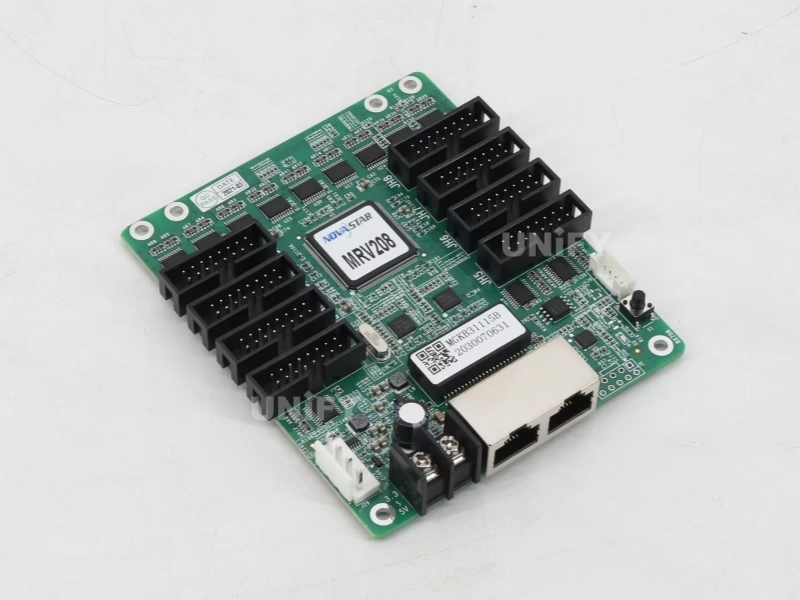
Novastar MRV208-1 LED Receiver Card Replacement Matrix: Discontinued MRV Models Migration Guide
NovaStar has discontinued the legacy MRV300-series line. If you maintain an existing LED wall, this matrix maps your discontinued card to the current replacement:
Migration in three steps: (1) confirm your module’s driver IC type and download the module supplier’s RCFG file for the MRV208-1 — old MRV300-series RCFGs do not load on HUB75E cards; (2) read back the old card’s parameters in NovaLCT before removal; (3) replace the cards and push the new configuration. One caution from the field: do not mix card generations on the same wall — calibration and gamma behavior differ between generations and produce visible brightness bands. Replace per wall or per complete section.
How to Configure the Novastar MRV208-1 LED Receiver Card in NovaLCT (RCFG Guide)
Five steps to first light — NovaLCT V5.2.0 or later is required for bit error detection and readback features:
Wire the card
Connect the card to the module via HUB75E ribbon cables and to the sending controller via Gigabit Ethernet (either port works as input or output for cascading).
Install NovaLCT
Download NovaLCT software (V5.2.0 or later), connect your PC to the controller, and let NovaLCT detect the screen.
Load the correct RCFG file
Load the module’s RCFG/RCFGX configuration file from the module supplier — it defines driver IC type, scan mode and data routing. This is the number-one cause of garbled images: using an old MRV300-series RCFG on the MRV208-1 will not work. See LED display configuration and system debugging.
Send configuration to the card
Push the configuration to all receiving cards; enable loop backup and monitoring in the same dialog. Controller side: how to configure an LED sending card.
Verify with the self-test button
Disconnect the Ethernet cable, press the self-test button twice — the card displays a test pattern on the module. Press again to cycle patterns. If NovaLCT cannot detect the card, see NovaLCT cannot detect sending card: troubleshooting guide.
NovaStar Official — NovaLCT Performance Settings and Receiving Card Configuration Files tutorial
Novastar MRV208-1 LED Receiver Card vs DH Series Comparison
The MRV208-1 is the entry point of NovaStar’s receiving card line. The DH series is the step-up path. The MRV208-1 column is highlighted.
Honest positioning: the MRV208-1 does not support individual RGB gamma adjustment, 18bit+ grayscale, or 90° image rotation — features introduced in the DH7508-S and later models. If your project needs those features or loads more than 256×256 per card, the DH7512-S and DH7516-S are the step-up options. For budget replacement jobs on legacy MRV walls, the MRV208-1 is exactly the right card.
How to Install & Replace the Novastar MRV208-1 LED Receiver Card
The card mounts onto the module or cabinet with GND-enabled mounting holes. A legacy-card swap takes under 5 minutes:
Read back the old card’s parameters
In NovaLCT, read back the firmware and configuration parameters of the card being replaced and save them locally. See backup and restore LED display hardware settings.
Power down and swap the card
Unplug power and the HUB75E cables, remove the screws, and mount the new card. Both power connectors are equivalent — use whichever is more convenient.
Load the MRV208-1 RCFG and configuration
Send the module’s MRV208-1 RCFG file and the saved configuration to the new card. Never reuse the old MRV300-series RCFG on the MRV208-1.
Verify via indicator lights
The green running indicator confirms status at a glance — see the diagnostic table below. Full wall-level guidance in LED screen installation and LED screen maintenance.
NovaStar Official — Gear Up: Troubleshooting H Series – MVR Card Problem
Running Indicator Diagnostic Table
For cable-related faults on installed walls, see LED display signal cable troubleshooting.
Novastar MRV208-1 LED Receiver Card Applications
Retail & Shopping Malls
Storefront and mall walls built on standard modules are the classic MRV208-1 profile — low card cost per screen, stable operation, easy servicing. See shopping mall LED display.
Outdoor Advertising
–20°C to +70°C operating range and EMC Class A design cover outdoor cabinets; dual program backup survives interrupted firmware updates on poles. See outdoor LED billboard.
Events & Rental Staging
Readback and configuration push mean rental crews swap cards and restore settings in minutes between gigs. See LED screen for events.
Control Rooms & CCTV
Loop backup keeps monitoring walls displaying through cable faults; temperature, voltage and bit error data feed the NOC. See control room LED display.
Why Source the Novastar MRV208-1 LED Receiver Card From an LED Display Factory
Legacy replacement cards are the counterfeiters’ favorite target — buyers replacing a dead MRV328 are time-pressed and often order from whatever listing appears first. A refinished or cloned card may pass visual inspection but fail calibration, loop backup or firmware updates after installation. We source MRV208-1 cards directly from NovaStar’s authorized channel and ship in original blister packaging, 100 cards per factory box, with verifiable serial numbers.
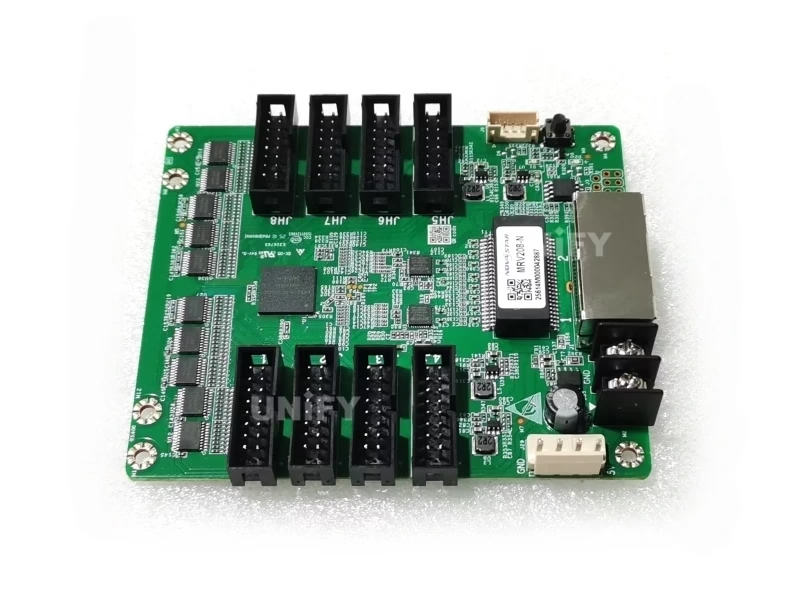
Three counterfeit checks: (1) original blister pack and factory carton labeling; (2) PCB silk screen and chip marking quality under magnification; (3) EMC Class A compliance and HUB75E connectors — a card sold as “MRV208-1” with HUB75 sockets is a relabeled first-generation MRV208.
As a full-line LED screen manufacturer, we test every card batch on live modules before shipping and support your team through NovaLCT configuration, RCFG selection and after-sales troubleshooting. Visit our LED display factory and quality control of LED display pages.
Novastar MRV208-1 LED Receiver Card Price & Sourcing
Marketplace prices for the MRV208-1 range from $9.50 to $22 per card depending on volume, channel and authenticity. As a factory-direct supplier we offer tiered pricing on genuine NovaStar stock with full after-sales support:
Cards ship in original NovaStar packaging (blister pack, 100 pcs per box) with a 2-year warranty and remote NovaLCT support. Typical dispatch is 1–3 working days from Shenzhen stock. Source from a verified LED screen manufacturer to avoid refinished clones. Pair the card with the MCTRL300, MCTRL660 PRO, or VX16s sending controller.
Novastar MRV208-1 LED Receiver Card FAQ
Novastar MRV208-1 LED Receiver Card Certifications
Every batch ships with NovaStar original packaging and full compliance documentation.
Ready to Source the Novastar MRV208-1 LED Receiver Card?
Factory-direct pricing, genuine NovaStar stock, RCFG and NovaLCT support.
unifyledscreen@gmail.com | +86-191-18802497
MRV328 Replacement Guide: Novastar MRV208-1 LED Receiver Card vs DH Series Explained
Published: August 2026 | 12 min read | UnifyLED Engineering Team
If you maintain an LED wall built between 2015 and 2022, there is a growing chance your spare receiving card stock has run out and the cards inside your cabinets are no longer manufactured. NovaStar has retired the MRV300-series line — MRV308, MRV316, MRV336, MRV366 and the MRV328 — and the official replacement path runs through two families: the MRV208-1 for direct swaps and the DH series for step-up upgrades. This guide explains what actually changes when you migrate, how to avoid the two most expensive mistakes (wrong RCFG and mixed generations), and when to pay for a DH card instead of the MRV208-1.
Chapter 1 — Why the MRV300 Series Was Retired
The MRV300 series was the workhorse receiving card generation of the 2015–2022 era. It used the 16-pin HUB75 connector standard, loaded between 256×256 and 512×256 pixels depending on model, and carried NovaStar’s first-generation calibration stack. Three shifts pushed the line into retirement. First, the industry moved to the HUB75E connector revision — electrically identical in data layout but with a hardened pin design and better insertion life for service-heavy walls. Second, EMC requirements tightened for export markets, and the MRV300 boards predate the EMC-hardened layout used in current cards. Third, NovaStar consolidated its receiving card portfolio around the DH series as the current generation and the MRV208-1 as the maintained entry card, which is why new firmware features (readback, bit error detection, quick calibration upload) are developed against current hardware. None of this means your MRV300 wall is broken — it means spares are finite, and every failed card must eventually be replaced with a current-generation part.
The practical consequence for a maintenance team: stock planning. A wall with 40 MRV328 cards should expect steady attrition as cards age out of service — solder joint fatigue, water ingress at outdoor sites, surge damage. Because the cards are discontinued, last-minute replacement from marketplace sellers carries the highest counterfeit risk in the LED supply chain. Budget the migration in advance, per section, rather than reacting card by card.
Field data from our service desk puts the typical receiving card failure rate on an outdoor wall at 1–3% per year after year five, rising with humidity and thermal cycling. Indoor walls fail slower, but their failures cluster around two events: power surges that take out several cards on the same cabinet, and mechanical damage during adjacent maintenance. Either way, the math argues for holding a small MRV208-1 spare stock once migration starts — because the replacement card is current-generation, spares bought today also serve future walls, which discontinued MRV300 stock never could. A 5% spare ratio (2 cards per 40) is the field-proven minimum for outdoor sites.
Chapter 2 — What the MRV208-1 Actually Changes
The MRV208-1 is the current revision of the MRV208 platform and NovaStar’s designated entry card. Against the MRV328 it preserves the same 256×256@60Hz loading class and the same board footprint (95.5 × 109.1 mm), so the mechanical swap is direct. What changes is the connector and compliance layer: 8 HUB75E connectors replace the legacy HUB75 sockets, the input voltage range widens to DC 3.8V–5.5V, and the hardware is EMC Class A certified alongside RoHS. The feature stack also moved forward: 12-bit precision pixel-level brightness and chroma calibration with NovaCLB, quick adjustment of dark or bright lines, 3D output, Mapping function, pre-stored startup image, temperature and voltage monitoring, cabinet LCD support, bit error detection, firmware and parameter readback, loop backup, and dual program plus dual parameter backup.
Equally important is what the card deliberately does not have: individual RGB gamma adjustment, 18bit+ grayscale and 90° image rotation are DH-series features. NovaStar positions the MRV208-1 as the value replacement card, not a feature upgrade. For walls that simply need to keep showing the same content they always did, that is exactly the right trade — you pay for continuity, not for features the wall will never use.
Chapter 3 — The Drop-In Checklist: What to Verify Before You Swap
A “direct replacement” is only direct when three conditions hold. One: the module side must be HUB75E-compatible. HUB75E is backward compatible with HUB75 wiring in data layout — the same 16-pin pinout — so existing ribbon cables work; but if your cabinets carry early HUB75 sockets with worn connectors, budget new ribbon cables in the same maintenance window. Two: the RCFG file must match the MRV208-1. This is the single most common migration failure: technicians reuse the old MRV328 RCFG, the card loads it, and the screen shows garbage, wrong colors, or partial image. RCFG files encode driver IC type, scan mode and data routing per module model — the module supplier publishes MRV208-1 versions, and the old file is not interchangeable. Three: the controller side stays untouched — the MRV208-1 works with the same MCTRL300-class sending boxes, VX all-in-one controllers and Taurus players that drove the original wall.
A note on the connector question for teams doing their first MRV migration: HUB75 and HUB75E are visually similar and electrically compatible in pinout, but not mechanically identical. The E revision hardened the socket shell and improved contact retention, which matters most on rental walls where ribbon cables are connected and disconnected weekly. If your wall is fixed installation and the existing ribbons are in good condition, reuse them; if the cabinets show any sign of connector wear — discolored contacts, loose seating, intermittent flicker on hot days — replace the ribbons during the same maintenance window rather than chasing intermittent faults for a year afterward.
Chapter 4 — When to Upgrade to the DH Series Instead
The replacement decision splits on a simple question: does the wall need to stay exactly as it is, or is the maintenance window an opportunity to improve it? If the answer is “stay the same,” the MRV208-1 is the cost-optimal card. If any of these apply, step up to the DH series: the wall’s pixel count per card exceeds 256×256 (the DH7508-S doubles loading to 512×512); the content shows visible banding in dark gradients (the DH7512-S adds 18bit+ grayscale); the wall is assembled from a large number of small modules (the DH7516-S carries 16 HUB75E ports); or the project plan includes creative formats that need 90° rotation or per-color gamma. One rule keeps this decision cheap: run the pixel budget first. Divide the wall’s total resolution by each card’s loading and compare card counts — on module-dense walls the port count can bind before pixel loading does. For the math, see LED pixel pitch and LED screen resolution.
A worked example makes the choice concrete. Take a 1920×1080 wall on P2.5 modules (2,073,600 pixels). With MRV208-1 cards at 256×256 loading (65,536 pixels each), the wall needs 32 cards. The same wall on DH7508-S cards at 512×512 (262,144 pixels each) needs 8 cards — one quarter of the cards, one quarter of the Ethernet cascade points, and one quarter of the failure surface, at a higher per-card price. For a wall that is being maintained anyway, the DH7508-S reduces the long-run maintenance burden; for a wall where the budget line only covers like-for-like replacement, the MRV208-1 keeps the lights on. Both are correct answers — the error is choosing without running the numbers, which is how walls end up with 32 cards when 8 would have done the job.
Chapter 5 — The RCFG Migration Workflow, Step by Step
The migration itself is a five-step field procedure. First, before touching hardware: in NovaLCT, read back the firmware and configuration parameters of every card being replaced and save the files — this is your rollback insurance. Second, obtain the module supplier’s RCFG for the MRV208-1 and load it in NovaLCT’s screen configuration; verify the driver IC type and scan mode against the module datasheet, because loading the wrong RCFG here is the number-one cause of post-migration faults. Third, power down and swap the cards — unplug the HUB75E ribbons and power, remove the screws, mount the new board; both power connectors are equivalent. Fourth, push the configuration and saved parameters to the new cards and enable loop backup. Fifth, verify: disconnect the Ethernet cable and press the self-test button twice — the card shows a test pattern; the green running indicator should then return to its once-per-second flash. A quick walkthrough of the configuration file workflow:
NovaStar Official — SmartLCT Readback and Update of Receiving Card Parameters and Firmware
If NovaLCT does not detect the controller during the procedure, work through NovaLCT cannot detect sending card: troubleshooting guide before touching hardware. Make readback part of every handover: store each card’s firmware and configuration files with the project documentation, so the next replacement is a five-minute mechanical job — the procedure is covered in our backup and restore LED display hardware settings guide.
Chapter 6 — Mixed-Generation Walls: The Mistake That Costs a Recalibration
Every receiving card generation has its own calibration coefficient format and gamma behavior. When a wall runs half MRV328 cards and half MRV208-1 cards, the two populations drift apart at the boundary — the classic symptom is a visible brightness band exactly where the old section meets the new section, appearing within weeks as the cards’ different correction curves express themselves. The fix is a full recalibration, which requires a NovaCLB calibration pass on the entire wall — typically an after-hours job that costs more than the cards did. The rule: replace per wall or per complete section, never one card at a time. If a single card dies and a full-section migration is not yet budgeted, temporarily install an MRV208-1 as an emergency spare — it will display content correctly — but plan the section migration before the boundary becomes permanent. For the reliability mechanics behind the new cards, see LED display system redundancy.
Why the drift happens is worth understanding, because it is not a defect — it is physics. LED brightness decays with operating hours, and every card generation stores its per-pixel correction coefficients in its own format and applies its own gamma curve. Even two identical walls fed the same content drift differently as their LED modules age. When the receiving card generations differ, the correction curves on either side of the boundary diverge faster than the human eye can ignore — typically visible within a month on white or grey content, which is the content most corporate walls display most of the time. Calibration masks the effect, but only a uniform card generation keeps the wall stable. This is the same reason integrators refuse to mix brands on a single wall, and it applies with equal force across generations of the same brand.
Chapter 7 — Buying the Replacement: Authenticity, Pricing and Warranty
The marketplace for discontinued-card replacements is where counterfeits concentrate, and the MRV208-1 is a prime target precisely because buyers are in a hurry. Market prices span roughly $9.50 to $22 per card; the low end of that range is legitimate for volume batches from authorized channels, while the high end includes convenience resellers. The authenticity checks are mechanical: original blister packaging in a 100-card factory carton, clean PCB silk screen and chip markings under magnification, and HUB75E sockets — a “MRV208-1” carrying plain HUB75 sockets is a relabeled first-generation MRV208. Firmware behavior is the deeper tell: a genuine card reports its program and parameters through NovaLCT readback and survives a firmware update; a clone typically bricks on the first update attempt.
Warranty expectations for receiving cards are straightforward: solid-state design, 2.5W power, no moving parts — failures are dominated by manufacturing defects and installation damage, not wear. A 2-year warranty with NovaLCT support is the practical standard, and a well-installed card typically outlives the LED modules it drives, with LED screen lifespan driven by the modules rather than the electronics. Buy from an authorized channel or a factory partner that batch-tests cards on live modules and provides the RCFG files with the order — a pure card reseller cannot do either.
Channel economics complete the picture. Marketplace resellers buy surplus batches and pass them through with no testing; their pricing tracks spot availability, which is why the same card lists at $9.50 and $22 in the same week. A factory channel that also builds LED screens pays NovaStar distribution pricing and adds value you can verify: batch testing on live modules, RCFG files matched to your actual module model, serial number records, and an engineer who answers the phone when a wall is down. On a 32-card migration the price difference between channels is measured in tens of dollars; the cost of one counterfeit card failing after installation — an aborted maintenance window, a re-site visit, and a wall segment down — is measured in hundreds. Procurement discipline on a $10 part is what separates maintenance teams that stay on budget from those that do not.
Conclusion
The retirement of the MRV300 series is a maintenance event, not a crisis — and the Novastar MRV208-1 LED Receiver Card is the designated answer for walls that need to keep running as they are. It preserves the 256×256@60Hz class, drops into the same footprint, and adds the HUB75E, EMC Class A and modern reliability stack the old cards lacked, at the lowest card cost in NovaStar’s current line. The migration succeeds or fails on two disciplines: the right RCFG file for the new card, and full-section replacement instead of card-by-card mixing. Where the wall has grown beyond the entry class — pixel load, grayscale, or creative formats — the DH series picks up exactly where the MRV208-1 leaves off. Run the checklist, budget the section, and the receiving card layer returns to what it should be: the part of the wall nobody notices.
Explore the Complete Novastar LED Receiving Card & Controller Range
From MRV legacy replacements to DH and A series receiving cards, AT entry cards, sending controllers and software resources.
Download Novastar MRV208-1 LED Receiver Card Resources
Official NovaStar MRV208 receiving card specifications — free download.