
Novastar MRV328 LED Receiver Card
NovaStar’s legacy receiving card — now out of production. 256×256@60Hz loading with PWM driver ICs, up to 1/32 scan support, 8 HUB75E connectors, 16 groups of parallel RGB data, pixel-level brightness and chroma calibration, loop backup and dual program backup. Official replacement: the MRV208-1.
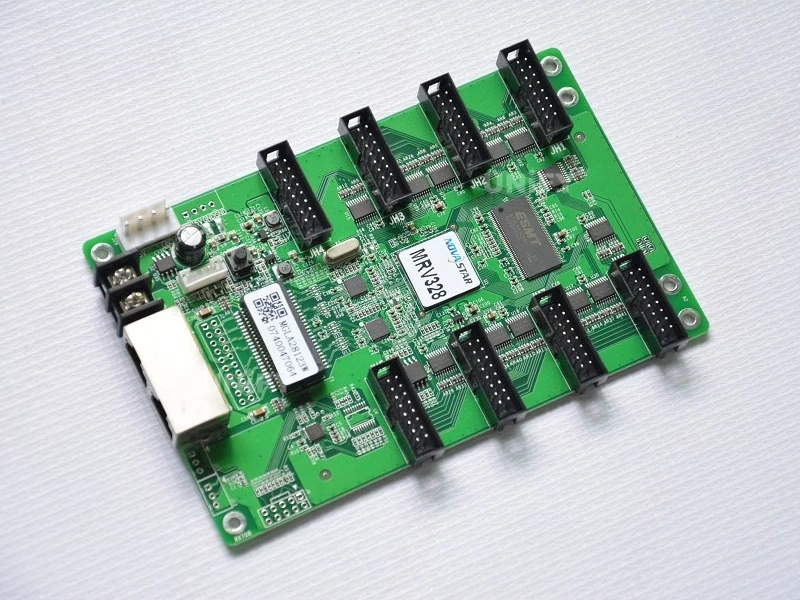
What Is the Novastar MRV328 LED Receiver Card?
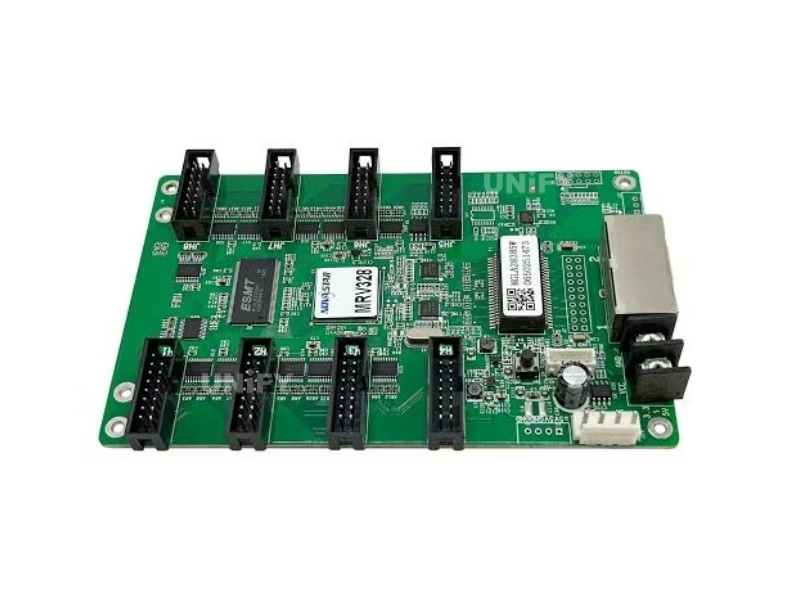
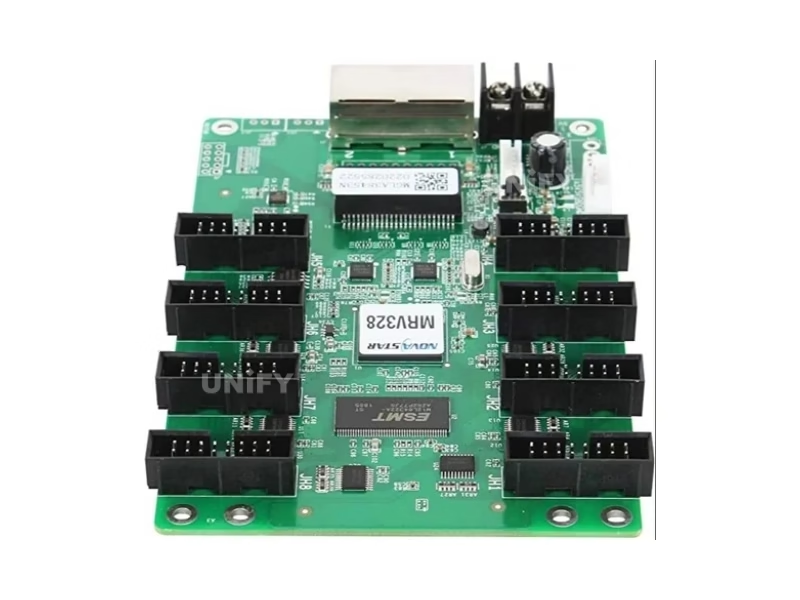
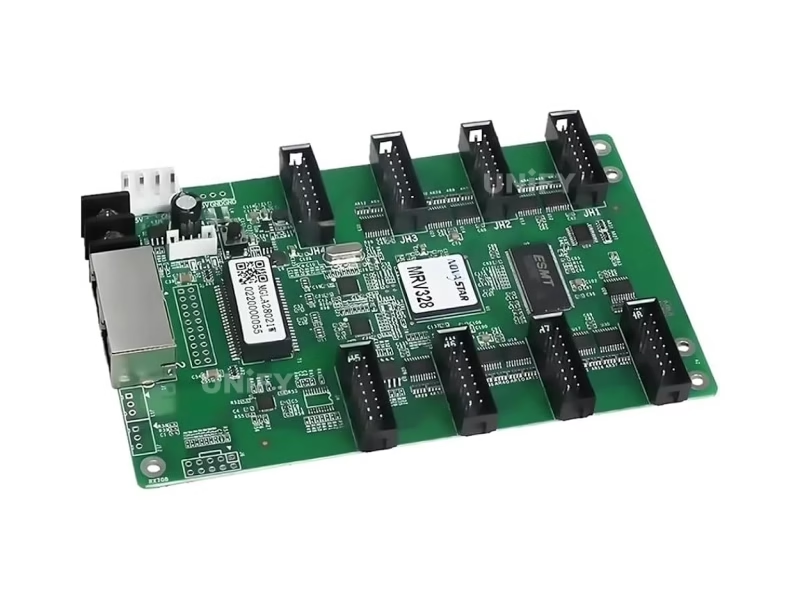
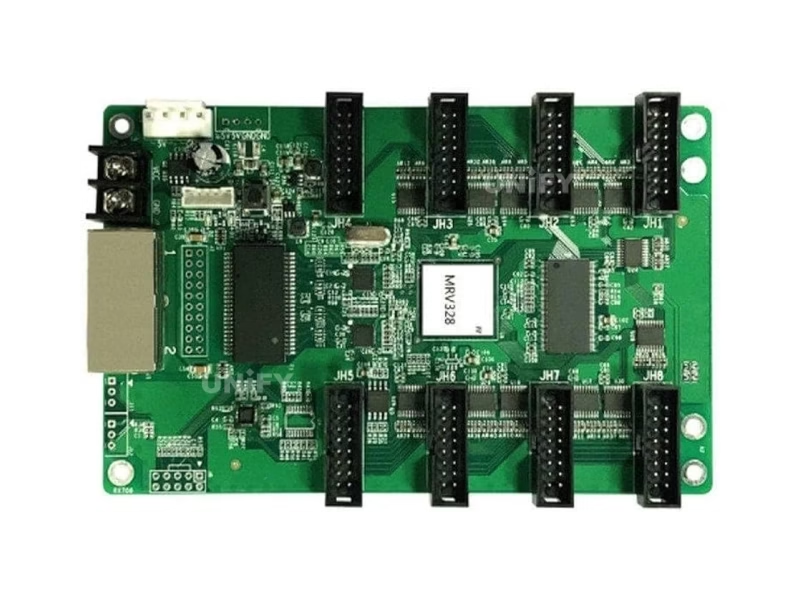
The Novastar MRV328 LED Receiver Card is a general receiving card developed by NovaStar that powered a generation of indoor and outdoor LED walls built between 2016 and 2022. A single card supports resolutions up to 256×256@60Hz with PWM driver ICs and scan ratios up to 1/32, driving modules through 8 standard HUB75E connectors with up to 16 groups of parallel RGB data. It carries NovaStar’s calibration stack — pixel-level brightness and chroma calibration, quick adjustment of dark or bright lines, 3D output — plus quick uploading of calibration coefficients, pre-stored startup images, temperature and voltage monitoring, cabinet LCD support, bit error detection, firmware and parameter readback, loop backup and dual program backup. For the receiving card’s role in the control chain, see synchronous vs asynchronous LED control.
End-of-life notice: The MRV328 is out of production. The official NovaStar specification ends at V1.2.7 (2022-12-27) and no further revisions have been released since. Remaining channel stock is finite, and the card’s official replacement is the Novastar MRV208-1 LED Receiver Card. If your wall still runs MRV328 cards, this page covers everything you need: verified specifications, remaining-stock sourcing, and the migration path.
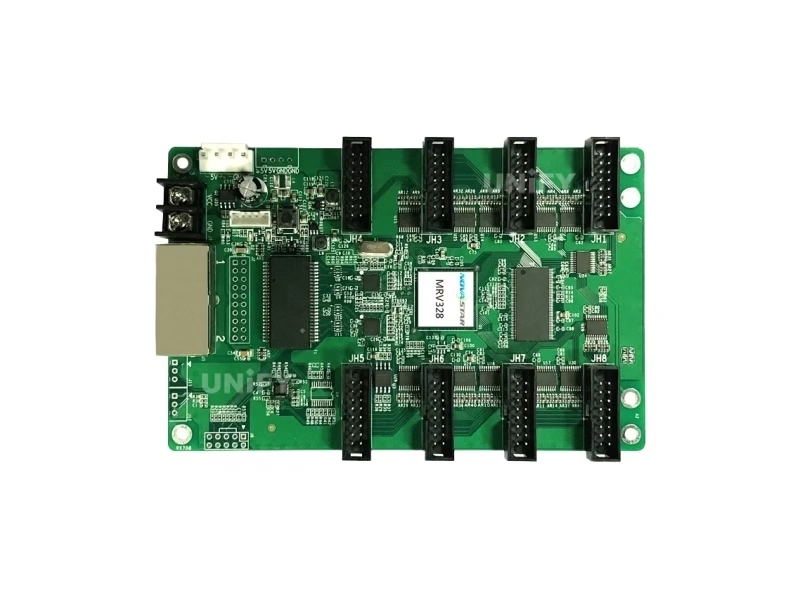
Novastar MRV328 LED Receiver Card Technical Specifications
All data from the official NovaStar MRV328 specification V1.2.7 (2022-12-27) — the final revision of this product.
Loading & Connectivity
Electrical, Physical & Environment
At 2.5W rated power the card runs with passive cooling only. See LED display power consumption to size your system power budget.
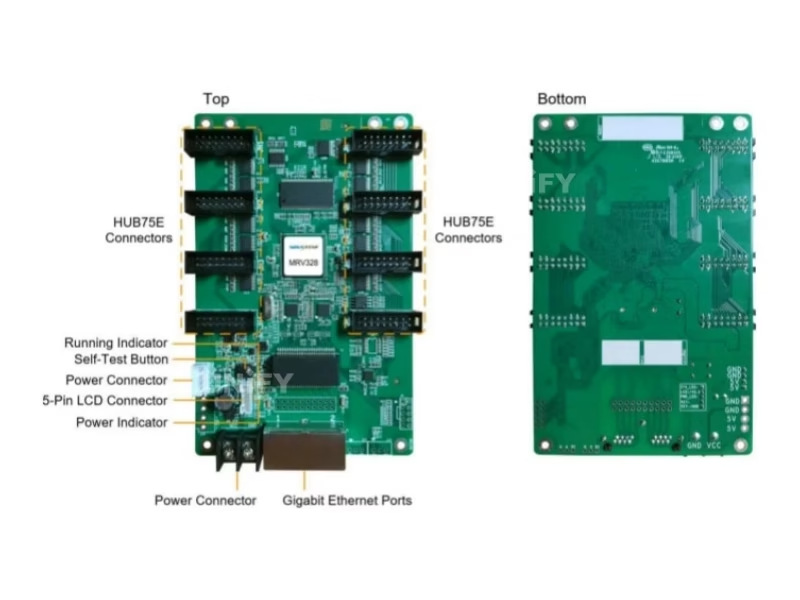
Key Features of the Novastar MRV328 LED Receiver Card
Pixel-Level Brightness & Chroma Calibration
Calibrates the brightness and chroma of every pixel with NovaStar’s high-precision calibration system — the foundation of the uniform image quality MRV-generation walls are known for.
Quick Adjustment of Dark or Bright Lines
Seam lines from module and cabinet splicing are adjusted in NovaLCT and take effect immediately — essential when servicing walls without full recalibration.
3D Image Output
Working with a 3D-capable sending card, the receiving card outputs 3D image content for glasses-based 3D LED installations.
Quick Upload of Calibration Coefficients
Calibration coefficients upload quickly to the receiving cards — a significant time-saver when recalibrating large walls section by section.
Pre-Stored Image Setting
A custom image can be set as the startup screen, or displayed when the Ethernet cable is disconnected or no video signal is present — the screen never goes black.
Monitoring & Bit Error Detection
Temperature and voltage monitored without peripherals; cabinet LCD displays them plus run time. Ethernet communication quality monitored with erroneous packet counting (NovaLCT V5.2.0+).
Firmware & Parameter Readback
Firmware programs and configuration parameters read back and saved locally — copy a working card’s exact state to a replacement in seconds.
Loop Backup + Dual Program Backup
Loop backup keeps the screen displaying through a cable fault; two firmware copies prevent bricking during updates. See LED display system redundancy.
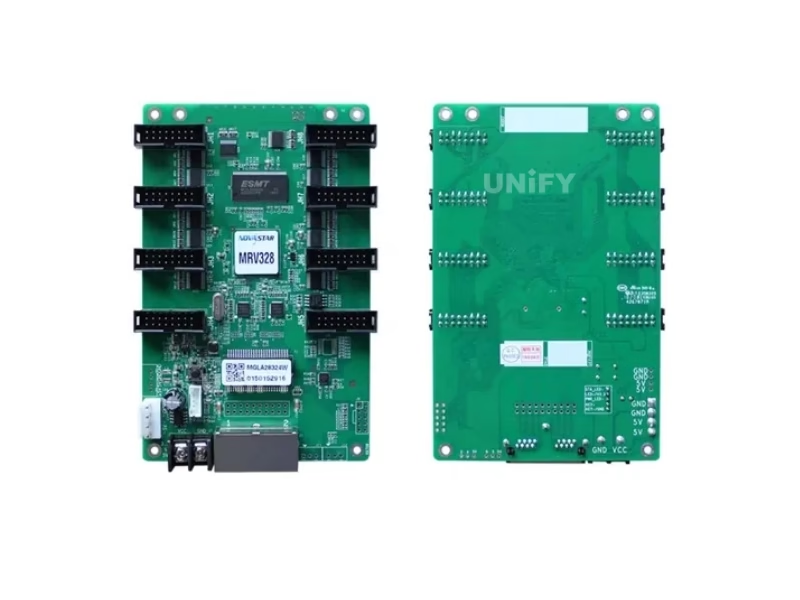
Novastar MRV328 LED Receiver Card Discontinued: Replacement Matrix & Migration Guide
NovaStar ended production of the MRV328. The official replacement is the MRV208-1, and the DH series is the step-up path. This is the swap-decision data no other source provides:
Migration in three steps: (1) confirm your module’s driver IC type and obtain the module supplier’s RCFG file for the MRV208-1 — old MRV328 RCFGs do not load on the replacement; (2) read back the MRV328’s parameters in NovaLCT before removal; (3) replace per wall or per complete section — never card by card, because calibration and gamma behavior differ between generations. If the wall needs more than 256×256 per card, individual RGB gamma, or 90° rotation, step up to the DH7508-S, DH7512-S or DH7516-S instead.
NovaStar Official — Gear Up: Troubleshooting H Series – MVR Card Problem
How to Configure the Novastar MRV328 LED Receiver Card in NovaLCT (RCFG Guide)
Five steps to first light — NovaLCT V5.2.0 or later is required for bit error detection and readback features:
Wire the card
Connect the card to the module via HUB75E ribbon cables and to the sending controller via Gigabit Ethernet (either port works as input or output for cascading).
Install NovaLCT
Download NovaLCT software (V5.2.0 or later), connect your PC to the controller, and let NovaLCT detect the screen.
Load the correct RCFG file
Load the module’s RCFG/RCFGX configuration file from the module supplier — it defines driver IC type, scan mode and data routing. If you migrate to the MRV208-1, obtain its RCFG version; old MRV328 files do not load on HUB75E replacement cards. See LED display configuration and system debugging.
Send configuration to the card
Push the configuration to all receiving cards; enable loop backup and monitoring in the same dialog. Controller side: how to configure an LED sending card.
Verify with the self-test button
Disconnect the Ethernet cable, press the self-test button twice — the card displays a test pattern. If NovaLCT cannot detect the card, see NovaLCT cannot detect sending card: troubleshooting guide.
NovaStar Official — NovaLCT Performance Settings and Receiving Card Configuration Files tutorial
Novastar MRV328 LED Receiver Card vs MRV208-1 & DH Series Comparison
Where the MRV328 sits in NovaStar’s receiving card line — its replacement and its upgrade paths. The MRV328 column is highlighted.
For walls that simply need to keep running as-is, the MRV208-1 is the like-for-like replacement at the lowest card cost. For walls being rebuilt anyway, the DH series delivers double loading, 90° rotation and individual RGB gamma — run the pixel budget before deciding.
How to Install & Replace the Novastar MRV328 LED Receiver Card
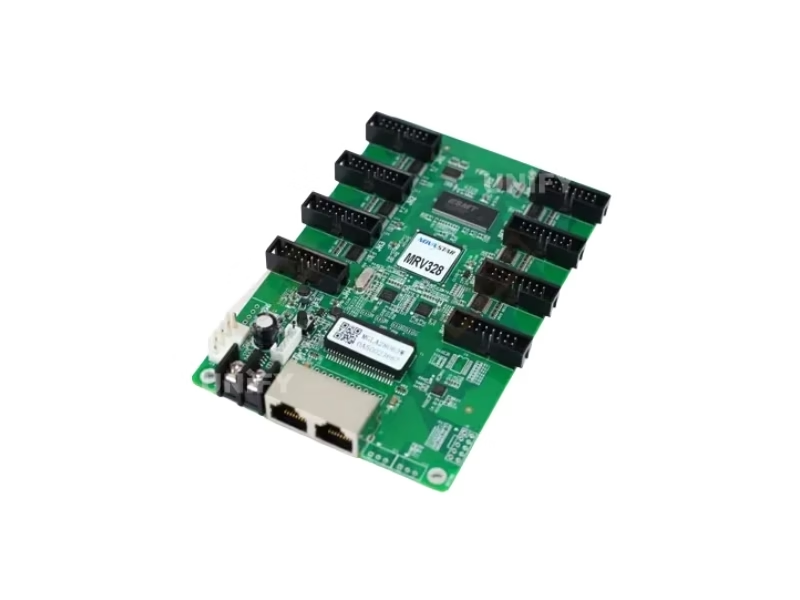
The card mounts onto the module or cabinet with GND-enabled mounting holes. Replacing a failed MRV328 takes under 5 minutes:
Read back the old card’s parameters
In NovaLCT, read back the firmware and configuration parameters of the card being replaced and save them locally. See backup and restore LED display hardware settings.
Power down and swap the card
Unplug power and the HUB75E cables, remove the screws, and mount the replacement. Both power connectors are equivalent.
Load the RCFG and configuration
Send the module’s RCFG file and the saved configuration to the replacement card. If the replacement is an MRV208-1, use its own RCFG version.
Verify via indicator lights
The green running indicator confirms status at a glance — see the diagnostic table below. Full wall-level guidance in LED screen installation and LED screen maintenance.
Running Indicator Diagnostic Table
Note: the MRV328 has 4 running-indicator patterns. Its replacement, the MRV208-1, adds a fifth pattern (8 quick flashes) that signals loop-backup redundancy switchover. For cable-related faults, see LED display signal cable troubleshooting.
Novastar MRV328 LED Receiver Card Applications
The MRV328 powered a generation of installed walls — these are the deployments you are most likely maintaining today:
Retail & Shopping Malls
2016-2022 era mall walls and storefront screens commonly run MRV328 cards — the most frequent profile we service today. See shopping mall LED display.
Outdoor Advertising
–20°C to +70°C range and EMC Class A design covered outdoor cabinets of the era; 1/32 scan support served high-scan outdoor modules. See outdoor LED billboard.
Events & Rental Staging
Readback and quick coefficient upload kept rental crews moving between gigs; many rental fleets still hold MRV328 spares. See LED screen for events.
Control Rooms & CCTV
Loop backup and monitoring kept mission-critical walls alive; these are the installations where migration planning matters most. See control room LED display.
Why Source the Novastar MRV328 LED Receiver Card From an LED Display Factory
Discontinued cards are the counterfeit market’s favorite prey — buyers maintaining an aging wall are time-pressed, and a “MRV328” listing is easy to fake. A refinished or cloned card may pass visual inspection but fail calibration, loop backup or firmware updates after installation. Our remaining MRV328 stock comes from NovaStar’s authorized channel, in original blister packaging, 100 cards per factory box, with verifiable serial numbers and batch records.
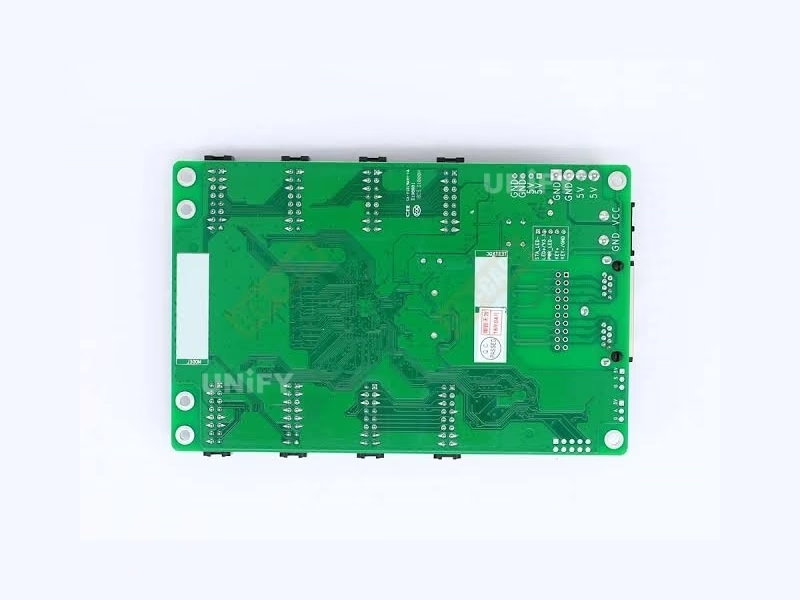
Three counterfeit checks for remaining stock: (1) original blister pack and factory carton labeling; (2) PCB silk screen and chip marking quality under magnification; (3) board dimensions 145.6 × 95.5 mm and HUB75E sockets — a “MRV328” with HUB75 sockets or a different board outline is a relabeled card from another model.
As a full-line LED screen manufacturer, we test every batch on live modules before shipping and support your migration to the MRV208-1 or DH series. Visit our LED display factory and quality control of LED display pages.
Novastar MRV328 LED Receiver Card Price & Remaining Stock
Discontinued cards trade at a premium: current marketplace prices run $19–$27 per card as channel inventory shrinks. Our remaining-stock pricing is tiered and every batch ships with factory records:
Remaining stock ships in original NovaStar packaging with a 2-year warranty and NovaLCT support. For quantity planning: our engineers will help you calculate whether to top up spares or migrate the section to the MRV208-1. Source from a verified LED screen manufacturer to avoid refinished clones. Pair the card with the MCTRL300, MCTRL660 PRO, or VX16s sending controller.
Novastar MRV328 LED Receiver Card FAQ
Novastar MRV328 LED Receiver Card Certifications
Every batch ships with NovaStar original packaging and full compliance documentation.
Ready to Source the Novastar MRV328 LED Receiver Card?
Remaining stock, migration planning, MRV208-1 replacement advice.
unifyledscreen@gmail.com | +86-191-18802497
MRV328 Discontinued: Novastar MRV328 LED Receiver Card Replacement Guide & Migration Plan
Published: August 2026 | 12 min read | UnifyLED Engineering Team
Every LED wall built between 2016 and 2022 carries a hidden clock: the receiving cards inside its cabinets stopped being manufactured, and the spares in the storeroom are finite. For the MRV328 — the workhorse receiving card of that era — the clock has already struck. NovaStar’s specification for the card ends at V1.2.7, dated December 27, 2022, and the production line has moved on. This guide explains what that means for your wall, how to plan the transition without a single day of downtime, and how to decide among the three options on the table: buying remaining stock, migrating to the direct replacement, or stepping up to the current-generation DH series.
Chapter 1 — Confirming What Is in Your Cabinets
Before any planning, confirm which cards your wall actually runs. The MRV328 is visually distinctive: a 145.6 × 95.5 mm board carrying 8 HUB75E connectors in a single row, two Gigabit Ethernet ports, two power connectors, a self-test button, a 5-pin LCD connector, one green running indicator and one red power indicator. Two details separate it from lookalikes. First, the connectors are HUB75E — if your cabinets carry plain HUB75 sockets, you are looking at an earlier MRV generation. Second, the card has no Mapping function: in NovaLCT you cannot display receiving card numbers on cabinets the way current cards do. If the wall documentation is lost, read one card’s parameters in NovaLCT and check the firmware version against NovaStar’s V1.2.7 release notes — that is the fastest reliable identification path.
The identification step matters because migration planning is arithmetic: wall size divided by 256×256 per card equals the card count. A 1920×1080 wall runs 32 MRV328 cards; a typical 6m×3m P5 outdoor wall runs around 40. Write the count down — it drives every decision that follows, from spare ratios to migration batch sizes.
Chapter 2 — The Stock Audit: How Many Spares Do You Actually Need?
Field data from our service desk puts the MRV328’s failure rate on outdoor walls at 1–3% per year after year five of service, rising with humidity, thermal cycling and surge exposure. Indoor walls fail slower, but their failures cluster: a power surge takes several cards on one cabinet at once, or adjacent maintenance damages a card mechanically. The practical spare rule for a wall with 40 cards is 2 spares minimum — a 5% ratio — plus one additional card per 20 for sites with unreliable power. Teams that run below that threshold inevitably pay express freight and marketplace premiums when a cluster failure hits on a Friday evening.
The audit also reveals the decision point. Multiply your remaining spares by the failure rate and you get the runway: a wall with 2 spares and a 1.5% annual failure rate on 40 cards can expect to need a replacement every 10 months, so those 2 spares buy roughly 20 months. If the wall’s expected remaining service life exceeds the runway, migration planning should start now — not when the last spare goes in.
One supply-side reality accelerates the timeline: remaining MRV328 channel stock is draining on its own schedule, and it is not linear. When large maintenance teams place last-buy orders, inventory drops in steps, and prices follow upward within weeks. A team that priced MRV328 spares in the first quarter and ordered in the third has often found the batch gone or 30% more expensive. The practical habit is to treat every spare purchase as potentially the last and to hold the migration decision as an open item in the quarterly maintenance review rather than a one-time project.
Chapter 3 — Option One: Buying Remaining MRV328 Stock
Remaining channel stock still exists, and for like-for-like replacement it is the zero-effort option — same card, same RCFG, same configuration files, five-minute swap. The cost is the discontinued-card premium: marketplace prices currently run $19–$27 per card, roughly double the MRV208-1’s range, and rising as inventory drains. That premium buys simplicity today and nothing tomorrow: every MRV328 bought now becomes another card to migrate later. The rational frame is a bridge purchase — buy enough remaining stock to cover the wall’s needs during the migration window, not a lifetime supply. For a 40-card wall planning a 12-month section-by-section migration, that means topping up to the 5% spare ratio once, not buying 40 cards.
Counterfeit risk on remaining stock is the highest in the supply chain, for a simple reason: discontinued cards attract time-pressed buyers who cannot verify against current production. The mechanical checks: original blister packaging in the 100-card factory carton, clean silk screen and chip markings, the 145.6×95.5 mm outline and HUB75E sockets. The behavioral check is stronger — a genuine card survives a firmware update and reports its parameters through NovaLCT readback; a clone typically bricks on the first update attempt.
Chapter 4 — Option Two: The Direct Replacement Path (MRV208-1)
The MRV208-1 is NovaStar’s designated replacement for the MRV328, preserving the 256×256@60Hz loading class, the 8 HUB75E connectors and the 16 parallel RGB data groups. Four differences matter in the field. The board is 95.5 × 109.1 mm — rotated relative to the MRV328’s 145.6 × 95.5 mm — so check mounting-hole clearance before ordering in bulk. It adds the Mapping function the MRV328 lacked. Its running indicator has a fifth pattern (8 quick flashes) signaling loop-backup redundancy switchover. And it is lighter (72.4 g vs 85.5 g), which changes nothing mechanically but is a useful authenticity check.
The migration rule that decides success or failure: the RCFG file must be the module supplier’s MRV208-1 version. MRV328 RCFGs do not load on the replacement — the number-one cause of garbled images after swap-outs. The workflow is readback → swap → push: read back the old card’s parameters, physically replace the card, load the new RCFG and send the configuration. The full procedure is in the replacement card’s guide, and the readback step is covered in backup and restore LED display hardware settings.
A question every migration plan should answer up front: does the controller side need any change? The answer is almost always no — the MRV208-1 speaks the same protocol to the same sending boxes that drove the MRV328 wall: the MCTRL300 and MCTRL family, VX all-in-one controllers such as the VX16s, and Taurus players like the TB50. If the controller firmware is severely outdated, update it before the card migration — not during — so the maintenance window contains only one variable at a time.
Chapter 5 — Option Three: Stepping Up to the DH Series
If the wall’s remaining service life justifies investment, the DH series upgrades the hardware while the cabinets are open. The DH7508-S doubles loading to 512×512@60Hz — a 1920×1080 wall drops from 32 cards to 8, cutting the cascade points and the failure surface by three quarters — and adds 90° rotation and individual RGB gamma. The DH7512-S adds 18bit+ grayscale for fine-pitch walls where dark gradients band. The DH7516-S doubles the connectors to 16 for module-dense layouts. The economics work in the DH cards’ favor on any wall that will run another five years: fewer cards, current-generation firmware support, and spare parts that remain available. Run the numbers with LED pixel pitch and LED screen resolution before committing.
The comparison that settles the choice is total cost over the wall’s remaining life, not per-card price. Take a 1920×1080 wall expected to run five more years. Path A keeps 32 MRV328 cards with a 5% spare ratio: roughly 34 cards at $19–27 each — about $650–920 today — plus a second spare purchase when stock runs low, plus premium pricing and counterfeit risk each time. Path B migrates to 8 DH7508-S cards plus 2 spares: a higher per-card price but one quarter of the hardware, current firmware support, and spares that stay available for years. On any wall with three or more years of life left, Path B typically wins on total cost before factoring the reduced maintenance visits. For walls with two years or less remaining, Path A’s simplicity wins — bridge with remaining stock and let the wall retire.
Chapter 6 — Calibration Continuity: The Detail That Makes or Breaks a Migration
A wall’s calibration coefficients are its visual identity — the per-pixel corrections that keep 40 cabinets looking like one surface. When cards are replaced, those coefficients travel with the configuration readback, but only if the replacement generation applies them the same way. The MRV328 stores coefficients in its own format; the MRV208-1 and DH cards use current-generation formats. In practice: a same-model swap preserves calibration exactly; a cross-generation swap preserves it approximately — close enough to run content, not close enough to hide the boundary between old and new sections on white backgrounds. The official workflow for adjusting coefficients after a swap:
NovaStar Official — Adjust Calibration Coefficient tutorial video
This is why the mixed-generation rule is absolute: replace per wall or per complete section, never one card at a time. A single MRV208-1 in a wall of MRV328s displays content correctly — the pinouts and data formats are compatible — but the brightness boundary at the edges of that one card becomes visible within weeks as the two generations’ correction curves express themselves differently. Plan section migrations around content-dark hours, and keep the section’s original configuration files archived until the wall’s next full calibration.
The verification routine after any section migration is cheap insurance: run the wall for 30 minutes on white, 30% grey and 10% grey frames, and walk the boundary between the migrated section and the untouched section at normal viewing distance. White and grey are where coefficient mismatches surface first — color content hides them for weeks. If a boundary is visible, adjust the migrated section’s calibration coefficients (the official workflow above) before the wall returns to normal content. A boundary caught during the maintenance window costs minutes; the same boundary caught by a client costs the account’s trust.
Chapter 7 — The Migration Plan, Step by Step
A 40-card wall migrates cleanly in four sections of 10 cards over four maintenance windows. Step one: audit — confirm card model, count, wall resolution, remaining spares and the module supplier’s current RCFG files. Step two: choose the destination — remaining MRV328 stock for the bridge period, MRV208-1 for like-for-like, or DH series where the math favors upgrade. Step three: execute per section — read back the section’s parameters, swap the cards, load the new RCFG, push configurations, verify with the self-test button and indicator patterns, and run a 30-minute content test on white and grey frames to catch boundary issues early. Step four: archive — store every section’s configuration files, the RCFGs used, and the serial numbers, so the next maintenance event is a five-minute job. For the reliability mechanics behind the new cards, see LED display system redundancy.
Two administrative habits make the whole program boring — which is the goal. First, keep a one-page migration register per wall: card model and count, section map, spare inventory with dates, RCFG file names and their module suppliers, and a running note of every swap with the date and technician. Second, schedule the audit on a fixed calendar beat — quarterly is realistic for outdoor walls, semiannually for indoor — so the migration decision never depends on someone remembering it. Walls that follow this discipline rarely make news; walls that do not are the ones where a single failed card escalates into a client meeting about why the screen is dark. For the full-system picture beyond the cards, LED screen maintenance covers the modules, power and controller layers that share the same maintenance windows.
Conclusion
The Novastar MRV328 LED Receiver Card served its generation well — the walls it drives are still earning their owners money every day. Its discontinuation is a planning event, not an emergency: audit the cabinets, count the spares, and choose among remaining stock, the MRV208-1 direct replacement, and the DH series upgrade with the wall’s remaining service life as the deciding variable. The teams that migrate on schedule keep their walls running without a visible seam; the teams that wait until the last spare fails pay triple — in express freight, in marketplace counterfeit risk, and in a down wall during business hours. Run the audit this quarter, and the receiving card layer returns to what it should be: the part of the wall nobody notices.
Explore the Complete Novastar LED Receiving Card & Controller Range
From legacy MRV cards and their replacements to DH and A series, AT entry cards, sending controllers and software resources.
Download Novastar MRV328 LED Receiver Card Resources
Official NovaStar MRV328 receiving card specifications — final revision V1.2.7.