
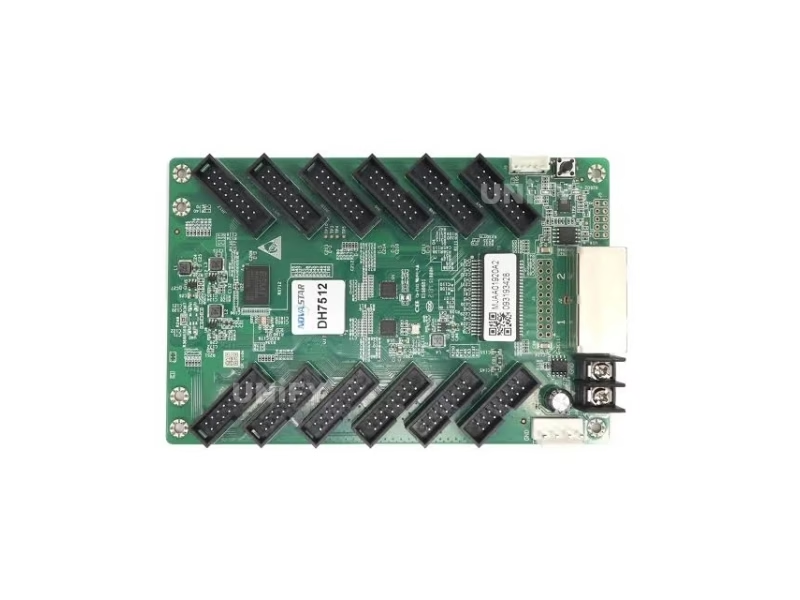
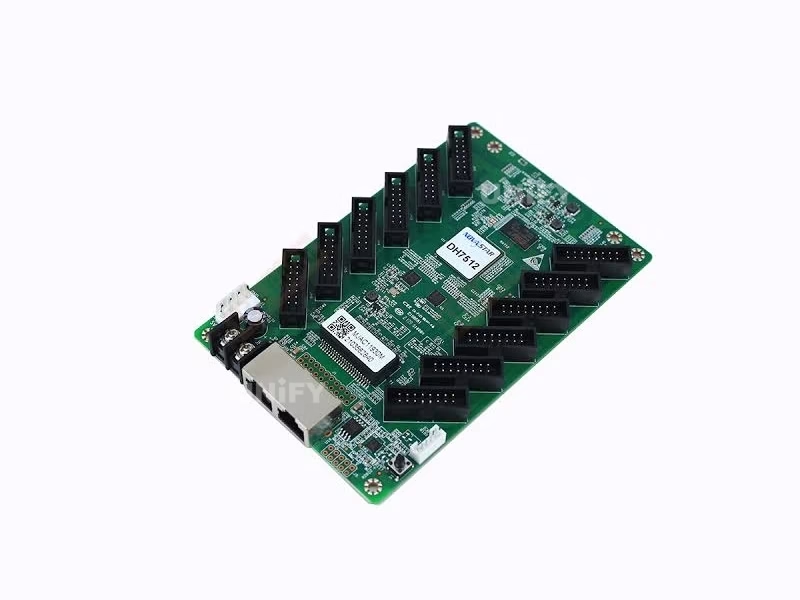
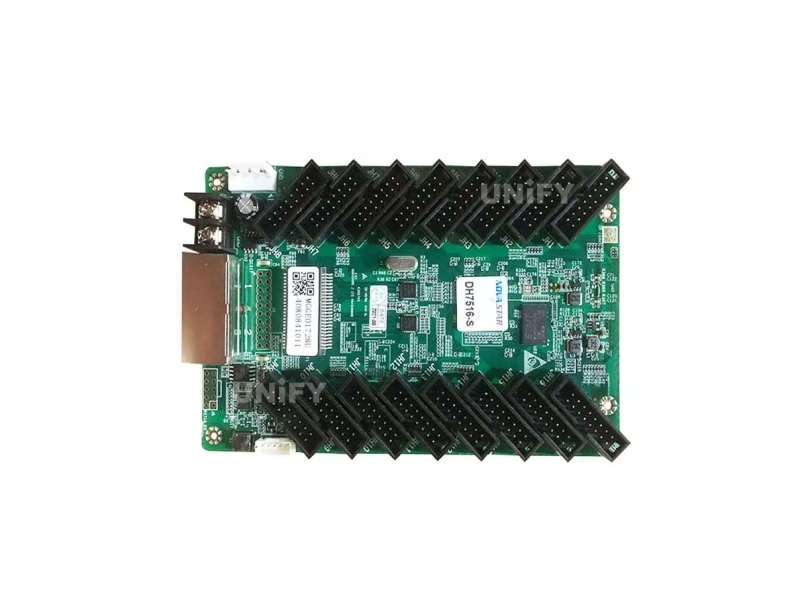
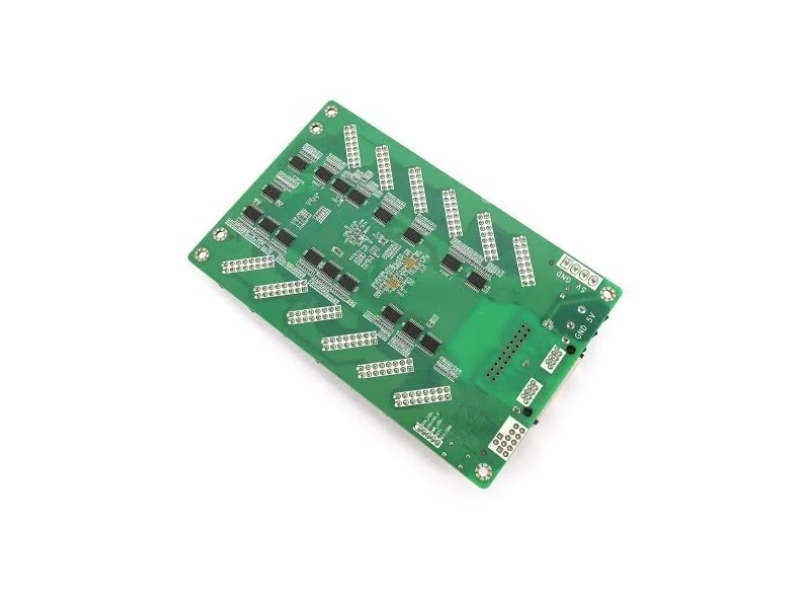
Novastar DH7512-S LED Receiving Card Product Gallery
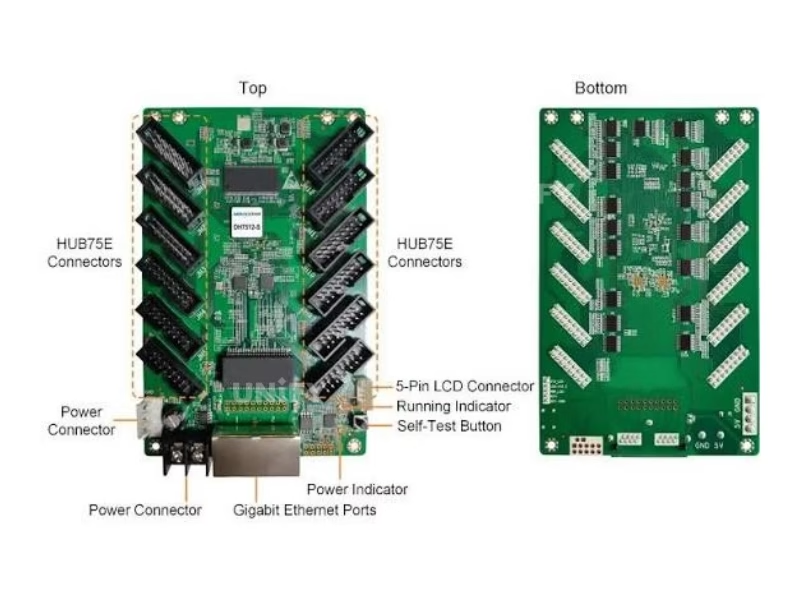
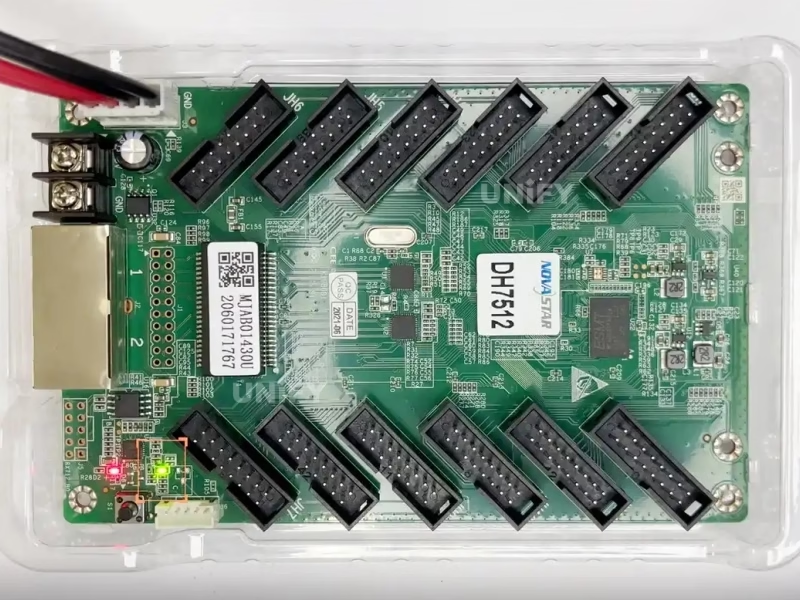
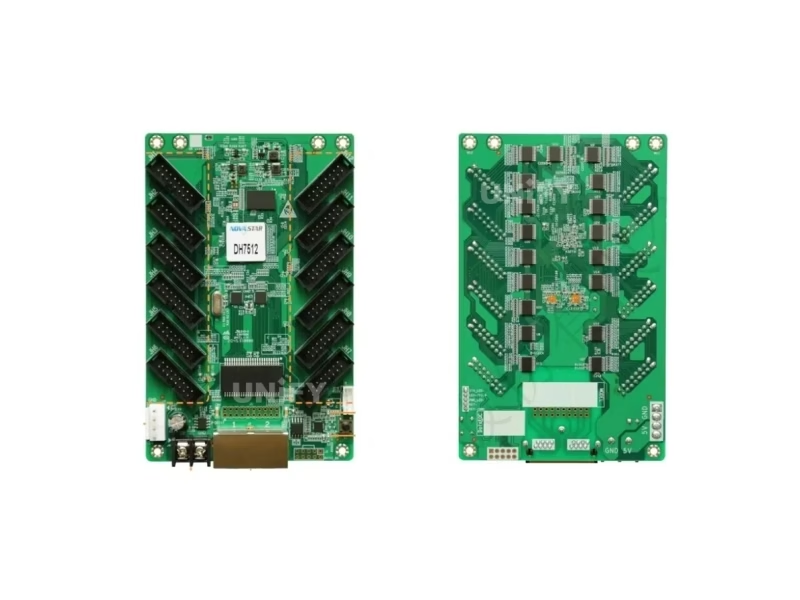
All-angle views of the DH7512-S receiving card
DH7512-S LED Receiving Card Quick Specifications
Key parameters at a glance
Product Overview
What Is the Novastar DH7512-S LED Receiving Card?
The Novastar DH7512-S LED Receiving Card is a next-generation general-purpose receiver card developed by Xi’an NovaStar Tech Co., Ltd., upgraded from the widely adopted DH7512. As a core component in any synchronous LED display control system, the receiving card sits between the sending card and the LED modules — decoding video signals and driving every individual pixel with precision.
The DH7512-S supports a maximum loading capacity of 512×512 pixels @ 60Hz when paired with PWM driver ICs, and 512×384 pixels @ 60Hz with conventional driver ICs. Equipped with 12 standard HUB75E communication interfaces and capable of driving up to 24 groups of parallel RGB data, it delivers the payload capacity needed for medium-to-large LED cabinets in commercial, rental, and broadcast-grade installations.
Unlike entry-level receiving cards that merely relay signals, the DH7512-S integrates an arsenal of image-processing technologies — 18bit+ grayscale rendering, pixel-level brightness and chroma calibration, independent RGB Gamma adjustment, 3D display support, and 90°-increment image rotation — making it one of the most versatile HUB75E receiver cards in Novastar’s DH Series lineup. Its hardware design also incorporates EMC Class A compliance, ensuring stable operation even in electrically noisy environments such as broadcast OB vans and outdoor stage rigs.
Technical Deep Dive
Novastar DH7512-S LED Receiving Card Technical Specifications & Loading Capacity
Complete electrical, physical, and environmental parameters verified against Novastar official datasheet V1.3.3
Complete Specifications
Loading Capacity by Pixel Pitch (Real-World Examples)
The table below shows the maximum recommended modules per single DH7512-S card across common indoor pixel pitches. These figures are based on 320×160mm standard LED modules at typical scan rates. For higher refresh rate or brightness requirements, reduce the module count per card accordingly.
📹 NovaLCT Configuration Tutorial
Learn how to read back and manage your DH7512-S configuration files using NovaLCT — essential for every LED display technician.
Core Features
Key Features of the Novastar DH7512-S LED Receiving Card
Every feature is engineered to solve a real-world LED display challenge
18bit+ Grayscale Processing
Delivers 262,144+ grayscale levels per RGB channel, eliminating banding artifacts in low-brightness scenes. Critical for broadcast cameras and HDR content where smooth gradation is non-negotiable.
Pixel-Level Brightness & Chroma Calibration
Works with NovaLCT and NovaCLB to calibrate brightness and chromaticity of every individual LED, achieving >98% screen uniformity — essential for seamless multi-cabinet tiling.
3D Display Support
Native 3D functionality compatible with Novastar’s 3D system, enabling cinema-grade immersive experiences when paired with an independent master controller and active shutter glasses.
Image Rotation (0°/90°/180°/270°)
Hardware-level image rotation in 90° increments allows creative cabinet orientations — especially useful for tall-narrow LED strips, ceiling-mounted displays, and portrait-mode digital signage.
Loop Backup & Dual Program Backup
Ethernet loop redundancy ensures zero blackout during cable failure. Dual firmware program backup prevents bricking during updates — both essential for live events and 24/7 operation.
Real-Time Temperature & Voltage Monitoring
Onboard diagnostics without external sensors — monitor card temperature, input voltage, and network communication quality in real time via NovaLCT. Rapid fault localization cuts maintenance downtime.
Independent RGB Gamma Adjustment
Fine-tune the Gamma curve for each red, green, and blue channel independently — enabling precise color temperature matching across cabinets and compensating for LED batch variance.
Mapping & Quick Bright/Dark Line Adjustment
Identify receiving card physical position and port mapping instantly. Quick bright/dark line adjustment eliminates module-edge seams during setup — critical for LED screen installation efficiency.
Model Comparison
DH7512-S vs DH7512: Which Novastar Receiving Card Is Right for You?
Understand the key differences between the original DH7512 and the upgraded DH7512-S
💡 Verdict: Choose the DH7512-S if you need dual program backup (firmware redundancy for mission-critical installations) and firmware readback capability. Choose the DH7512 if you prefer the convenience of an onboard LCD display for at-a-glance diagnostics without opening NovaLCT. For most new projects, the DH7512-S is the recommended forward-looking choice.
System Integration
Compatible Sending Cards & LED Modules for the Novastar DH7512-S
The DH7512-S integrates seamlessly with Novastar’s full ecosystem of sending devices and HUB75-standard LED modules
Compatible Novastar Sending Cards
LED Module Compatibility
Interface: HUB75E (standard) — backward compatible with HUB75C
Supported Pixel Pitches (Indoor):
P1.5, P1.6, P1.86, P2.0, P2.5, P3.0, P4.0, P5.0
Supported Pixel Pitches (Outdoor):
P2.5, P3.0, P4.0, P5.0, P6.0, P6.66, P8.0, P10
Driver IC Compatibility:
PWM driver ICs (max 512×512) | Common driver ICs (max 512×384)
Required Software:
NovaLCT v5.3.1 or above (for full 512×512 resolution support)
Software Guide
NovaLCT Configuration & Firmware Management for Novastar DH7512-S LED Receiving Card
Step-by-step software workflow to configure, calibrate, and back up your DH7512-S receiving card
Configuration Workflow
Install NovaLCT (v5.3.1+)
Download and install the latest NovaLCT software from Novastar’s official site. Version 5.3.1 or above is required for full 512×512 resolution support on DH7512-S.
Connect & Detect Receiving Cards
Connect the sending card to your PC via Ethernet/USB. NovaLCT will automatically scan and detect all connected DH7512-S cards on the network.
Configure Screen Parameters
Set resolution, scan type, RGB data groups, and pixel pitch in the screen configuration panel. The Mapping function helps visualize card positions.
Pixel-Level Calibration
Use NovaCLB for brightness and chroma calibration. The DH7512-S stores calibration coefficients onboard for consistent output.
Firmware Readback & Backup
Read back the receiving card’s firmware program and configuration parameters to local storage. This feature is exclusive to the DH7512-S and not available on the base DH7512.
Dual Program Backup Activation
Enable dual firmware backup in NovaLCT settings. This ensures that if a firmware update fails, the card automatically falls back to the previous working version.
📹 Firmware Readback & RCFGX Tutorial
Installation
How to Install & Replace the Novastar DH7512-S LED Receiving Card
A practical guide for technicians — from physical installation to system verification
📹 Receiving Card Replacement Demo
B2B Procurement
Source Novastar DH7512-S LED Receiving Card from a Trusted LED Screen Manufacturer
As a leading LED screen manufacturer based in Changsha, China, UnifyLED supplies genuine Novastar DH7512-S receiving cards at factory-direct pricing — with full traceability, warranty support, and global logistics to over 80 countries.
Genuine Novastar — Serial-tracked
Wholesale pricing from 100+ units
Global DHL/FedEx/UPS shipping
Warranty with technical support
📦 Bulk Order Inquiry: Contact us for wholesale DH7512-S pricing. MOQ: 100 cards per box. Custom packaging and OEM branding available for volume orders.
Use Cases
Where the Novastar DH7512-S LED Receiving Card Powers Displays
The DH7512-S is deployed across diverse professional LED display environments worldwide
Stadium & Arena Screens
Drives perimeter LED boards and large-scoreboard displays with loop-backup reliability for 24/7 event operation.
Stage & Rental LED Walls
12-port HUB75E drives tall-narrow rental cabinets. Image rotation + 3D support for creative stage designs.
Broadcast & XR Studios
18bit+ grayscale eliminates camera banding. EMC Class A compliance for interference-free studio environments.
Commercial Digital Signage
Pre-stored screen settings ensure seamless fallback images during signal loss. Dual program backup for always-on reliability.
Conference & Control Rooms
Pixel-level calibration ensures seamless multi-cabinet tiling for fine-pitch conference displays and CCTV monitoring walls.
Houses of Worship
Cost-effective performance for church LED walls. Low 2.5W power consumption minimizes heat and energy costs.
FAQ
Frequently Asked Questions About the Novastar DH7512-S LED Receiving Card
Answers to the most common B2B buyer and technician questions
Related Products
Complete Your Novastar DH7512-S LED Receiving Card Control System
Pair the DH7512-S with these Novastar components for a complete LED display control solution
DH7508-S LED Receiving Card
8-port HUB75E budget-friendly alternative for smaller installations. 512×256 loading, standby power under 0.1W.
MCTRL300 LED Controller
Entry-level sending card supporting up to 1.3M pixels. Ideal pairing with DH7512-S for small-to-medium LED walls.
MCTRL660 LED Controller
Mid-range sending card with 2.3M pixel capacity. Popular choice for rental stage LED walls with DH7512-S.
A5S Plus LED Wall Receiving Card
Armor series rugged receiving card for harsh environments. Higher protection rating, smaller loading capacity.
Ready to Order the Novastar DH7512-S LED Receiving Card?
Get factory-direct pricing, verified genuine Novastar products, and dedicated technical support from UnifyLED — your trusted LED screen manufacturer since 2015.
Room 301, Building E-2, Jinrong Wangcheng Technology Industrial Park, Changsha, Hunan, China
Deep Dive Guide
The Ultimate Guide to the Novastar DH7512-S LED Receiving Card: Specifications, Applications, and B2B Procurement Strategy
Published: August 12, 2026 | By UnifyLED Engineering Team | Reading Time: 12 minutes
Why the Novastar DH7512-S Matters for Your LED Display ROI
The Novastar DH7512-S LED Receiving Card occupies a critical position in the LED display value chain — it is the component that directly determines whether the pixels on your screen render accurately, uniformly, and reliably over years of operation. For B2B procurement professionals, system integrators, and rental company technical directors, selecting the right receiving card has a cascading impact on total cost of ownership (TCO), maintenance overhead, and end-client satisfaction.
A single poorly chosen receiving card can introduce color banding artifacts visible to every audience member, require technician call-outs for configuration failures, or — in the worst case — cause a black screen during a live broadcast because a firmware update bricked the card with no fallback. The DH7512-S addresses each of these risks methodically: 18bit+ grayscale eliminates banding, dual program backup prevents firmware bricking, and loop backup ensures the show goes on even when a network cable fails.
From an ROI perspective, the DH7512-S typically represents less than 5% of an LED display system’s total hardware cost, yet it governs nearly 100% of the image quality outcome. Investing in a proven Novastar receiver card — sourced from an authorized LED screen manufacturer like UnifyLED — is one of the highest-leverage decisions a buyer can make. The LED screen lifespan of a well-driven display routinely exceeds 100,000 hours, and the receiving card’s reliability is a gating factor in reaching that milestone.
DH7512-S vs DH7512: What Novastar Actually Upgraded
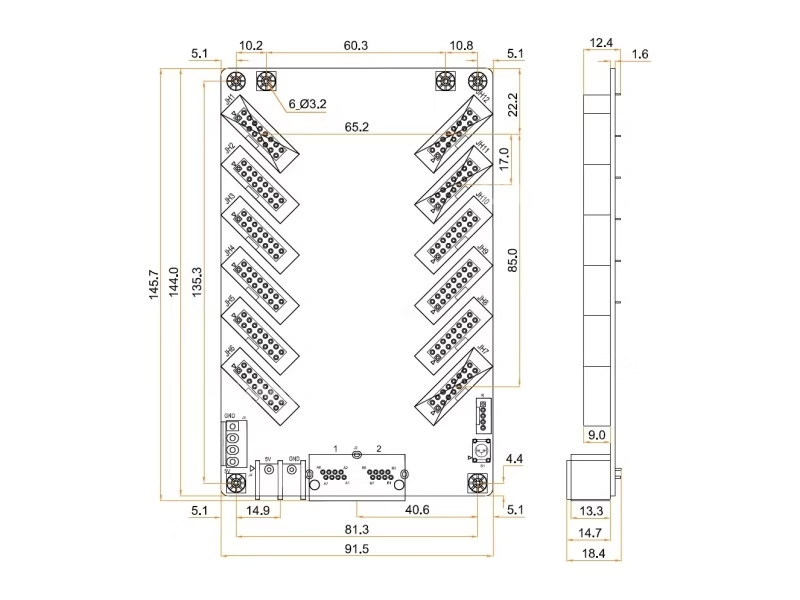
When Novastar released the DH7512-S as the successor to the widely deployed DH7512, the model number increment (“-S”) undersells the engineering improvements. While both cards share the same 12× HUB75E port configuration, 512×512@60Hz maximum loading, and 145.7×91.5×18.4mm physical footprint, the DH7512-S introduces two capabilities that fundamentally change how technicians can manage the card over its operational lifetime:
1. Dual Program Backup: The DH7512-S stores two independent firmware images. During a firmware upgrade, if the new version fails to boot — due to power loss mid-write, file corruption, or a compatibility issue — the card automatically falls back to the previous working firmware. The original DH7512 has no such safety net; a failed update means a bricked card requiring physical replacement. For rental companies managing hundreds of cards across multiple job sites, this single feature can prevent dozens of unnecessary technician dispatches annually.
2. Firmware & Configuration Readback: The DH7512-S allows technicians to read back the currently installed firmware version and all configuration parameters (RCFGX files) to a local PC. This is invaluable for maintenance workflows — when replacing a card, the technician can read back the old card’s configuration, save it locally, and push it to the replacement card in under a minute. The DH7512 supports configuration readback but not full firmware readback.
One trade-off: the original DH7512 includes a small onboard LCD that displays temperature, voltage, and runtime statistics at a glance. The DH7512-S omits this hardware LCD, providing the same data through NovaLCT software monitoring instead. For installations where at-a-glance cabinet-level diagnostics matter, the DH7512’s LCD is convenient. For most managed installations where technicians have laptops running NovaLCT, the software-based monitoring is sufficient — and the firmware safety gains more than compensate.
Understanding Loading Capacity: 512×512@60Hz in Practice
The DH7512-S specification of “512×512 pixels @ 60Hz” is precise but requires translation into real-world cabinet configurations. Here is how the math works across three common scenarios:
Scenario A: P2.5 Indoor Fixed Installation (320×160mm module, 128×64 resolution, 1/32 scan)
Each DH7512-S can drive a maximum of 3 modules wide × 8 modules high = 24 modules. This produces a display area of 960mm × 1280mm per card, with a total driven resolution of 384×512 pixels. For a typical 3.84m × 1.92m church LED wall, you would need approximately 12 DH7512-S cards.
Scenario B: P3.91 Rental LED Display (500×500mm cabinet, 128×128 resolution, 1/16 scan)
Each DH7512-S can drive 2 cabinets wide × 4 cabinets high = 8 cabinets. This yields a 1000mm × 2000mm display area at a total of 256×512 pixels per card. For a standard 4m × 3m stage backdrop, plan for approximately 16-20 DH7512-S cards.
Scenario C: P10 Outdoor Billboard (320×160mm module, 32×16 resolution, 1/2 scan)
Each DH7512-S can drive up to 5 modules wide × 8 modules high = 40 modules, yielding a 160×128 pixel area. This high module count is possible because the low scan rate (1/2) dramatically reduces data bandwidth per module. Outdoor P10 billboards require fewer cards per square meter than fine-pitch indoor displays.
Key principle: lower scan rates allow higher module counts per card. When planning your LED wall, always calculate based on your specific module’s scan type and resolution. Overloading a card beyond its rated pixel count will degrade refresh rate and grayscale performance.
18bit+ Grayscale & Pixel-Level Calibration: A Technical Deep Dive
Grayscale depth directly determines how smoothly an LED display transitions between brightness levels — particularly in dark scenes. An 18bit+ grayscale engine processes 262,144 luminance steps per RGB channel, compared to 65,536 steps for 16-bit systems. This 4× increase in precision is visible to the human eye in shadow gradients, where lower bit-depth cards produce visible “banding” — distinct horizontal stripes instead of smooth transitions.
For broadcast applications, 18bit+ is effectively mandatory. Studio cameras — especially those shooting at high frame rates for slow-motion replay — will capture banding artifacts that are invisible to the naked eye but glaringly obvious on the broadcast feed. The DH7512-S’s 18bit+ engine ensures your LED wall is camera-ready, a requirement increasingly demanded by broadcast clients and corporate event producers.
Complementing the grayscale engine is pixel-level brightness and chroma calibration. In a multi-cabinet LED wall, variance between LED batches, module ages, and even temperature differences can create visible seams where cabinets meet. The DH7512-S, paired with NovaLCT and a calibration camera (NovaCLB workflow), measures the brightness and color coordinates of every individual LED and stores per-pixel correction coefficients on the card. Post-calibration, color uniformity across the entire screen typically exceeds 98%, making cabinet seams invisible at normal viewing distances. For a deeper discussion on this topic, refer to our guide on display contrast ratio.
Loop Backup & Dual Program Backup: Mission-Critical Reliability Architecture
Two redundancy mechanisms built into the DH7512-S provide defense-in-depth against the most common failure modes in LED display systems:
Loop Backup (Ethernet Redundancy): In a standard topology, each receiving card connects to the sending card via a single Ethernet cable in a daisy-chain. If any cable in the chain fails, all downstream cards lose signal and their portion of the display goes black. Loop backup solves this by connecting the last card in the chain back to the sending card, forming a ring topology. If any single cable fails, data automatically routes the other way around the ring — the display continues uninterrupted. For live events, broadcast studios, and 24/7 digital signage, loop backup is not optional; it is the minimum acceptable architecture.
Dual Program Backup (Firmware Redundancy): Each DH7512-S stores two complete firmware images. The active firmware runs the card; the backup firmware remains dormant unless the active version fails to boot. During a firmware update, NovaLCT writes only to the backup slot. If the new firmware boots successfully, it becomes the active image. If it fails — due to a power cut during the write cycle, or a corrupted update file — the card automatically reverts to the previous active firmware. The entire failover process takes under 3 seconds and requires no technician intervention.
How to Match the DH7512-S with Sending Cards & LED Modules
A receiving card cannot function in isolation — it must be matched with a compatible sending card (or video processor) on the upstream side and LED modules on the downstream side. Here is the decision framework for both:
Upstream: Sending Card Selection. The DH7512-S communicates via standard Gigabit Ethernet and works with the entire Novastar synchronous controller ecosystem: MCTRL300 (entry-level, 1.3M pixels), MCTRL600 (mid-range, 2.3M pixels), MCTRL660 PRO (high-end, 4.1M pixels), MCTRL4K (4K×2K@60Hz for ultra-HD walls), and the VX all-in-one series (VX1000, VX16S, VX4S-N, VX600). For the technically inclined, our LED sending card configuration guide covers the setup process in detail.
Downstream: LED Module Compatibility. The DH7512-S uses the HUB75E interface standard — the most widely adopted signal pinout in the LED display industry. It is backward compatible with HUB75C modules. The card supports modules with scan rates from 1/2 (P10 outdoor) to 1/64 (P2.5 indoor high-refresh) and is compatible with both PWM and common-anode driver ICs. Before ordering, verify that your module’s pin definition matches the HUB75E standard.
Software Requirement: NovaLCT version 5.3.1 or above is required to unlock the full 512×512@60Hz loading capacity. Older NovaLCT versions will limit the card to 512×384@60Hz regardless of the driver IC type.
Installation Best Practices & Common Troubleshooting
Based on UnifyLED’s experience supporting thousands of DH7512-S installations globally, here are the three most common issues and their resolutions:
Issue 1: Card not detected in NovaLCT. Check that the Ethernet cable is securely connected at both ends and that the sending card is powered on. Verify that the PC’s firewall is not blocking NovaLCT’s discovery packets (UDP port 5200). If using a managed network switch, ensure IGMP snooping is disabled for the VLAN carrying the LED control traffic.
Issue 2: Modules display scrambled or misaligned content. This is almost always a configuration mismatch. In NovaLCT, verify that the module resolution, scan type, and RGB data group count match the physical module specifications. Use the Mapping function to confirm each card is driving the correct physical position.
Issue 3: Flickering at low brightness. This typically indicates the card is being driven beyond its optimal loading range. Reduce the module count per card, or lower the refresh rate setting in NovaLCT. Also verify the DC power supply is delivering a stable 5V — voltage sag under load can cause erratic card behavior.
Why Source the DH7512-S from UnifyLED: Factory-Direct B2B Advantage
The global market for Novastar receiving cards is fragmented: unauthorized resellers, gray-market imports, and counterfeit units are documented problems. For B2B buyers, the procurement decision goes beyond unit price — it encompasses authenticity verification, warranty enforcement, technical support responsiveness, and supply chain reliability.
UnifyLED — a specialized LED screen manufacturer headquartered in Changsha, China — supplies 100% genuine, serial-number-tracked Novastar DH7512-S cards at factory-direct wholesale pricing. Every card undergoes a pre-shipment functional test: we load a test RCFGX configuration, verify all 12 HUB75E ports output correctly, and confirm temperature/voltage monitoring telemetry before packaging. Our standard packing follows Novastar’s original specification — 100 cards per box in individual blister packs — ensuring safe transit to over 80 countries via DHL, FedEx, and UPS (3-7 day delivery).
For volume procurement (500+ cards), we offer custom branding, OEM packaging, and dedicated account management with a single point of contact for technical support, logistics coordination, and warranty claims. The DH7512-S carries a 12-month warranty; our engineering team is available via WhatsApp and email for pre-sales configuration advice and post-sales troubleshooting.
In conclusion, the Novastar DH7512-S LED Receiving Card represents the current sweet spot in Novastar’s DH Series lineup — combining the proven 512×512@60Hz loading platform with next-generation firmware safety features at a price point accessible to projects of all scales. Whether you are building a single church LED wall or outfitting a fleet of rental cabinets, the DH7512-S delivers the image quality, reliability, and maintainability that professional LED displays demand. Contact UnifyLED today for a tailored quotation.
Novastar Ecosystem
Explore the Complete Novastar Product Line
UnifyLED supplies the full range of Novastar LED control system components — from receiving cards to 4K video processors
Resources
Download Novastar DH7512-S LED Receiving Card Official Specifications
Get the complete Novastar DH7512-S LED Receiving Card technical datasheet (PDF) — includes full electrical parameters, loading capacity tables, mechanical drawings, and packing specifications.
Download DH7512-S Specification (PDF)
File: DH7512-S Receiving Card Specifications V1.3.3 • Source: Novastar Official