
How to Set Up a VDWALL Video Processor for Church (2026 Guide)
How to set up a VDWALL video processor for church live streaming comes down to three jobs every worship space faces: put lyrics and presentation slides on the wall, put the camera feed on the wall, and let whoever runs the service do it without an engineering degree. VDWALL’s ladder covers all three at prices from $140 (the LVP100U) to $843 (the LVP909), and the setup differs less between models than buyers expect — same panel grammar, same sending-card slots, same EDID-based pixel matching. This guide walks the full installation: choosing the model, the wall arithmetic that answers the questions church-media groups actually post, wiring sources and sending cards, getting lyrics and PowerPoint on screen, the operator’s seat, fail-safety, and a per-budget cost table. Data sources: VDWALL official user manuals (LVP100 V1.0, LVP605 series, LVP615S V1.2, LVP909) and product overviews, the official LVP100U product page, September 2026 channel pricing, and real church-media questions from the Small Church Media group and r/VIDEOENGINEERING.
Short answer: For most churches, setting up a VDWALL video processor is three boxes and four cables: the processor (LVP100U at $140 for small rooms, LVP615S at $519–659 when a camera joins), one or two sending cards in its internal slots, and the wall’s existing receiver chain. The presentation PC feeds HDMI or DisplayPort, lyrics run as a full-screen second display or a keyed text layer, the camera lands on SDI where the model supports it, and the operator works from the panel — or from the LVP615S’s phone app at the sound desk. A 3072×768 wall — the exact size church-media groups ask about — draws 2.36 million pixels and fits one unit with room to spare.
What Does a VDWALL Video Processor Do in a Church Live Stream?
A VDWALL video processor sits between the church’s sources and its LED wall: it scales the presentation PC, the lyric computer or the camera onto the wall’s exact pixel grid, switches between them without a black frame, and hands the result to LED sending cards mounted in its own chassis. In a live-stream context it has one extra job — feeding the camera picture onward. On the SDI-equipped models this is free: the LVP615S and LVP909 take SDI in and loop SDI out, so the same camera that fills the wall also feeds the streaming switcher downstream.
The signal chain reads: presentation PC (HDMI or DisplayPort) and camera (SDI or HDMI) into the processor; the processor’s DVI outputs into one or two sending cards in its internal slots; the sending cards’ Ethernet into the wall’s first receiving card. The full-system logic behind that chain — and why the processor sits on the synchronous side of the sync vs async control divide — is the same architecture documented in our LED video processor overview.
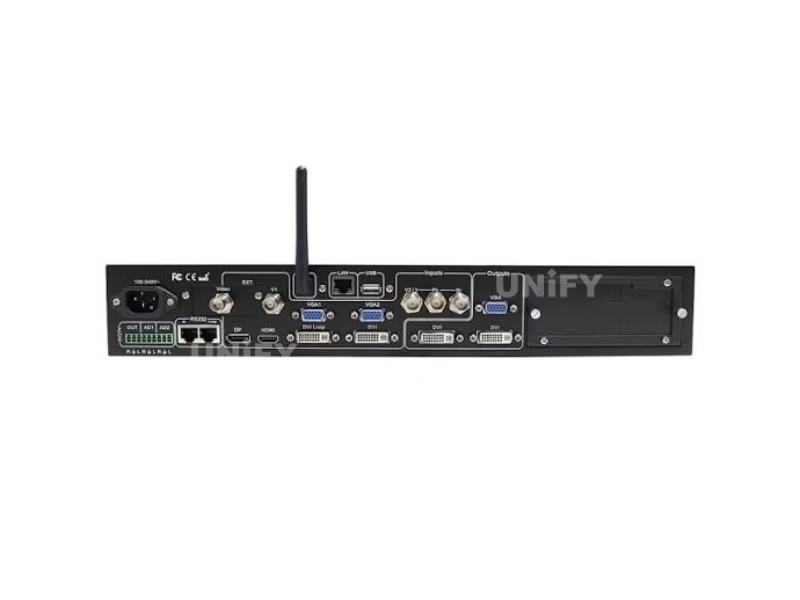
The classic church fit: LVP615S class processor, presentation PC on HDMI, camera on SDI, lyrics over the live picture.
Which VDWALL Video Processor Fits Your Church?
Churches differ less in wall size than in source count and staffing. The ladder maps cleanly:
3 key differences that pick the box for a church:
- Is a camera on the wall? Yes pushes to the 615S or 909 for SDI; a pure lyrics-and-slides room runs happily on the 100U’s HDMI and USB inputs.
- Who operates? A volunteer at the panel suits the 100U/605; an operator at the sound desk with a phone suits the 615S’s app.
- How many displays? One wall fits every model; main-plus-side walls need the 909’s four outputs — the only in-family answer.
One buying note from the field: the original LVP100 is discontinued, and resellers direct buyers to the 100U. A clearance unit is still a fair deal for a frozen installation, but a growing church should order the current model — the full reasoning is in our four-model comparison.
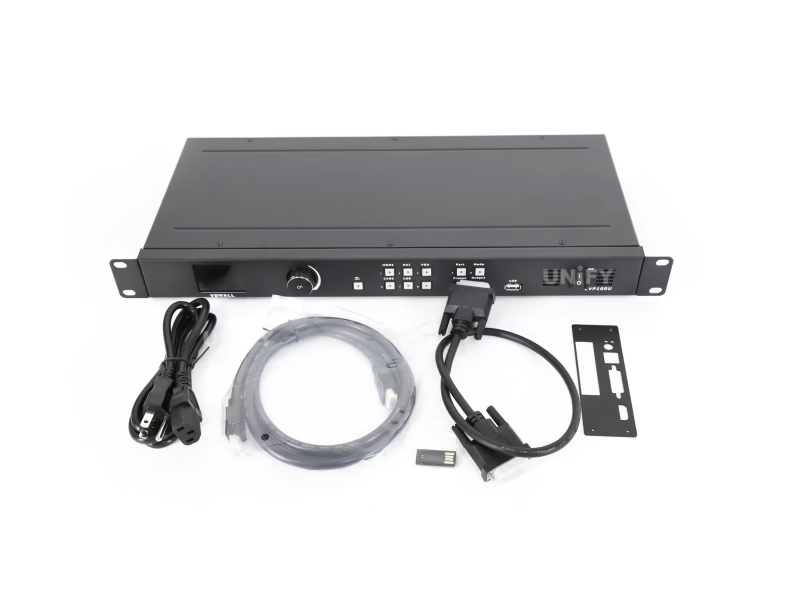
The budget rung: an LVP100-class unit — $140 buys lyrics, slides and a camera input for the smallest rooms.
How Big a Wall Can One VDWALL Processor Drive? The 3072×768 Arithmetic
The question church-media groups post most — “do I need multiple processors for a 3072×768 video wall?” — answers itself with multiplication: 3072 columns × 768 rows is 2,359,296 pixels, comfortably inside the 2,654,208-pixel (2304×1152) ceiling every model in the ladder shares. One processor drives that ribbon; the size that trips buyers is width, not pixel count, because 3072 columns exceeds the 2304-wide presets — which is exactly why the preset list includes a 2560×816 ultra-wide format and, on the LVP615S, a custom format to 3840 columns.
Run any wall plan through the same arithmetic before buying: columns × rows against 2.65 million, then the per-port truth for the 909 (1920×1200 each, bound across outputs for bigger canvases). Our LED screen calculator converts cabinet counts into the pixel grid, and the pixel pitch guide confirms how far the back rows actually sit from those pixels. Real installations at these sizes — like our RCCG Swindon 8×1.92 m church wall — land well inside one processor’s budget.
How Do You Connect Sources to a VDWALL Video Processor?
The typical church source list is short: a presentation or lyrics PC, occasionally a second player, sometimes a camera. Wire them by signal type:
- Presentation PC → HDMI or DisplayPort. Both live in the same switching group on the 615S, so transitions between them stay clean; set the PC’s output to match the wall (the processor’s EDID menu tells the graphics card the true geometry, which prevents the resolution-lock fight our LVP100 review documents).
- Camera → SDI where the model has it. The 615S and 909 take SDI/HD-SDI/3G-SDI on BNC with loop-out for the streaming chain; on the LVP605 the 605S variant adds SDI as its EXT module. HDMI cameras land on any model.
- Second player or DVD → the remaining channel. On the LVP100U the fifth input or the USB port (which plays MKV, MP4-class files, pictures and PPT directly) absorbs it.
- Audio → the sound desk’s own path. The 615S maps external audio AD1/AD2 to video inputs so sound follows picture; the 100U has a dedicated audio output.
One switching rule from the manuals matters at load-in: on the 615S, seamless transitions work between input groups (A: composite, B: VGA, C: DVI/HDMI/DP, D: SDI) and never within one — so put the PC in group C and the camera in group D and every service transition cuts clean.

Count the rear panel before buying: input families, two DVI outputs, and the sending-card slots behind them.
How Do You Wire the Processor to the Church LED Wall?
The wall side is the same across all four models. Sending cards (optional accessories) seat into the processor’s internal slots — two bays on the 100/605/615S, one per active port on the 909 — and a full-size 2304×1152 canvas uses both. Each card’s DVI input takes the processor’s DVI output, each card’s RJ45 runs to the wall’s first receiving card, and the wall’s own wiring carries the chain onward. Match the card family to the receivers already in the cabinets — our sending card configuration guide covers the pairing, and the detection troubleshooting guide covers second-hand walls of unknown pedigree.
Then set the canvas: menu-pick a preset at or above the wall’s real size (the 615S restarts itself on apply), trim the output window to the exact pixel grid, and verify edge-to-edge with the built-in test patterns — 36 of them on every model. If the picture stutters rather than misaligns, the cause is usually downstream: our LED screen flickering guide separates refresh-rate causes from cabling ones.
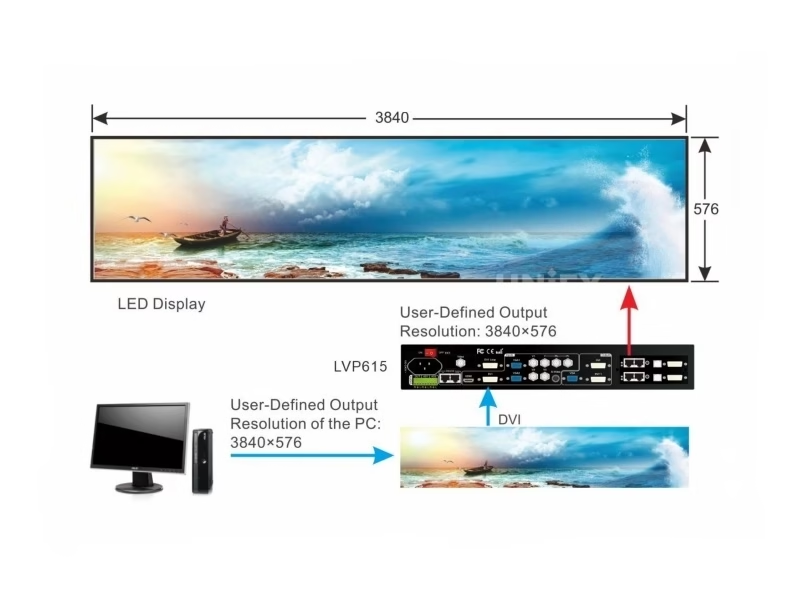
Processor → sending cards → receiving cards: the same three-hop chain on every model in the ladder.
How Do You Put Lyrics and PowerPoint on the Church LED Wall?
Three documented methods, one per staffing level:
- Full-screen second display (simplest). The presentation PC treats the wall as a second monitor over HDMI or DP; PowerPoint runs full-screen on that display in extended mode. Every model does this; the only setup is matching the PC’s output resolution to the wall.
- Keyed text overlay (camera-on-the-wall churches). The LVP605 and LVP615S overlay a second input over the live picture: build the lyrics in PowerPoint, feed that slide show in as its own source, and key it with per-channel RGB thresholds (0–248) in lower-than or higher-than mode. Lyrics sit over the camera feed without an external switcher.
- USB playback (smallest crews). The LVP100U plays picture and PPT files straight from USB, with laser-pen page flipping — no PC in the rack at all.
Who Runs the VDWALL Video Processor During Service?
Three operator seats, all documented on the panels:
- The volunteer at the box. One-key switching with cut or timed fade; PIP and freeze on dedicated keys; the LVP100U adds ten scene presets for one-key recall of service-mode setups.
- The sound-desk operator with a phone. The LVP615S‘s WiFi app mirrors the whole panel — change the hotspot password from its default (88888888) on install day — and Pre.+Take means the next source is verified before it goes live, which is the difference between a smooth hymn-to-announcement cut and a wrong-screen moment.
- The director with a preview. The LVP909‘s Out4 shows program and preselect side by side on one monitor, and its panel locks for public-facing rooms.
How Do You Keep a Church Service Safe When a Source Dies?
Sunday morning is the classic single-point-of-failure environment, and the manuals ship the countermeasures: hot-spare pairs (four groups on the LVP605, three on the 615S — HDMI→DVI is the natural pairing for the presenter laptop) cut to backup automatically when a live input dies; Freeze holds the last good frame while a source reboots; and every model re-enters its pre-shutdown state on power-up, so a tripped breaker mid-service costs seconds, not a reconfiguration. For composite cameras rendering oddly, the LVP100U’s NTSC Image Mode (Soft/Standard) and the family’s ADC calibration routine fix the color before the congregation notices. Design the full redundancy chain — dual cards, backup paths, power — with our multi-sending-card backup guide.
How Much Does a VDWALL Church Setup Cost?
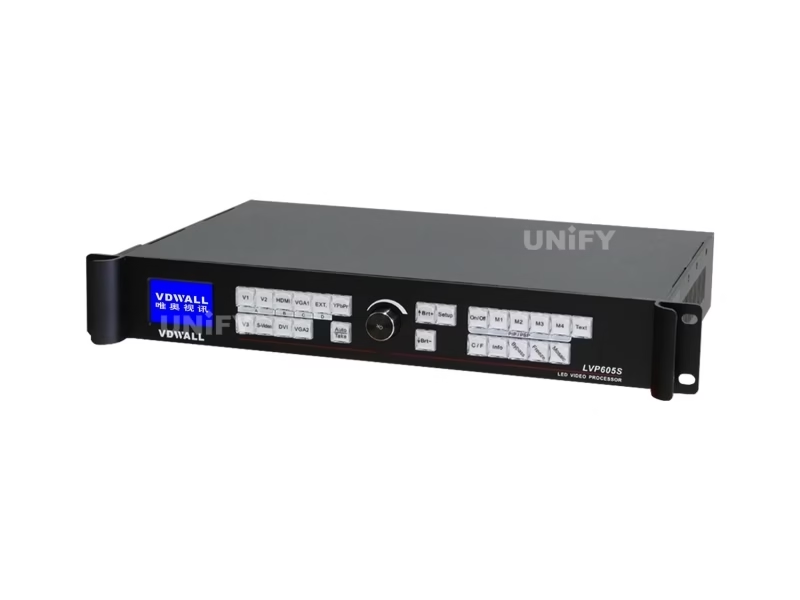
Processor plus cards is the whole hardware delta over the wall itself — the ladder prices it from $140.
The wall itself, cabinets and power are the larger budget lines — our church LED screen guide prices the room end to end, and the church live-streaming setup guide covers the camera and streaming side this processor feeds into. Room-level examples with real walls: our church LED display overview and the historic UK church P2.5 installation.
FAQ: VDWALL Video Processor for Church Questions
Which VDWALL video processor is best for a small church?
The LVP100U at $140: five inputs cover a presentation PC, a player and a camera, USB plays lyric videos and slides directly, and panel operation needs no training. Step up to the LVP615S when the camera picture joins the wall or the sound desk takes over control.
Do I need multiple processors for a 3072×768 church wall?
No — 3072 × 768 is about 2.36 million pixels, inside the 2.65-million-pixel single-unit ceiling. One processor plus two sending cards drives that ribbon; the width is handled by the ultra-wide presets or the 615S’s 3840-column custom format.
How do I show PowerPoint on the LED wall?
Three ways: run PowerPoint full-screen on the wall as the PC’s second display over HDMI or DP; feed a lyrics-only output in as a second source and key it over the camera with the text overlay engine (LVP605/615S); or play PPT files directly from USB on the LVP100U.
Can the sound-desk volunteer control the screen?
Yes — the LVP615S ships with an iOS/Android app over WiFi (hotspot “LVP615S”, default password 88888888 — change both on install). Pre.+Take lets them verify the next source before it goes live, which suits service transitions perfectly.
How does the camera feed reach the live stream?
On the SDI-equipped models (LVP615S, LVP909, LVP605S) the camera enters on BNC and loops out on SDI, so the same feed that fills the wall continues to the streaming switcher. HDMI-only cameras work on every model but without the loop.
What happens if the presenter laptop dies mid-service?
Enable the hot-spare pair at load-in — HDMI→DVI on the LVP605 or 615S — and the processor cuts to the backup automatically. Freeze holds the last frame while a source reboots, and every model restores its pre-shutdown state after a power cut.
Is the discontinued LVP100 safe to buy for a church?
For a fixed install at clearance pricing ($120–195), yes — the same 2.65M canvas and panel operation as its successor. Growing churches should buy the current LVP100U; the full decision sits in our four-model comparison.
Why does our composite camera look washed out?
Composite (CVBS) sources have their own handling: the LVP100U’s NTSC Image Mode switches between Soft and Standard to fix over-bright or dark backgrounds, and the family’s ADC calibration re-trims white balance against the live input.
Do we need sending cards, and which ones?
Yes — cards are optional extras matched to the receivers already inside your cabinets (two for a full canvas on the 100/605/615S; one per wall on the 909). Identify the receiver cards first, especially on donated or second-hand walls, then buy the matching sender.
Can the wall show lyrics and the camera at the same time?
Yes — the PIP/dual-picture engine on every model places a second source over the main one with adjustable size and position; the LVP605/615S text overlay keys lyrics over the live camera using RGB thresholds, which is the classic worship look.
What about the LVP909’s preview — do churches need it?
Only when a person’s job is switching. Out4 shows the live program and the preselected source side by side, so whoever cues the service sees the next shot before it lands — valuable for multi-camera services and side-wall venues, unnecessary for one-PC rooms.
Where can I see church installations like this?
On this site: the church LED display overview, the RCCG UK church case study and the US church installation show the walls; the processor selection behind them is covered in our VDWALL choosing guide.
References & Sourced From: VDWALL Church Setup Data
- Shenzhen VDWALL official documentation: LVP100 User Manual V1.0 + Overview V1.0 (NTSC Image Mode, USB playback via 100U page); LVP605 Series User Manual (hot spare pairs, text overlay thresholds); LVP615S User Manual V1.2 (Pre.+Take groups, WiFi app, SDI loop, AD audio mapping); LVP909 User Manual + Overview V1.2 (Out4 preview, Lock, four outputs); official LVP100U product page (five inputs, audio out, USB PPT playback, ten scene presets).
- Channel pricing, September 2026: controller-led.com (LVP100U $140), ledcontrollercard.com ($120), ledscreenparts.com (LVP605 $649–759; LVP615S family $519–659; LVP909 $843).
- Field questions: Small Church Media group (3072×768 processor count, PowerPoint-on-wall threads); r/VIDEOENGINEERING (second-hand wall processor swaps).
Final Checklist: Is Your Church Ready to Switch On?
Setting up a VDWALL video processor for church use ends with seven boxes between unboxing and first service: the wall’s pixel grid computed and matched to the model (calculator first); the processor chosen by source count and operator, not by price alone; sending cards matched to the receivers, two for a full canvas; sources grouped so every transition cuts clean; the hot-spare pair enabled before doors; the app or preview seat assigned to whoever actually runs Sunday; and one full rehearsal with the test patterns before the congregation arrives. When those seven read checked, quote the complete chain — processor, cards, cabling and the wall itself — as one package from a LED screen manufacturer that has installed churches on three continents.
Related VDWALL guides:
VDWALL LED video processor hub · Troubleshooting: The 8 Fixes · How to Choose a VDWALL Processor · LVP615S review