
MCTRL300 vs MCTRL660: NovaStar MCTRL Series Compared for 2026
The NovaStar MCTRL300 and MCTRL660 are the two highest-volume synchronous LED sending controllers in the MCTRL family. Both convert a single video source into Ethernet data for the receiving cards inside an LED wall, and both accept a maximum input of 1920×1200@60Hz — yet they differ in load capacity, I/O, and daily operation. This article lays out the MCTRL300 vs MCTRL660 decision using figures verified against the official NovaStar specification sheets (V2.4.3 for the MCTRL300, V1.4.5 for the MCTRL660), then positions both models inside the full MCTRL lineup so you can see where the MCTRL600, MCTRL660 PRO, MCTRL4K, and MCTRL R5 take over. As an LED screen manufacturer, Unify LED supplies all six MCTRL models factory-direct; the price notes at the end reflect the ranges we quote to integrators and rental companies.
How Do MCTRL300 vs MCTRL660 Compare? A Side-by-Side Spec Table
| Parameter | NovaStar MCTRL300 | NovaStar MCTRL660 |
|---|---|---|
| Video inputs | 1× SL-DVI, 1× 3.5 mm audio | 1× SL-DVI, 1× HDMI 1.3 (HDCP 1.4), 1× 3.5 mm audio |
| Ethernet outputs | 2× RJ45 Gigabit Ethernet | 4× RJ45 Gigabit Ethernet |
| Load capacity per port | 650,000 pixels | 650,000 pixels |
| Max input resolution | 1920×1200@60Hz (custom width/height up to 3840 px) | 1920×1200@60Hz (custom width/height up to 3840 px) |
| Bit depth | 8-bit input | 8/10/12-bit input, 18-bit grayscale processing |
| Ethernet redundancy | Supported between ports | Supported between ports |
| Cascading | UART, up to 20 units | UART, up to 20 units (firmware V1.4.3 and later) |
| Config without a PC | No (NovaLCT required) | Yes — LCD + rotary knob, about 30 seconds |
| Light sensor | Yes (auto brightness) | No |
| Rated power | 3.0 W | 16 W |
| Dimensions | 204 × 160 × 48 mm | 483 × 258.1 × 55.3 mm (19-inch rack width) |
| Net weight | 1.04 kg | 3.6 kg |
| Certifications | CE, RoHS, FCC, IC, CB, NTRA, PSE, EAC, RCM | FCC, CE, RoHS, IC, UL/CUL, CCC, PSE, CB, RCM |
The five numbers that decide the purchase
Cut the table down to five figures and the decision narrows quickly: total port capacity (1.3M vs 2.6M pixels), Ethernet port count (2 vs 4), input connectors (DVI only vs DVI + HDMI), rated power (3 W vs 16 W), and unit weight (1.04 kg vs 3.6 kg). The remaining rows matter once your screen size is fixed.
What Does a NovaStar MCTRL Sending Controller Actually Do?
A sending controller, also called a sending box, sits between the video source and the LED cabinets. It receives one digital video signal, divides the image into regions, and sends each region over Gigabit Ethernet to the receiving cards mounted inside the cabinets. The receiving cards then drive the LED modules row by row.
Two boundaries are often misunderstood:
- It does not scale. The MCTRL300 and MCTRL660 are pure sending controllers. If the source resolution does not match the LED canvas, you need a dedicated LED video processor upstream. Some retail listings describe the MCTRL660 as a scaler; that is incorrect.
- It is synchronous. Both units need a live source — a laptop, media server, or switcher. They cannot store and loop content on their own; that job belongs to an asynchronous player, covered in our synchronous vs asynchronous LED control article.
What Are the NovaStar MCTRL300 Specs, Strengths, and Limits?
The MCTRL300 is the entry model of the family: one SL-DVI input, one 3.5 mm audio input, and two Gigabit Ethernet outputs rated at 650,000 pixels per port — a 1.3-million-pixel ceiling. Custom input resolutions reach 3840 pixels wide (3840×600@60Hz) or tall (548×3840@60Hz), and the UART ports cascade up to 20 units. Interlaced signals are not supported.
Strengths. The 3.0 W rated draw and 1.04 kg aluminum chassis make it the lightest synchronous controller in the lineup — practical for rental crews moving gear weekly. Ethernet redundancy between the two ports keeps a show running if one cable fails, and pixel-level brightness and chroma calibration through NovaLCT and NovaCLB removes module-to-module color differences. The certification list (CE, RoHS, FCC, IC, CB, NTRA, PSE, EAC, RCM) clears most import markets.
Limits. DVI-only input means HDMI sources need a passive HDMI-to-DVI adapter, and the 1.3M pixel ceiling rules out any wall larger than roughly a 4 m × 3 m P3.91 screen. There is no front-panel display, so every configuration step runs through NovaLCT.
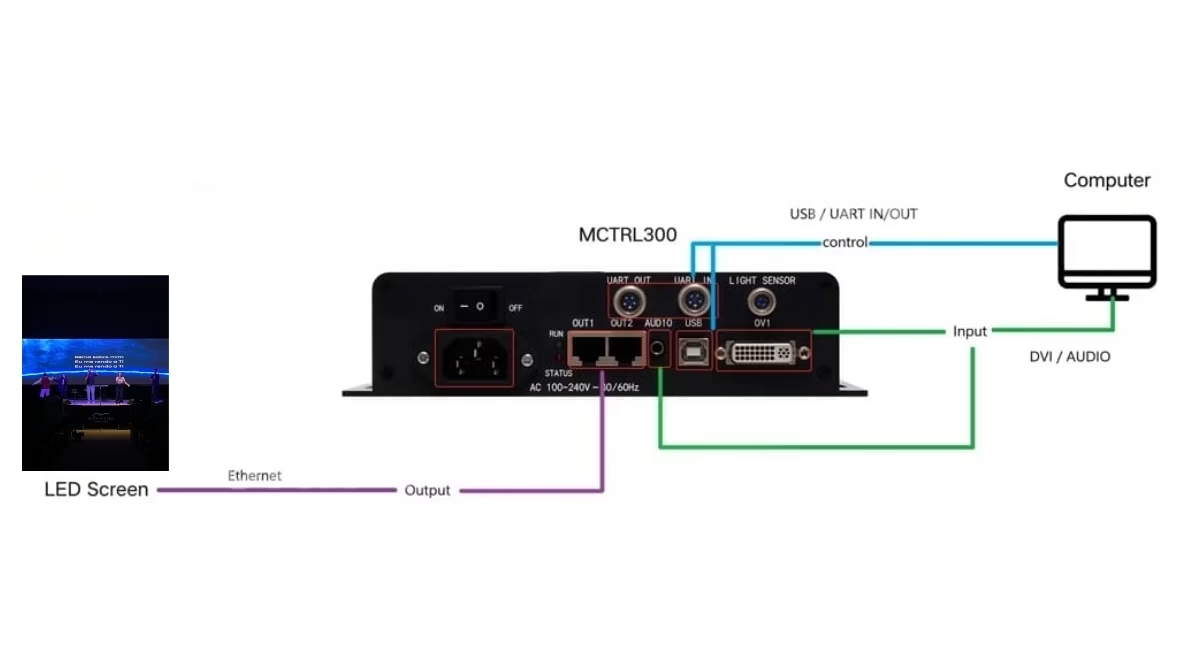
Full specifications and current factory-direct pricing: NovaStar MCTRL300 LED display controller.
What Are the NovaStar MCTRL660 Specs, Strengths, and Limits?
The MCTRL660 adds an HDMI 1.3 input with HDCP 1.4, doubles the Ethernet outputs to four, and keeps the same 1920×1200@60Hz input ceiling. Its four ports carry 650,000 pixels each, so port capacity totals 2.6 million pixels — but a single 1920×1200 source only contains 2,304,000 pixels, which is the practical single-unit ceiling. Most comparison pages print one number or the other; planning needs both.
The 660 also accepts 8/10/12-bit inputs (10/12-bit capped at 1440×900@60Hz), processes 18-bit grayscale, and adds an LCD panel with a rotary knob: basic screen configuration takes about 30 seconds without a PC, including manual brightness adjustment. Firmware V1.4.3 and later supports up to 20 cascaded units over UART, and the HDMI/DVI outputs let a second unit tap the signal. The UL/CUL and CCC listings matter for North American and China-market projects.
Limits. At 3.6 kg and 483 mm wide, it is rack-mount equipment, not a laptop-bag device; it draws 16 W, and it has no light sensor port — the cheaper MCTRL600 has one, which is worth remembering if automatic brightness matters for an outdoor project.
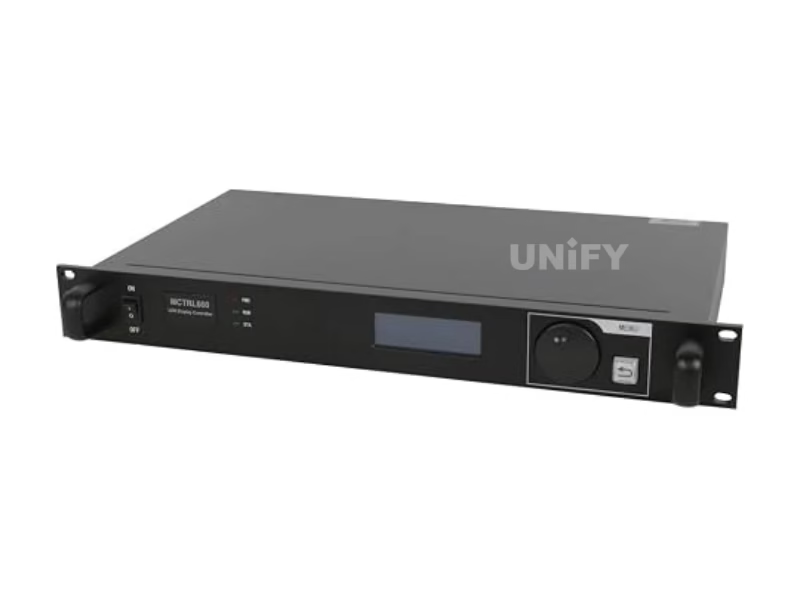
Full specifications: NovaStar MCTRL660 LED display controller.
When Does the MCTRL300 vs MCTRL660 Choice Matter? Eight Differences That Decide
Pixel capacity: 1.3M vs 2.6M port capacity (2.3M from one source)
A P3.91 rental wall at 4 m × 3 m is 786,432 pixels — inside MCTRL300 territory with headroom. The same pitch at 5 m × 3.5 m is 1.72 million pixels, past the MCTRL300 and inside the MCTRL660. If a typical project crosses 1.3 million pixels, buy the 660 rather than cascading two 300s.
Video inputs: DVI only vs HDMI + DVI
HDMI sources work on the MCTRL300 through a passive adapter, but the MCTRL660 takes them natively and adds HDCP 1.4. For rack installs where the source is a modern laptop or media player, the 660 removes one adapter and one failure point from the signal chain.
Ethernet outputs: 2 vs 4
Two ports means roughly 40 cabinets per chain on a P3.91 wall; four ports halves the chain length. Shorter chains degrade signal less on long runs. Below about 40 cabinets the 300 is fine; above it, the 660 distributes more cleanly.
Configuration without a PC: 660 only
The MCTRL660’s knob and LCD configure screen size, port load, and data flow on-site in about 30 seconds — useful on a festival load-in when the laptop battery is dead. The MCTRL300 requires NovaLCT for every change.
Redundancy and cascading: equal on paper, check the firmware
Both units support Ethernet port redundancy and 20-unit UART cascading. Older MCTRL660 firmware (before V1.4.3, 2021) limited cascading to 10 units; units shipped today carry the 20-unit limit. If you run a mixed fleet, verify firmware versions — more on backup design in our LED display redundancy and multi sending card cascade articles.
Bit depth: 8-bit vs 8/10/12-bit with 18-bit grayscale
The 660 accepts 10-bit and 12-bit sources (at 1440×900@60Hz) and processes 18-bit grayscale — visible as smoother gradients on fine-pitch walls. The 300 is 8-bit throughout. For rental backdrops shot on camera, this is a real difference; for a shop-window screen it is not.
Power, weight, and portability
3 W / 1.04 kg versus 16 W / 3.6 kg. The gap only matters for crews that move equipment: over a 10-unit fleet, 200 event days per year, the energy difference is minor, but the carry weight and flight-case volume are not.
Price positioning
At factory-direct rates the MCTRL300 sells around half the MCTRL660. Buy the 660 only when the screen needs its pixels, ports, or HDMI input — extra capacity that never gets used is pure cost.
Where Do MCTRL600, MCTRL660 PRO, MCTRL4K, and MCTRL R5 Fit in the Lineup?
MCTRL600. DVI + HDMI 1.3, four Ethernet ports, the same 1920×1200@60Hz ceiling, and a light sensor connector for automatic brightness — at 6.6 W and 2.5 kg in a 1U chassis. It is the value pick for fixed installs that need four ports and auto brightness but not the 660’s knob or 10/12-bit inputs. Details: NovaStar MCTRL600 LED screen controller.
MCTRL660 PRO. The broadcast step-up: native 3G-SDI input, genlock (bi-level, tri-level, black burst), six Gigabit Ethernet ports plus two 10G optical ports, sub-millisecond latency, and a fiber converter mode that removes external media converters. Cascading caps at 8 units. Details: NovaStar MCTRL660 PRO LED display controller.
MCTRL4K. The flagship: 8.8 million pixels of loading capacity (8.3M over DVI), DP 1.2 / HDMI 2.0 / dual-link DVI inputs at up to 4096×2160@60Hz, 16 Neutrik Ethernet ports and 4 optical ports, HDR10 and HLG, 3D with the EMT200 emitter, and custom dimensions up to 7680 pixels. Details: NovaStar MCTRL4K LED display controller.
MCTRL R5. The rental specialist: a 3840×1080@60Hz ultra-wide canvas, 6G-SDI / HDMI 1.4 / dual-link DVI inputs, eight Ethernet ports plus two 10G optical ports, and image rotation for creative staging. Cascading caps at 8 units. Details: NovaStar MCTRL R5 LED display controller.
| Model | Port capacity | Inputs | Distinctive feature | Rated power |
|---|---|---|---|---|
| MCTRL300 | 1.3M | DVI | 1.04 kg, light sensor | 3.0 W |
| MCTRL600 | 2.6M | DVI + HDMI | Light sensor, 6.6 W | 6.6 W |
| MCTRL660 | 2.6M | DVI + HDMI | Knob + LCD, 10/12-bit | 16 W |
| MCTRL660 PRO | 2.6M | 3G-SDI + HDMI + DVI | Genlock, fiber converter mode | 20 W |
| MCTRL R5 | 3840×1080@60Hz canvas | 6G-SDI + HDMI + DL-DVI | Image rotation, 2× 10G optical | 25 W |
| MCTRL4K | 8.8M | DP 1.2 + HDMI 2.0 + 2× DL-DVI | HDR10/HLG, 3D, 7680 px custom | 30 W |
How Many Pixels Does Your Screen Need? A Working Calculation
Screen size in meters says nothing on its own — a fine-pitch wall can hold more pixels than a larger coarse-pitch one. The calculation is: total pixel width × total pixel height, or equivalently, cabinet resolution × cabinet count. For a refresher on pitch math, see our LED pixel pitch article.
Example 1: P3.91 rental wall, 4 m × 3 m — one MCTRL300
A P3.91 500 × 500 mm cabinet is 128 × 128 pixels, or 16,384 pixels per cabinet. A 4 m × 3 m wall is 8 cabinets wide × 6 high = 48 cabinets. Total: 48 × 16,384 = 786,432 pixels. That fits one MCTRL300 (1.3M) with margin, split across two ports at about 393,000 pixels each — under the 650,000-per-port cap.
Example 2: P2.6 fixed wall, 5 m × 3 m — one MCTRL660
A P2.6 500 × 500 mm cabinet is 192 × 192 pixels, or 36,864 pixels per cabinet. A 5 m × 3 m wall is 10 × 6 = 60 cabinets. Total: 60 × 36,864 = 2,211,840 pixels. That exceeds the MCTRL300 and fits one MCTRL660: four ports at about 553,000 pixels each, inside the per-port cap. Past roughly 2.3 million pixels, you step up to the MCTRL4K or cascade two units — see our multi sending card cascade guide.
Matching receiving cards: A8s, DH7516-S, MRV416
The receiving card choice follows the cabinet design, not the controller: hub-board cards like the NovaStar A8s suit fine-pitch HUB320 modules, the DH7516-S covers 16 standard HUB75E outputs, and the MRV416 adds dual-card backup for control rooms and 24/7 sites. All three work with every MCTRL model above.
For field service, this video walks through replacing a receiving card on an installed screen:
How Do You Set Up a NovaStar MCTRL Controller in NovaLCT?
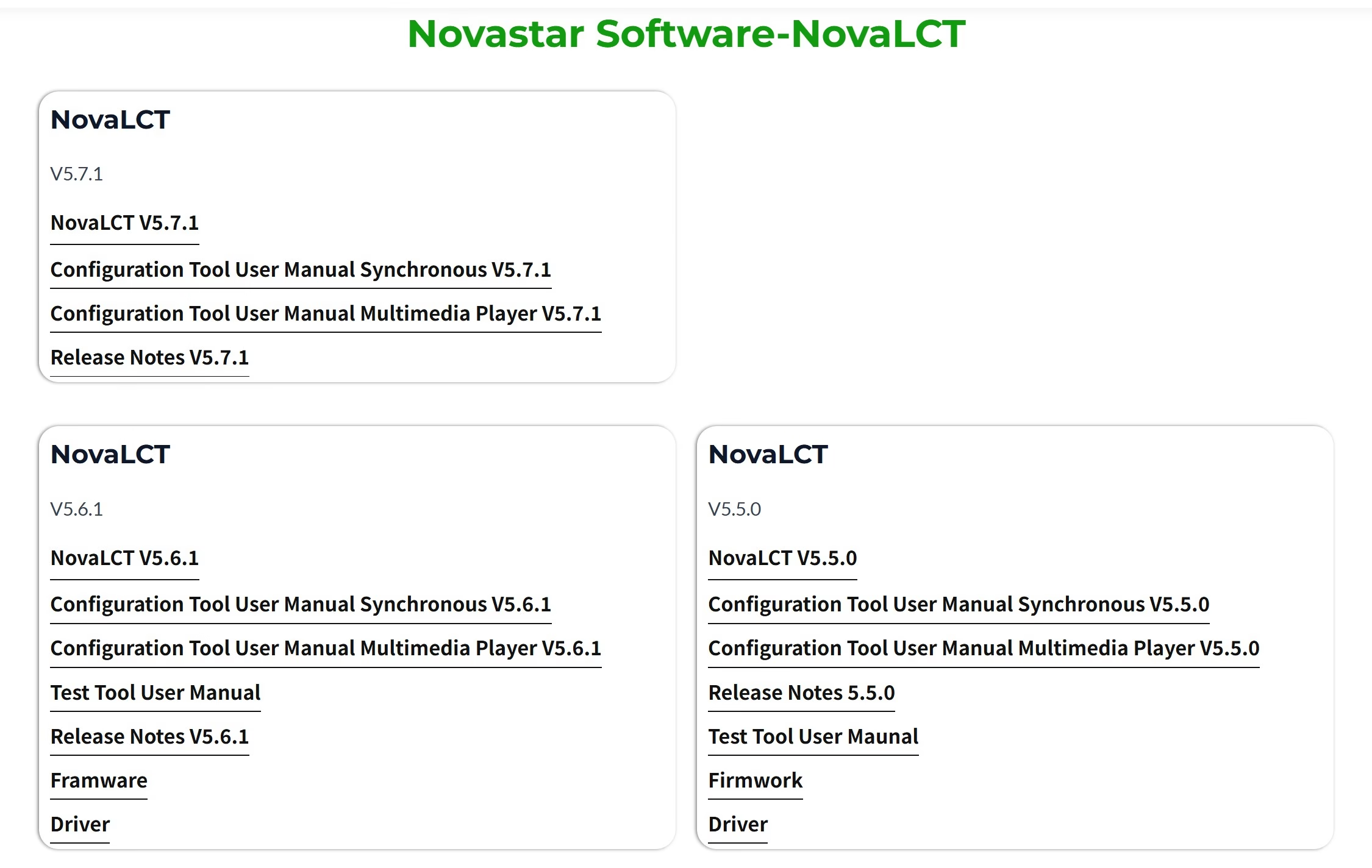
Both controllers use NovaLCT for full configuration. Download the current build from our NovaStar software download page, then follow the standard sequence: connect the controller to the PC over USB or Ethernet → detect the device → set screen configuration (cabinet rows and columns, port loading, data flow) → save the configuration to hardware, not just the PC → run a NovaCLB calibration pass on new modules → export the .rcfgx configuration file as a backup.
The MCTRL660 offers the same basic steps from the front panel, but NovaLCT remains the tool for calibration data, configuration backups, and multi-unit projects. Step-by-step guidance for first-time setups is in our how to configure an LED sending card article, and detection failures are covered in NovaLCT cannot detect sending card — troubleshooting.
What Do Buyers Frequently Ask About MCTRL300 vs MCTRL660?
Can I mix MCTRL300 and MCTRL660 in the same LED screen? No. NovaStar does not recommend mixing controller models in one display system; timing and configuration differences cause visible seams. Expand with identical units.
Does the MCTRL660 scale video? No. It is a sending controller, not a video processor. Match the source to the canvas or place a video processor upstream.
Can the MCTRL300 take an HDMI source? Yes, through a passive HDMI-to-DVI adapter — the electrical signal is identical. Audio goes through the separate 3.5 mm input either way.
Do these controllers run without a PC? The MCTRL660 handles basic configuration and brightness from its knob and LCD without a PC; both models still need a live video source at all times. For screens that must play content with no source device, use an asynchronous player instead.
Which one suits rental companies? The MCTRL300 for small-to-mid walls, portability, and 20-unit cascading across a fleet. Teams that run ultra-wide or camera-heavy stages look at the MCTRL R5 instead — see our rental LED display series for matching cabinets.
When does 10/12-bit input matter? On fine-pitch walls where gradients and camera footage show banding at 8-bit. The MCTRL660 accepts 10/12-bit sources at up to 1440×900@60Hz and processes 18-bit grayscale; the MCTRL300 is 8-bit only.
Which NovaStar MCTRL Controller Should You Buy? Final Verdict
The MCTRL300 vs MCTRL660 comparison resolves into two questions: how many pixels does the wall have, and does it need HDMI? Under 1.3 million pixels with a DVI-capable source, the MCTRL300 does the job at roughly half the price, at 3 W, and at 1.04 kg. Between 1.3 and 2.3 million pixels — or whenever the source chain is HDMI, the wall is filmed on camera, or on-site configuration without a laptop matters — the MCTRL660 is the correct unit. Past 2.3 million pixels, or for ultra-wide rental canvases, move to the MCTRL4K or MCTRL R5, and keep the MCTRL600 in mind when four ports plus automatic brightness fit the project and the extra features of the 660 would sit unused.
All six models are stocked by Unify LED with factory-direct pricing, pre-shipment testing, and configuration support. Contact our engineering team via the Unify LED contact page with your cabinet layout and pixel count, and we will confirm the controller and receiving card pairing before you order.