
How to Choose the Right LED Display Controller for Your Project: A Complete Buyer’s Guide
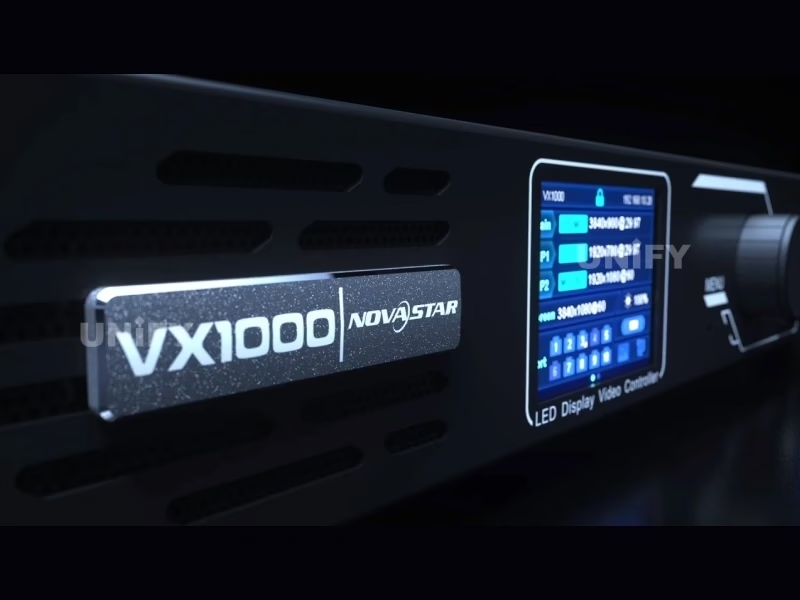
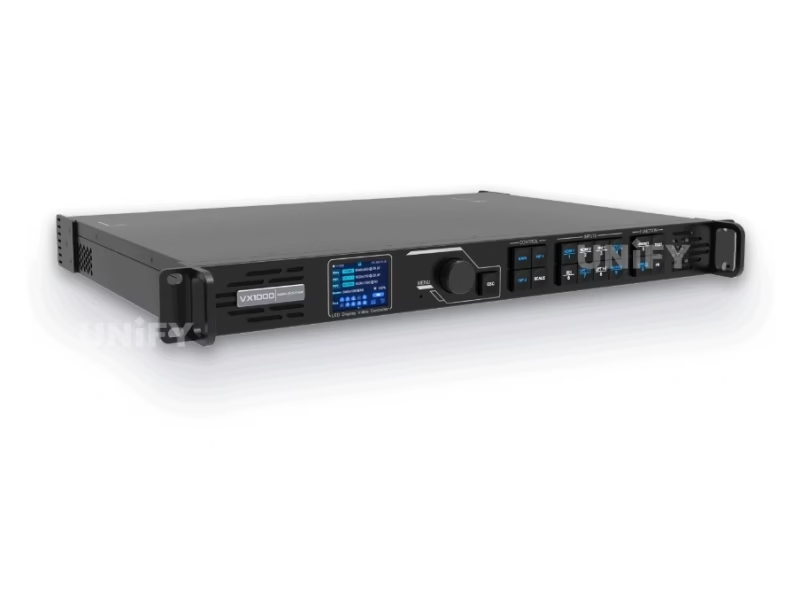
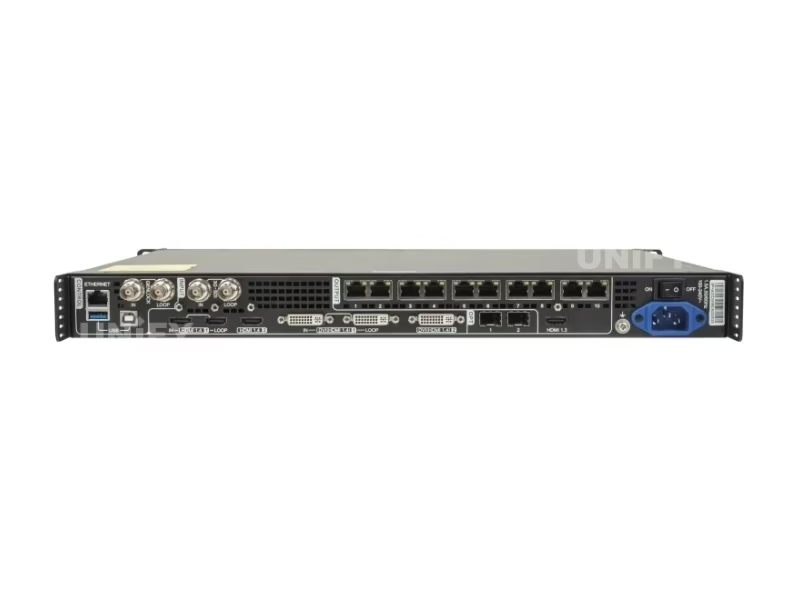
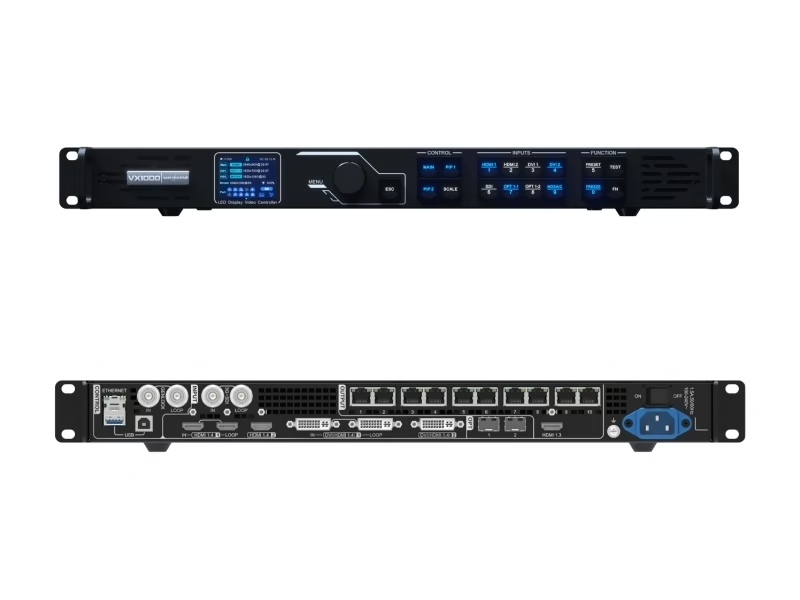
The NovaStar VX1000 LED display controller sits at the intersection of two critical decisions every LED project faces: how many pixels do you need to drive, and what level of video processing is required. Answering these questions incorrectly leads to overspending on capacity you’ll never use — or worse, discovering on-site that your controller can’t handle the screen you’ve already built.
This guide walks through the five factors that determine which LED controller fits your project: pixel capacity calculation, input/output topology, software ecosystem, total cost of ownership, and future-proofing. We’ll reference the VX1000 throughout as our baseline, but the framework applies to any LED video processor on the market.
1. Pixel Capacity: The Only Number That Matters First
Every LED controller has a hard pixel ceiling. The VX1000’s ceiling is 6.5 million pixels. Exceed it and you need a second unit in mosaic mode. Come in significantly under it and you may be paying for unused headroom that a smaller controller like the VX600 (3.9M pixels) could cover for less money.
The formula is straightforward: Total Pixels = Horizontal Resolution × Vertical Resolution. But the practical application requires understanding your pixel pitch first. A P3.91 LED cabinet measuring 500×1000mm contains approximately 128×256 = 32,768 pixels. Ten such cabinets in a 5×2 configuration give you 1280×512 = 655,360 pixels — well within a single VX1000’s capacity. But a fine-pitch P1.25 wall of the same physical size contains roughly 400×800 = 320,000 pixels per cabinet — and ten cabinets push 3.2 million pixels. Scale that to a 3840×2160 (4K) wall at P1.25, and you’re at 8.29 million pixels — requiring two VX1000 units.
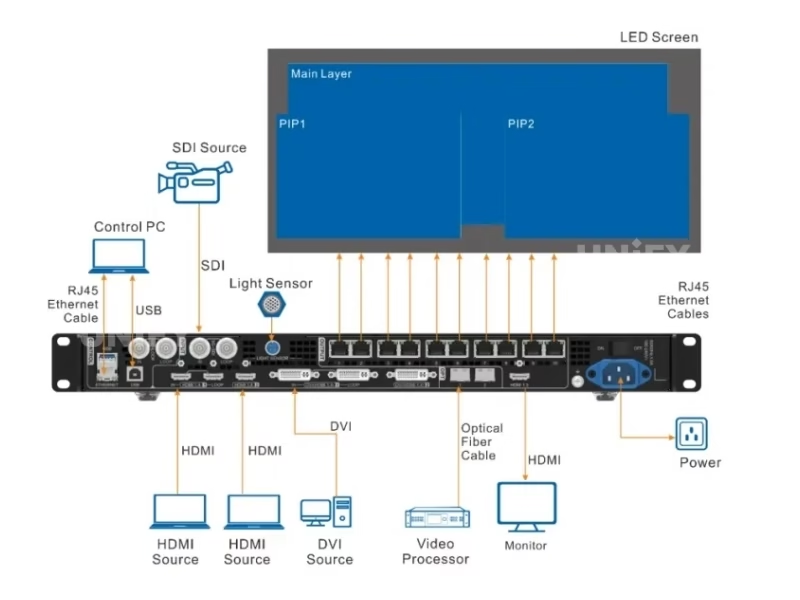
There is also a per-port limit: each of the VX1000’s 10 Ethernet ports supports a maximum of 650,000 pixels. This means you cannot simply allocate all 6.5 million pixels across three ports; the load must be distributed. In practice, most installations use 6–8 ports with cabinets daisy-chained on each port. The LED screen cabinet design and its receiving card configuration determine how many cabinets can be cascaded per port.
2. All-in-One vs. Separate Processor + Sending Card Architecture
Before the VX1000 and similar all-in-one controllers became mainstream, a standard LED system required a video processor (like the NovaStar NovaPro UHD Jr.) connected to a sending card (like the MCTRL660) installed in each LED cabinet group. This two-device architecture adds cost, cabling complexity, and an additional point of failure. It also introduces a resolution negotiation step between the processor and the sending card that can cause EDID mismatches.
The all-in-one approach eliminates these issues. The VX1000 processes the video signal and sends it directly to the receiving cards in each cabinet via the 10 RJ45 Ethernet ports — the signal path is input connector → FPGA processing engine → Ethernet PHY → Cat6 cable → receiving card. No intermediate device. No extra power supply. No resolution handshake between two boxes. This is why the VX1000 can achieve 20-line latency in Bypass mode — the signal passes through with only the processing that is explicitly enabled.
That said, the separate architecture still has its place. For projects requiring 8K or higher input resolution or more than 4 input sources simultaneously, a modular processor like the NovaStar H-series provides input card slots that can be configured per-project. The VX1000’s fixed 5-input configuration (2× HDMI, 2× DVI, 1× SDI) covers 95% of medium-to-large LED projects, but not the extreme high end. For a deeper comparison of control architectures, refer to our guide on synchronous vs asynchronous LED control.
3. Software Ecosystem: NovaLCT, V-Can, and Unico
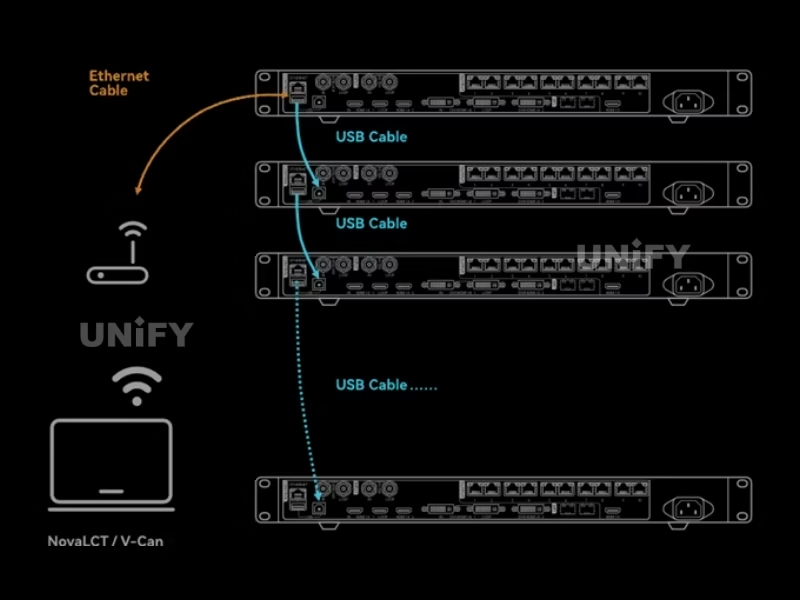
The hardware is only half the equation. The controller’s software determines how efficiently your team can configure, operate, and troubleshoot the system. The VX1000 works with two mature software tools: NovaLCT for initial configuration and V-Can for real-time operation.
NovaLCT handles the one-time setup tasks: screen mapping, cabinet configuration file import (RCFGX), pixel-level brightness and chroma calibration, EDID management, and firmware updates. It’s a Windows application with a hierarchical menu structure that mirrors the hardware workflow. The key to efficient NovaLCT use is the Advanced Synchronous System User Login — without this step, several configuration menus remain hidden and you’ll be unable to complete a full setup.
V-Can is the day-to-day control interface. It manages input switching, layer size and position, preset loading, and real-time brightness adjustment. For technicians who operate the same screen across multiple events, V-Can’s preset system is the most-used feature: a single click recalls the complete system state — input source, layer arrangement, color settings, and output mapping.
It’s worth noting that the newer VX1000 Pro supports Unico, NovaStar’s next-generation control platform that runs on Windows, macOS, and web. Unico provides a unified interface for all Pro-series devices and introduces features like visual canvas editing. The original VX1000 does not support Unico — this is one of the key differentiators between the two models. For users who prioritize cross-platform control, the Pro is the right choice. For users who are comfortable with the proven NovaLCT/V-Can workflow, the VX1000 remains fully capable.
4. Total Cost of Ownership: Beyond the Purchase Price
The VX1000’s market price of $1,400–$2,500 is only the starting point of the cost calculation. A complete TCO analysis for a production LED system includes:
- Accessories: SFP+ optical transceivers for fiber connections ($50–$150 each), EMT200 3D emitter if 3D is needed, a rack-mount flight case for rental applications ($200–$400), and Cat6 cable runs ($0.50–$1.50 per meter, terminated)
- Redundancy: For mission-critical live events, a backup VX1000 unit should be on standby. The VX1000 supports device-level redundancy — the backup unit mirrors the primary’s configuration and takes over automatically if the primary fails
- Training: Technicians unfamiliar with NovaLCT require approximately 4–8 hours of hands-on training to become proficient. UnifyLED provides remote training sessions as part of the purchase
- Power: At 28W typical / 35W maximum, the VX1000’s LED display power consumption contribution is negligible compared to the LED panels themselves — roughly $30–$50 per year at average commercial electricity rates
- Maintenance: The VX1000 has no user-serviceable internal components. Firmware updates are the primary maintenance activity and are performed via Ethernet in under 10 minutes. For comprehensive LED screen maintenance strategies, see our dedicated guide
One often-overlooked cost advantage of the all-in-one architecture is the elimination of the sending card. A separate NovaStar MCTRL660 sending card costs $200–$400 and requires its own power and mounting. For a project using two VX1000s instead of two processors plus four sending cards, the savings can exceed $1,000 before considering the reduced cabling and configuration time.
5. Future-Proofing: When to Invest in Headroom
LED display technology evolves in predictable directions: pixel pitches get finer, resolutions get higher, and input standards migrate forward. The VX1000’s HDMI 1.4 inputs (max 4K×1K@60Hz) are adequate for current 4K UHD sources, but the industry is moving toward HDMI 2.0/2.1 for 4K×2K@60Hz and 8K workflows. If your project roadmap includes upgrading to finer pitch panels (which increases total pixel count for the same physical size) or adopting higher-resolution media servers within the next 2–3 years, the VX1000 Pro with its HDMI 2.0 input may provide better longevity.
However, for the majority of fixed installations and rental fleets operating at P2.5 and above, the VX1000’s 6.5M pixel capacity provides substantial headroom. A 10m×5m P3.91 outdoor screen contains approximately 2.56M pixels — less than 40% of the VX1000’s capacity. Even upgrading to P2.5 at the same physical size yields 4M pixels, still well within the limit. The real constraint for most users is not the controller capacity but the LED screen brightness and contrast ratio of the panels themselves.
6. Practical Recommendation by Project Type
| Project Type | Recommended Controller | Reason |
|---|---|---|
| Rental stage < 6.5M pixels | VX1000 | Best value, proven NovaLCT/V-Can workflow, 20-line latency sufficient for IMAG |
| Fixed install P2.5+ < 3.9M pixels | VX600 | Lower cost, same software ecosystem, 6 ports sufficient for most fixed installs |
| Broadcast/VP with genlock | VX1000 or Pro | Genlock IN+LOOP, 3G-SDI input, 3D support — all critical for camera-locked walls |
| 4K×2K input required | VX1000 Pro | HDMI 2.0 handles full 4K×2K@60Hz; VX1000’s HDMI 1.4 maxes at 4K×1K |
| Multi-venue remote management | VX1000 Pro | VICP cloud monitoring; VX1000 supports VICP with limitations |
Conclusion
Selecting an LED display controller comes down to matching three numbers to your project requirements: total pixel count, maximum input resolution, and number of simultaneous layers. The NovaStar VX1000 LED display controller hits the sweet spot for the majority of professional LED projects: 6.5M pixels, 4K×1K@60Hz input, and 3 independent layers in a single 1U chassis. For projects that need more of any of these dimensions, the VX1000 Pro provides the upgrade path. For projects that need less, the VX600 offers the same architecture at a lower price point.
The controller is only one link in the LED display chain. Pairing it with high-quality LED cabinets, proper LED screen installation, and a well-planned LED display configuration strategy is what ultimately determines whether your screen performs reliably across years of operation. If you’re unsure which controller fits your project, contact our engineering team at unifyledscreen@gmail.com with your screen specifications — we’ll provide a configuration recommendation and B2B quotation within one business day.