
NovaStar VX600 — The Complete B2B Buyer’s Guide
Published July 2026 · UnifyLED Engineering Team · 13 min read
1. Why the VX600 Hits the Sweet Spot — 3.9M Pixels, 3 Modes, 28W
The NovaStar VX600 All-in-One LED Controller occupies a unique position in NovaStar’s lineup: it is the only VX-series controller with three distinct working modes. For B2B buyers, this means one hardware purchase covers three deployment scenarios — full video processing for stage LED displays, latency-critical Bypass mode for IMAG and broadcast, and Fiber Converter mode for long-distance signal distribution up to 10km. At 28W and 4kg, it is also the most power-efficient multi-mode controller in NovaStar’s catalog.
2. Working Mode 1 — Video Controller: Full Processing Power
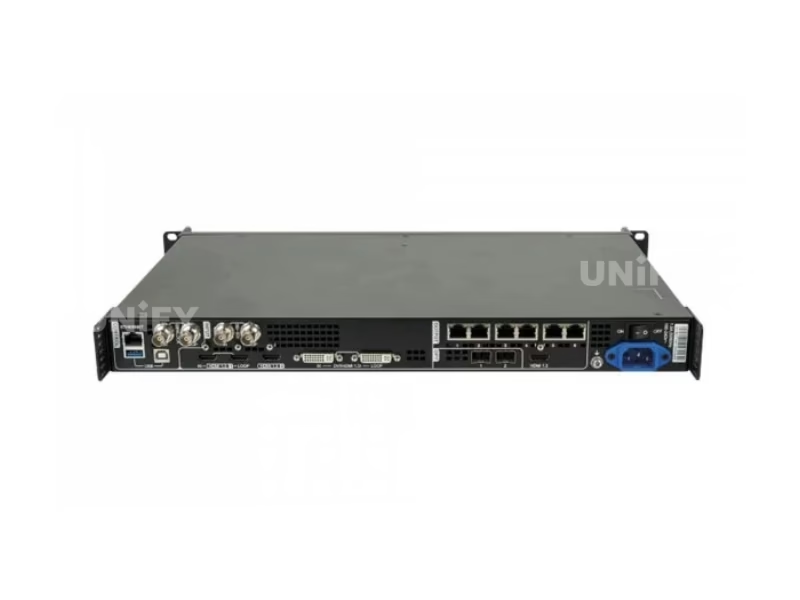
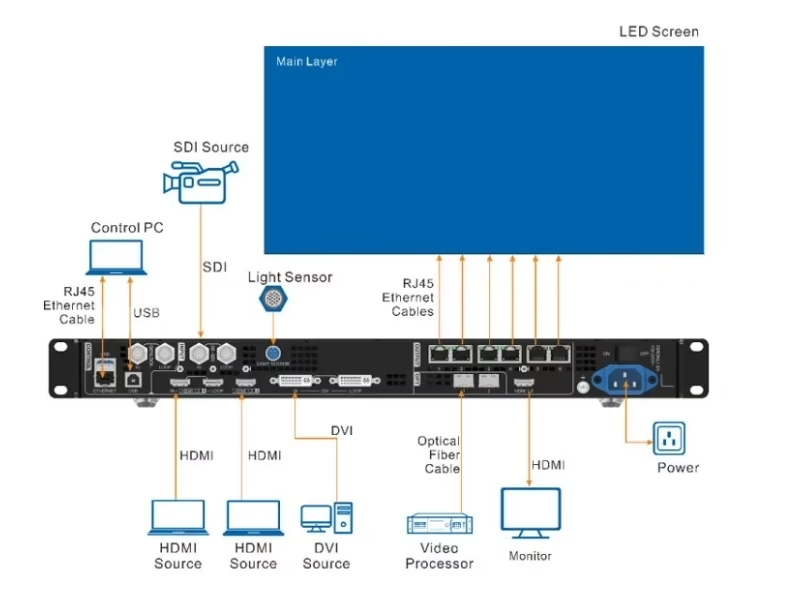
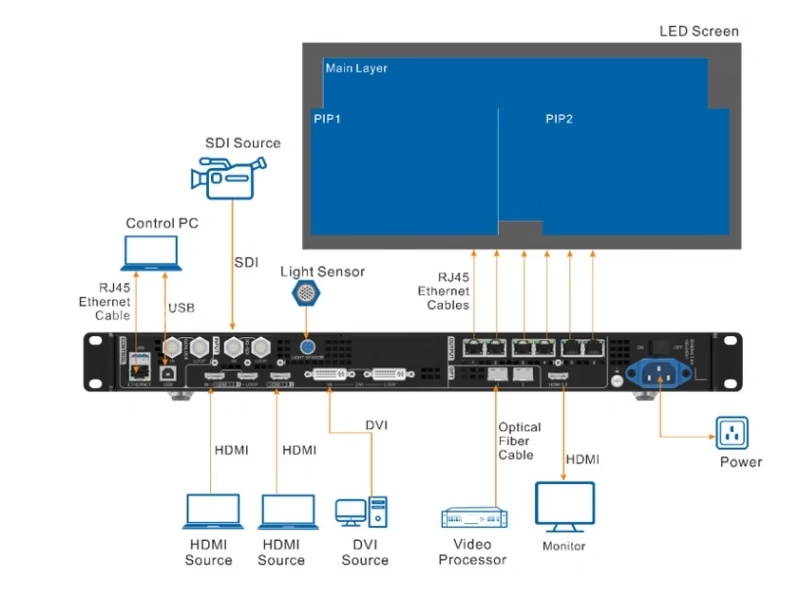
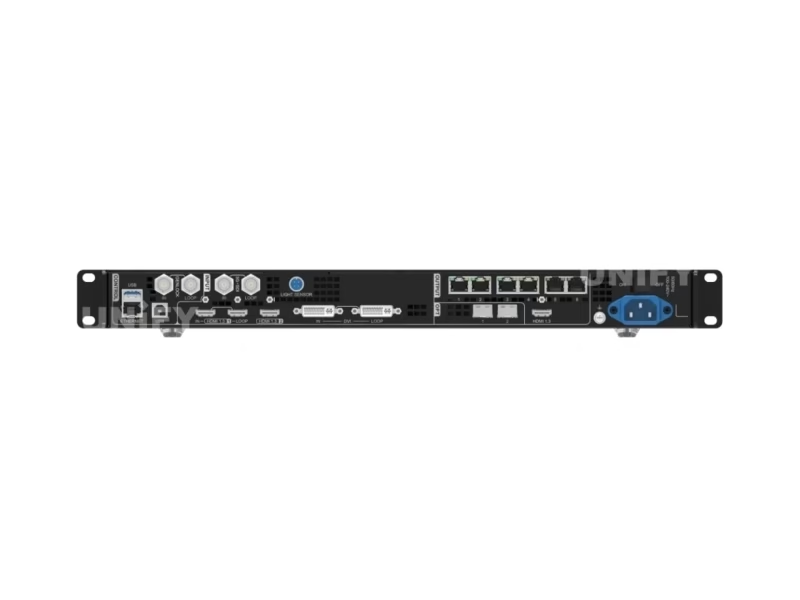
Video Controller is the standard operating mode and the one you’ll use for 90% of deployments. In this mode, the VX600 functions as a complete all-in-one: video processor, sending card, and screen configurator. All 3 layers (Main + PIP 1 + PIP 2) are available with independent size, position, priority, opacity, and input crop controls. SuperView III processing provides stepless output scaling — unlike step-based scalers that produce visible artifacts at non-integer ratios, the VX600 smoothly maps any input resolution to any output size. The OPT 1 port is self-adaptive: connect a fiber converter and it becomes an output; connect a video processor and it becomes an input. HDMI output is fixed at 1920×1080@60Hz for monitoring — do not change this resolution manually as it will affect Ethernet port output.
3. Working Mode 2 — Bypass: When Every Millisecond Counts
Bypass mode turns the VX600 into a pure pixel-to-pixel pass-through device. No processing is applied — the input signal goes directly to the LED screen exactly as received. The trade-off: only the Main layer is available; PIP 1 and PIP 2 are disabled. The benefit: when low latency and synchronization are both enabled and data runs vertically on screen, end-to-end latency drops to as low as 1 frame (~16.7ms at 60Hz). This is the mode for IMAG (Image Magnification) where a camera captures a speaker on stage and displays them on screen — every frame of latency creates visible lip-sync drift. Important: low latency and Genlock cannot be used simultaneously in this mode. Choose based on your priority — minimum latency or frame-accurate multi-camera sync.
4. Working Mode 3 — Fiber Converter: 10km Signal Distribution
In Fiber Converter mode, the VX600 acts as a dedicated optical receiver and Ethernet distributor. Both OPT 1 and OPT 2 become input-only. All 6 Ethernet ports output the data received from OPT 1. If OPT 2 carries different data, it serves as a hot backup — seamless failover if the OPT 1 signal is lost, with automatic return when OPT 1 recovers. Transmission specs: single-mode fiber (OS1/OS2) at 1310nm reaches 10km; multi-mode fiber (OM3/OM4) at 850nm reaches 300m. Only three menus are accessible in this mode: Working Mode, Communication Settings, and Language. This is the mode for stadiums, distributed campus displays, and any installation where the control room is hundreds of meters from the screen. For LED screen installation at scale, Fiber Converter mode eliminates the need for separate fiber-to-Ethernet media converters.
5. Multi-Level Hot Backup — Three Layers of Insurance
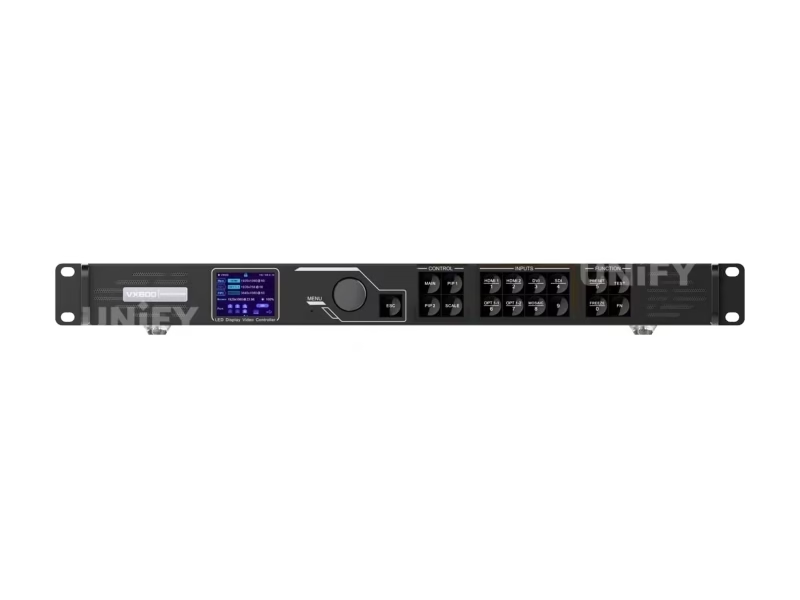
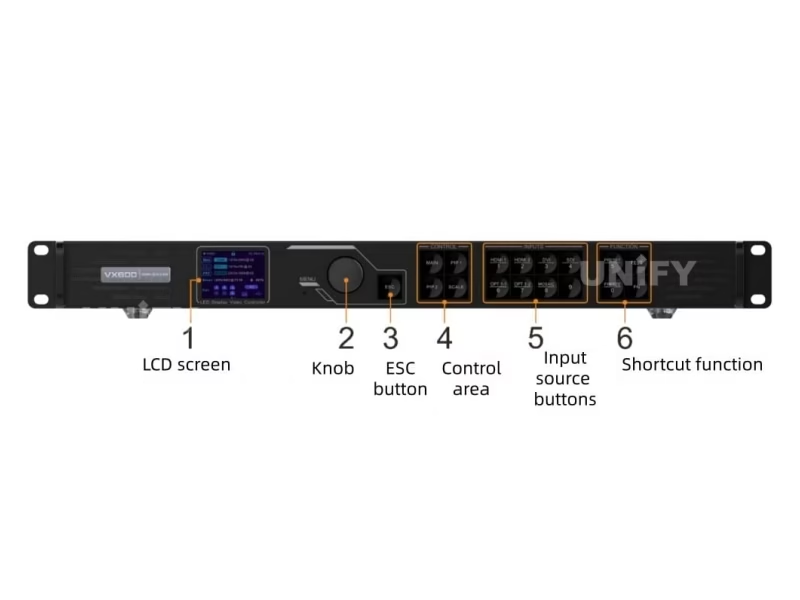
The VX600’s backup architecture is unusually comprehensive for its price. Level 1: device-to-device — a second VX600 configured identically takes over on primary failure. Level 2: Ethernet port-to-port — automatic failover within the 6-port group. Level 3: input source-to-source — HDMI 1 and HDMI 2 form a hot backup pair. With “primary source preferred” enabled, the system automatically returns to the primary source when it resumes. This is critical for broadcast and live events where a single point of failure cannot be permitted. Setup is managed through NovaLCT or V-Can, and backup status is displayed on the front-panel OLED.
6. Light Sensor & Auto Brightness — Set It and Forget It
The dedicated LIGHT SENSOR port on the rear panel connects to an ambient light sensor. Through NovaLCT, you configure a brightness mapping curve: at 0 lux (night) → set screen to 20% brightness; at 50,000 lux (direct sunlight) → set to 100%. Night mode adds a time-based cap — prevent the screen from exceeding a maximum brightness during specified hours regardless of sensor readings. This feature extends LED display lifespan by reducing unnecessary brightness during dark hours and cuts power consumption by an average of 40-60% during nighttime operation.
7. Pixel-Level Calibration & SuperView III
Working with NovaCLB software, the VX600 supports per-pixel brightness and chroma calibration. The calibration pipeline: measure each LED pixel at multiple brightness levels with a supported colorimeter, compute per-pixel correction coefficients targeting D65/6500K, upload to receiving card memory for hardware-level correction. SuperView III processing then applies stepless scaling on top of the calibrated image — the result is uniform color and brightness across the entire screen regardless of individual LED variance. For fine-pitch LED displays, this calibration capability is the difference between a visibly uniform image and one with perceptible color patches.
8. Total Cost of Ownership — VX600 at 5 Years
Separate Components: Video processor ($500-$800) + sending card ($200-$400) + light sensor controller ($100-$200) + media converter for fiber ($150-$300) = $950-$1,700, plus the complexity of 4 separate devices.
VX600: Single device at $999-$1,444. 5-year electricity at 28W × 8h/day × $0.12/kWh ≈ $49. The integrated approach eliminates inter-device cabling and provides a single point of configuration. With 10 global certifications, the VX600 meets compliance requirements for most markets without additional testing or documentation.
9. Sourcing Strategy — Factory Direct vs. Distributor
B2B buyers choose between regional distributors (local stock, $999-$1,444) and factory-direct from a LED screen manufacturer that is also a NovaStar partner (15-30% lower, pre-shipment configuration with live LED screen testing, integrated ecosystem support). Key evaluation questions: Does the supplier test each VX600 with a real LED screen before shipping? Can they provide the complete system pre-configured? Our quality control process documentation details our testing — we encourage direct comparison.
10. Conclusion — Is the VX600 Right for Your Project?
The NovaStar VX600 All-in-One LED Controller is the most operationally flexible controller in NovaStar’s VX family — the only one with three working modes. For B2B buyers deploying 3-4MP LED screens who need the adaptability to switch between full processing, ultra-low latency, and fiber distribution from a single hardware platform, the VX600 delivers capability that no other controller at its price point matches. When evaluating, look beyond pixel counts: ask about working modes, backup architecture, and per-port capacity at your target refresh rate. At UnifyLED, we answer these questions with specific, verifiable data from each unit’s pre-shipment test report.