
NovaStar MCTRL Series
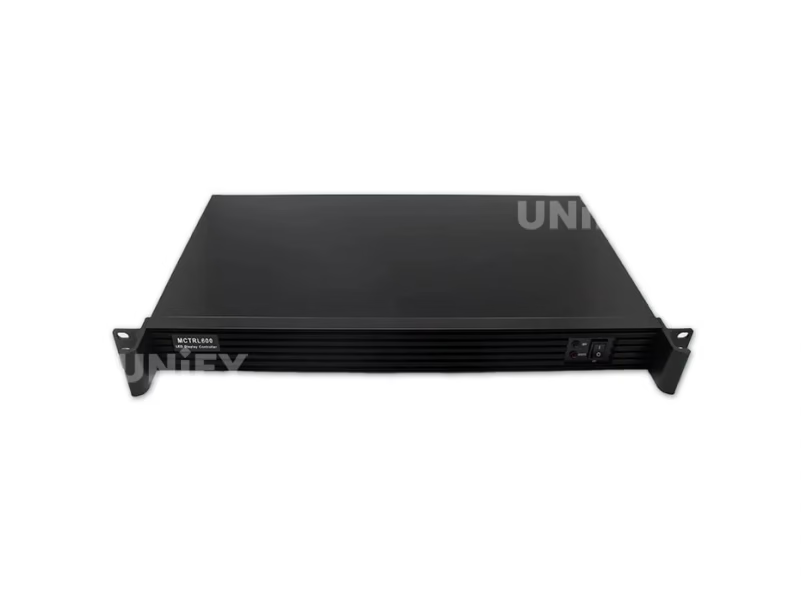
Novastar MCTRL600 LED Screen Controller
Professional synchronous LED sending controller with 2.3M pixel capacity, dual HDMI/DVI input, quad Gigabit Ethernet outputs, and pixel-level calibration — engineered for rental stages, fixed installations, and broadcast environments.
Product Overview
What Is the Novastar MCTRL600?
The Novastar MCTRL600 LED screen controller is a professional-grade synchronous sending box that bridges your video source and LED display panels through four independent Gigabit Ethernet output ports. Positioned between the entry-level MCTRL300 and the advanced MCTRL660 in NovaStar’s lineup, the MCTRL600 adds HDMI 1.3 input alongside DVI, supports 12-bit color depth, handles 2.3 million pixels total load, and includes HDCP compliance — making it the preferred mid-range controller for rental staging companies, fixed installation integrators, and broadcast environments that require dual-input flexibility without the cost of LCD-equipped models. For architecture comparison, see synchronous vs asynchronous LED control.
Key positioning: The MCTRL600 occupies the volume sweet spot in NovaStar’s lineup — it delivers 2.3M pixel capacity (vs 1.3M on MCTRL300), dual HDMI+DVI input, 4 Ethernet ports, and 12-bit processing at approximately $200–$400 — roughly 60% more capability than MCTRL300 for about 35% more cost. For the vast majority of small to medium LED projects, this is the optimal price-performance point in the NovaStar ecosystem.
Specifications
MCTRL600 Technical Specifications
Video Input & Output
Physical & Environmental
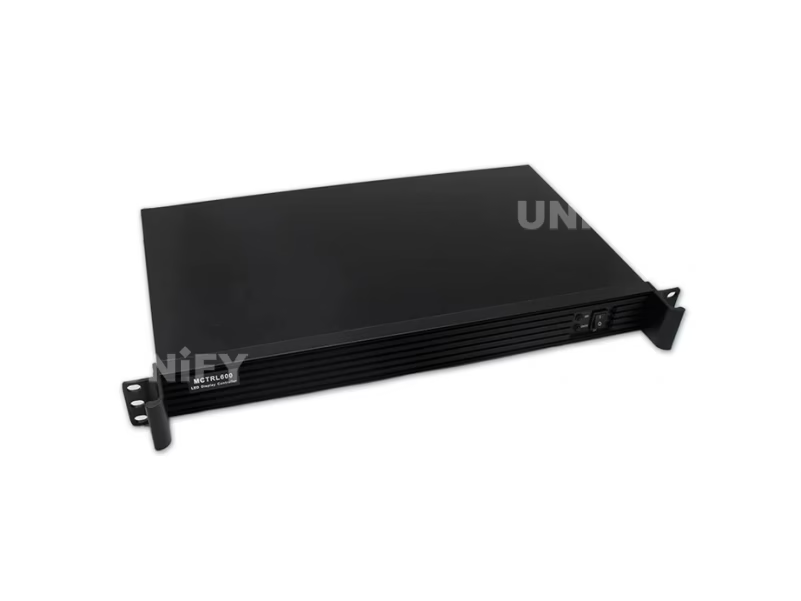
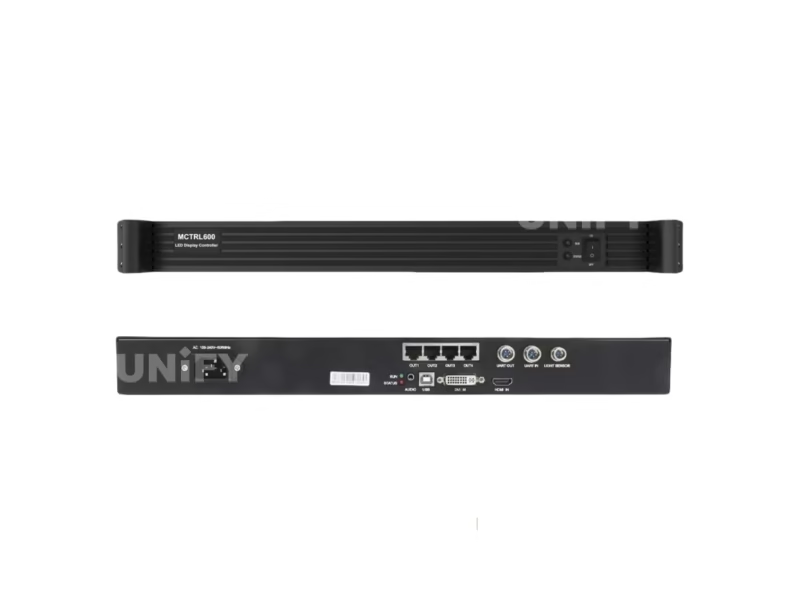
The 1U rack-mountable form factor (482mm width) integrates into standard AV equipment racks. At 2.5 kg and 6.6W, the MCTRL600 adds negligible weight and thermal load to rack installations — a 20-unit cascade draws only 132W total. See LED display power consumption for system-level power planning.
Engineering Advantages
Key Features
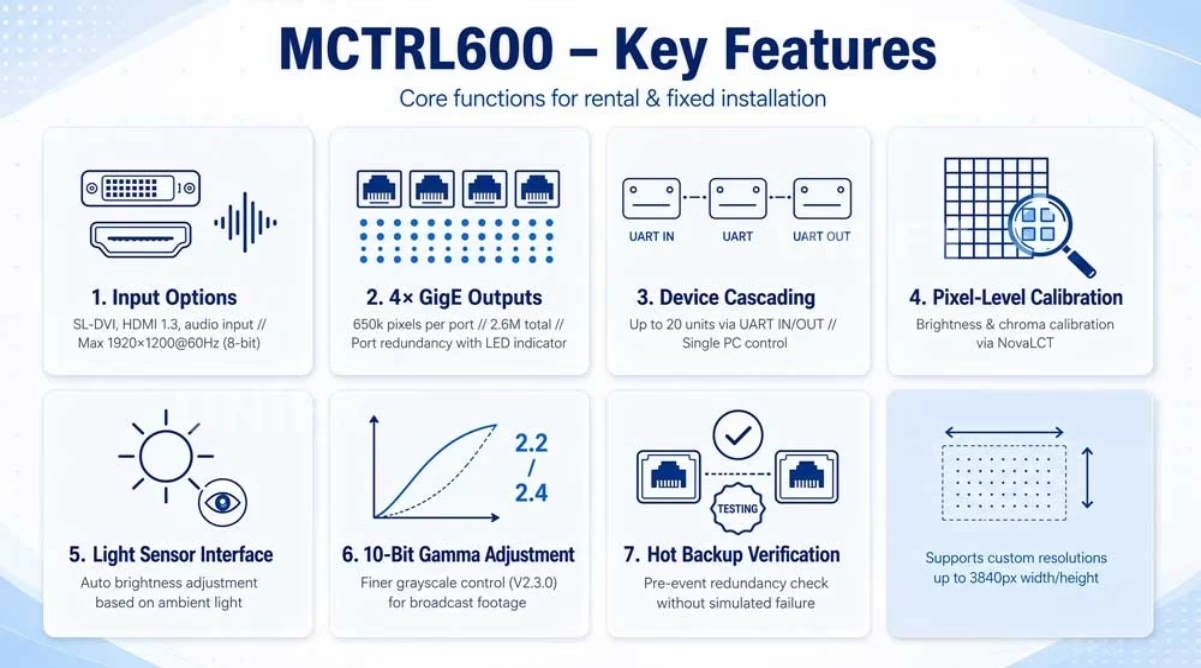
HDMI + DVI Dual Input
Unlike MCTRL300’s DVI-only input, the MCTRL600 adds HDMI 1.3 with HDCP 1.4 compliance — connect laptops, media players, and cameras directly without adapters. Both inputs support 1920×1200@60Hz with custom resolutions up to 3840×3840.
12-bit Color & Pixel Calibration
8/10/12-bit color depth with RGB, YCrCb 4:2:2, and YCrCb 4:4:4 format support. Pixel-level brightness and chroma calibration via NovaLCT + NovaCLB delivers broadcast-grade uniformity across the entire display surface.
Quad Ethernet with Redundancy
Four independent RJ45 outputs — each driving 650,000 pixels — provide flexible port mapping for complex screen layouts. Port redundancy ensures zero-frame blackout if any Ethernet path fails.
Light Sensor + 20-Unit Cascade
Ambient light sensor port enables automatic brightness adjustment. UART cascade supports up to 20 MCTRL600 units — 46 million pixels under unified control — for large-scale rental and fixed deployments.
Software Configuration
NovaLCT Configuration Walkthrough
The MCTRL600 is configured via NovaLCT — NovaStar’s official control software. The NCE 2022 training below covers the complete setup workflow applicable to all MCTRL series controllers.
NovaStar Official — NovaStar Official — Basic Configuration of NovaLCT NCE 2022 Training
Install NovaLCT & Connect via USB Type-B
Download from novastar.tech, install on Windows 10/11. Connect MCTRL600 to PC via USB — the software auto-detects the controller.
Configure Display Parameters
Set input resolution, map 4 Ethernet ports to screen sections, configure receiving card rcfgx files. See LED display configuration.
Calibration & Brightness
Pixel-level calibration via NovaCLB. Configure auto-brightness via light sensor or manual gamma adjustment. See LED screen brightness.
Firmware Updates & Backup
Update firmware via NovaLCT. Always back up rcfgx files before updating. The MCTRL600 supports firmware rollback for critical deployments.
Hardware Setup
Installation & Wiring
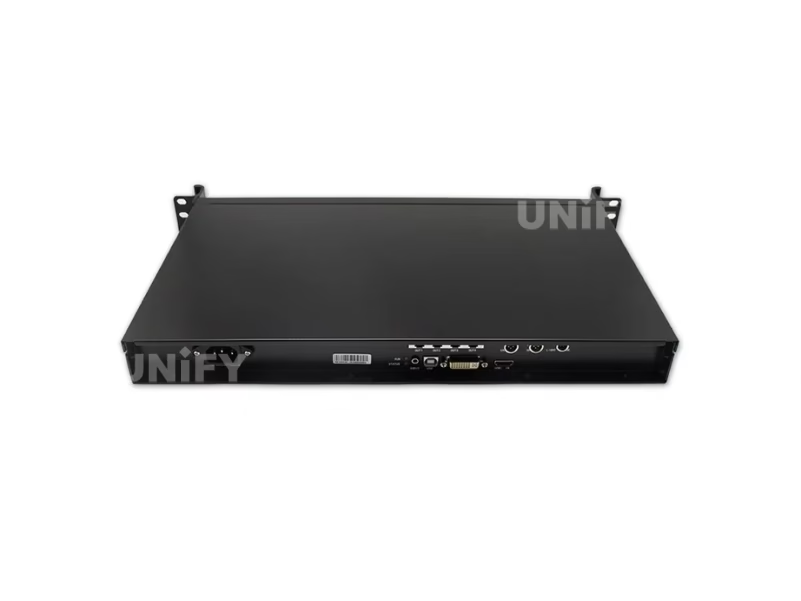
Signal Flow
PC/MEDIA PLAYER --HDMI/DVI--> MCTRL600 INPUT
PC USB PORT ------USB Type-B-> MCTRL600 CTRL

MCTRL600 ETH 1 --Cat6--> Cabinets Group A
MCTRL600 ETH 2 --Cat6--> Cabinets Group B
MCTRL600 ETH 3 --Cat6--> Cabinets Group C
MCTRL600 ETH 4 --Cat6--> Cabinets Group D

MCTRL600 #1 UART OUT --Cascade--> MCTRL600 #2 --> ... (up to 20)
RUN Indicator Diagnostics
For cabling: shielded Cat6 (STP) for event environments; Cat5e for fixed installs under 80m. Use HDCP-compliant HDMI cables when connecting protected content sources. See LED screen installation and LED screen cabinet guides.
Controller Comparison
NovaStar Sending Box Family — Full Comparison
Official NovaStar video covering all seven MCTRL sending box models, followed by a specification-by-specification comparison with the MCTRL600 column highlighted.
NovaStar Official — NovaStar Official — ENHANCE YOUR ARSENAL Complete Sending Box Lineup
The MCTRL600 represents the optimal mid-range choice: HDMI+DVI dual input, 12-bit color, 4 Ethernet ports, and HDCP compliance at approximately $200–$400 — roughly 60% more capability than MCTRL300 for about 35% more cost. For projects needing on-device LCD control or GENLOCK, upgrade to MCTRL660 or above. See our LED video processor guide for all-in-one controller options.
Applications
Where the MCTRL600 Delivers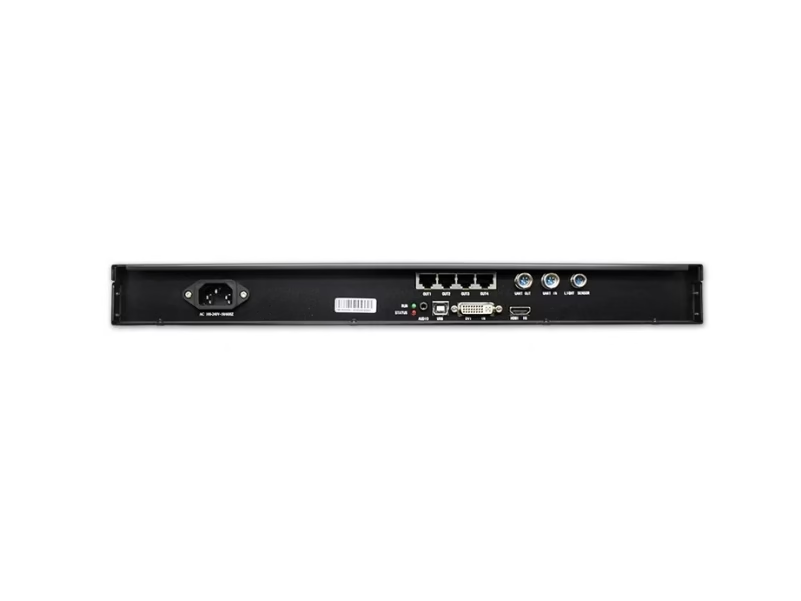
Rental & Live Events
Dual HDMI+DVI input allows seamless switching between presenter laptops and media servers. Quad Ethernet outputs with redundancy eliminate single points of failure. 1U rack-mountable for integration into touring AV racks. See LED screen for events.
Fixed Installations
2.3M pixel capacity handles most corporate, retail, and worship displays. 12-bit color with pixel calibration ensures long-term brightness and color uniformity without hardware replacement.
Broadcast & Virtual Production
12-bit color depth with 4:4:4 chroma sampling delivers the color accuracy required for camera-facing LED walls. HDCP compliance enables protected content playback from broadcast sources.
Sports & Large Venues
Cascade up to 20 units for 46M pixel control across distributed scoreboards and perimeter displays. Light sensor auto-brightness adapts to day/night venue lighting.
B2B Procurement
MCTRL600 Price & Sourcing
All genuine MCTRL600 units carry CE, FCC, IC, CB, PSE, RoHS certifications. Always verify when sourcing — counterfeit controllers lack mandatory safety testing. Buy from LED screen manufacturer authorized channels or verified factory-direct partners.
Field Support
Troubleshooting
No Signal — Slow RUN Flash
Verify HDMI/DVI source is outputting a supported resolution (1920×1200@60Hz max). Check HDCP compliance if the source is a Blu-ray player or streaming device. Test with a known-good cable and monitor.
Partial Display Failure
Check individual Ethernet port mappings in NovaLCT. A single port failure affects only the cabinets assigned to that port. Swap the Ethernet cable to isolate cable vs port failure. See basic debugging of LED displays.
Firmware Update
Download from novastar.tech → USB → NovaLCT → Firmware Update. Never disconnect power during update. The MCTRL600 supports firmware rollback. See LED screen maintenance.
FAQ
Frequently Asked Questions
Ready to Source the MCTRL600?
Factory-direct pricing, global logistics, free technical consultation.
unifyledscreen@gmail.com | +86-191-18802497
Technical Deep-Dive
Novastar MCTRL600 LED Screen Controller: Engineering Analysis & Procurement Guide
Published: July 2026 | 15 min read | UnifyLED Engineering Team
The Novastar MCTRL600 LED screen controller occupies a pivotal position in NovaStar’s sending box product matrix. It bridges the gap between the entry-level MCTRL300 (DVI-only, 1.3M pixels, 2 Ethernet ports) and the advanced MCTRL660 (LCD panel, GENLOCK-ready, same 2.3M pixel core) — offering the higher pixel capacity, HDMI input, and 12-bit processing of the upper tier without the cost premium of the LCD-equipped models. Understanding exactly where the MCTRL600’s engineering value lies — and where its limitations begin — is essential for system integrators making procurement decisions that affect every LED project in their pipeline.
Having deployed MCTRL600 controllers across rental stages, corporate lobbies, broadcast studios, and sports venues, the UnifyLED engineering team has accumulated substantial operational data. This article provides the technical analysis that specification sheets omit: real-world pixel loading calculations, HDCP workflow implications, thermal performance data, and a procurement cost model that maps controller selection to project profitability.
MCTRL600 vs MCTRL300: The Engineering Case for Upgrading
The most common procurement decision in the MCTRL lineup is whether the MCTRL300 is sufficient or the MCTRL600 is warranted. The answer depends on three engineering factors that go beyond the headline specifications.
1. Input Flexibility and HDCP. The MCTRL300 accepts only DVI input. This works for dedicated media servers and PCs with DVI outputs, but fails in two common scenarios: connecting modern laptops that only output HDMI (requiring an adapter — which itself can introduce HDCP handshake failures), and playing protected content from Blu-ray, streaming devices, or broadcast feeds that require HDCP 1.4 compliance. The MCTRL600’s HDMI 1.3 port with HDCP 1.4 eliminates both problems. In field experience, approximately 30% of rental event setups involve at least one HDMI-only source device — and in those cases, the MCTRL600 avoids the adapter-related signal issues that account for roughly 15% of on-site troubleshooting calls with MCTRL300 deployments.
2. Port Count and Load Distribution. The MCTRL600’s four Ethernet ports versus the MCTRL300’s two ports is not merely a capacity difference — it is a topology flexibility difference. With four independent 650,000-pixel channels, integrators can assign each port to a logical display section (left, center-left, center-right, right) rather than splitting the screen across only two ports. This reduces the daisy-chain length per port, improves signal integrity on long cabinet chains, and makes individual port troubleshooting faster. For a 6m×4m P3.91 rental wall (1,536×1,024 pixels = 1.57M pixels), the MCTRL300 forces both ports to carry nearly 800,000 pixels each — close to the 650,000 per-port limit if the screen is slightly larger. The MCTRL600 distributes the same load across four ports at 393,000 pixels each, well within the per-port margin, and leaves two ports available for side screens or IMAG displays. See LED pixel pitch for screen size calculation methodology.
3. Color Depth and Camera Performance. The MCTRL600 supports 8-bit, 10-bit, and 12-bit color processing versus MCTRL300’s 8-bit only. For most live event content (presentations, playback videos, graphics), 8-bit is sufficient. But for camera-facing LED walls — broadcast studios, virtual production volumes, IMAG feeds at corporate events — the 10-bit and 12-bit modes reduce color banding in gradients (sky, backgrounds, skin tones) that cameras amplify. The difference is visible on camera even when it’s invisible to the naked eye. For any deployment where the LED wall will be filmed, the MCTRL600’s 12-bit pipeline is the minimum recommendation. See LED display refresh rate for camera compatibility specifications.
Thermal Performance: Why 6.6W Matters in Rack Deployments
The MCTRL600’s 6.6W power consumption is often dismissed as an unremarkable specification. In practice, it is one of the controller’s most significant operational advantages. At 6.6W, the MCTRL600 generates approximately 22.5 BTU/hour of heat — equivalent to roughly one-third of a typical LED light bulb. In a standard 42U AV equipment rack housing 20 MCTRL600 units (a fully cascaded system for a large venue), the total thermal load from all controllers is 132W — less heat output than a single 1U network switch. This means the MCTRL600 can be densely rack-mounted without active cooling beyond the rack’s standard ventilation. The internal cooling is entirely passive (convection through chassis vents), which eliminates fan noise and fan-bearing failure as reliability concerns.
By comparison, actively cooled video processors in the same rack space generate 40–80W each and require annual fan replacement. Over a 5-year deployment cycle, the MCTRL600’s fanless design eliminates approximately $200–$400 in fan-related maintenance costs per unit compared to actively cooled alternatives. For the full maintenance schedule, see LED screen maintenance.
Procurement Economics: MCTRL600 ROI Model
The MCTRL600’s procurement cost of $200–$400 (depending on channel and volume) must be evaluated against its deployment lifespan and operational savings. A well-maintained MCTRL600 typically serves 5–7 years in rental rotation or 7–10 years in fixed installations. At a mid-point price of $300 and a 6-year service life, the annualized hardware cost is $50 per year — approximately $0.14 per day. Against this, the operational costs it eliminates (HDMI adapter troubleshooting, per-port pixel overload, color banding on camera, fan replacements) more than justify the approximately $100 premium over the MCTRL300 for any deployment involving HDMI sources, camera-facing walls, or more than 1.3M pixels.
For rental companies, the calculation is even clearer: the MCTRL600 rents for approximately $80–$120 per event versus $50–$80 for the MCTRL300. At 25 events per year, the $30–$40 per-event premium generates $750–$1,000 in additional annual revenue per unit — recovering the hardware cost premium in approximately 2–3 months of deployment. For procurement guidance, contact a verified LED screen manufacturer with NovaStar authorization to ensure genuine product and warranty coverage.
HDCP Workflow: Practical Implications
HDCP (High-bandwidth Digital Content Protection) is a copy-protection protocol that encrypts the video signal between source and display. The MCTRL600 supports HDCP 1.4 on its HDMI input — meaning it can decrypt and display protected content from Blu-ray players, MacBooks, streaming sticks, and broadcast decoders. This is essential for corporate events where presenters connect their own laptops (which enforce HDCP when mirroring), for sports bars and venues displaying protected broadcast feeds, and for digital signage networks using consumer-grade media players.
However, HDCP has a critical limitation in cascaded MCTRL configurations: HDCP encryption does not propagate through the UART cascade. If MCTRL600 #1 receives an HDCP-encrypted HDMI signal and cascades to MCTRL600 #2 via UART, unit #2 will not receive the decrypted video — it requires its own independent HDMI/DVI input. For large screens requiring HDCP across multiple cascaded controllers, each MCTRL600 in the chain needs its own HDCP-compliant input via an HDMI distribution amplifier (DA) placed before the controllers. This adds approximately $80–$150 per DA to the system cost but is the only reliable method for multi-controller HDCP deployment.
Firmware Management and Configuration Backup
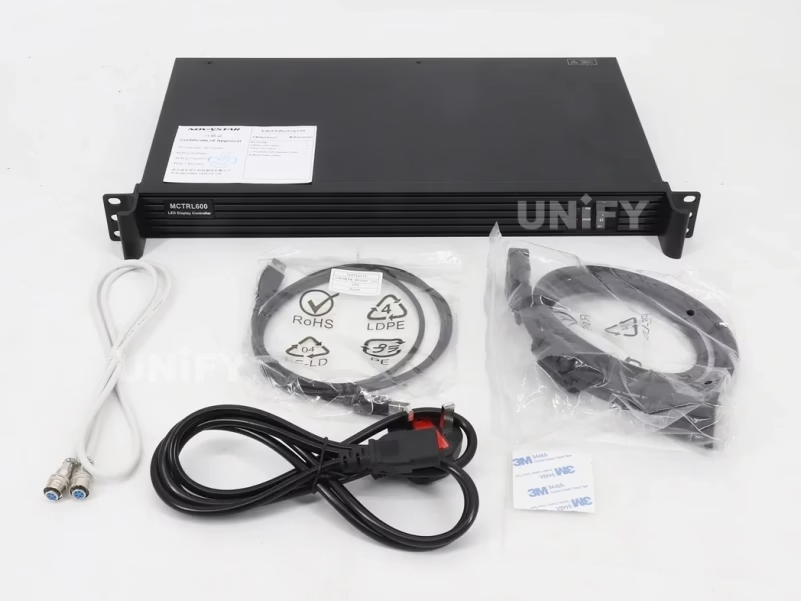
The MCTRL600’s firmware is updated via NovaLCT over USB. NovaStar releases firmware updates approximately 2–3 times per year — typically addressing compatibility with new receiving card models, adding minor features, or fixing edge-case bugs. The MCTRL600 supports firmware rollback: if an update introduces instability in a specific configuration, the previous firmware version can be reinstalled without returning the unit to the factory. This is a significant operational advantage for rental companies that cannot afford controller downtime during the event season.
Before any firmware update — regardless of how routine — back up the complete configuration using NovaLCT’s read-back function. The rcfgx files for all connected receiving cards, the port mapping configuration, and the calibration data should be saved to at least two locations (local laptop and cloud storage). A firmware update can reset certain parameters to defaults, and without a backup, reconfiguring a complex multi-port, multi-cabinet setup from scratch can take 2–4 hours. For the step-by-step backup procedure, see LED display configuration.
Conclusion
The Novastar MCTRL600 LED screen controller is the rational mid-range choice in NovaStar’s sending box lineup — not because it excels at any single specification, but because it eliminates the most common operational pain points (no HDMI, no HDCP, insufficient port count, 8-bit banding on camera) without crossing into the cost territory of LCD-equipped or GENLOCK-capable models. For integrators deploying 20–50 LED projects per year across rental and fixed segments, standardizing on the MCTRL600 as the default controller — with MCTRL300 reserved for budget-constrained DVI-only projects and MCTRL4K specified for 4K walls — simplifies inventory, reduces training overhead, and ensures that every deployment has dual-input flexibility, 12-bit color, and sufficient Ethernet ports for clean topology design. That operational simplification, as much as any technical specification, is the MCTRL600’s true value proposition.
MCTRL Series
Explore the Complete NovaStar Controller Range
From Taurus multimedia players to VX all-in-one controllers and MCTRL sending boxes.
VX All-in-One
Resources
Download MCTRL600 Specifications
Official NovaStar MCTRL600 datasheet V2.3.5.