
LED Controller 4K@60Hz, HDCP 2.2 and HDR Explained: What the Specs Really Mean (2026)
Three terms dominate LED controller spec sheets — 4K@60Hz, HDCP 2.2, and HDR — and all three are routinely misread. 4K@60 is not one number but two promises bundled together; HDCP 2.2 is not a picture-quality feature but a copy-protection gate that can black out an entire wall; and HDR depends on three pieces of hardware agreeing with each other, not just one. This article explains what an LED controller 4K@60Hz rating actually guarantees, where HDCP fits in an LED wall signal chain, and what HDR demands from the controller, the receiving cards, and the source. Examples use NovaStar hardware — the current reference line in LED control — but the concepts apply to any control system. As an LED screen manufacturer, Unify LED configures controllers to these three parameters on every project we ship.
What Does 4K@60Hz on an LED Controller Actually Promise?
The notation packs two separate facts into one string. The 4K part is resolution: 4096×2160 pixels for DCI 4K or 3840×2160 for consumer UHD, roughly 8.3 million pixels either way. The 60Hz part is frame rate: the input signal delivers 60 complete frames per second. The @ sign just means both apply at the same time — and that is where most misunderstandings start, because a controller can accept 4K resolution and still fail the 60Hz half, or the other way around. The frame-rate side of the story is covered in our Hz vs FPS article; the resolution side depends on how the wall is built, which is the LED pixel pitch question.
Two more distinctions keep the spec sheet honest. First, input capability and wall loading are different numbers: a controller rated 4K@60 input does not automatically load a 4K wall — the loading capacity in pixels is a separate row in the table. Second, 60Hz input is not the same as the screen’s refresh rate: the controller’s 60Hz is how many source frames arrive, while the wall’s refresh rate (often 1920Hz or 3840Hz on LED) is how many times the screen re-draws each frame. Our LED display refresh rate article separates the two.
Why Do Some Controllers Say 4K×1K@60 and Others 4K×2K@60?
Read the middle number carefully, because “4K” has a half-height impostor. A controller rated 4K×1K@60Hz accepts 3840×1080@60Hz — 4K wide but only 1080 lines tall, one quarter of true 4K’s pixel count. A controller rated 4K×2K@60Hz accepts the real thing: 3840×2160@60Hz, over HDMI 2.0 or DisplayPort 1.2. The difference is not cosmetic: a 4K×1K input cannot fill a 3840×2160 wall, and content played through it gets cropped or stretched. In NovaStar’s lineup the split runs cleanly between generations — the VX1000 processes 4K×1K@60Hz, while the VX16S and MCTRL4K take true 4K×2K@60Hz. The full comparison of those architectures is in our MCTRL4K vs VX4S article.
How Much Bandwidth Does 4K@60 Need?
4K@60 at standard 8-bit color needs about 18 Gbps of video bandwidth — exactly what HDMI 2.0 provides. HDMI 1.4 stops at 10.2 Gbps, which is why HDMI 1.4 devices top out at 4K@30Hz and why a controller with HDMI 1.4 cannot claim full 4K@60. DisplayPort 1.2 delivers 21.6 Gbps and also clears the bar. When the bandwidth is short, the chain does not fail politely — it negotiates downward: the source drops to 30Hz, or the resolution drops, and motion on the wall stutters. The fix is a controller whose input generation matches the source generation: HDMI 2.0 or DP 1.2 on the controller for a 4K@60 source, plus a cable rated for 18 Gbps (premium high-speed HDMI). NovaStar’s own walkthrough of 4K input handling, splicing, and mosaic configuration:
What Is HDCP, and Why Does It Matter on an LED Wall?
HDCP — High-bandwidth Digital Content Protection — is copy protection, not picture quality. It encrypts the video between the source and the display so that protected content cannot be recorded along the way. The mechanism is a handshake: the source and every device in the chain exchange keys and re-verify them every couple of seconds. If any link refuses the handshake, the content does not play — usually as a black screen, an error message, or a silent downgrade to 1080p.
Versions matter because the chain takes the weakest link’s version. HDCP 1.4 shipped alongside HDMI 1.3/1.4 and covers 1080p-class content. HDCP 2.2 arrived with HDMI 2.0 and is the version 4K UHD content demands — Netflix 4K, 4K Blu-ray, and set-top boxes all require it end to end. HDCP 2.3 (with HDMI 2.1) is the newest revision and is backward-compatible with 2.2 sources. A chain containing one HDCP 1.4 device cannot play HDCP 2.2 content.
Why Does a 4K Player Show a Black Screen on My LED Wall?
This is the most common HDCP failure call we get, and the diagnosis is always the same shape: the source, the processor, and the sending controller all negotiated HDCP 2.2, but one device in the chain is a 1.4 unit — and the wall shows black even though every cable is plugged in. The chain includes devices people forget to check: the HDMI splitter, the switcher, the media converter, even an old HDMI extender. HDCP passes through every one of them, and any HDCP 1.4 link breaks the chain for 4K protected content.

Two practical notes close most cases. First, professional AV content — live cameras, event switchers, presentation laptops, broadcast feeds — generally carries no HDCP, so LED walls in rental and staging rarely hit this wall; HDCP matters most for consumer 4K sources like Blu-ray players and streaming boxes feeding fixed installs. Second, check the controller’s own input: in NovaStar’s current line, the MCTRL660’s HDMI 1.3 input supports HDCP 1.4, while the NovaPro UHD Jr‘s HDMI 2.0 input supports HDCP 2.2 — the difference decides whether a 4K Blu-ray chain works at all.
When a wall goes black on protected content, run the chain in this order: check whether the source content is actually protected (play the same source on a TV with HDCP 2.2 to confirm); swap in an HDCP 2.2-compliant cable and bypass any splitter, matrix, or extender one device at a time; then read the controller’s HDCP version from its spec sheet. Nine times out of ten the fault is one legacy device in the middle, not the wall and not the controller.
What Is HDR on an LED Display, and What Does the Controller Have to Do With It?
HDR — high dynamic range — expands the brightness and color range of the image so highlights and shadows keep detail instead of clipping to white or black. Two standards matter on LED walls. HDR10 is the fixed-metadata format used by streaming and disc content; the controller applies one brightness mapping for the whole program. HLG (Hybrid Log-Gamma) is the broadcast format — backward-compatible with SDR displays, which is why live TV uses it. Dolby Vision, the third consumer format, carries scene-by-scene brightness instructions and requires its own licensed hardware chain; current LED controllers do not support it.
The controller is only one third of the LED HDR chain. Three conditions must hold at once: an HDR-capable controller, HDR-capable receiving cards in the cabinets, and a 10-bit HDR signal from the source. Miss one and the wall displays SDR, or a distorted HDR image. NovaStar’s HDR10 explainer:
In the NovaStar lineup, the MCTRL4K carries HDR10 and HLG, and the cabinet side needs A8s or A10s Plus receiving cards. HDR input runs over HDMI with a 10-bit signal only.
How Does HDR Change Your Loading Math?
Enabling HDR has a planning cost that spec sheets hide: each Ethernet port’s loading capacity drops by half, because the 10-bit HDR stream carries more data per pixel than an 8-bit SDR stream. A wall that loaded comfortably at 8.8 million pixels in SDR needs twice the port planning in HDR — or a smaller canvas. The tuning side is finer-grained than most people expect: the MCTRL4K’s HDR10 mode accepts a Screen Peak Luma setting from 100 to 10,000 nits, and its HLG mode offers seven steps — HLG1 at 300 nits up to HLG7 at 1700 nits — matched to the wall’s real measured peak brightness. Pick the wrong step and highlights clip; measure the wall first and the setting picks itself.
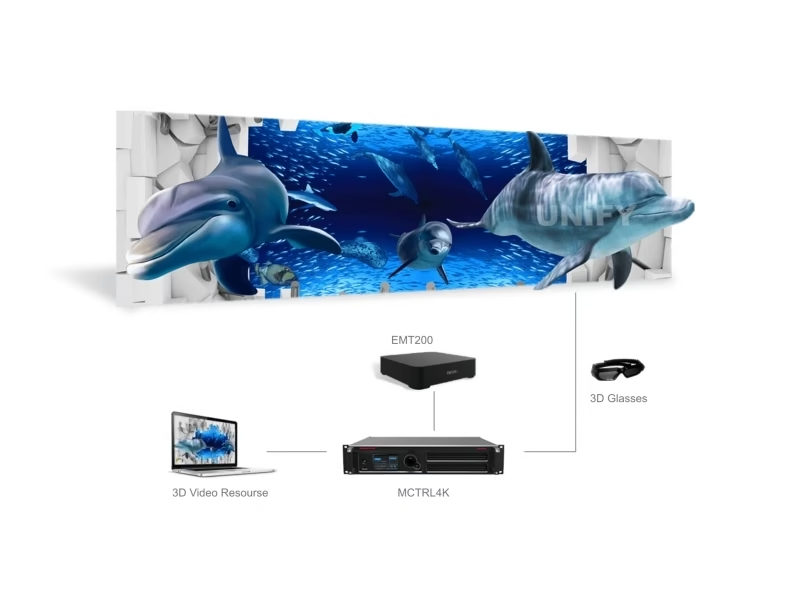
One more device closes the gap for screens that are not HDR-native: the HDR Master 4K converts SDR content into HDR output before the wall, and tunes SDR images for HDR hardware. It is an option for premium installs that want HDR-like depth without replacing the entire chain:
Which LED Controllers Carry These Specs in 2026?
The three parameters land on different controller tiers, and the table below is the quick reference we use internally. It covers the NovaStar line today; other control-system brands follow the same pattern, and this table gets updated as new models ship.
| Controller | Max input | HDCP | HDR |
|---|---|---|---|
| MCTRL300 / MCTRL600 | 1920×1200@60Hz (DVI/HDMI 1.3) | — | No |
| MCTRL660 | 1920×1200@60Hz (HDMI 1.3) | HDCP 1.4 | No |
| VX1000 | 4K×1K@60Hz (HDMI 1.4) | HDCP 1.4 class | No |
| VX16S | 4K×2K@60Hz (HDMI 2.0) | HDCP 2.2 class | No |
| NovaPro UHD Jr | 4K×2K@60Hz (HDMI 2.0, HDCP 2.2) | HDCP 2.2 | No |
| MCTRL4K | 4096×2160@60Hz (DP 1.2 / HDMI 2.0) | — | HDR10 + HLG |
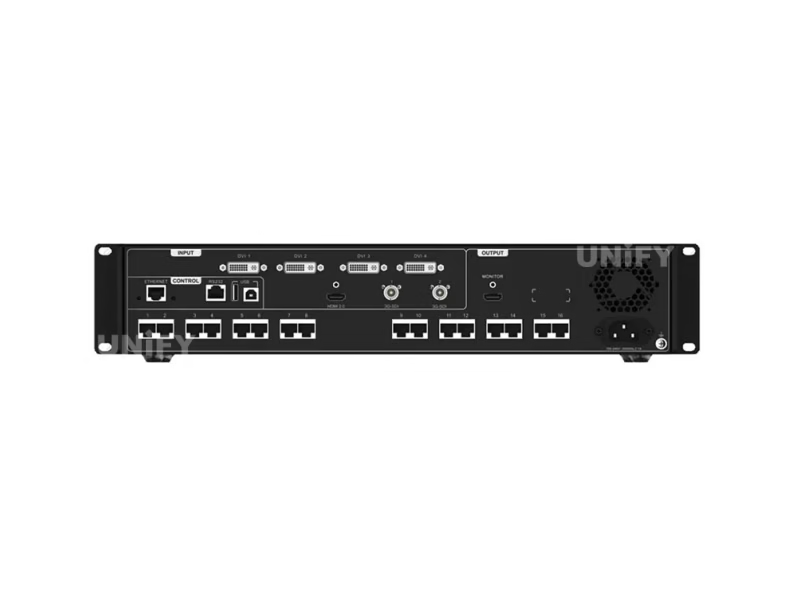
Product pages: VX1000 · VX16S · MCTRL660 · MCTRL4K.
What Do Buyers Frequently Ask About 4K, HDCP, and HDR on LED Controllers?
Why does my wall show 4K content at 30Hz instead of 60Hz? Somewhere in the chain a device or cable caps at HDMI 1.4 bandwidth (10.2 Gbps). The negotiation drops to 4K@30. Replace the weakest link with HDMI 2.0 hardware and an 18 Gbps-rated cable.
Does my LED wall need HDCP at all? Only if the content source demands it — 4K Blu-ray, Netflix-class streaming, and pay-TV boxes. Camera feeds, event switchers, and laptops used in production carry no HDCP, and rental walls rarely need it.
Can I add HDCP 2.2 to an HDCP 1.4 controller? No. HDCP is hardware encryption with per-device keys; a firmware update cannot add HDCP 2.2 to a 1.4 input. The controller must be replaced or the source routed through an HDCP-compliant processor.
Is HDR worth it on an LED wall? On fine-pitch indoor walls showing graded content, yes — the expanded highlight range is visible next to an SDR wall. It requires the full chain: HDR controller, HDR receiving cards, 10-bit HDMI source.
Can an older LED wall be upgraded to HDR? Partly. The receiving cards and controller must be HDR-capable; upgrading both is possible on many walls, and the HDR Master 4K can convert SDR content for HDR hardware. The wall’s own brightness headroom is the third requirement that cannot be upgraded.
What does the “4K×1K” rating on cheaper controllers mean? It accepts 3840×1080@60Hz — 4K wide, 1080 tall. It is not a true 4K input and cannot fill a 3840×2160 wall without cropping or scaling.
How Do You Read a Controller Spec Sheet in 2026? Final Verdict
Reading an LED controller 4K@60Hz rating correctly comes down to three checks. One: is the resolution true 4K×2K or the half-height 4K×1K, and is the input HDMI 2.0/DP 1.2 — because 60Hz at 4K needs 18 Gbps. Two: if consumer 4K content is in the plan, does every device in the chain — source, processor, controller — carry HDCP 2.2? Three: if HDR is promised, are the controller, the receiving cards, and the 10-bit source all in place, and has the port-loading math been re-done at half capacity?
Match those three checks against the wall’s actual sources and the spec sheet stops being marketing and starts being a plan. For a spec review of your specific project, send the source list and wall resolution through the Unify LED contact page — we will return the controller and receiving card pairing that meets all three parameters.