
NovaStar MCTRL4K vs VX4S: 4K Sending vs All-in-One Processing (2026)
The NovaStar MCTRL4K vs VX4S comparison is not a battle between two equals — it is a choice between two architectures at opposite ends of the price ladder. The MCTRL4K is a pure sending controller that loads 8.8 million pixels and accepts true 4096×2160@60Hz input; the VX4S-N is an entry all-in-one that combines a video processor with a sending function and loads 2.3 million pixels. Buyers end up comparing them anyway, because the decision is really about one question: pay for pixels, or pay for processing. This article lays out both units with figures from the official NovaStar specification documents, answers the latency question that drives most of these comparisons, and places the VX4S-N against its VX family sibling, the VX16S. As an LED screen manufacturer, Unify LED stocks both models and configures them to your cabinet layout before shipping.
How Does the NovaStar MCTRL4K vs VX4S Comparison Read at a Glance?
| Parameter | NovaStar MCTRL4K | NovaStar VX4S-N |
|---|---|---|
| Architecture | Pure sending controller | All-in-one: video processor + sending |
| Loading capacity | 8.8M pixels (DP/HDMI); 8.3M (DVI) | 2.3M pixels |
| Outputs | 16× Neutrik Gigabit Ethernet + 4× 10G optical | 4× Gigabit Ethernet |
| Video inputs | 1× DP 1.2, 1× HDMI 2.0, 2× dual-link DVI | 1× 3G-SDI, 1× DVI, 1× HDMI 1.3, 1× DP, 1× VGA, 1× audio |
| Max input | 4096×2160@60Hz (custom width/height to 7680 px) | 1920×1200@60Hz per input (canvas to 3840×1920) |
| Layers | None — input maps 1:1 | Main layer + PIP |
| HDR | HDR10 + HLG | Not supported |
| 3D | With EMT200 emitter | Not supported |
| Low latency | Sub-1ms mode (DP/HDMI input, vertical cabinet load) | Standard processing pipeline, no sub-ms mode |
| Factory-direct price band | $2,000 – $2,500 | $400 – $600 |
| Best for | 4K/HDR walls, broadcast, stadiums, xR volumes | Conference rooms, small fixed installs, multi-source entry projects |
Why Are These Two Controllers Compared at All?
The two units sit four price tiers apart, and they do different jobs — the comparison persists because they are the two NovaStar controllers most buyers land on from opposite directions. A project team with a 4K source and a wall over 2.3 million pixels is steered to the MCTRL4K. A team that needs source switching and scaling on a small wall is steered to the VX4S-N. The people asking the question are usually trying to spend once instead of twice: should they buy the big sender and live without processing, or buy the small processor and cascade later when the wall grows? The full three-family picture is in our MCTRL vs VX vs TB comparison; this article covers the two models head to head.
What Does the MCTRL4K Offer? The 8.8M-Pixel Sending Flagship
The MCTRL4K is the highest-capacity pure sender NovaStar makes. It accepts DP 1.2 and HDMI 2.0 sources at 4096×2160@60Hz — or custom canvases up to 7680 pixels wide or tall — and distributes them over 16 Neutrik Gigabit Ethernet ports plus four 10G optical ports. HDR10 and HLG are supported through the HDMI input with a 10-bit signal, and both require HDR-capable receiving cards on the cabinet side such as the NovaStar A8s; enabling HDR halves each port’s loading capacity, so an 8.8M-pixel HDR wall needs twice the port planning of an SDR wall. 3D output works with the EMT200 emitter, genlock sync covers multi-screen broadcast, and the low-latency mode drops the pipeline to under 1 millisecond under specific conditions covered below. Two working modes matter on site: Mosaic mode runs the unit as one big sender, and Multi-card mode splits it into two independent 3840×1080@60Hz senders over the dual-link DVI inputs.
Three smaller features earn their keep on large installs. Genlock IN/LOOP accepts bi-level, tri-level, and black-burst reference signals and synchronizes up to 10 units — the fix for multi-screen venues where walls drift out of frame sync. The unit converts RGB-limited sources to RGB-full automatically, which prevents washed-out blacks when the source is a set-top box or a consumer player. And basic configuration runs from a web browser over the unit’s network port, so a technician can adjust settings from a phone at the rack instead of carrying a laptop.
NovaStar’s own project footage shows the unit driving an xR production volume with A8s cards:
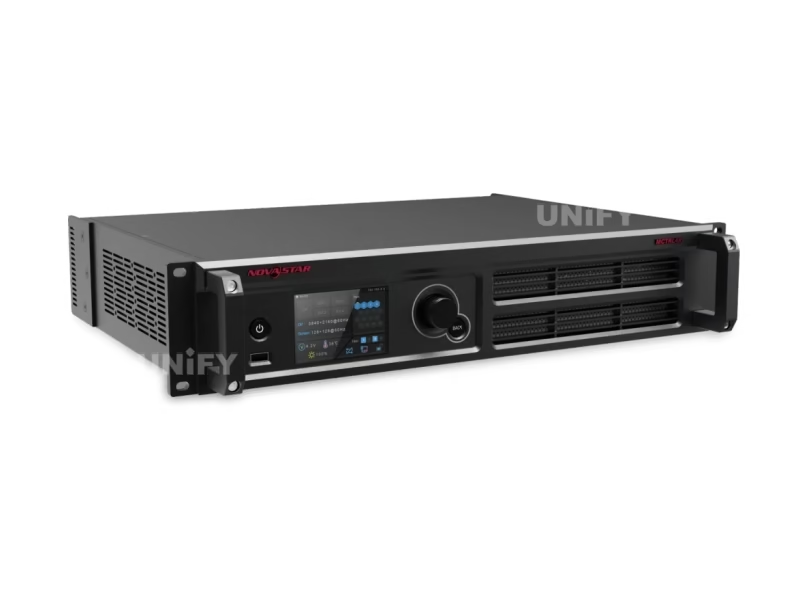
Full specifications and pricing: NovaStar MCTRL4K LED display controller.
What Does the VX4S-N Offer? The Entry All-in-One
The VX4S-N is the smallest member of the VX all-in-one family: a video processor and sending controller in one chassis. Its input set is its strongest card — 3G-SDI, DVI, HDMI 1.3, DisplayPort, VGA, and audio in one box — so a camera, a laptop, and legacy presentation hardware connect without adapters. The 3G-SDI input with loop-through is the detail broadcast integrators notice first: it is the interface the MCTRL4K does not have, and it lets a VX4S-N sit directly behind a camera chain without an SDI-to-HDMI converter. Four Gigabit Ethernet ports load up to 2.3 million pixels, with a canvas of 3840 pixels wide or 1920 high. A main layer plus a PIP window covers presenter-plus-camera compositions, and the front-panel knob handles input switching, scaling mode, and screen configuration without a PC. A DVI monitoring output and an Ethernet control port round out the rear panel for local preview and network control.
NovaStar’s official overview of the all-in-one family (the VX4S-N sits at its entry point):
VX4S vs VX4S-N: what the suffix means. The original VX4S has been discontinued by NovaStar; the VX4S-N is the current revision and the model quoted in this article. If a supplier’s listing mixes the two, check which unit is actually being offered — the -N is the one with current firmware support.
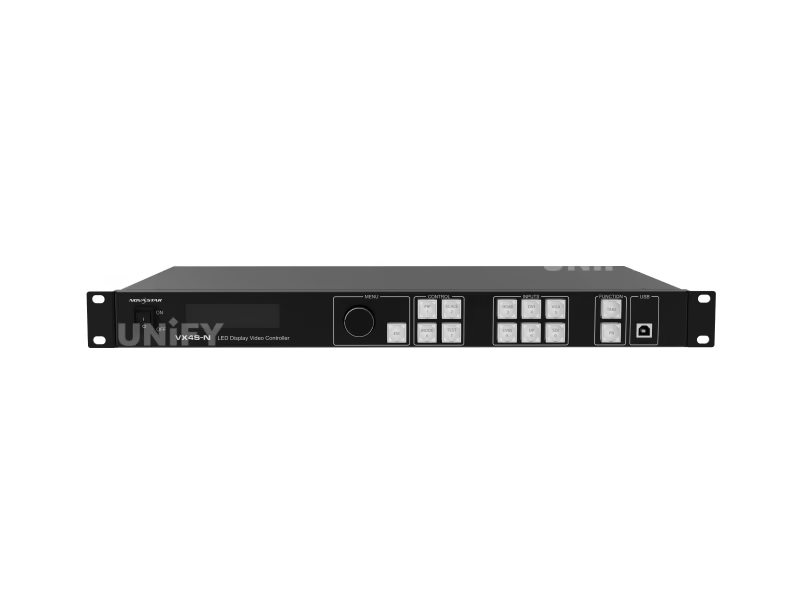
Full specifications: NovaStar VX4S-N LED display controller.
How Do Pixel Capacity and 4K Input Actually Differ?
The headline numbers hide the real difference. The MCTRL4K loads 8.8 million pixels — a full 3840×2160 wall at 8-bit on a single unit. The VX4S-N loads 2.3 million pixels, and its maximum canvas is 3840×1920: that is 4K wide but only half-4K tall, which is why describing the VX4S-N as a 4K processor is wrong — some listings make that claim, but the unit cannot display a 3840×2160 wall.
The pixel math picks the winner fast. A P2.6 fixed wall at 5 m × 3 m is 2,211,840 pixels — inside the VX4S-N with no margin to spare. A P2.6 wall at 8 m × 4.5 m is 5,308,416 pixels — beyond the VX4S-N and any cascade of two units, and squarely in MCTRL4K territory. A true 4K 3840×2160 wall is 8,294,400 pixels: exactly the MCTRL4K’s DVI capacity and inside its 8.8M DP/HDMI capacity.
On the output side, only the MCTRL4K carries optical fiber: four 10G ports aggregate the 16 Ethernet channels for runs far past the 100-meter copper limit. NovaStar published a full webinar on long-distance MCTRL4K deployments — it runs 33 minutes and is worth the time if your project crosses a campus or a stadium:
How Much Latency Does Each Add? The IMAG Question
This is the question that actually starts most MCTRL4K vs VX4S threads: which unit is faster for camera-through-the-wall work. The MCTRL4K has a low-latency mode under 1 millisecond, with three conditions from the official documentation: the source must be DP or HDMI, each Ethernet port must load cabinets vertically, and the mode cannot run at the same time as genlock or 3D. Inside those conditions, the wall is effectively live — which is what IMAG and xR production demand.
The VX4S-N has no such mode. Its signal path runs through the scaling and switching pipeline, which adds the processing latency a pure sender does not have. That is not a defect — it is what the processing is for. But a project that starts with “the camera feed must be live on the wall” removes the VX4S-N from consideration immediately.
When Do You Need Scaling, Layers, and Presets?
The processing side is where the VX4S-N wins its territory. If the source does not match the wall resolution, the MCTRL4K needs the source device to output the exact canvas — a VX4S-N scales it in hardware. If two sources share the wall, the VX4S-N runs them as main layer and PIP; the MCTRL4K displays one source, or two in Multi-card mode with dual-link DVI sources only. The scaling concept itself is covered in our LED video processor article.
One setting closes the gap from the other direction: the VX4S-N’s scale and mosaic functions can be switched off, after which the unit passes video through like a pure sending controller. That makes the VX4S-N a serviceable stopgap sender when a project outgrows its processing needs — with the 2.3M-pixel ceiling still in force.
What About the VX4S vs VX16S Step-Up?
If the VX4S-N is the right architecture but the wrong size, the step-up inside the VX family is the VX16S. It loads 10.4 million pixels on 16 Ethernet ports — more than the MCTRL4K — and adds two 3G-SDI inputs, an HDMI 2.0 input at 3840×2160@60Hz, four DVI inputs, a 4K×2K main layer plus two 2K×1K PIP windows, ten presets, and image mosaic linking up to four units for 7680×4320-class walls. That is the unit a rental company buys when VX4S-N capacity is not enough and pure sending is not the problem.
| VX family | VX4S-N | VX600 | VX1000 | VX16S |
|---|---|---|---|---|
| Loading capacity | 2.3M | 3.9M | 6.5M | 10.4M |
| Ethernet ports | 4 | 6 | 10 + 10G optical | 16 |
| Max input | 1920×1200@60Hz | 4K×2K@60Hz | 4K×1K@60Hz | 4K×2K@60Hz |
| Layers | Main + PIP | 3 | 3 | 4K×2K main + 2 PIP |
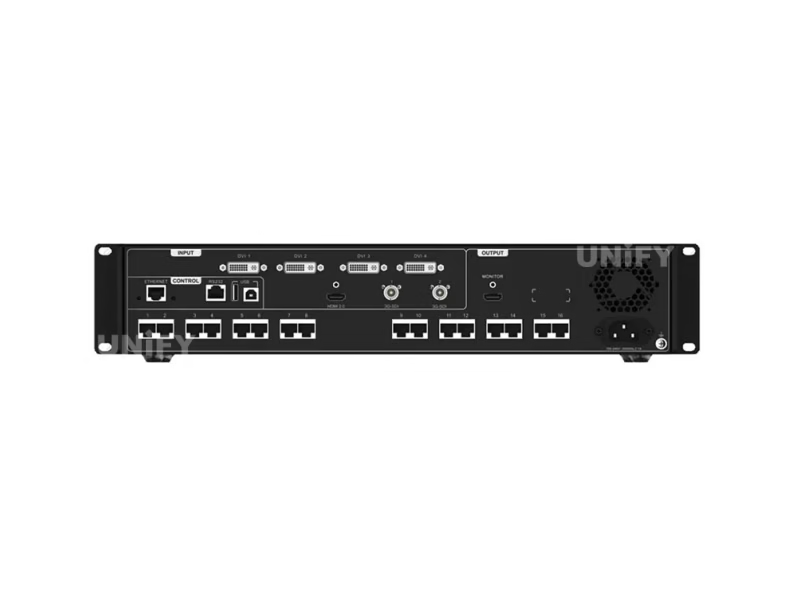
Product pages: VX16S · VX600 · VX1000.
What Do Buyers Frequently Ask About the MCTRL4K vs VX4S Decision?
Can I mix an MCTRL4K and a VX4S-N in one screen? No. Different architectures mean different timing; NovaStar requires identical controller models in any cascaded or mosaic system.
Is the VX4S-N a 4K controller? No. Its canvas tops out at 3840×1920 — 4K wide, half-4K tall. A true 3840×2160 wall needs the MCTRL4K or a larger VX model.
Which receiving cards does the MCTRL4K need for HDR? HDR10/HLG requires the A8s or A10s Plus on the cabinet side, a 10-bit HDMI source, and half the normal per-port loading.
Can the VX4S-N work as a pure sender? Yes — switch off its scale and mosaic functions and it passes video through 1:1, within its 2.3M-pixel ceiling.
Which unit suits a rental company? The VX4S-N for corporate events with laptop-plus-camera sources; the MCTRL4K for 4K/HDR and xR stages. Most rental fleets that run both end up adding the VX16S when walls grow past one VX4S-N.
What software configures each? Both are configured in NovaLCT — the first-time workflow is in our how to configure an LED sending card guide. VX units add V-Can for layer and preset operation.
Does the MCTRL4K accept interlaced signals? No. Every input on the MCTRL4K — DP, HDMI, and DVI — is progressive-only. Interlaced sources must be deinterlaced upstream before the signal reaches the controller.
Which One Should You Buy? Final Verdict
The NovaStar MCTRL4K vs VX4S decision has a clean answer once the wall size is known. Under 2.3 million pixels with multiple sources, scaling, or PIP: the VX4S-N, at roughly a fifth of the price. Over 2.3 million pixels — and certainly at true 4K — the MCTRL4K is the only one of the two that fits, with HDR, 3D, fiber, and the sub-millisecond mode as the premium it buys. The units do not substitute for each other; they bracket the budget ladder, and the VX16S closes the gap in between.
Send your wall dimensions, source list, and whether the wall will be filmed to the Unify LED contact page, and we will return the controller recommendation with the receiving card plan to match.