



The Ultimate Guide to Choosing an Asynchronous LED Multimedia Player for Commercial Display Projects
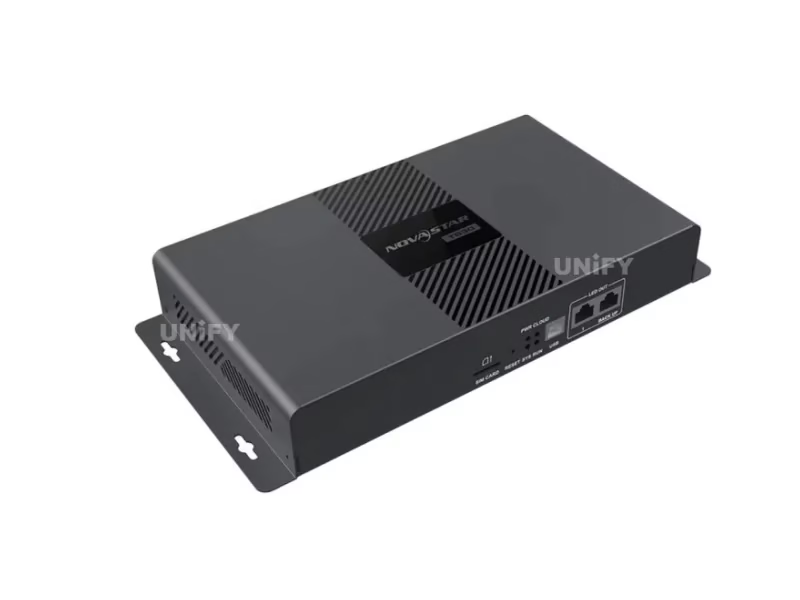
The Novastar TB30 LED Multimedia Player represents a critical inflection point in LED display control technology — where the line between asynchronous simplicity and synchronous capability has become productively blurred. For B2B buyers, system integrators, and LED screen manufacturer partners evaluating control systems for commercial deployments, understanding what the TB30 actually delivers — and where its limitations lie — is essential for making an informed procurement decision that affects not just upfront hardware cost but total cost of ownership over a 5–7 year deployment lifecycle.
The Architecture Behind Asynchronous LED Control: Why It Matters
To appreciate what the TB30 offers, you first need to understand the fundamental difference between synchronous and asynchronous LED control architectures. A synchronous system — the traditional approach — requires a dedicated computer (or video processor) to continuously feed a video signal to the LED display. If the computer crashes, the screen goes black. An asynchronous system, by contrast, stores media locally on the player device and operates independently. This architectural difference has profound implications for reliability, operating cost, and deployment flexibility.
For a chain store with 200 locations, deploying 200 PCs to run LED signage is a maintenance nightmare: Windows updates, antivirus conflicts, hard drive failures, and power management settings all become potential points of failure. The TB30 eliminates this entire layer of complexity — each unit is a purpose-built embedded system running Android 11 on a quad-core ARM A55 processor, drawing just 18W at peak load. Multiply that savings across 200 sites, and the operational expenditure difference runs into tens of thousands of dollars annually in electricity alone, before accounting for IT support hours.
Pixel Capacity Demystified: How Much Screen Can 650,000 Pixels Really Drive?
The TB30’s 650,000-pixel loading capacity is the most important specification to understand before purchasing. A common mistake is comparing this number to display resolution (like “1080p = 2 million pixels”) and concluding the TB30 is underpowered. This comparison misses the point: the TB30’s pixel budget must cover the physical LED module matrix, not the video input resolution. The device decodes 4K video internally and downscales to match the actual LED display resolution — the 650K limit is about how many physical LEDs the controller can address through its Ethernet ports.
In practical terms, 650,000 pixels translates to a LED pixel pitch-dependent display size. With P2.5 indoor modules (160×160 dots per panel, totaling 25,600 pixels per panel), a single TB30 can drive approximately 25 panels — enough for a 4m × 2.5m display area. With P4 outdoor modules (fewer pixels per square meter), the same controller can cover a significantly larger physical area. The key formula: divide 650,000 by the pixels per square meter of your chosen pixel pitch to determine the maximum display area in square meters.
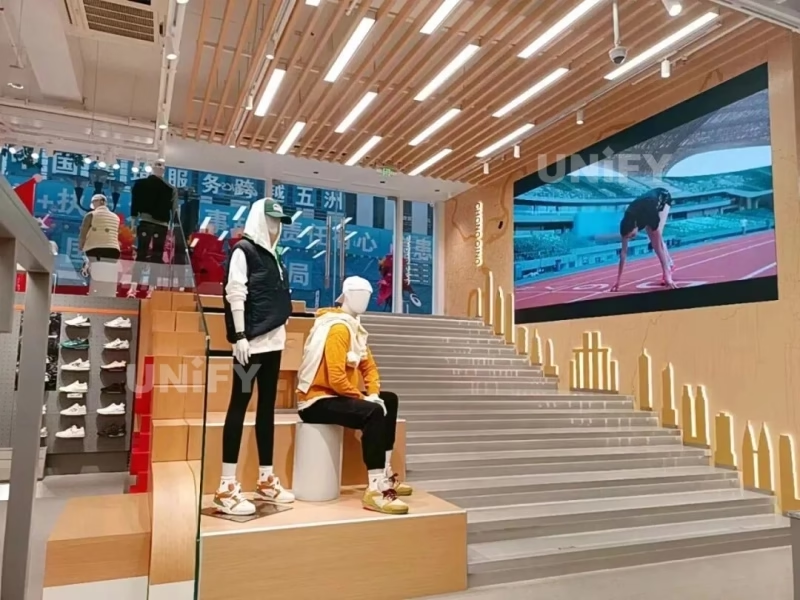
For projects exceeding 650K pixels, NovaStar offers the TB50 (1.3M pixels) and TB60 (2.3M pixels). However, for the vast majority of commercial applications — retail window displays, door-head signage, restaurant menu boards, church displays, and conference room screens — the TB30’s capacity is more than adequate. The tendency to over-spec controllers “just in case” adds unnecessary cost without delivering any practical benefit.
Network Redundancy and Why Dual Ethernet Matters in the Real World
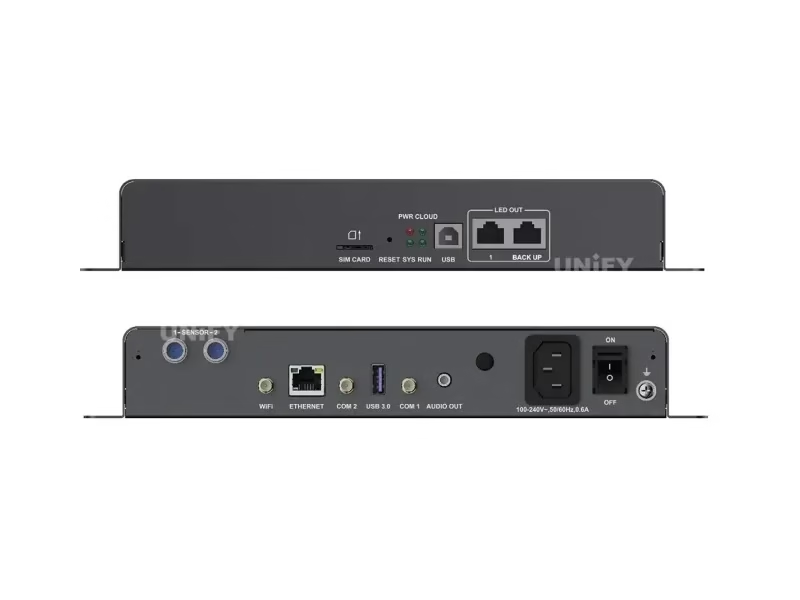
One feature that distinguishes the TB30 from entry-level players like the NovaStar TB1 and TB2 is its dual Gigabit Ethernet output with automatic failover. In practice, Ethernet port failure is rare but catastrophic when it happens — a single dead port means a completely dark section of your LED display. For a retail chain, a dark screen during business hours directly translates to lost revenue. The TB30’s primary-backup architecture means the secondary port takes over within milliseconds of detecting a fault, and the CLOUD indicator LED will alert the VNNOX platform that maintenance is required — allowing you to schedule a replacement during off-hours rather than scrambling for an emergency site visit.
Synchronous Playback at Scale: The Hidden Complexity Nobody Talks About
The TB30’s ability to synchronize playback across multiple screens via NTP, GPS, or RF is frequently mentioned in marketing materials — but the operational details matter enormously. When synchronous playback is enabled, the number of simultaneously playable videos is halved (e.g., from 2× 1080p to 1× 1080p) because the device must reserve processing resources for frame-accurate timing. This is not a bug — it’s an inherent constraint of real-time synchronization.
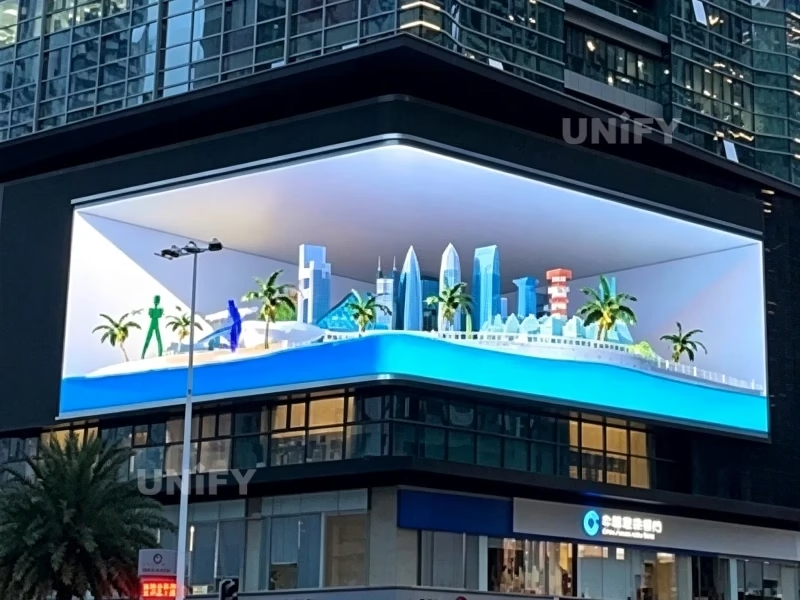
For most deployments, NTP synchronization over LAN is the simplest and most cost-effective option — no additional hardware required. GPS synchronization becomes necessary when displays are geographically distributed (e.g., bus stop signage across a city) and must show content at precisely the same moment. RF synchronization fills the gap for sites where neither LAN nor GPS is feasible — such as underground parking displays or secure facilities with no external connectivity.
A critical deployment detail often overlooked: the TB30’s synchronous playback specification varies by platform generation. Devices sharing the same hardware platform (TB30/TB40/TB50/TB60) can synchronize at up to 1× 1080p quality. Mixing platforms — for instance, pairing a TB30 with an older TB3 or TB6 — results in degraded sync performance. Always verify that all players in a synchronized group belong to the same platform generation.
The 4G Module and SIM Card: What You Actually Need
The TB30 ships without a 4G module — a point of confusion for many first-time buyers. The required module is the Quectel EC20 (or NovaStar-certified equivalent), which installs into the internal slot alongside a standard SIM card. One 4G module + SIM card is required per device. For a 50-unit deployment, this adds a material line item to the BOM. However, the alternative — running Ethernet cables to 50 lamp-post displays across a city — is typically far more expensive. The 4G option also enables GPS time synchronization as a secondary benefit, since the EC20 module includes GPS capability.
Network priority on the TB30 (firmware V4.5.0 and below) follows: Wired > Wi-Fi > 4G. This means if you connect both Ethernet and 4G, the device will always prefer Ethernet — 4G serves as a fallback. This is the correct behavior for fixed installations where wired connectivity is the primary path and cellular is the backup.
Total Cost of Ownership: TB30 vs. PC-Based Solutions
Let’s run the numbers for a realistic deployment: 20 retail stores, each with one LED display. A PC-based solution requires 20 computers at approximately $400 each ($8,000), plus Windows licenses ($2,000+), plus a LED video processor or sending card at each location ($2,000+). Total upfront hardware: $12,000+. Ongoing costs include electricity (PCs draw 150–300W vs. TB30’s 18W), IT support for Windows maintenance, and hardware refresh every 3–4 years.
The TB30 approach: 20 units at approximately $230 each ($4,600), no OS licensing, no separate sending cards needed. Electricity: 18W × 20 units × 24 hours × 365 days = 3,154 kWh/year. At $0.12/kWh, that’s $378/year. The PC approach at a conservative 150W: 26,280 kWh/year = $3,154/year. Over a 5-year deployment, the TB30 saves approximately $22,000 in electricity alone — more than the entire hardware investment. And that’s before accounting for IT support hours, which in a distributed retail environment can easily exceed $500 per incident.
Installation Best Practices for Maximum Reliability
After deploying hundreds of TB30 units across projects ranging from UK church displays to Middle Eastern retail networks, our LED screen installation team has identified several practices that significantly improve reliability:
- Ventilation clearance: Ensure at least 50mm of clearance around all sides of the TB30. Despite its low power draw, the device generates heat in enclosed cabinets, which accelerates component aging.
- Antenna placement: The Wi-Fi and 4G antennas should be mounted outside any metal enclosure. A metal cabinet acts as a Faraday cage, reducing signal strength by 20–30 dB — enough to drop a usable connection entirely.
- Power conditioning: While the TB30 accepts 100–240V AC directly, installations in areas with unstable grid power should use a small UPS or surge protector. Voltage spikes are the #1 cause of premature power supply failure.
- Firmware version management: Before deploying multiple units, flash all TB30s to the same firmware version. Synchronous playback, in particular, is sensitive to firmware mismatches. NovaStar releases firmware updates approximately quarterly — check the official download portal before each new project.
When the TB30 Is NOT the Right Choice
Being transparent about limitations builds trust with B2B buyers. The TB30 is not suitable for: (1) displays exceeding 650,000 physical pixels — in this case, the TB50 or TB60 is required; (2) applications requiring HDMI live input — the TB30 is an asynchronous player and cannot accept real-time video feeds (for that, use a synchronous processor like the NovaStar VX1000 or VX16s); (3) outdoor installations where the player itself is exposed to rain or dust — the IP20 rating means it must be housed in a sealed enclosure; (4) projects requiring more than 4 Ethernet outputs — the TB6 or TB60 offers 4 ports.
Conclusion: The TB30 as a Strategic Procurement Decision
The Novastar TB30 LED Multimedia Player occupies a unique position in NovaStar’s product matrix: it delivers the core capabilities of the Taurus platform — 4K decoding, cloud management, multi-screen sync, and sensor integration — at the lowest entry price in the series. For B2B buyers deploying small-to-medium LED displays at scale, it represents the optimal balance of capability and cost. The decision to deploy TB30s is not just a hardware choice; it’s a strategic commitment to reducing operational complexity, minimizing on-site maintenance visits, and future-proofing your display network through cloud-managed infrastructure. As the LED display industry continues its shift from PC-dependent architectures toward embedded, Internet-connected control systems, the TB30 stands as the pragmatic choice for integrators who need reliability without over-engineering.
For more information on LED display basics, visit our LED Academy — a free resource for industry professionals.