
Mooncell · BS Series · Creative & Irregular Displays
Mooncell B1200S Creative LED Controller
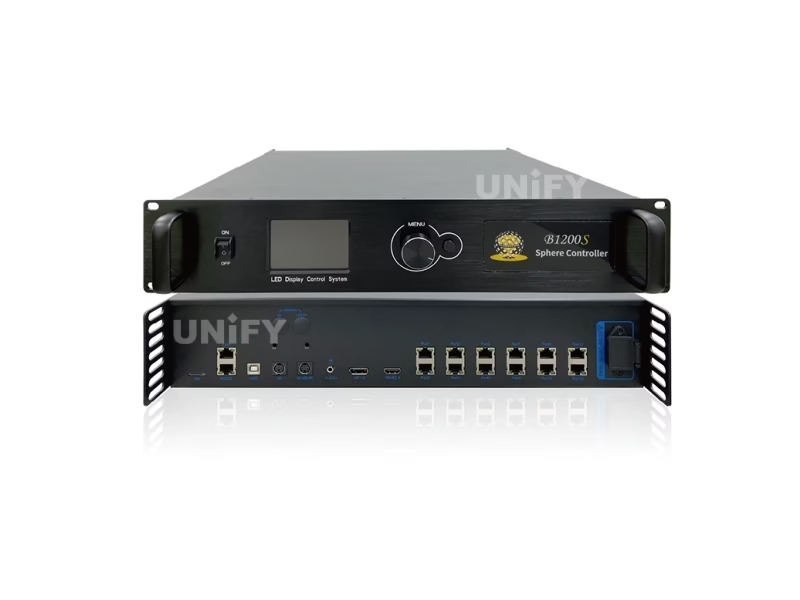
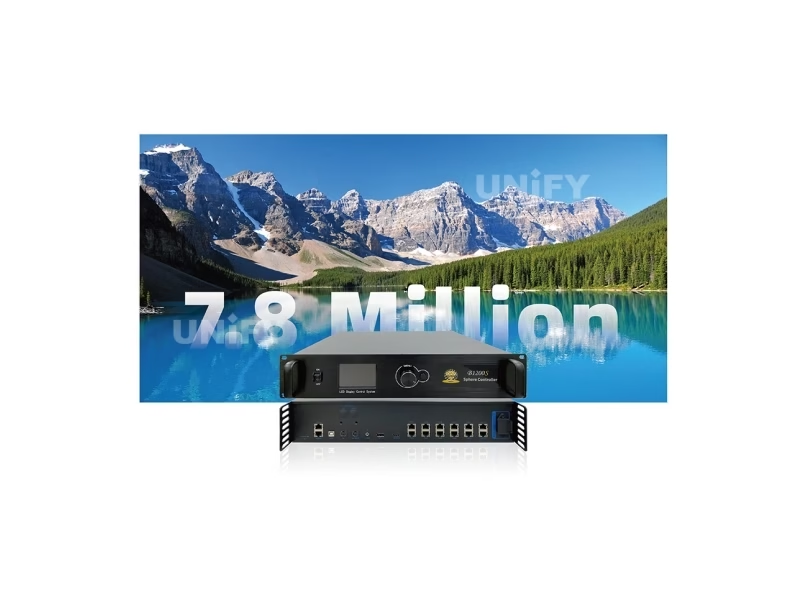
The Mooncell B1200S Creative LED Controller is the BS-Series brain for sphere and irregular LED displays: 12 Gigabit Ethernet ports, a 7.8-million-pixel load, 4K input, audio over the network cable, 3D with Genlock and arbitrary pixel mapping for any non-rectangular geometry.
Product Overview
What Is the Mooncell B1200S Creative LED Controller?
The Mooncell B1200S Creative LED Controller is a tailor-made irregular display controller from Mooncell’s BS Series: it drives non-rectangular LED walls through 12 Gigabit Ethernet ports with a combined load of up to 7.8 million pixels, accepts 4K sources (HDMI 2.0 or DP 1.2), transmits audio over the network cable, and supports 3D, Genlock, loop and dual-master backup. Where a standard controller assumes a rectangular row/column pixel grid, the B1200S maps every pixel to its real position on a sphere, ring, dome or curved wall. Mooncell documents this unit as the B1200ES Sphere LED Controller, and this page uses the official specification (V4.1, September 2025) as its data source.
Short answer: The Mooncell B1200S is the BS-Series creative LED controller (documented as B1200ES): 12 Gigabit Ethernet ports loading 7.8 million pixels, 1280×512 per port, 640–7680 pixel width and 480–4096 height with a 7680×4096 sphere limit, 4K input at 30/50/60/120 Hz, audio over the network cable, loop and dual-master backup, optional Genlock, active 3D, ambient-light auto brightness and front-panel brightness control. It costs no stable public retail price — the BS Series is project hardware quoted by pixel budget and geometry.
One naming note before the spec sheet: Mooncell’s own pages use both names. The public BS-Series page titles the unit B1200S Irregular LED Display Controller, while the official specification sheet is titled B1200ES Sphere LED Controller — B1200S is the family name, B1200ES the specification model. Both names describe the same hardware, and both appear in this page’s sources. The unit sits at the top of the mid tier of the BS ladder: MVB12E loads the same 7.8M in a rectangular 2-in-1 form; the B1200S loads it for any shape. The receiving side pairs with Mooncell A712 and A10X cards inside the cabinets.
Specifications
What Are the Mooncell B1200S Creative LED Controller Specifications?
Data from the official Mooncell B1200ES Sphere LED Controller Specification V4.1 (September 8, 2025; hardware ST1200 V2.0.0; the file header carries V4.0, the update table records V4.1 — this page follows the V4.1 record).
Loading, Input & Output
Backup, Control & Physical
Data Verification
Where Do Published Mooncell B1200S Specs Disagree — and What Does V4.1 Say?
The B1200S is documented inconsistently even on Mooncell’s own channels. Three conflicts matter, and all three are resolved below:
Mooncell’s BS-Series page titles the unit B1200S but lists B1200ES in its comparison table; the specification sheet uses B1200ES throughout. Family name vs spec model — same hardware.
The BS-Series table shows max width/height 8192/8192; the V4.1 sheet limits the sphere load to 7680 × 4096 with F5 enabled (default). The 8192 figure is the F5-disabled ceiling. Design on the V4.1 numbers.
The PDF header says V4.0; the update record says V4.1 (September 8, 2025, hardware ST1200 V2.0.0), revising loading-capacity parameters. Where the two disagree, this page follows the V4.1 record.
Reseller pages that omit the F5 rule and the corrected loading range should not be used for design math — the sphere loading limit and the F5 height switch are the two numbers a structural drawing depends on.
Creative Display Capability
Why Does a Sphere or Ring LED Screen Need the Mooncell B1200S Creative LED Controller?
A standard LED controller assumes a rectangular grid: every pixel at position (row, column). A sphere LED screen has no rows — pixels converge at the poles, the canvas wraps 360°, and modules are wedges, not rectangles. The B1200S solves that with three capabilities the rectangle world does not need:
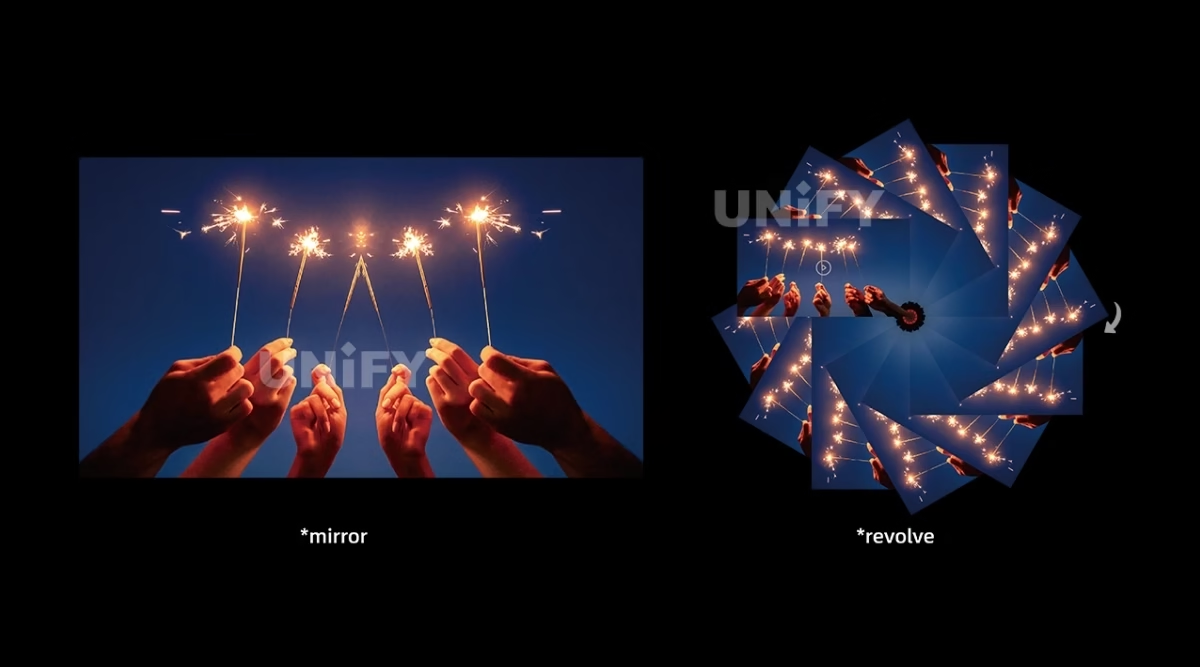
Each LED pixel is addressed at any position in 2D or 3D space instead of a row/column grid, and the geometric transformation engine handles rotation, scaling and spatial correction in real time — content lands correctly on the physical surface, not on an imagined rectangle.
Standard LED modules are cropped at the controller level to their actual shape — free row, column and pixel extraction — so a sphere is built from standard HUB75E modules arranged as trapezoids and wedges, without custom module tooling.
The mapping interpolation keeps content continuous across the sphere’s 360° wrap and the pole convergence, preventing edge offsets and tearing — standard rectangular content plays correctly on curved surfaces without custom media production.
Within the loading budget, a single controller drives multiple modules of varying specifications simultaneously — the mixed-geometry cabinets that creative structures produce as a matter of course.
The practical consequence for integrators: no more splitting content across several rectangular controllers and hoping the seams line up. One B1200S holds the whole creative canvas, and the pixel map lives in the configuration file — which is why this page’s specification table and the sphere loading limit matter more than port counts alone.
Model Selection
Which Mooncell B1200S Do You Need: B200S, B600S, B800ES, B1200ES or B2000ES?
Mooncell’s BS Series is a five-rung ladder of custom irregular controllers, documented on its BS-Series hub. The B1200ES sits on the fourth rung — the step where 3D joins the 7.8M load:
All five rungs share front-panel brightness adjustment, independent Gamma, multi-device splicing, audio transmission, loop backup, rotation and irregular-screen control. The deciding variables are the pixel budget and the port count — and above 5.2M, whether the project needs 3D. The B2000ES extends the same architecture to 20 ports with optional 10G fiber for the largest domes; note its load is quoted two ways, 10.40M scaled against 8.29M pixel-to-pixel, per Mooncell’s table.
Loading Capacity
How Many Pixels Can the Mooncell B1200S Creative LED Controller Drive?
The loading math is clean and verifiable: 12 Gigabit ports at 655,360 pixels each is 7,864,320 — the 7.8 million figure on the sheet. Per-port, the sheet quotes 1280×512, and the whole unit works within a 640–7680 pixel width and 480–4096 height, with the sphere load capped at 7680 × 4096. The F5 switch is the hidden variable: enabled by default, it limits input height to 4096; disabled, the ceiling rises to 8192 — the number the BS-Series hub table shows.
The practical read: for sphere projects the pixel map rarely fills the bounding rectangle, because pole regions converge and the physical LED count is what the sheet’s 7.8M loads. Integrators should send Mooncell the geometry, module count and pitch, and get the validated map back — the loading range table is the constraint set, not a recommendation. For rectangular reference, the MVB12E covers the same 7.8M in the 2-in-1 form factor.
Audio & Brightness
How Do Audio-over-Network and Light-Sensor Brightness Work on the Mooncell B1200S?
Two quiet features make creative installs materially simpler — audio without extra cabling, and brightness that adapts without an operator:
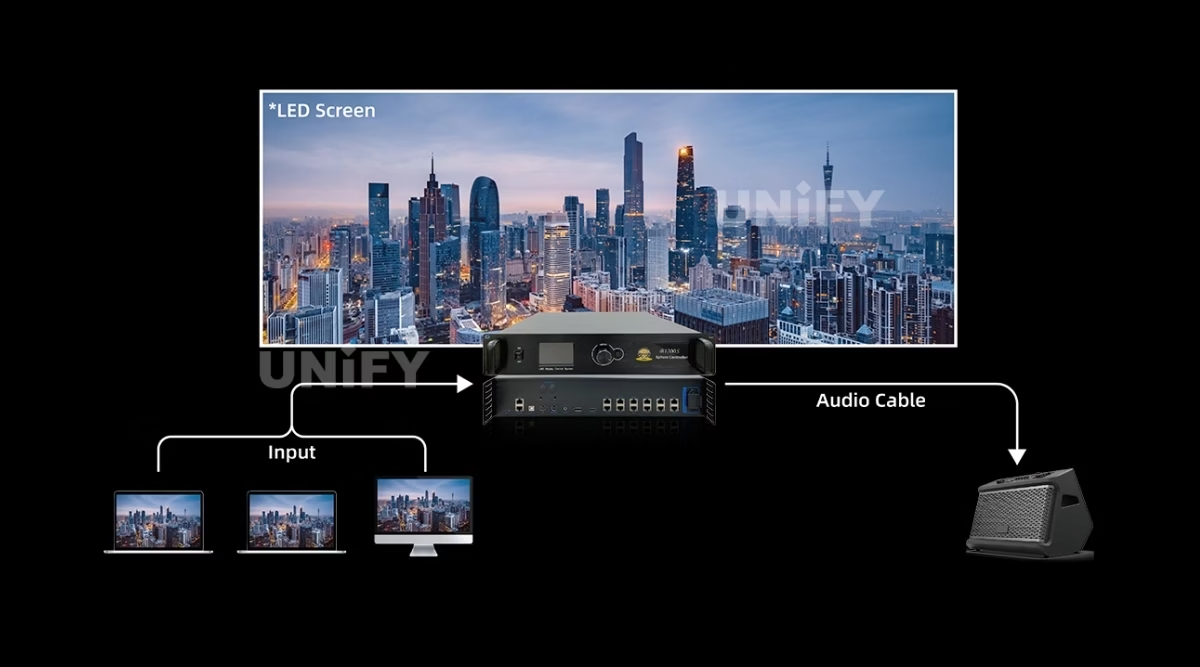
A 3.5 mm audio input — plus HDMI and DP audio per Mooncell’s product page — is transmitted synchronously over the Ethernet cable and decoded at the output. A sphere or ring wall carries its audio with the video data: one cable, no separate audio run to a distant amplifier.
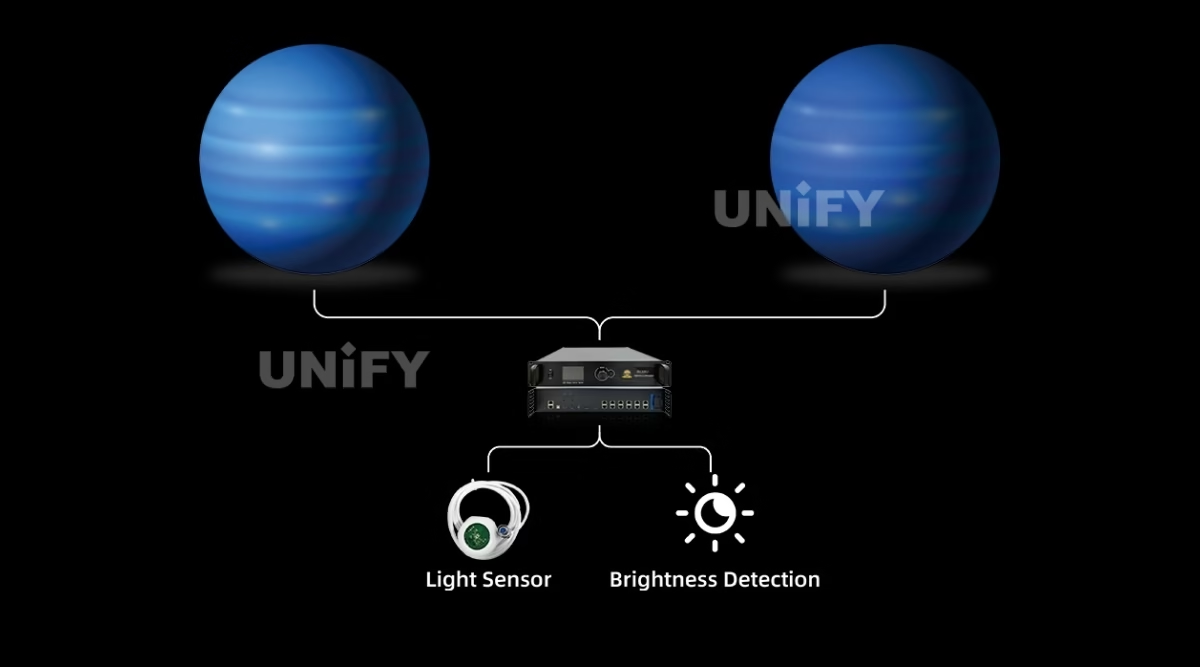
Connect the light sensor and the system detects ambient brightness to control display brightness automatically — a sphere in a glass atrium dims at noon and holds contrast at night. The front-panel brightness adjustment covers the manual path, and offline adjustment works without a PC.
Both features run on the whole BS ladder per Mooncell’s series table — audio transmission and front-panel brightness adjustment are checked on every rung from the B200S to the B2000ES.
Redundancy
How Does the Mooncell B1200S Keep a Creative Wall Running?
Creative installations are expensive to take offline — a sphere is a landmark, not a service window. Two standard backup layers on the B1200S address that, and this is one place where the BS Series differs from Mooncell’s receiving cards: the backup mechanisms here are standard, not customization:
Main and standby network cables loop through the sending chain; if one series line fails, the other keeps the screen alive — the same gigabit loop protection used across the Mooncell family.
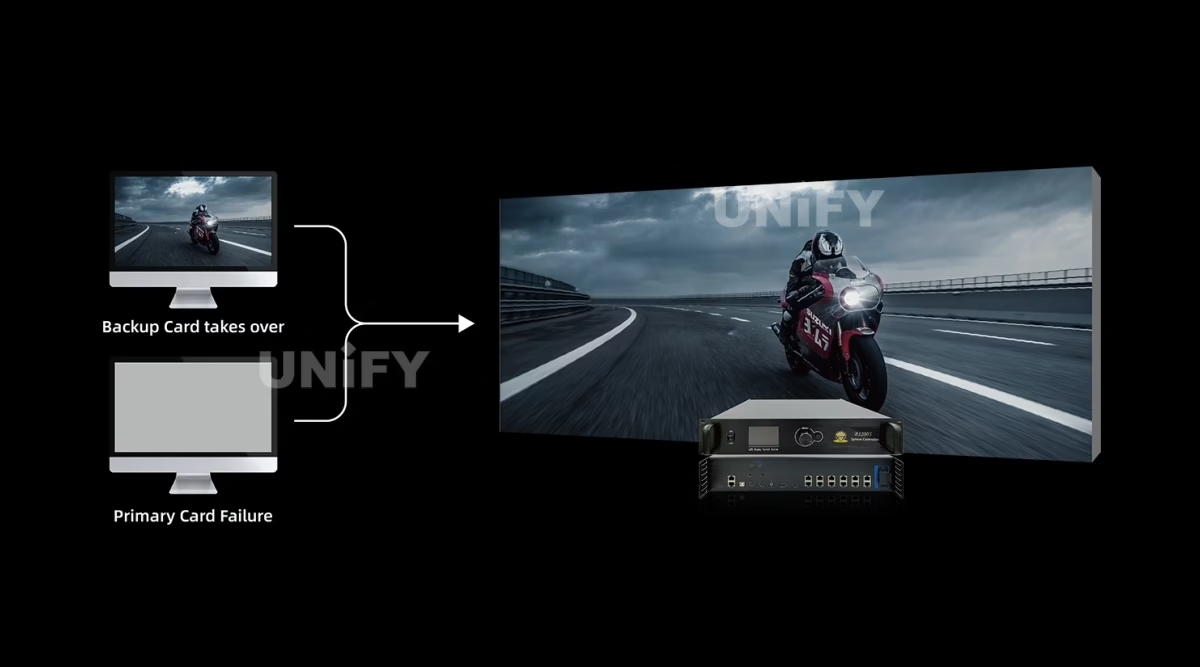
A second B1200S stands by as the backup master. Mooncell’s product page describes the mechanism plainly: on primary failure — a missing controller, a disconnected cable or an operational fault — the backup automatically takes over; otherwise the primary stays in charge. Budget two units for mission-critical spheres.
Configuration readback completes the story: the standby controller inherits the wall’s exact configuration, so a takeover or a field swap is a minutes-long job. For the system-level redundancy picture — backup sending hardware, cascade failover, spare discipline — see the LED display system redundancy & backup guide.
3D & Sync
What Do 3D, Genlock and 120 Hz Mean on the Mooncell B1200S Creative LED Controller?
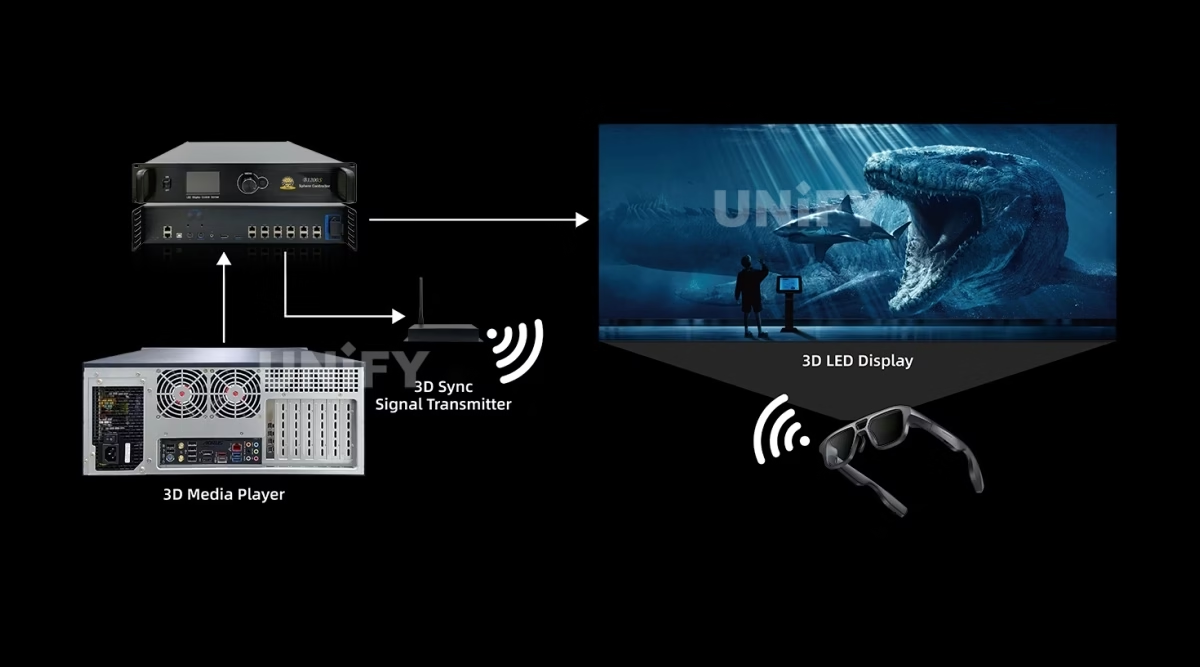
The B1200ES is the first rung of the BS ladder where 3D is available (the B200S and B600S do not carry it). Three pieces make the 3D story work:
Active 3D display with a 3D transmitter interface — the shutter signal reaches 3D glasses through the connected transmitter, and the 120 Hz frame-rate input feeds the alternating left/right pipeline.
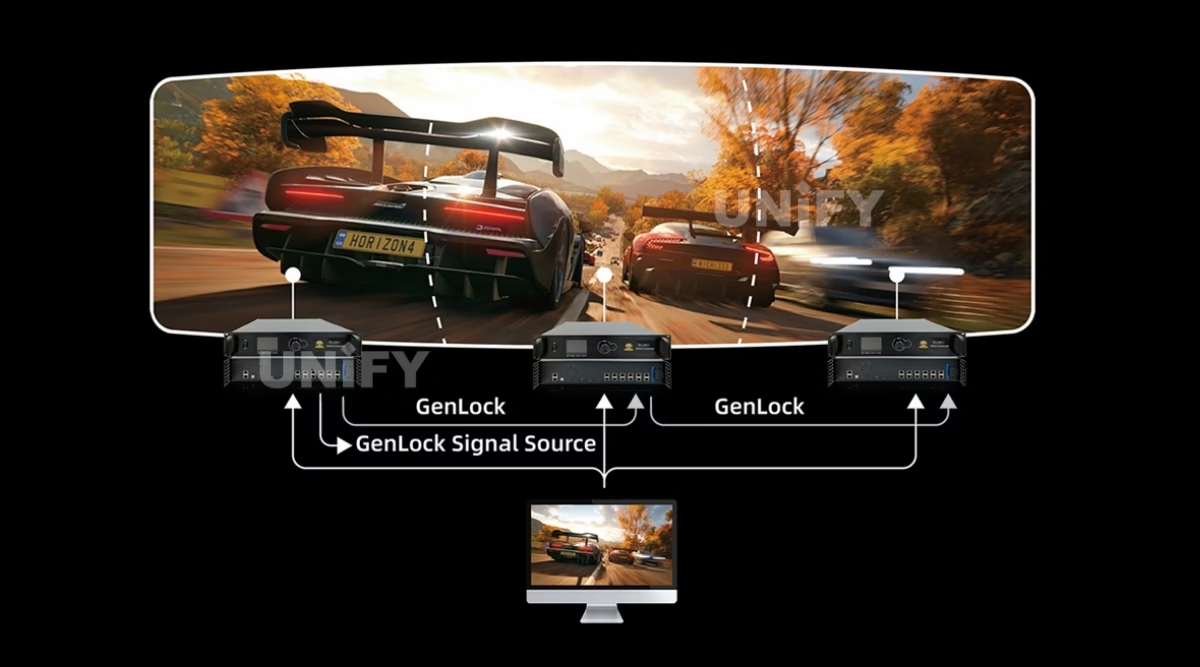
One Genlock input and one loop-through output provide phase-locked and forced synchronization — the same architecture documented on the MVB20E-G page. Multi-venue productions genlock every display to the same clock.
Beyond the standard 30/50/60 Hz rates, the B1200S accepts 120 Hz sources — the rate 3D content is mastered at, and a headroom win for high-refresh walls.
Specify the Genlock option at order time — the sheet marks it optional, and a retrofit on a production schedule is the wrong time to discover it.
Core Features
What Does the Mooncell B1200S Creative LED Controller Bring to a Project?
Six capabilities define the B1200S for creative projects — the mapping engine first, then the load, then the production features.
Every pixel addressed at any 2D/3D position with real-time geometric transformation — spheres, domes, rings and curved walls render content on the physical surface, not a rectangle.
12 Gigabit ports at 655,360 pixels each — 7,864,320 total — with 1280×512 per port and arbitrary tiling for any structure layout.
3.5 mm (plus HDMI/DP) audio transmitted synchronously over the Ethernet cable and decoded at the output — no separate audio run on creative installs.
Ethernet loopback and dual-master backup with automatic takeover — standard on the BS Series, not a customization.
Active 3D with transmitter interface, optional Genlock (1 in, 1 loop-through) and 120 Hz frame-rate input for the 3D pipeline.
Light-sensor auto brightness plus front-panel and offline adjustment — a sphere in a glass atrium stays legible across the day without an operator.
Software & Commissioning
How Do You Configure and Operate the Mooncell B1200S Creative LED Controller?
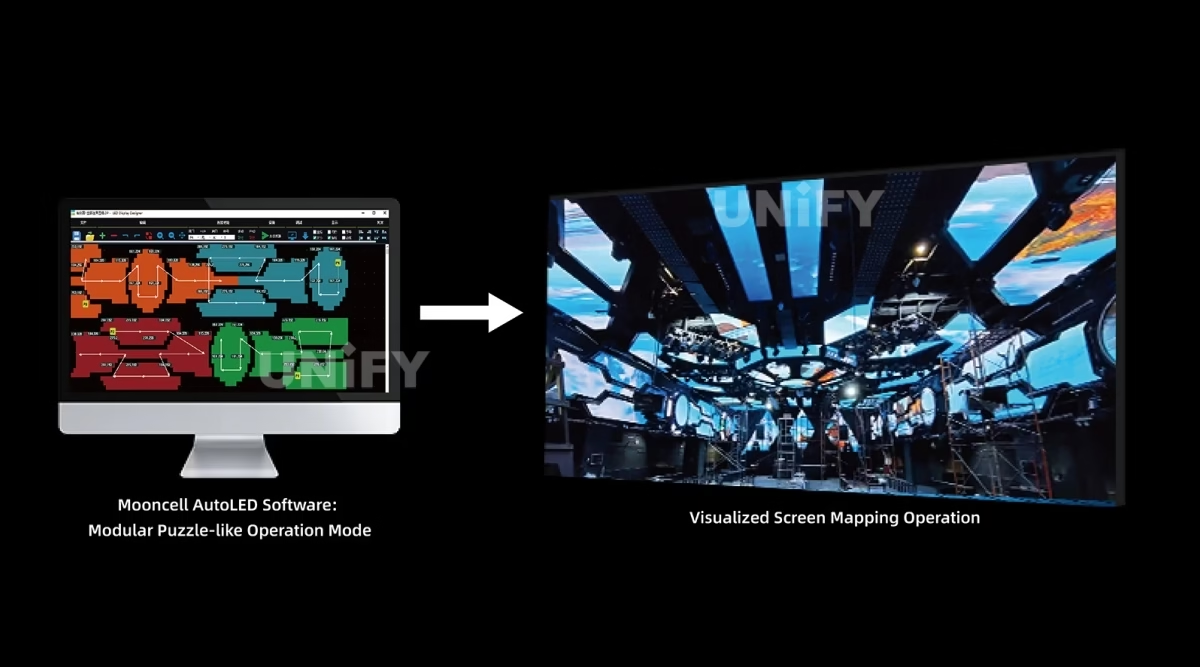
The B1200S runs the same AutoLED ecosystem as the rest of the Mooncell family, with two creative-specific workflows on top:
The sphere geometry and per-cabinet pixel positions live in the configuration file — AutoLED’s advanced layout handles the irregular arrangement, and the map is saved for readback and standby inheritance.
The USB connection lets a single PC control multiple sending controllers — a multi-venue or multi-wall install is commissioned from one seat.
Host software monitors sending-card operating parameters and status; configuration readback saves the wall’s exact setup; Gigabit error-rate detection flags a marginal cable before it becomes a dark section.
Official Mooncell tutorial — AutoLED screen debugging.
The full commissioning sequence — wiring, network mapping, module configuration, correction — is covered step by step in the LED display configuration and system debugging guide.
On-Site Operation
How Do You Operate the Mooncell B1200S Without a Laptop?
The front panel is a full operating surface — useful in a rack room where a laptop is not always convenient:
Shows the device status and menu parameters — load state, input status and configuration options at a glance.
Press to enter menus, rotate to select, press to confirm, long-press to release protected menus, ESC to return — the full control surface without a keyboard.
Direct brightness adjustment from the panel — the BS Series carries it on every rung, alongside the light-sensor path for automatic control.
Applications
Where Does the Mooncell B1200S Creative LED Controller Fit Best?
The B1200S’s home turf is any wall that is not a flat rectangle. Four project classes cover most of the demand:
Hanging spheres for retail landmarks, museums and public art — the shape the Sphere LED Controller is named for
360° immersive planetariums, experience centers and exhibition domes with spherical pixel mapping
Circular ring displays named in the official spec — wraps, toruses and ribbon loops around columns
Non-rectangular stage backdrops, curved brand walls and immersive rooms with multi-angle visibility
Official Mooncell case presentation — KTV venues.
For event and staging contexts around these shapes, the LED screen for events guide covers the deployment planning around the display itself.
System Matching
What Pairs with the Mooncell B1200S Creative LED Controller?
The creative capability lives in the controller — the modules themselves can be standard. That is the design decision that keeps sphere budgets sane:
Standard Mooncell receiving cards handle the cabinets: the A712 (12× HUB75E, 512×384) for standard modules, or the A10X (120-pin, 512×640 PWM) for compact frames.
HUB75E-standard modules arranged as trapezoids and wedges — the controller crops and maps them, so no custom module tooling is needed for most creative shapes.
4K sources over HDMI 2.0 or DP 1.2 at 30/50/60/120 Hz; the Mooncell C2 LED display control system covers scheduled content on the playback side.
The complete Mooncell control chain — processors, controllers, receiving cards, media players — maps on the LED video processor category page.
Pricing
How Much Does a Mooncell B1200S Cost?
Price transparency, stated plainly: the BS Series is project hardware with no stable public retail price — unlike the receiving-card tier (the A10X at ~$27 and A712 at ~$12.70), creative controllers are quoted per project. The variables that drive the quote:
Send us the wall geometry, module count and pitch — the quote includes the validated pixel map, pre-configuration and burn-in testing. The LED display warranty page explains what to hold the supplier to on a creative project, and we are the LED screen manufacturer behind unifyled.com.
FAQ
What Do Buyers Ask About the Mooncell B1200S Creative LED Controller?
What Assurance Comes With the Mooncell B1200S Creative LED Controller?
Every B1200S ships with Mooncell original packaging and compliance documentation.
Official Mooncell introduction — the company behind the BS Series.
Ready to Specify the Mooncell B1200S Creative LED Controller?
Project-based pricing, genuine Mooncell stock, pixel-map pre-configuration and 2-year warranty.
unifyledscreen@gmail.com | +86-191-18802497
Technical Deep-Dive
What Should Engineers Know Before Buying the Mooncell B1200S Creative LED Controller?
Published: September 2026 | 12 min read | UnifyLED Engineering Team
The Mooncell B1200S Creative LED Controller is the unit behind the LED spheres that hang in shopping malls and the domes that wrap planetarium audiences — the controller that thinks in shapes instead of rows and columns. This guide is written for engineers and project managers specifying creative LED displays in 2026, using the official Mooncell B1200ES Specification V4.1 as the data source, with the loading math, the F5 height rule and the naming confusion that project documentation gets wrong.
Short answer: The Mooncell B1200S Creative LED Controller (specification model B1200ES) is a 12-Gigabit-Ethernet-port irregular display controller loading up to 7.8 million pixels for sphere, ring, dome and curved-wall LED displays. It takes 4K input at 30/50/60/120 Hz, transmits audio over the network cable, supports active 3D with optional Genlock, loop and dual-master backup, light-sensor auto brightness, and maps every pixel to an arbitrary 2D/3D position. It is project hardware with no stable public retail price, quoted by pixel budget and geometry.
Chapter 1 — Definition and the Naming Trap
The Mooncell B1200S Creative LED Controller is a tailor-made irregular display controller in Mooncell’s BS Series: it accepts a 4K source, maps the video raster onto the physical pixel layout of a non-rectangular LED structure, and drives the wall through 12 Gigabit Ethernet ports. It is the sending side of the synchronous vs asynchronous LED control split for creative geometry — live video in, mapped rows and columns out to the receiving cards inside each cabinet.
The naming trap first, because it appears in every tender: Mooncell’s own pages use B1200S and B1200ES for the same unit. The BS-Series hub page is titled “B1200S Irregular LED Display Controller,” its comparison table lists “B1200ES,” and the official specification sheet is titled “B1200ES Sphere LED Controller.” Treat B1200S as the family name and B1200ES as the specification model; when a quote names one and the sheet names the other, they are the same hardware. The version history carries its own trap: the PDF header says V4.0, the update record says V4.1 (September 8, 2025, hardware ST1200 V2.0.0, revising loading-capacity parameters). This page follows the V4.1 record.
Chapter 2 — Loading: 7.8 Million, Verified
The loading math is clean: 12 ports × 655,360 pixels = 7,864,320 — the 7.8 million figure on the sheet, at 8-bit, with 1280×512 per port. The unit loads within a 640–7680 pixel width and 480–4096 height, and the sphere loading limit is 7680 × 4096. The hidden variable is the F5 switch: enabled by default, it limits input height to 4096; disabled, the ceiling rises to 8192 — which is exactly the 8192/8192 figure on the BS-Series hub table. Design on the V4.1 numbers: the hub table’s 8192 is the F5-disabled ceiling, and a structural drawing made on it will not match a default-configured unit.
Practical formats: a mid-size sphere canvas of 3840×2048 maps to about 7.86 million pixels — right at the load ceiling; a 2560×1024 ring runs 2.62 million; a 1920×1080 section, 2.07 million. Note the difference between bounding-rectangle math and physical LED count: sphere poles converge, so the mapped canvas overstates the loaded pixels. Send Mooncell the geometry, module count and pitch and let the validated map decide — the loading range table is a constraint set, not a recommendation. The rectangular 7.8M reference is the MVB12E in the 2-in-1 family.
Per-port math is the second constraint set. Each Gigabit port carries 1280×512 pixels at 8-bit, and the whole unit tiles vertically and horizontally in any configuration — the tiling freedom matters because a sphere’s cabinet rows do not follow a single rectangular canvas. The offset range on the sheet (width 0–7680, height 0–4095) describes how far a mapped region can shift relative to the canvas origin, which is the knob that keeps content centered on an asymmetric structure. Between the load ceiling, the per-port budget and the offset range, the sheet gives an integrator every number needed to pre-check a creative layout before the structure drawing is frozen.
Chapter 3 — Why a Sphere Needs a Creative Controller
A standard LED controller assumes a rectangular grid — every pixel at position (row, column). A sphere LED screen has no rows: pixels converge at the poles, the canvas wraps 360°, and the modules are trapezoids and wedges cut from standard HUB75E stock. Three capabilities in the B1200S answer that geometry. First, arbitrary pixel mapping: every LED pixel is addressed at any position in 2D or 3D space, and the geometric transformation engine handles rotation, scaling and spatial correction in real time, so content lands on the physical surface instead of an imagined rectangle. Second, irregular module cropping: standard modules are cropped at the controller level — free row, column and pixel extraction — so a sphere is built from standard modules without custom tooling. Third, wrap handling: the mapping interpolation keeps content continuous across the 360° seam and the pole convergence, so edge offsets and tearing do not appear where content wraps around the structure.
The consequence for integrators is structural: no more splitting one creative canvas across several rectangular controllers and hoping the seams line up. One B1200S holds the whole creative canvas, and the pixel map lives in the configuration file — which is why the sphere loading limit and the F5 rule matter more than port counts alone. Standard modules pair with standard receiving cards — the Mooncell A712 for HUB75E cabinets or the A10X for compact frames — and the creativity lives in the controller.
Chapter 4 — Keeping a Creative Wall Running
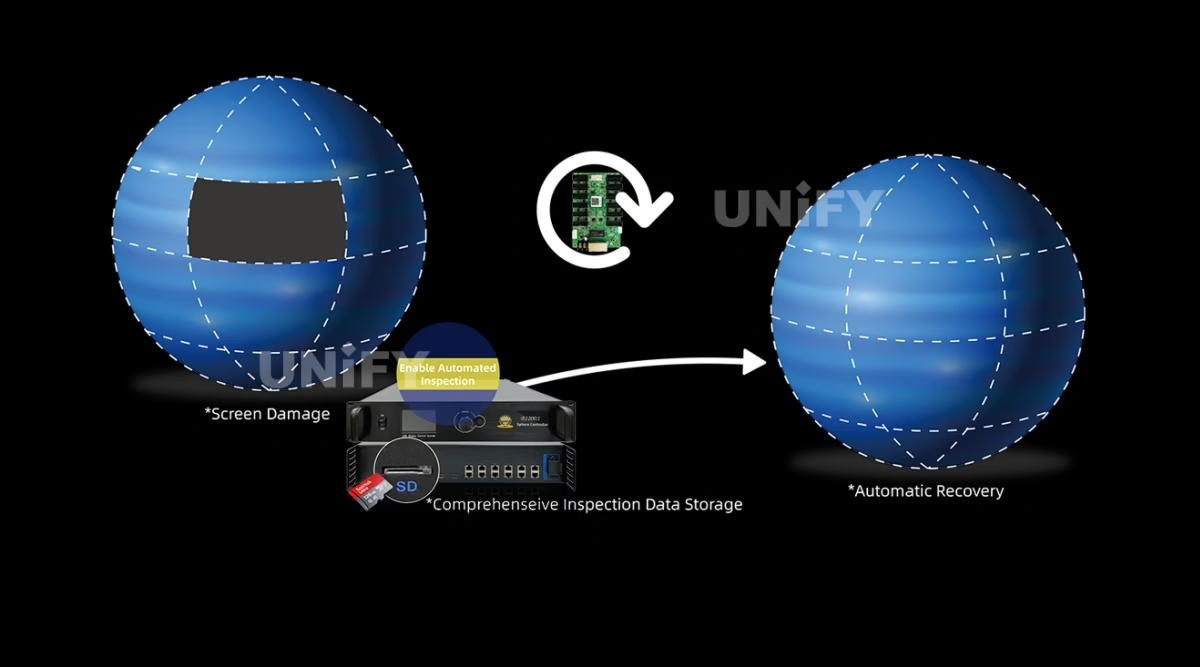
Creative installations are expensive to take offline, and the B1200S addresses that with two standard backup layers — a contrast worth noting against Mooncell’s receiving cards, where hot backup is a customization. Ethernet loopback backup runs main and standby network cables through the sending chain, so a failed series line keeps the screen alive. Dual-master backup stands a second B1200S by as the backup controller: Mooncell’s product page describes the mechanism plainly — on primary failure (a missing controller, a disconnected network cable or an operational malfunction), the backup automatically takes over; otherwise the primary stays in charge. Budget two units for mission-critical spheres, and rely on configuration readback so the standby inherits the wall’s exact map. The system-level redundancy picture is in the LED display system redundancy & backup guide.
Two production details complete the reliability story. Audio travels with the video: a 3.5 mm input — plus HDMI and DP audio per Mooncell’s product page — is transmitted synchronously over the Ethernet cable and decoded at the output, so a sphere or ring wall carries sound without a separate audio run to a distant amplifier. Brightness adapts without an operator: connect the light sensor and the system detects ambient brightness to control display brightness automatically — a sphere in a glass atrium dims at noon and holds contrast at night — with front-panel and offline adjustment as the manual paths.
Chapter 5 — The Five-Rung BS Ladder
Mooncell’s BS Series is a five-rung ladder of custom irregular controllers: B200S (1.3M, 2 ports, 1080p60, no 3D), B600S (2.6M, 6 ports, 1920×1200, no 3D), B800ES (5.2M, 8 ports, 4K, 3D), B1200ES (7.8M, 12 ports, 4K, 3D — this page) and B2000ES (10.40M scaled / 8.29M pixel-to-pixel, 20 ports with optional 4×10G fiber, 4K, 3D). All five share front-panel brightness adjustment, independent Gamma, multi-device splicing, audio transmission, loop backup, rotation and irregular-screen control; control connections step from USB to USB/LAN to USB/LAN/RS232 as the ladder climbs. The deciding variables are the pixel budget, the port count, and — above 5.2M — whether the project needs 3D. Note the B2000ES’s load is quoted two ways, scaled against pixel-to-pixel; a dome sized on the scaled figure and delivered on the pixel-to-pixel one is undersized by a full million pixels.
The procurement path for a creative controller is different from a catalog product, and it is worth walking it once. The project starts with the geometry: module pitch, cabinet size, structure shape and the LED count determine the rung of the BS ladder. The quote then covers the controller configuration — 3D, Genlock and dual-master options are specified at order time, not after delivery — plus the validated pixel map, pre-configuration in AutoLED and burn-in testing at the factory. The deliverable is a controller that arrives knowing the sphere: the map is loaded, the cabinets are mapped, and the on-site job is connection and verification rather than geometry discovery. That is the difference between buying a creative controller from a project supplier and buying a catalog box from a reseller — and it is why the pixel-map pre-configuration is listed as an assurance on this page rather than a footnote.
Chapter 6 — 3D, Genlock and Commissioning
The B1200ES is the first rung with 3D, and the pipeline has three parts: active 3D display with a 3D transmitter interface for shutter glasses; Genlock as an option with one input and one loop-through for phase-locked and forced synchronization — the same architecture documented on the MVB20E-G page; and 120 Hz frame-rate input beyond the standard 30/50/60 rates, which is the rate 3D content is mastered at. Specify Genlock at order time — the sheet marks it optional.
Commissioning runs in AutoLED with two creative-specific workflows. The geometry and per-cabinet pixel map live in the configuration file, built in the advanced layout editor and saved for readback and standby inheritance; the USB connection lets a single PC control multiple sending controllers, so a multi-wall venue commissions from one seat; host software monitors sending-card operating parameters and status, and Gigabit error-rate detection flags a marginal cable before it becomes a dark section. On site, the front panel is a full operating surface — LCD 320×240, rotary knob with long-press menu release, ESC — plus direct brightness control. The complete sequence is covered in the LED display configuration and system debugging guide.
Official Mooncell brand film.
Chapter 7 — What the B1200S Costs, Honestly
The BS Series has no stable public retail price — unlike the receiving-card tier, where the A10X trades at about $27 and the A712 at about $12.70 in distributor listings. Creative controllers are project hardware: the quote covers the controller, the validated pixel map, pre-configuration, burn-in testing, and often the structure engineering around the shape. The variables are the pixel budget, the port configuration, the 3D/Genlock/backup options, and the project scope — typical creative projects run 4–8 weeks from design to delivery. The honest comparison is total cost of ownership against a wrong-size controller: a sphere quoted on the hub table’s 8192 ceiling instead of the V4.1 7680×4096 limit is a re-spec after the structure is built. Send the geometry, module count and pitch; the quote comes back with the map validated.
Conclusion
The Mooncell B1200S Creative LED Controller is the 12-port brain behind sphere, ring and dome LED displays: 7.8 million pixels of verified load, arbitrary pixel mapping for any geometry, audio over the network cable, 3D with Genlock, dual-master backup and light-sensor brightness — in a 70 W, 2U-class chassis. It is the unit to specify when the wall stops being a rectangle, and the V4.1 sheet — not the hub table, not the file header — is the reference to pin to it.
Planning a creative LED project? Talk to us — we are the LED screen manufacturer behind unifyled.com, and creative controller projects ship pixel-map pre-configured with 2-year warranty and geometry support.
Related Pages
Explore the Mooncell Control Ecosystem
Mooncell A712 LED Receiving Card
Mooncell C2 LED display control system
Mooncell MVB4S Pro 2-in-1 LED Video Processor
Mooncell MVB12E 2-in-1 LED Video Processor
Mooncell MVB20E-G 2-in-1 LED Video Processor
Mooncell M40 2-in-1 LED Video Processor
9 pages · English · V4.1 record September 8, 2025 · hardware ST1200 V2.0.0 · file header V4.0