
Mooncell · Receiving Card · HUB75E Standard
Mooncell A712 LED Receiving Card
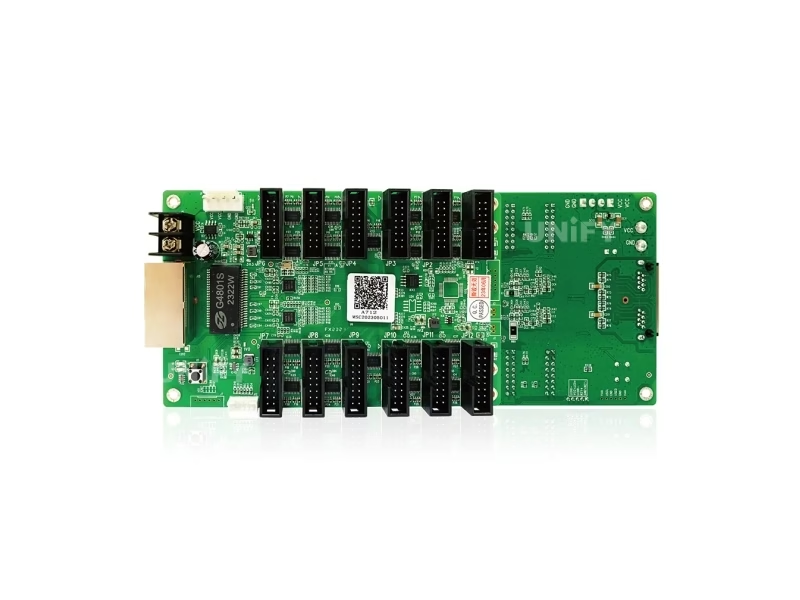
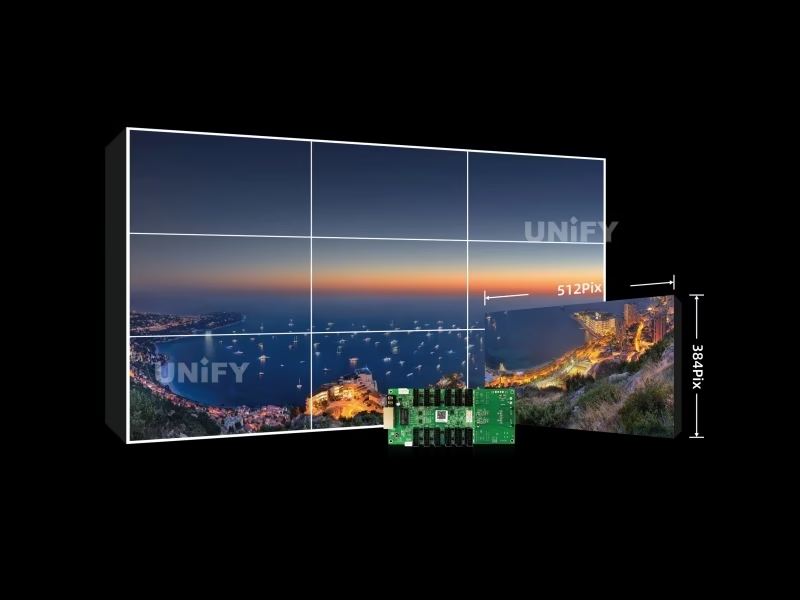
The Mooncell A712 LED Receiving Card is the HDR-ready standard card of Mooncell’s A7 family: 512×384 pixels conventionally (512×512 in PWM mode), 24 groups of RGB parallel data across 12 standard HUB75E interfaces, 18-bit grayscale and HDR10 + HLG support.
Product Overview
What Is the Mooncell A712 LED Receiving Card?
The Mooncell A712 LED Receiving Card is a standard receiving card developed independently by Mooncell: it decodes Gigabit Ethernet data from a sending controller and drives LED modules through 12 standard HUB75E interfaces with up to 24 groups of RGB parallel data. One A712 handles 512×384 pixels conventionally, or 512×512 at 60 Hz in PWM mode, with 18-bit grayscale, HDR10 and HLG video-source support, pixel-by-pixel correction and loop backup. Mooncell positions the A712 as a comprehensive upgrade for stability and reliability, and this page uses the official A712 Specification V4.0 as its data source.
Short answer: The Mooncell A712 is a standard LED receiving card (146.2×91.2 mm, 90.4 g, 3 W) with 12× HUB75E interfaces, 24 groups of RGB parallel data, a maximum load of 512×384 pixels (512×512 at 60 Hz in PWM mode), 18-bit grayscale, HDR10 + HLG support, the Seam Tool bright/dark-line adjuster, pixel-level calibration, loop backup, FPGA dual-program startup and optional voltage, temperature, power-status, power-on-count and run-time monitoring via customization. It costs around $12.70 in distributor listings, sits third in the A7 ladder (A708/A75E/A712/A716) and pairs with the compact Mooncell A10X LED Receiving Card for the 22-bit compact tier.
In the Mooncell control chain the A712 is the HUB75E-standard pixel stage: a Mooncell MVB12E 2-in-1 LED Video Processor, MVB20E-G or M40 feeds the Gigabit network, and each cabinet’s A712 turns that stream into row/column signals for its LED module — the same AutoLED workflow used across the family. The specification sheet: V4.0 first released June 2025 on hardware revision A712 V2.0.3.
Specifications
What Are the Mooncell A712 LED Receiving Card Specifications?
Data from the official Mooncell A712 Receiving Card Specification V4.0 (first release June 18, 2025; hardware A712 V2.0.3).
Display, HDR & Interface
Redundancy, Monitoring & Physical
Data Verification
Where Do Published Mooncell A712 Specs Disagree — and What Does V4.0 Say?
The A712 is documented inconsistently across the web. Four conflicts matter to a buying decision, and all four are resolved by the official V4.0 sheet:
Mooncell’s A708/A75E/A712/A716 hub page lists the A712 at 512×384 — the conventional-mode value. The official V4.0 sheet documents 512×512 @ 60 Hz in PWM mode as well. V4.0 is the current data source, as with the A10X page.
Marketing copy says rotation “at any angle.” The V4.0 sheet is precise: rotation in multiples of 90° (0/90/180/270) via AutoLED — the same correction documented on the A10X page.
Some reseller pages list 144.02 × 91.19 mm at ~100.8 g. The V4.0 sheet lists 146.2 × 91.2 mm at 90.4 g (102.6 g with the plastic holder). Check cabinet cutouts against the sheet, not listing copy.
Some pages promise failover “within milliseconds” and SD-backed calibration restore. The V4.0 sheet says the backup cable “ensures the normal display of the screen” — no timing claim — and the A712 has no SD card: configuration readback saves to the PC.
Standard on every A712 are the features the sheet does not mark “customized”: loop backup, FPGA dual-program startup, the test button and the full AutoLED maintenance set. The monitoring options — voltage, temperature, power status, power-on count, running time — are customization items to specify at order time.
Loading Capacity
How Many Pixels Can the Mooncell A712 LED Receiving Card Drive?
One A712 drives 196,608 pixels conventionally — 512 × 384 — or 262,144 pixels in PWM mode (512 × 512 @ 60 Hz). The correction table is where most listing copy stops: brightness correction holds 512×256 conventional and 512×512 PWM, while chromaticity correction drops the load to 256×320 (81,920 pixels) — plan calibrated walls on that figure. With up to 1,000 cards cascaded per network port, a single sending controller chain covers tens of millions of pixels.
The practical rule for integrators: one A712 per cabinet for nearly all HUB75E-standard box designs. A P2.5 wall runs about 1.28 m² per card. The V4.0 sheet supports a single card driving multiple modules of different sizes within its load, which covers mixed-module cabinets. For the sending side of the chain, the LED sending card configuration guide covers port math in the same units.
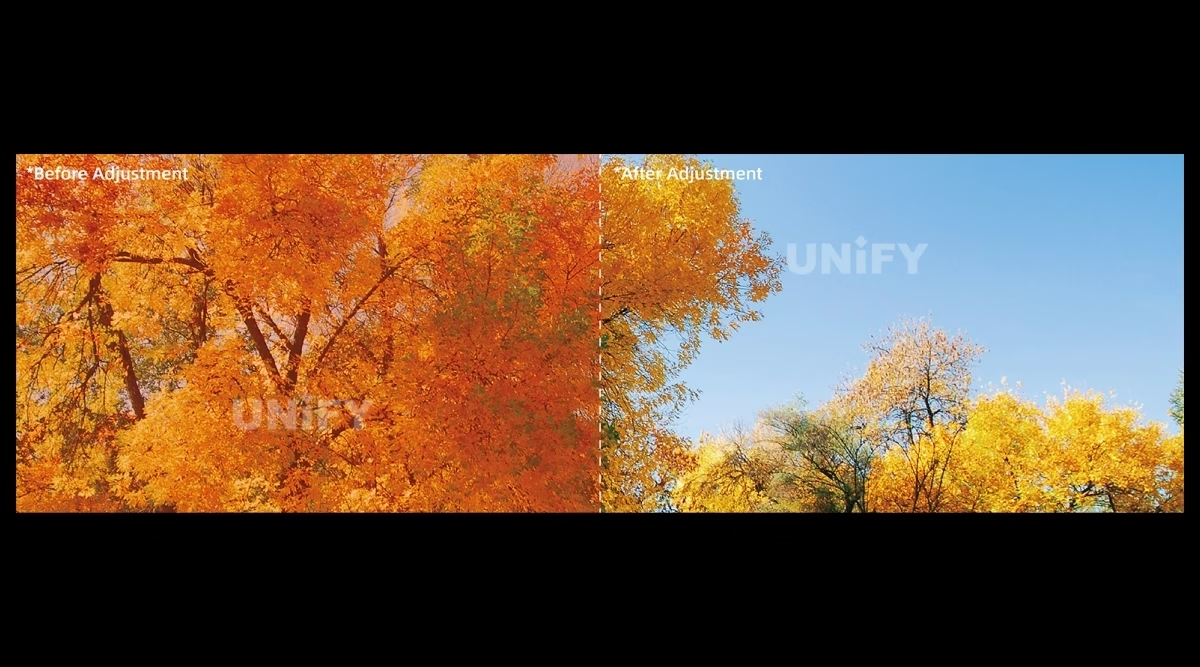
HDR & Seam Tool
What Do HDR10, HLG and the Seam Tool Bring to the Mooncell A712 LED Receiving Card?
Two capabilities separate the A712 from Mooncell’s compact receiving cards — and neither shows up in most listing copy:
The A712 accepts HDR10 and HLG video sources through a large-bandwidth independent master controller, expanding the brightness range and color space. For broadcast and cinema-adjacent walls that run HDR content, this is the receiving-card feature that matters most — and it is not available on the 22-bit compact A10X.
Bright and dark lines appear where modules and cabinets splice — the classic “seam” artifact of assembled walls. The Seam Tool adjusts them in software, with the effect taking hold immediately during the adjustment process. An installer tunes a wall while looking at it, instead of iterating settings blind.
Around these two, the image-quality stack is familiar: 18-bit grayscale (×4 levels when enabled in software), pixel-by-pixel brightness and chromaticity correction, RGB-independent Gamma for low-gray evenness and white-balance drift, 1-frame low delay for camera-facing content, 3D with a connected transceiver, and rotation in 90° multiples with pixel-level scaling for odd geometries.
Core Features
What Does the Mooncell A712 LED Receiving Card Bring to a Wall?
Six capabilities define the A712’s image quality and workflow — the HDR and grayscale math first, then the tools that keep the wall uniform and maintainable.
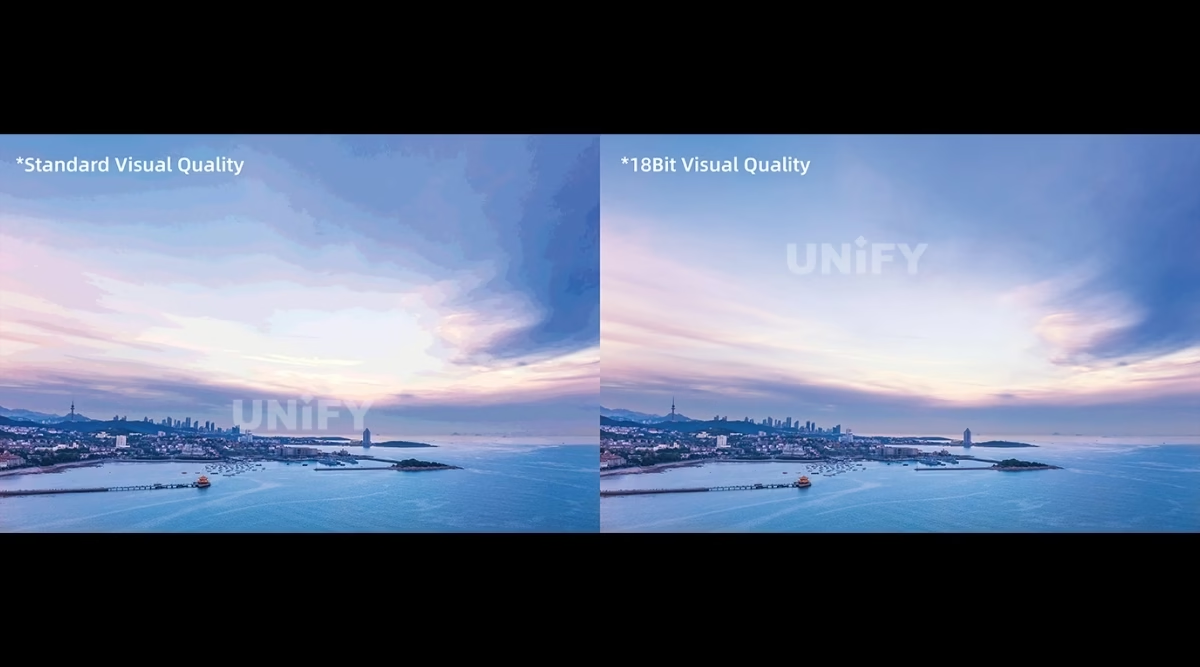
Enabling 18-bit in software multiplies grayscale by 4, recovering gray steps lost when brightness drops — clean low-gray transitions and reduced pitting in dark scenes.
Both HDR standards pass through a large-bandwidth independent master controller — wider brightness range and color space for broadcast and cinema-adjacent walls.
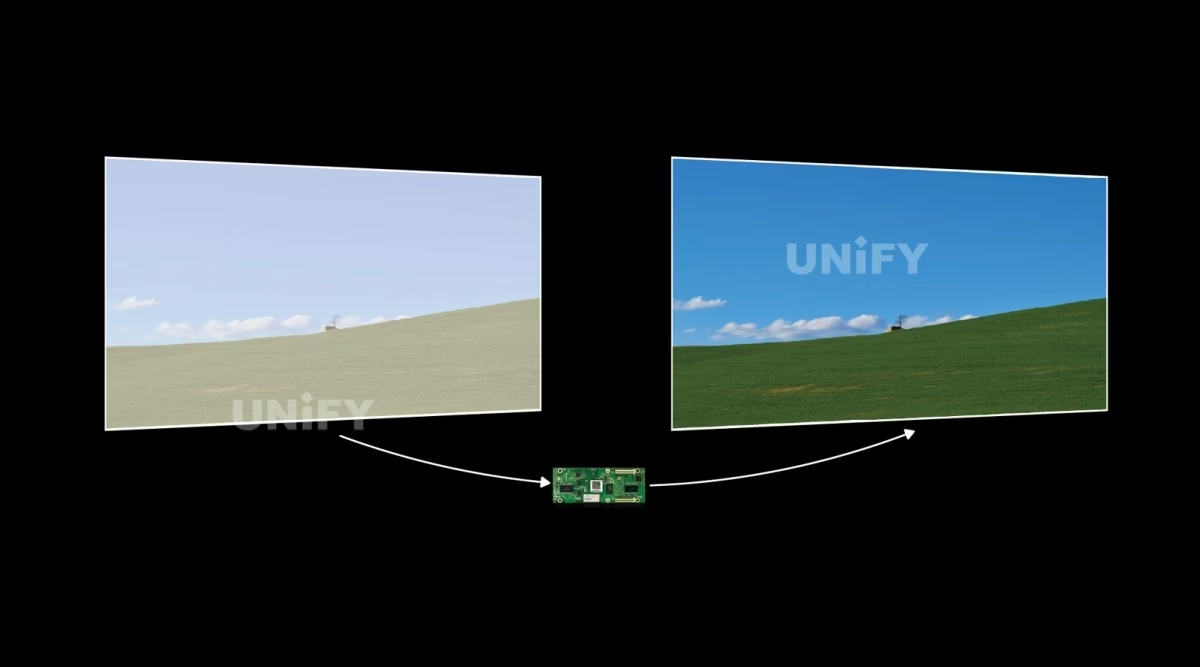
Per-pixel brightness and chromaticity correction plus RGB-independent Gamma — uniform color and brightness across assembled modules, corrected once and stored.
Signal output from the sending device stays under 1 ms and the receiving card keeps a 1-frame delay — synchronized motion for stage, sports and broadcast content.
Adjust the bright and dark lines of module and cabinet splicing in software, with immediate effect during adjustment — the seam artifact disappears on site.
AutoLED’s network-port debugging shows each card’s position and serial number on the target box, and configuration parameters read back for local saving — fast replacement, no re-commissioning from scratch.
Model Selection
Which Mooncell A712 Receiving Card Do You Need: A708, A75E, A712 or A716?
Mooncell’s HUB75E-standard receiving-card family is a four-rung ladder documented on its A708/A75E/A712/A716 hub. The A712 sits on the third rung — the step where the load climbs to 512×384 and the 24-group count starts to matter:
The deciding differences are load and data groups: 512×256-class walls work on the A708/A75E; 512×384 with HDR sources moves to the A712; module layouts that need 32 groups take the A716. All four share HUB75E interfaces, 8/10-bit input, 18-bit grayscale, loop backup and cabinet monitoring. For the compact 120-pin tier with 22-bit grayscale, see the Mooncell A10X LED Receiving Card — and for other brands’ lineups, the Colorlight receiving card selection guide.
Software & Commissioning
How Do You Configure and Maintain the Mooncell A712 LED Receiving Card with AutoLED?
Every A712 workflow runs in Mooncell’s AutoLED software — the same tool across sending cards, receiving cards and processors. The commissioning layer that matters for the A712:
Network-port debugging prints each card’s position and serial number on the target box — find a dead cabinet in a 200-card wall in seconds, without crawling the structure.
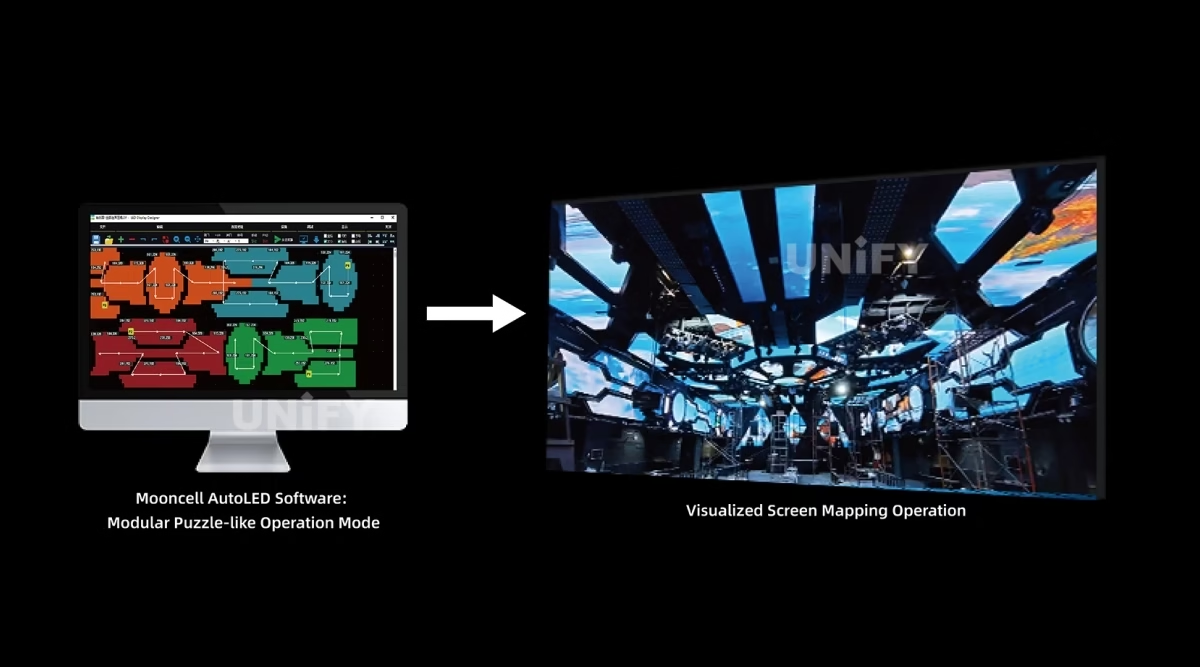
The advanced layout and complex-connection editors build arbitrary box arrangements fast — the answer for irregular and curved screens, including the special-shaped walls Mooncell showcases.
Bright/dark lines at module and cabinet splices adjust live, taking effect immediately during the adjustment process — no blind re-iteration.
Parameters read back from the card and save locally — a replacement card inherits the wall’s exact configuration, cutting re-commissioning to minutes.
Official Mooncell tutorial — irregular-screen debugging in AutoLED (13 min).
Firmware upgrades run online through AutoLED — pull cloud resources or import upgrade files, with the FPGA dual-program startup as the safety net if a power cut interrupts an update. The full commissioning sequence — wiring, network mapping, module configuration, correction — is covered step by step in the LED display configuration and system debugging guide.
On-Board Self-Check
How Do You Self-Test a Mooncell A712 LED Receiving Card Without a PC?
Three on-board features give the A712 a PC-free health check — a practical detail for rental crews and field installers:
Sets the test screen directly on the card — verify module wiring and scan behavior at the cabinet before the system is online.
The external indicator header (GND/KEY-, KEY+, LEDR-, VCC/LED+, LEDG-) lets a cabinet-level LED mirror card state — visible from outside the box, not just at the card edge.
Two DC 3.5–5.5 V inputs (Power 1 / Power 2), either one powers the card — wiring flexibility for redundant power rails in the cabinet.
Paired with the status LED four-state code in the next section, these three features cover the 90% of field diagnostics that never need a laptop.
Redundancy & Monitoring
How Does the Mooncell A712 LED Receiving Card Survive Field Failures?
Two layers run standard on every A712, and a five-option monitoring set is available as customization — the split that reseller copy blurs:
Main and standby network cables loop through the card chain; if one series line fails, the other keeps the screen alive — the classic gigabit loop protection for rental rigs.
If the FPGA main program fails to configure at power-on, the card enters a standby BOOT program and keeps communicating — the safety net that makes field firmware updates safe.
Voltage detection, temperature detection, power status detection, power-on count recording and running-time recording — all customization options that turn the A712 into a fleet telemetry node.
The rental reading of that five-pack: power-on counts and running-time records tell a fleet operator which cards have been through the most events, so rotation and preventative replacement happen on data instead of guesswork. For the system-level redundancy picture — backup sending cards, cascade failover, spare discipline — see the LED display system redundancy & backup guide.
Field Troubleshooting
How Do You Diagnose a Mooncell A712 LED Receiving Card by Its Status LED?
The A712’s status LED (U1) is a four-state diagnostic instrument — the official V4.0 sheet defines each pattern, and each maps to a distinct fix:
When the LED says the card is fine but the screen section is dark, the fault is almost always the signal chain or the module wiring, not the card — work through the LED display signal cable troubleshooting and basic debugging of LED displays guides before swapping hardware.
Applications
Where Does the Mooncell A712 LED Receiving Card Fit Best?
The A712 is a HUB75E-standard card: it fits any module that speaks standard HUB75E, and the HDR path plus monitoring options decide where it earns its place.
Standard HUB75E modules P1.25–P5; 18-bit grayscale and Seam Tool for close-range uniformity
Loop backup plus power-on and run-time records for fleet rotation decisions
HDR10 + HLG sources, 1-frame latency and camera-facing low-gray stability
Complex and special-shaped screens configured in AutoLED advanced layout
Official Mooncell showcase — special-shaped screen control.
Official Mooncell showcase — custom LED display.
Rental deployment details — cabinet locking, quick-connect wiring and spare-card logistics — are covered in the rental LED display screen and LED screen for events guides.
Same-Family Comparison
How Does the Mooncell A712 LED Receiving Card Compare with the Mooncell A10X?
Mooncell ships two receiving-card families that overlap in price-conscious projects: the A712 (HUB75E standard) and the A10X (compact 120-pin). The honest comparison is a design-goal difference, not a feature race:
Three numbered differences decide between them:
- Connector ecosystem. HUB75E-standard modules and cabinets map straight to the A712; 120-pin high-density module layouts take the A10X.
- Image pipeline. HDR10 + HLG and the Seam Tool make the A712 the choice for HDR sources and splice-heavy walls; the A10X answers with 22-bit grayscale and 12-bit input for low-gray-critical fine pitch.
- Physical budget. At 80×45 mm and 20.2 g the A10X fits narrow frames and light power budgets; the A712’s 146×91 mm board is the standard-cabinet size at roughly half the street price.
Pricing
How Much Does a Mooncell A712 LED Receiving Card Cost?
Price transparency, stated plainly: the A712 appears in third-party distributor listings at $12.70 per card (EagerLED stock listing, reviewed September 2026). The same channel prices Colorlight HUB75E cards from $11.40 (K5H) to $16.20 (i5A-907), with the 5A-75E at $13.90 — placing the A712 at the value end of the standard-card band, and about half the street price of the compact A10X. Factory-direct tiers for B2B buyers:
A receiving card is a consumable: the per-wall budget is card count × price, and the LED display warranty page explains what to hold the supplier to on spares and RMA. Ask for a factory-direct quote at your quantity — every LED screen manufacturer margin structure is different, and we publish ours.
FAQ
What Do Buyers Ask About the Mooncell A712 LED Receiving Card?
What Assurance Comes With the Mooncell A712 LED Receiving Card?
Every A712 ships with Mooncell original packaging and compliance documentation.
Ready to Specify the Mooncell A712 LED Receiving Card?
Factory-direct pricing, genuine Mooncell stock, AutoLED pre-configured batches and 2-year warranty.
unifyledscreen@gmail.com | +86-191-18802497
Technical Deep-Dive
What Should Engineers Know Before Buying the Mooncell A712 LED Receiving Card?
Published: September 2026 | 12 min read | UnifyLED Engineering Team
The Mooncell A712 LED Receiving Card is the HUB75E-standard card of Mooncell’s A7 family — the one that takes standard modules, standard cabinets and HDR sources without special cabling. This guide is written for engineers and procurement teams specifying the standard receiving-card tier in 2026, using the official Mooncell A712 Specification V4.0 as the data source, with the load math, the HDR story and the version-conflict fixes that listing copy gets wrong.
Short answer: The Mooncell A712 LED Receiving Card is a standard receiving card with 12× HUB75E interfaces, 24 groups of RGB parallel data, a 512×384 pixel load (512×512 @ 60 Hz in PWM mode), 18-bit grayscale, HDR10 + HLG support, the Seam Tool, pixel-level calibration, loop backup, FPGA dual-program startup and optional monitoring customization. It costs around $12.70 in distributor listings, sits third in the A7 ladder (A708/A75E/A712/A716) and pairs with the compact A10X for the 22-bit tier.
Chapter 1 — Definition: The HUB75E Standard Card
The Mooncell A712 LED Receiving Card is a synchronous receiving card developed independently by Mooncell: it decodes Gigabit Ethernet data from a sending controller, applies grayscale processing and calibration, and drives LED modules through 12 standard HUB75E interfaces with up to 24 groups of RGB parallel data. It is the pixel-level stage of the synchronous vs asynchronous LED control split — live video in, composed rows and columns out. One A712 per cabinet is the standard topology for HUB75E-module box designs.
The design goal is stated by Mooncell’s own words: a comprehensive upgrade for enhanced stability and reliability. The board is the standard-cabinet size — 146.2 × 91.2 mm at 90.4 g (102.6 g with the plastic holder) — and draws 3 W at 0.6 A from DC 3.5–5.5 V, with two power inputs so either rail can feed the card. The revision history matters to procurement: V4.0 first released June 18, 2025 on hardware A712 V2.0.3. Listing copy on some reseller sites still cites 144.02 × 91.19 mm at ~100.8 g — verify cabinet cutouts against the V4.0 sheet, not third-party dimensions.
Chapter 2 — Loading: 512×384, Verified
One A712 drives 196,608 pixels conventionally — 512 × 384 — or 262,144 pixels in PWM mode at 60 Hz (512 × 512). The correction table is the part most listing copy omits: brightness correction holds 512×256 conventional and 512×512 PWM, while chromaticity correction drops the load to 256×320 (81,920 pixels). A wall that ships factory-calibrated should be planned on the corrected figure; the uncalibrated headroom is a staging bonus, not a design number.
Cascade and scan are generous: up to 1,000 cards per network port and 1–128 scan lines, which the V4.0 sheet confirms against the 1–64 figure in one third-party summary. Practical formats: a 1920×1080 wall takes 8 cards in PWM mode (11 conventional); a 3840×2160 wall takes 32 (43 conventional); nearly every single cabinet — P2.5 indoor or P5 outdoor — takes exactly 1 card, or about 1.28 m² per card at P2.5. Because a single card can drive multiple modules of different sizes within its load, mixed-module cabinets are a normal configuration. The sending-side port math lives in the LED sending card configuration guide in the same units.
Chapter 3 — HDR10, HLG and the Seam Tool
HDR on a receiving card is not a marketing checkbox; it is an input-pipeline statement. The A712 accepts both HDR10 and HLG video-source standards through a large-bandwidth independent master controller, which is what delivers the wider brightness range and color space of HDR content. Broadcast and cinema-adjacent walls that run HDR masters get the tone-mapped result on the LED panel instead of a compressed SDR approximation. Within Mooncell’s receiving-card lineup this is a differentiator — the compact A10X does not carry it.
The Seam Tool answers the oldest complaint in assembled LED walls: bright and dark lines at module and cabinet splices. It adjusts those lines in software and the effect takes hold immediately during the adjustment process, so an installer tunes the wall while looking at it. Around these two, the image-quality stack is familiar: 18-bit grayscale (×4 levels when enabled in software), pixel-by-pixel brightness and chromaticity correction, RGB-independent Gamma for low-gray evenness and white-balance drift, 1-frame low delay for camera-facing content, 3D with a connected transceiver, and rotation in 90° multiples with pixel-level scaling for odd geometries — the marketing “any angle” wording should be read as these quarter-turn steps, the same correction documented on the A10X page.
Chapter 4 — Redundancy and the Monitoring Five-Pack
Two protection layers run standard: loop backup, where main and standby network cables run through the card chain and either keeps the screen alive if one series line fails; and FPGA dual-program startup, where a failed main-program configuration boots a standby BOOT program instead of a dead card — the safety net that makes online firmware upgrades safe on site. The five-option monitoring set is customization: voltage detection, temperature detection, power status detection, power-on count recording and running-time recording. The rental reading of that five-pack is fleet management: power-on counts and run-time records tell an operator which cards have been through the most events, so rotation and preventative replacement happen on data instead of guesswork. The system-level redundancy picture — backup sending cards, cascade failover, spare discipline — is in the LED display system redundancy & backup guide. Two claims in reseller copy need pinning to the sheet: failover is not promised “within milliseconds” (the sheet says the backup cable ensures normal display), and the A712 has no SD card — configuration readback saves to the PC.
Chapter 5 — The A7 Ladder and the A10X Choice
Mooncell’s HUB75E-standard cards form a four-rung ladder: A708 (512×256, 16 groups), A75E (512×256, 24 groups), A712 (512×384, 24 groups, HDR10+HLG, Seam Tool) and A716 (512×384, 32 groups). All four share HUB75E interfaces, 8/10-bit input, 18-bit grayscale, loop backup and cabinet monitoring; the deciding variables are load and data groups. Across the family boundary, the Mooncell A10X LED Receiving Card answers the compact 120-pin tier: 32 RGB groups, 512×640 PWM load and 22-bit grayscale with 12-bit input at about twice the A712’s street price. Connector ecosystem decides: HUB75E-standard modules map straight to the A712; 120-pin high-density modules take the A10X. When a tender mentions HDR, the answer is A712 before anything else.
The practical buying frame for 2026: HDR content is no longer a broadcast-only input. Rental rigs show HDR masters at corporate events, museums run HLG loops on fine-pitch walls, and every one of those projects lands on a receiving card that either carries the HDR pipeline or compresses it at the input. The A712 is the Mooncell card that carries it at the standard-cabinet price point, and the Seam Tool covers the splice lines that fine pitch makes visible at close range. When the tender is silent on HDR, the price difference between the A712 and the entry A708/A75E tier is small enough that specifying the HDR-ready card removes a future re-spec — a wall swapped from 18-bit SDR to HDR later is a card-swap project, not a module project. Standardize the A712 per cabinet, keep two spares per fleet, and one card type covers service and replacement across the whole wall — and the AutoLED configuration readback makes that swap a minutes-long job on site.
Chapter 6 — Commissioning and Maintenance in AutoLED
The A712 is configured in AutoLED, Mooncell’s single software across sending cards, receiving cards and processors. The five-step workflow: install AutoLED and connect over LAN or USB; run network-port debugging to detect the card’s position, serial number and connection line on the target box; create the cabinet configuration — resolution, scan mode, HUB75E data interface — in the advanced layout editor, which also handles complex box arrangements and irregular screen structures; apply RGB-independent Gamma, pixel-level calibration and 18-bit enabling; then read the configuration back and save it locally. Readback is the maintenance superpower: a replacement card inherits the exact configuration, so a field swap is minutes instead of a re-commission. Communication monitoring and cable-quality error detection run continuously, flagging a marginal network cable before it becomes an intermittent black section. Firmware upgrades run online — pull cloud resources or import upgrade files — and the full sequence is covered step by step in the LED display configuration and system debugging guide.
Official Mooncell case presentation — 28-meter transparent LED sphere.
On-site, the A712 self-checks without a PC: the test button sets a test screen at the cabinet, the external indicator interface (J12) mirrors card state to a cabinet-level LED, and the status LED reads the diagnosis — uniform slow flash is the healthy idle, uniform flash means live DVI input, constant off means no Gigabit signal (check the cable, port and sending output), and three interval flashes mean the loop topology is live.
Chapter 7 — What the A712 Costs, and What It Costs Per Wall
The A712 trades at $12.70 per card in third-party distributor listings (EagerLED, stock listing reviewed September 2026). The same channel gives a usable price ladder for HUB75E cards: Colorlight K5H at $11.40, 5A-75E at $13.90, i5A-907 at $16.20 — the A712 sits at the value end of the standard band, about half the street price of the compact A10X at ~$27. A per-wall budget is the honest math: an 8-card Full HD wall at $12.70 runs to about $102 in receiving hardware; a 32-card 4K wall to about $406 — before sending hardware and processors, and far below the cost of one failed event on a dark section. Batch discipline matters as much as price: cards ship 100 per box at 12.6 kg gross, replacement cards should come from the same firmware batch where possible, and two spares (about 8% of a 26-card fleet) cover the realistic field failure rate for years. Factory-direct tiers shift the price with volume and pre-configuration; ask for a quote at your card count — the Colorlight receiving card selection guide shows the same arithmetic on the other brand.
One more field detail rounds out the story: the A712’s dual power inputs (Power 1 / Power 2, DC 3.5–5.5 V, either one feeds the card) pair with the power-status detection customization to build a redundant power rail cheaply — two supplies, one card, monitored state. And because the card reports its serial number through AutoLED network-port debugging, a large wall’s card map is printed on the cabinets themselves during commissioning; that same map is what makes a replacement card swap a minutes-long job. Plan the wall on the corrected 256×320 chromaticity load, keep two spares per fleet, and the A712 will outlive the events it runs.
Conclusion
The Mooncell A712 LED Receiving Card is the standard card that brings HDR to the receiving tier: 512×384 (512×512 PWM) loading on 12 HUB75E interfaces, 18-bit grayscale, HDR10 + HLG, the Seam Tool for splice lines, loop backup and a monitoring five-pack for rental fleets — at about $12.70 per card. It fits the standard cabinet, it fits the HUB75E module, and it fits the AutoLED workflow the rest of the Mooncell family already uses. When the tender says HDR, HUB75E or value, the A712 is the card to specify — and the V4.0 sheet is the reference to pin to it.
Buying in bulk? Talk to us — we are the LED screen manufacturer behind unifyled.com, and receiving cards ship from stock with 2-year warranty and engineering support on the AutoLED configuration.
Related Pages
Explore the Mooncell Control Ecosystem
Mooncell C2 LED display control system
Mooncell MVB4S Pro 2-in-1 LED Video Processor
Mooncell MVB12E 2-in-1 LED Video Processor
Mooncell MVB20E-G 2-in-1 LED Video Processor
Mooncell M40 2-in-1 LED Video Processor
Colorlight receiving card selection guide
13 pages · English · first release June 18, 2025 · hardware A712 V2.0.3