
Colorlight X Series Controllers: X2 vs X4 vs X8m vs X16 vs Z6 PRO-G2
The Colorlight X series selection guide is a five-tier ladder, and each tier exists because the wall size demands it: 1.3M, 2.3M, 5.24M, 8.88M and 13.1M pixels, in that order, from the 2-port X2 up to the Z6 PRO-G2 super controller. Choosing is a pixel-count exercise first and a feature exercise second — but every tier also carries a set of widely circulated spec errors that can change the processor count on site. This guide walks the five tiers with the official figures from Colorlight’s own documentation, the correction points per tier, and the decision rule that ties them together. As an LED screen manufacturer, Unify LED stocks the full ladder and verifies every unit against the official manual revision before shipping.
Short answer: Count the wall’s pixels and read the ladder: up to 1.3M → X2; up to 2.3M (including every 1080p wall) → X4; up to 5.24M with multi-window and Genlock → X8m; up to 8.88M with 4K60 and Genlock loop → X16; up to 13.1M with fiber, HDR and cinematic color → Z6 PRO-G2. Three correction points repeat across tiers: input resolution is not loading capacity, spec sheets circulating online carry wrong port and pixel figures, and the X series below the Z6 PRO-G2 does not support HDR at all.
How Do the Five Colorlight X Series Controllers Compare at a Glance?
| Model | Loading | Ethernet | Max input | Processing | HDCP / HDR |
|---|---|---|---|---|---|
| X2 | 1.3M | 2× GbE | 1920×1200@60Hz | Transport + switching only | HDCP 1.4 / no HDR |
| X4 | 2.3M | 4× GbE | 1920×1200@60Hz | Transport + arbitrary splicing | HDCP 1.4 / no HDR |
| X8m | 5.24M @60Hz | 8× GbE | 2× 4K60 (DP1.2 + HDMI2.0) | 6 windows + Genlock + 128 presets | HDCP 1.4 / no HDR |
| X16 | 8.88M | 16× GbE | 4K60 HDMI 2.0 + 4× DVI + 2× 3G-SDI | 7-window PiP + Genlock IN/LOOP | HDCP 2.2 / no HDR |
| Z6 PRO-G2 | 13.1M | 4× 10G fiber | 4× 4K card slots (HDMI2.0 / DP1.2 / 12G-SDI) | 4 windows + Frame Multiplexing + 3D-LUT | HDR10 + HLG |
Five differences decide most purchases:
- Capacity. Each tier loads roughly twice the pixels of the one below — 1.3M, 2.3M, 5.24M, 8.88M, 13.1M — and the wall’s pixel count picks the row.
- Feature breakpoint. Windows, presets and Genlock begin at the X8m. The X2 and X4 transport pixels; the X8m and above compose them.
- HDR. Every X series model below the Z6 PRO-G2 lists HDR as unsupported in its official documentation. HDR10 and HLG arrive at the Z6 PRO-G2 — the first Colorlight tier that satisfies an HDR brief.
- Input resolution vs loading capacity. These are different numbers on every tier — the X8m accepts 4K60 input but loads 5.24M pixels, not the 8.85M of a 4K frame.
- Spec verification. Each tier carries its own set of circulating listing errors — the correction points below are part of the selection work, not an afterthought.
What Is the Rule Behind the Colorlight X Series Selection Guide?
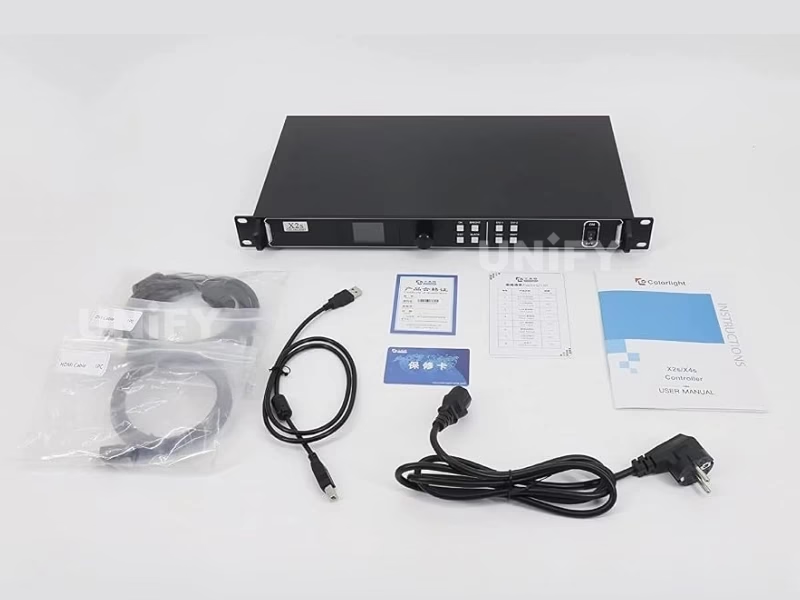
The ladder is built so that no tier overlaps wastefully: the X2 covers walls to 1.3M pixels, the X4 doubles that to 2.3M, and the jump to the X8m adds processing on top of capacity. The selection rule in one line: compute the wall’s total pixels, pick the smallest tier that fits, then check the feature breakpoints — 1080p walls belong to the X4 (2.07M pixels does not fit the X2), camera-facing walls belong to the X8m or above for Genlock, and HDR belongs to the Z6 PRO-G2 alone. Buying a tier above the requirement wastes budget; buying below forces a second unit at site. Colorlight’s own overview of the X series processing platform:
Why Choose the X2 for 1.3 Million Pixels?
The Colorlight X2 is the entry of the professional ladder: five video inputs (SDI 1080P, HDMI, DVI, VGA, CVBS), 2 Gigabit Ethernet outputs, a 1.3M-pixel capacity and a 2560-pixel width/height ceiling. The correction points that matter on this tier: marketplace listings frequently claim “4 RJ45 ports” — the real count is two, the four-port figure belongs to the X4 class; listings also circulate a 4096-pixel width limit that is actually the X4’s; and a 0.65M figure sometimes appears, which is the X1’s capacity. The consequence of each error is the same shape — a wall planned against the wrong number needs a second unit nobody budgeted. Also know the 1080p fact up front: a 1920×1080 wall is 2.07M pixels, which does not fit one X2 — that job belongs to the X4.
Why Choose the X4 for 2.3 Million Pixels?
The Colorlight X4 is the most contested slot in the series, because it is the smallest unit that drives a complete 1080p wall alone: 2.3M pixels across four Gigabit outputs with arbitrary splicing and a 4096×2560 canvas. The correction points: the loading capacity is 2.3M, not the 2.6M that circulates (2.6M is the newer X4m’s figure — a 13% over-plan); the canvas is 4096 wide, not the 2560×2560 copied from X2-class listings; and the weight is 2 kg, not the 7–8.5 kg shipping-weight entries in store databases. The decision in the field: if the wall is 1080p, ultra-wide beyond 2560 pixels, or simply bigger than 1.3M, the X4 is the correct tier — and every figure should be verified against Colorlight’s Specification V1.2.
Why Choose the X8m for 5.24 Million Pixels?
The Colorlight X8m is where the series stops transporting pixels and starts composing them: dual 4K60 inputs (DP1.2 + HDMI2.0), four 2K HDMI inputs, eight Gigabit outputs, up to six windows, three Genlock modes and 128 preset scenes. Three correction points define this tier. First, “Ultra-4K” describes the input side — the X8m accepts 4096×2160@60Hz but maps it onto a 5.24M-pixel canvas, not an 8.85M one, and listings that equate 4K with 8.85M of output over-plan by 69%. Second, the refresh-rate triangle: 5.24M holds at 60Hz, drops to 2.62M at 120Hz and 1.31M at 240Hz — a 120Hz broadcast wall is a 2.62M-pixel project. Third, the negative spec: HDR, interlaced signals and 10/12-bit depth are not supported per the official Specification V1.0, and an HDR plan discovered at commissioning is a processor replacement.
Why Choose the X16 for 8.88 Million Pixels?
The Colorlight X16 is the flagship sending controller: HDMI 2.0 at 4K60, four DVI and two 3G-SDI inputs, 16 Gigabit outputs carrying 8.88M pixels, seven-window PiP with flicker-free switching, HDCP 2.2, and Genlock input with loop output. The correction points on this tier are the series’ sloppiest. First, there is no DisplayPort input — the official manual lists HDMI 2.0, 4× DVI and 2× SDI, and the DP claim on some distributor pages describes other models. Second, the capacity is 8.88M, not the 10.4M that circulates — a 17% over-plan. Third, the 8192-pixel limit applies to width or height individually, never both at once. Two variant letters also matter at procurement: the X16B swaps the inputs for 8× DVI, and the X16C for 2× HDMI 2.0 — the output stage is identical, so the source list picks the variant.
Why Choose the Z6 PRO-G2 for 13.1 Million Pixels?
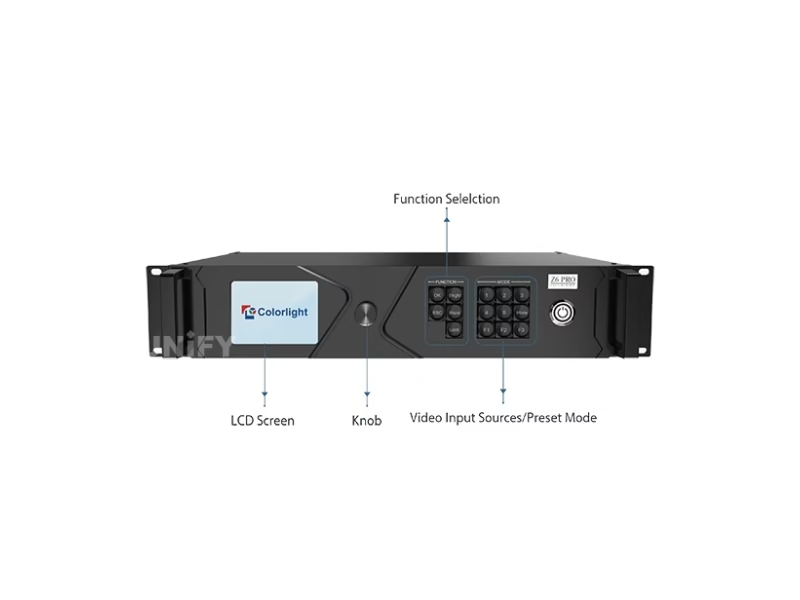
The Colorlight Z6 PRO-G2 is the tier where the line crosses from controller into production tool: four 4K input-card slots (HDMI 2.0, DP 1.2 or 12G-SDI), four 10G fiber outputs with two automatic backups reaching 2 km, a 13.1M-pixel capacity, HDR10 + HLG, a 3D-LUT color pipeline, Frame Multiplexing for multi-camera XR volumes, and Genlock with loop. The correction points are generation-based. The official Specification V1.4 itself contains two capacity figures — 8.80M in the overview text and 13.10M in the fiber hardware section; for procurement the hardware-section figure is the planning ceiling. The bigger trap is the name: the original Z6 Pro (8.85M, 16 layers) still circulates under the same search terms, and a “Z6 Pro” quote without a generation check may describe the older platform. The card mix defines the price — a quote without the input-card configuration is a guess.
How Do You Calculate Which Tier Your Screen Needs?
The pixel math is the same on every tier: cabinet resolution × cabinet count, then compare against the ladder. A P3.91 500×500 mm cabinet is 128×128 pixels, so a 4 m × 3 m wall (48 cabinets) totals 786,432 pixels — inside one X2. A P2.6 cabinet is 192×192, so a 5 m × 3 m wall (60 cabinets) totals 2,211,840 pixels — past the X2, inside one X4. A P1.9 wall at 7 m × 4 m lands around 7.3M pixels — past the X8m’s 5.24M, inside one X16. A P1.9 wall at 9 m × 5 m totals about 11.8M — past the X16’s 8.88M, inside one Z6 PRO-G2. Two rules complete the math: input resolution never increases loading capacity, and refresh rate above 60Hz spends bandwidth that would otherwise carry pixels on the X8m.
The port plan is the second half of the calculation. Each tier splits its canvas across its Ethernet ports — two regions on the X2, four on the X4, eight on the X8m, sixteen on the X16 — and a wall’s cable runs should map onto those regions before the cabinets are hung. On the receiving-card side of the same chain, the logic mirrors our receiving card selection guide — Colorlight’s I5a and I9 cards follow the same capacity discipline, and the controller tier plus the card count together define the bill of materials.
What Do Buyers Frequently Ask About the Colorlight X Series?
Which X series controller drives a 1080p wall? The X4. A 1920×1080 wall is 2,073,600 pixels — inside the X4’s 2.3M, past the X2’s 1.3M.
Does the X8m output 4K? It accepts 4K60 input and maps it onto a 5.24M-pixel canvas. A 4K frame is 8.85M pixels — the X8m scales the source to the wall, it does not reproduce 4K pixel-for-pixel.
Does the X16 have a DisplayPort input? No. The official manual lists HDMI 2.0, 4× DVI and 2× SDI. Listings claiming DP describe other X series models.
Which tier supports HDR? Only the Z6 PRO-G2 — HDR10 and HLG with wide gamut. Every X series model below it lists HDR as unsupported in its official documentation.
What is the difference between the Z6 Pro and the Z6 PRO-G2? The G2 is the current generation: 13.1M pixels versus 8.85M, 12G-SDI input cards, HDR10 + HLG, 3D-LUT color tools and Frame Multiplexing. Both circulate under the “Z6 Pro” name — verify the specification version (V1.4 identifies the G2).
How does refresh rate affect the X8m’s capacity? 5.24M pixels at 60Hz becomes 2.62M at 120Hz and 1.31M at 240Hz. Fix the refresh rate the cameras require, then count pixels.
Do the X series controllers work with NovaStar receiving cards? No. Colorlight controllers drive Colorlight receiving cards; mixing chains is unsupported by both vendors — the controller decision is a chain decision.
Colorlight X Series Controllers: Which One Should You Choose? Final Verdict
The Colorlight X series selection guide resolves to one computation and three checks. Compute the wall’s pixels and read the ladder — 1.3M, 2.3M, 5.24M, 8.88M, 13.1M. Check the feature breakpoints: Genlock and multi-window start at the X8m, HDR exists only on the Z6 PRO-G2. Check the spec sheet against the official documentation, because each tier carries its own circulating errors — the 2.6M on the X4, the Ultra-4K misreading on the X8m, the phantom DP input on the X16, the generation confusion on the Z6 Pro. And check the ecosystem: the controller follows the receiving cards, and the decision compounds every year the wall operates.
For a controller and receiving-card pairing matched to your wall’s pixel count, send the dimensions and source list through the Unify LED contact page — we will return the tier, the port plan and the verified specification revision for the project.