
Colorlight i6 LED Receiving Card
The Colorlight i6 LED Receiving Card is the I series 32-group workhorse: a 256×256-pixel load with 32 freely exchangeable RGB data groups on a DDR2 SODIMM connector, plus low latency, 3D display support, auto-calibration, seam compensation and Colorlight’s proprietary redundant firmware — all documented in the fully extractable official Specification V1.2.
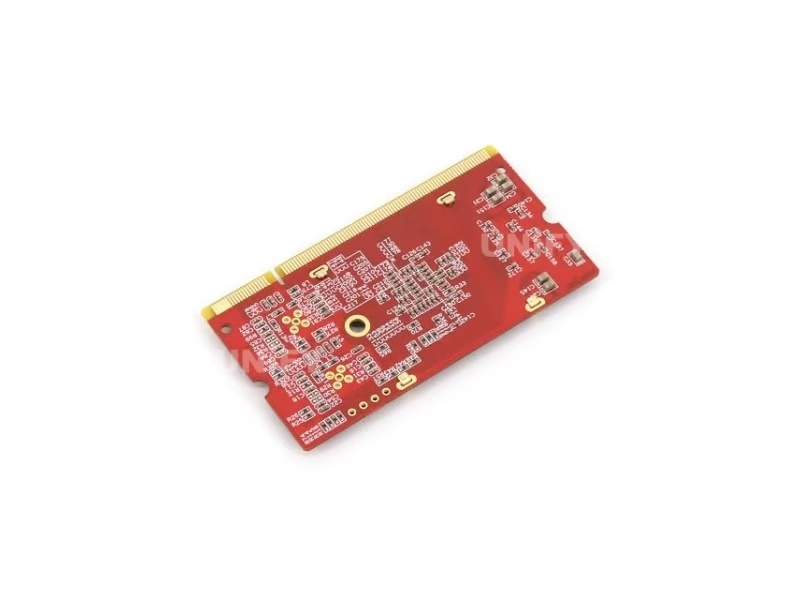
What Is the Colorlight i6 LED Receiving Card?
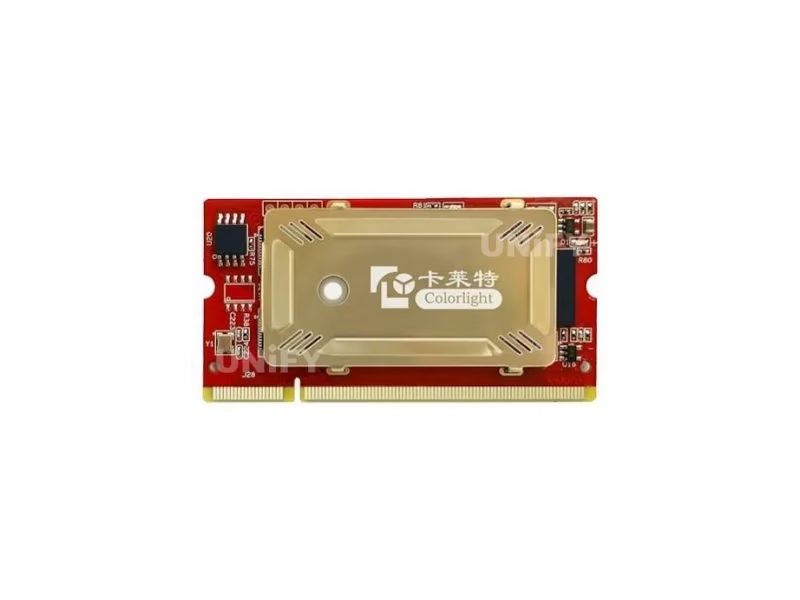
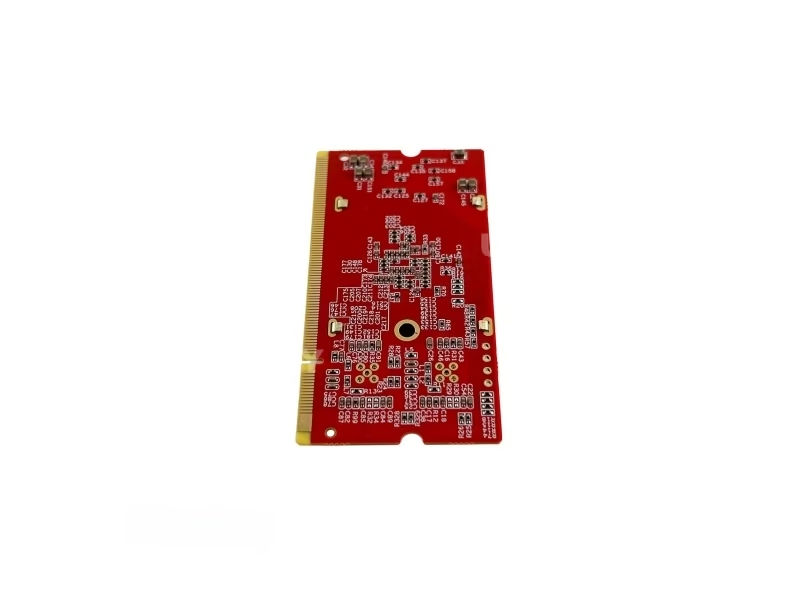
The Colorlight i6 LED Receiving Card is the I series 32-group workhorse: a 68×36mm DDR2 SODIMM card that drives 32 freely exchangeable RGB data groups across a 256×256-pixel load. The official Specification V1.2 lists the features that put it a tier above the 16-group cards: low latency, 3D display support, auto-calibration, seam compensation, smart panel marking, and auto-recognition of connected card sequence. It is the middle of the Colorlight receiving ladder — above the i5A-905 (16 groups) and below the HDR generation of the i9.
Short answer: The Colorlight i6 is a 68×36mm, 9.5g SODIMM receiving card with a 256×256-pixel load, 32 RGB data groups, 65,536 grayscale levels, low latency, 3D display support, auto-calibration, seam compensation, five-channel supply-voltage monitoring, and proprietary redundant firmware — all figures from the official Specification V1.2, whose full text is extractable and verifiable.
A note on data sources: the i6’s Specification V1.2 is the best-documented card in the receiving line — its overview, features and specifications pages are fully text-extractable, and its pin table names every capability at the connector level. Where marketplace listings contradict it — the HDR claim in particular — the correction table below documents the conflict against the official document. For the receiving card’s role in the chain, see synchronous vs asynchronous LED control.
Colorlight’s official i6 system video:
Colorlight Official — i6 System video
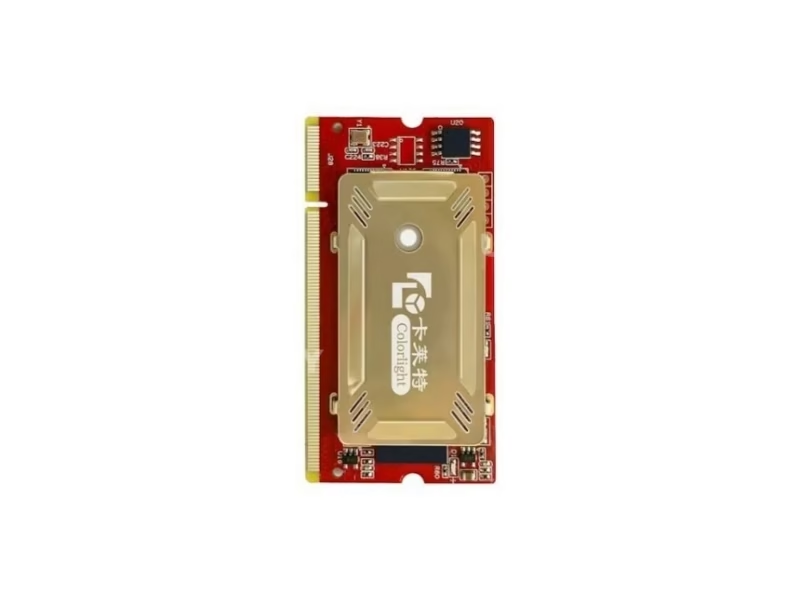
What Are the Colorlight i6 LED Receiving Card Specifications?
All data from the official Colorlight i6 Receiving Card Specification V1.2 — full text extractable and verified.
Control & Display Quality (Official V1.2)
Monitoring & Backup (Official V1.2)
Physical & Electrical (Official V1.2)
Does the Colorlight i6 LED Receiver Card Support HDR?
In August 2026 listings we reviewed, several pages state the i6 supports HDR. The official Specification V1.2 does not list HDR anywhere in its full text — the document’s feature list names low latency, 3D display, auto-calibration, seam compensation, smart panel marking and card-sequence recognition, and HDR is not among them:
Why it matters: a project whose HDR plan depends on the receiving card would discover the gap at commissioning. If HDR is in the brief, the HDR-capable tier starts at the i9 — for the i6, verify every claimed feature against the official V1.2 text, which is fully readable and takes two minutes to check.
How Does the Colorlight i6 LED Receiving Card Compare to the i5A-905?
The i6 is the step up from the 16-group compact card — the upgrade doubles the data groups and adds the SODIMM form factor with the official feature set:
The decision in three numbered differences:
- Data groups. 16 on the i5A-905 versus 32 on the i6 — the i6 drives double the module density from one card.
- Form factor. SODIMM tool-free insertion versus 60-pin headers — cabinet assembly and field swap speed.
- Feature set. 3D, low latency, auto-calibration and redundant firmware are i6-tier features per the official document.
The 16-group side in full: Colorlight i5A-905 LED Receiving Card.
How Do the 32 RGB Groups Work on the Colorlight i6 LED Receiving Card?
The official pin table shows the 32-group architecture in its physical form — the RGB outputs divide into three parts across two clock domains:
🅰️ Part A — 16 groups
The main RGB output block, driven by the primary clock LED_SCLK.
🅲 Part C — 8 groups
Second RGB block on LED_SCLK — and it can become Part A’s check-back and return-signal detection.
🅳 Part D — 8 groups
Third RGB block on the second clock LED_SCLK_S — also usable as check-back and signal detection.
🔀 32 Sets, Free Exchange
All 32 data sets exchange arbitrarily with any pumping point — the routing freedom shaped screens depend on.
The dual clock design (SCLK + SCLK_S) is the detail that matters at commissioning: Parts C and D run on the second clock, and the parameter file must match the module’s routing to it. The official pin table is the reference — every group is named on the connector.
How Do the Redundant Firmware and Backup Layers Work on the Colorlight i6 LED Receiver Card?
The official V1.2 states the firmware guarantee in plain language: “Proprietary redundant firmware backup on card no matter how to use, upgrade, send parameters, continuous functionality.” The engineering meaning: the card holds redundant firmware copies, so an interrupted upgrade or a failed parameter send cannot brick it — the card keeps working on the surviving copy. That guarantee, stated by the manufacturer in the specification itself, is the reliability feature most receiving cards leave unspoken.
The backup stack around it, per the same document: loop backup and double sender backup on the signal side, receiver card backup and power supply backup on the hardware side — five layers counting the firmware. The dual network ports on the SODIMM connector (eth1 and eth2, each with four pairs in the pin table) are the physical trace of the loop capability.
Colorlight’s official receiving-card firmware tutorial:
Colorlight Official — Firmware Upgrade tutorial video
How Does 3D and Shaped-Screen Support Work on the Colorlight i6 LED Receiving Card?
The official V1.2 feature list names 3D display support directly — paired with a 3D-capable sending side, the i6 drives the stereo output glasses-based and creative 3D walls require. The same document lists the shaped-screen capability: freeform, spherical and creative displays through arbitrary data offset, with any pumping point supported across the 32 data sets.
Colorlight’s official 3D configuration walkthrough:
Colorlight Official — 3D Sender Configuration video
How Do Seam Compensation, Smart Panel Marking and Sequence Recognition Work on the Colorlight i6 LED Screen Receiving Card?
Three maintenance features in the official V1.2 feature list, each solving a field problem:
📐 Seam Compensation
Removes the dim and bright lines caused by the physical gap between panels — the defect that reads as a grid on any close-viewed wall.
🏷 Smart Panel Marking
Panels are marked for identification — a technician finds the right cabinet on the first walk-up instead of counting from the corner.
🔢 Sequence Auto-Recognition
The system recognizes the connected receiver card sequence automatically — re-cabling a wall does not mean re-mapping it by hand.
Colorlight’s official seam-correction course:
Colorlight Official — Soft Edge Seam Correction course video
How Does Auto-Calibration Work on the Colorlight i6 LED Receiving Card?
The official V1.2 lists Auto-Calibration alongside high-precision point-by-point brightness and chromaticity calibration. The smart-module half of the workflow: modules store their calibration coefficients and parameters on the module itself (the LED_SPI_CS1–8 and LED_SPI_SDO1–8 pins on the connector are the physical SPI bus that reads them), so a swapped card or module re-reads the stored data instead of forcing a fresh calibration pass.
The auto-calibration layer on top keeps a fleet consistent without a technician walking every cabinet — the capability that turns calibration from a service event into a background process.
Colorlight’s official calibration solutions overview:
Colorlight Official — Introduction of Calibration Solutions video
How Do You Configure the Colorlight i6 LED Receiver Card?
Five steps from seated card to displaying wall:
Seat the card
Insert the SODIMM card into the HUB board socket, secure the fixed hole for vibration resistance, connect the network port.
Detect sender and cards
The software detects the sending device and lists every i6 per port — with the card sequence auto-recognized.
Load the module parameter file
Driver IC type, scan mode (static to 1/32), data fold (1–8×) and the 32-group routing — including which groups ride the second clock SCLK_S.
Map the layout and calibrate
Configure the receiver mapping, then load calibration coefficients — from smart modules automatically, or the manual 14-bit workflow.
Send, save, verify monitoring
Send and save — the redundant firmware means even an interrupted send cannot brick the card — then check the monitoring page: temperature, humidity, five voltage channels and network quality.
Colorlight’s official receiver mapping tutorial:
Colorlight Official — Receiver Mapping Setting tutorial video
Where Is the Colorlight i6 LED Receiving Card Used?
Universal Fixed Installations
The 32-group generalist: conference rooms, retail and lobbies where the SODIMM card keeps cabinets slim and swaps easy.
Rental & Staging
Tool-free SODIMM replacement, low latency and redundant firmware — the card that survives the touring abuse cycle.
Creative & 3D Screens
Official 3D support plus spherical and freeform layouts through arbitrary data offset on 32 exchangeable groups.
Monitoring & Information Walls
Five-channel voltage monitoring, cable detection, bit-error telemetry and fan control — the telemetry stack for unattended walls.
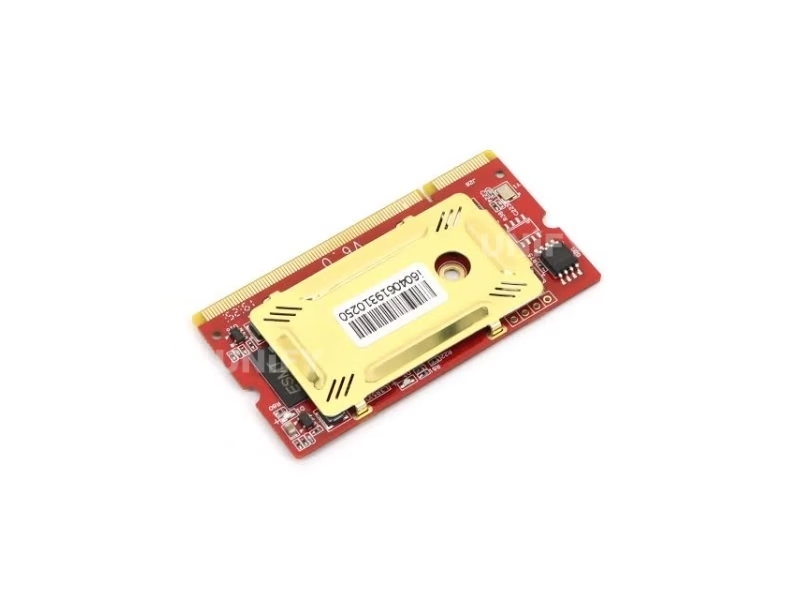
Why Buy the Colorlight i6 LED Receiving Card From an LED Display Factory?
The i6’s HDR mislabeling documented above — a feature the official V1.2 never lists — is what happens when hardware moves through unverified channels. Buying through a full-line LED screen manufacturer changes the purchase in three ways:
1. Verified hardware against the readable V1.2. Every i6 we ship comes from Colorlight’s authorized channel, is tested on live LED modules before dispatch, and carries serial-number traceability. The i6’s specification is fully text-extractable — the first question we answer is which claims in a competitor’s listing match the official document.
2. Commissioning that finishes the 32-group layer. Our engineers configure the i6 end to end — the parameter file with the dual-clock routing, the 32-group mapping, the calibration coefficients and the monitoring verification — against your actual modules. Our quality control of LED display process applies the same rigor to every batch.
3. Lifecycle economics. A solid-state 9.5g card with 2KV static resistance and redundant firmware has no wear parts — LED screen lifespan is set by the modules, not the card. We back the i6 with a 2-year warranty and keep spares for the project’s operating life.
How Much Does the Colorlight i6 LED Receiving Card Cost?
Price transparency, stated plainly: the i6 has no reliable public street price in the August 2026 listings we reviewed — the same listing pollution that mislabels its features. We will not invent a number. Factory-direct tiers for B2B buyers:
Ask for a factory-direct quote at your card count — the quote will state the specification version (V1.2) and the feature list it verifies against, which is the verification that matters at this tier.
What Do Buyers Ask About the Colorlight i6 LED Receiving Card?
Why Trust the Colorlight i6 LED Receiving Card From UnifyLED?
Every batch ships with Colorlight original packaging, tested on live modules before dispatch.
Ready to Source the Colorlight i6 LED Receiving Card?
Factory-direct pricing, genuine stock, 32-group commissioning and 2-year warranty.
unifyledscreen@gmail.com | +86-191-18802497
What Should Engineers Know Before Buying the Colorlight i6 LED Receiving Card?
Published: August 2026 | 13 min read | UnifyLED Engineering Team
The Colorlight i6 LED Receiving Card is the 32-group workhorse of the I series — and the one card in the line whose official specification is fully readable, which makes its listing contradictions the easiest to resolve. This guide uses that readability: every figure here traces to the official Specification V1.2, including the correction of a feature claim the document never makes.
Short answer: The Colorlight i6 is a 68×36mm, 9.5g SODIMM receiving card with a 256×256-pixel load, 32 RGB data groups, 65,536 grayscale levels, low latency, 3D display support, auto-calibration, seam compensation, five-channel voltage monitoring and proprietary redundant firmware. The official V1.2 does not list HDR — marketplace HDR claims on the i6 are backfilled from the i9 generation.
Chapter 1 — Definition: The 32-Group Generalist
The Colorlight i6 LED Receiving Card is the I series 32-group workhorse: a 68×36mm DDR2 SODIMM card driving 32 freely exchangeable RGB data groups across a 256×256-pixel load. In the receiving ladder it sits between the 16-group i5A-905 and the HDR generation of the i9 — the generalist tier for installations that need double the module density of the entry cards without paying for HDR they will not use. The synchronous vs asynchronous LED control guide covers the chain fundamentals.
The official V1.2 feature list is the document’s strength and the page’s data basis: low latency, 3D display support, auto-calibration, seam compensation, smart panel marking, and auto-recognition of the connected card sequence. Each item appears in plain text — no pin-table archaeology required, no cross-verification needed. When a marketplace claim contradicts this document, the document wins, and the contradiction is verifiable in two minutes of reading.
The physical design completes the picture: the 200-pin SODIMM socket carries dual network ports (eth1 and eth2) and the card’s power feeds on the connector itself, with a fixed hole for vibration resistance — the mechanical detail that keeps the card seated through touring transport. At 68×36mm and 9.5g with 2KV body static resistance, the i6 matches the I series’ slim-cabinet brief while carrying the 32-group payload.
Chapter 2 — Loading and the 32-Group Architecture
The i6 loads 256×256 pixels full color with a cascade ceiling of 65,536×65,536 pixels — the I series standard. The differentiator is the data path: 32 RGB data sets, all freely exchangeable, with any pumping point supported. The official pin table shows the physical architecture: the RGB outputs divide into three parts — 16 groups on the primary clock (Part A), 8 groups on Part C, and 8 groups on a second clock line (Part D, LED_SCLK_S). Parts C and D can also become Part A’s check-back and return-signal detection.
The dual-clock detail is the commissioning catch: modules routed to the second clock must match the parameter file’s SCLK_S assignment, or half the wall shows garbage. The 1–8× data fold, the two scan methods for refresh multiplication and the static-to-1/32 scan range then determine the refresh ceiling per module design — the official document states the mechanisms rather than a single headline figure, which is the honest way to specify a generalist card.
The monitoring stack fills in the unattended-wall story: temperature and humidity each get a dedicated port, five channels watch supply voltages, bit-error telemetry counts total packets against error rate to judge network quality, cable detection flags link problems, and fan rotation control keeps the cabinet thermal state managed — with a full-color LCD panel supported for local status display. On a card this small, that telemetry depth is the difference between a wall that reports its problems and one that waits for a technician to find them.
Chapter 3 — i6 vs i5A-905: The Upgrade in Three Numbers
The step from the 16-group compact card to the i6 reduces to three numbered differences:
- Data groups. 16 on the i5A-905 versus 32 on the i6 — double the module density from one card, with all 32 sets freely exchangeable.
- Form factor. SODIMM tool-free insertion versus 60-pin headers — assembly speed and field-swap speed.
- Feature set. 3D, low latency, auto-calibration and redundant firmware are i6-tier features per the official document.
The one figure that goes the other way: the i5A-905’s 16,000Hz static ceiling is a headline number the i6’s document does not claim in the same form. If the wall’s primary requirement is a stated maximum refresh on a simple scan mode, the i5A-905 page has the detail; if the requirement is module density and the official feature set, the i6 is the step up.
The i6’s middle-tier position is worth stating plainly: it is the card you buy when 16 groups are not enough and HDR is not needed. That is a larger population than the model names suggest — most commercial walls run SDR content on mid-density modules, and the i6’s 32 groups plus SODIMM form factor plus the official feature set serve exactly that population without the price of the HDR tier above.
Chapter 4 — The HDR Claim the Document Never Makes
Several August 2026 listings state the i6 supports HDR. The official Specification V1.2 does not list HDR anywhere in its full text — the feature list names low latency, 3D, auto-calibration, seam compensation, smart panel marking and sequence recognition, and HDR is not among them. The claim is backfill: HDR10 and HLG are i9-generation features, and listing authors copying between I series pages brought the newer feature onto the older card.
The practical consequence: a project whose HDR plan depends on the receiving card discovers the gap at commissioning. The verification is trivial for this card — the official document is fully readable, and the feature list is on page two. If HDR is in the brief, the HDR-capable tier starts at the i9; for the i6, verify every claimed feature against the document itself.
The same discipline applies to any feature a listing attributes to the i6 beyond the official list: the V1.2 document names exactly what the card carries, and anything outside that list — HDR, or any future claim — deserves the same two-minute verification before it enters a specification. The card’s document is the cheapest verification tool in the I series; using it is the difference between quoting a listing and specifying a product.
Chapter 5 — The Redundant Firmware and the Five-Layer Backup Stack
The official V1.2 states the firmware guarantee in plain language: “Proprietary redundant firmware backup on card no matter how to use, upgrade, send parameters, continuous functionality.” The engineering meaning: redundant firmware copies mean an interrupted upgrade or a failed parameter send cannot brick the card — the card keeps working on the surviving copy. Most receiving cards leave this guarantee unspoken; the i6’s document states it outright.
The backup stack around it: loop backup and double sender backup on the signal side, receiver card backup and power supply backup on the hardware side — five layers counting the firmware. The dual network ports on the SODIMM connector (eth1 and eth2, each with four pairs in the pin table) are the physical trace of the loop capability. For a touring wall or an unattended installation, the stack converts the card’s failure story from downtime into a non-event.
The firmware guarantee deserves one practical note for fleet operators: “no matter how to use, upgrade, send parameters” is a promise that survives the worst-case field conditions — a power cut mid-upgrade, a bad cable during a parameter push, a technician’s interrupted session. The card keeps working on the surviving copy, and the next scheduled maintenance window repairs the state. That is the difference between a firmware policy and a firmware insurance policy, and the official document puts it in writing.
Chapter 6 — Configuration, Auto-Calibration and the Smart-Module Workflow
The i6 configures in the Colorlight control software: seat the card, detect sender and cards — with the sequence auto-recognized — load the module parameter file (driver IC, scan mode, data fold, and the 32-group routing including the SCLK_S assignments), map the layout, load calibration coefficients, send and save. The redundant firmware makes the last step safe by design.
The calibration story then splits into two paths: the manual high-precision point-by-point workflow, and the smart-module path where modules store their coefficients on the module itself — the LED_SPI_CS1–8 and LED_SPI_SDO1–8 pins are the physical SPI bus that reads them. Auto-calibration keeps a fleet consistent without a technician walking every cabinet. Combined with smart panel marking and sequence recognition, the i6’s maintenance story is built for walls managed by teams, not by a single engineer’s memory.
The maintenance trio compounds in the field: smart panel marking lets a junior technician find the right cabinet by its mark instead of counting from the corner; sequence recognition removes the hand-mapping step after any re-cabling; and seam compensation removes the panel-gap lines before the client sees them. Each feature is small alone; together they are the difference between a service visit measured in minutes and one measured in hours.
Chapter 7 — Price in 2026: The Honest Answer
The i6 has no reliable public street price in the August 2026 listings we reviewed — the same listing pollution that mislabels its features makes the few attached prices untrustworthy. The honest procurement approach: factory-direct quoting by card count, with the specification version (V1.2) and the verified feature list stated on the quote. That is the verification that matters at this tier.
The market context: the LED display control system market reached US$659 million in 2025, projected at a 13.6% CAGR to US$1.59 billion by 2032 (QYResearch, Global LED Display Control System Market Report 2026), with receiving and sending cards the two largest segments. Lifecycle costs favor the card: a solid-state 9.5g design with 2KV static resistance and redundant firmware has no wear parts, and LED screen lifespan is set by the modules, not the electronics.
Chapter 8 — The Five-Sister Selection: Where the i6 Fits
The Colorlight receiving line now spans five cards with five distinct jobs. The i5A-905 is the compact 16-group card with the 16,000Hz headline. The i6 is the 32-group SODIMM generalist with the official feature set — 3D, low latency, auto-calibration, redundant firmware. The i5A-F is the dual-mode card that never goes black. The i9 adds HDR. The i9+ adds SHUTTERLOCK, 128-scan and 3D at the flagship tier.
The decision matrix: check downtime tolerance (never-black mandates the i5A-F), check refresh demand (a stated maximum on simple scan modes points to the i5A-905), check module density (32 groups points to the i6 or above), check HDR (i9 or above), check production features (SHUTTERLOCK or 128-scan point to the i9+). The i6’s slot is the honest middle: more density and features than the entry cards, without paying for HDR or production sync the project will not use. The ecosystem rule closes it — the receiving card follows the sending controller, and the Colorlight ladder runs from the X2 through the Z6 PRO-G2; the cross-ecosystem comparison sits on the Novastar MRV412 receiving card page.
One final verification habit for this card, made easy by its documentation: the official V1.2 is fully readable, and its feature list sits on page two. Before any quote is accepted, open the PDF and check the claimed feature against the list — two minutes that catch the HDR-style backfill documented in Chapter 4. Few products in the receiving-card market offer verification this cheap; the i6’s document does.
Conclusion
The Colorlight i6 LED Receiving Card earns its workhorse position the honest way: 32 freely exchangeable RGB groups, 3D and low latency, auto-calibration and seam compensation, five-channel monitoring and firmware redundancy the manufacturer puts in writing — in a specification document fully readable end to end. Specify it with the verified feature list in hand, not the backfilled one: no HDR on this card, by the official document’s own words. Buy it through a verified LED screen manufacturer that tests cards on live modules and commissions the 32-group routing, dual-clock assignments and calibration against your actual wall. Choose it when the project needs the middle tier done properly — and the receiving layer becomes the part of the wall nobody thinks about, which is exactly what it is for.
Which LED Controllers Should You Pair With the Colorlight i6?
The Colorlight receiving ladder and sending side plus Novastar comparisons on UnifyLED.
Where Can You Download Colorlight i6 LED Receiving Card Resources?
The official Colorlight i6 Receiving Card Specification V1.2 — the fully readable document behind every figure on this page.