How to Choose a Colorlight Receiving Card: i5A-905 vs i6 vs i5A-F vs i9 vs i9+
Published: August 2026 | 13 min read | UnifyLED Engineering Team
This Colorlight receiving card selection guide walks the five current cards in the I series line — i5A-905, i6, i5A-F, i9 and i9+ — through a five-question decision flow built on the official specification documents. Most selection guides online still cover the 5A-75B era; this one covers the cards Colorlight actually sells today, and it flags the marketplace figures that contradict the official documents.
Short answer: Start with downtime tolerance (never-black walls need the dual-mode i5A-F), then refresh demand (the i5A-905 holds the 16,000Hz ceiling), then module density (data groups step 16 → 32 → 64 → 128), then HDR (the i9 generation adds HDR10/HLG), then production features (3D and SHUTTERLOCK point to the i9+). The receiving card follows the sending controller — choose the chain, not the card.
- Quick fact — the line today: five cards, five jobs: i5A-905 (16-group compact), i6 (32-group generalist), i5A-F (dual-mode fallback), i9 (HDR tier), i9+ (flagship).
- Quick fact — data groups: 16 → 32 → 64 → 128 is the density ladder; match it to your module design.
- Quick fact — refresh: every refresh claim needs its scan mode — the i5A-905’s 16,000Hz applies to static 64×64 modules.
- Quick fact — upgrades: A8 to i5A-905 lifts refresh 8×; i9 to i9+ is a pin-compatible drop-in.
What Is a Colorlight Receiving Card and Why Does the Choice Matter?
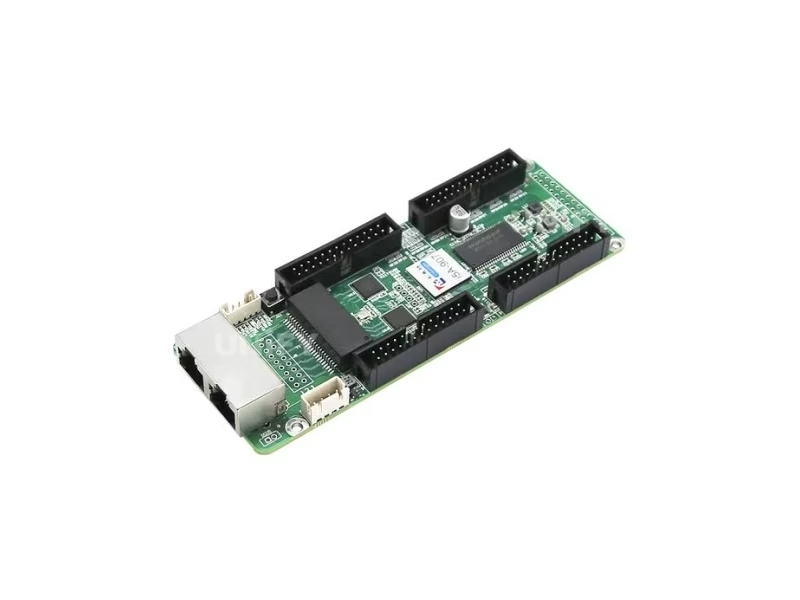
A Colorlight receiving card is the bridge device inside each LED cabinet: it receives the encoded signal from the sending controller over Gigabit Ethernet, decodes it, and drives the driver ICs on the modules through its data outputs. The card sets the wall’s refresh ceiling, grayscale depth, calibration accuracy and backup behavior — a wrong card choice shows up as flicker on camera, banding in gradients or a dead cabinet at the worst possible moment. The synchronous vs asynchronous LED control guide covers where the card sits in the chain.
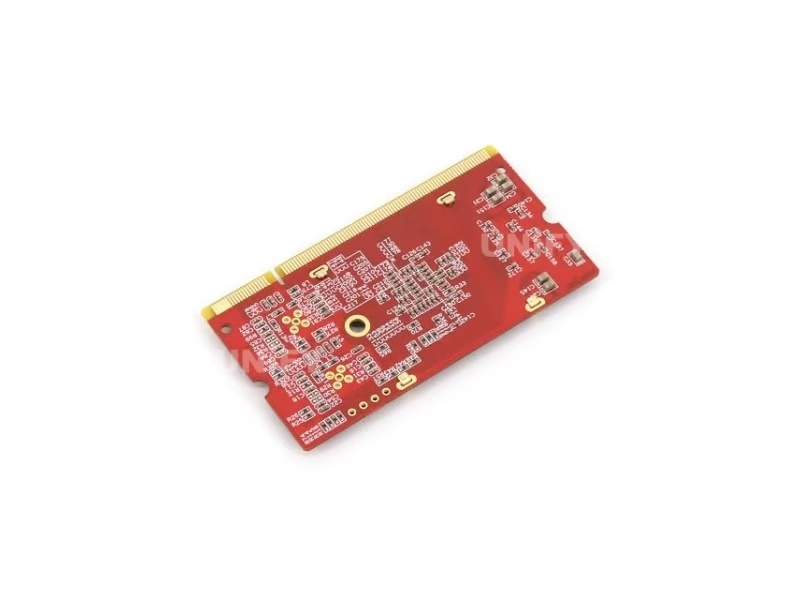
One framework correction before the comparisons: older guides describe receiving cards by HUB port counts (8/12/16 ports), because that was the 5A-era architecture. The current I series cards plug into a DDR2 SODIMM 200-pin socket on the HUB board — a tool-free module format, not a pin-header card. If a selection guide starts by counting HUB ports, it is describing a line Colorlight replaced years ago. The five cards below are the current line, with figures from their official specification documents.
How Do the Five Colorlight Receiving Cards Compare at a Glance?
The current line, in official-document figures:
Colorlight’s official showcase of the high-end receiving card tier:
Colorlight Official — ISLE 2026 High-End Receiving Cards video
How Do You Choose a Colorlight Receiving Card by Downtime Tolerance?
If a black screen costs revenue — stadium boards, advertising walls, unattended installations — the first question in the receiving card selection eliminates all but one card. The i5A-F is the dual-mode card: synchronous operation driven by the sender, with 2Gbit of onboard memory holding fallback content. When the sending signal drops, the card switches to asynchronous mode automatically and loops the stored content; when the signal returns, it switches back. The wall never shows black.
The backup layers stack around it: Port A and Port B form a loop so a cut cable reaches every card from the other direction, dual-card and dual-power backups cover the hardware, and the built-in temperature sensor and relay remove the multifunction card from the BOM. For any other card in the line, the same signal failure means black cabinets until a technician arrives. The revenue math is the selection criterion: the i5A-F pays for itself the first time it holds the screen through a failure.
Colorlight’s official i5A-F configuration walkthrough:
Colorlight Official — Configure the LED display for i5A F video
How Do You Choose a Colorlight Receiving Card by Refresh Rate?
Refresh claims are meaningless without their scan condition, and the official documents state both together. The i5A-905 holds the line’s headline figure: up to 16,000Hz on static 64×64 modules, and up to 10,000Hz at 1/8 scan on 128×128 modules. Those conditions matter — a 1/32-scan module cannot reach the static ceiling, and the achievable refresh follows the module’s parameter file.
At the top of the line, the i9+ works the problem from the frame-rate side: with the sender multiplying frame rate, the card outputs 120Hz, 144Hz or 240Hz — the bands camera-facing walls and 3D content live in, with SHUTTERLOCK locking the wall to the camera’s shutter. The practical selection rule: camera-facing walls choose between the i5A-905’s stated high refresh on simple scan modes and the i9+’s high frame-rate bands with camera sync; walls seen only by the public rarely need either ceiling.
How Do You Choose a Colorlight Receiving Card by Module Density?
The data-group count is the density ladder: 16 groups on the i5A-905, 32 on the i6, 64 serial on the i9, and 64 extendable to 128 on the i9+. The official pin tables confirm the architecture at the connector level — the i9/i9+ documents name DATA1 through DATA64 outright, and the i6’s 32 groups split across three parts on two clock domains (16 on the primary clock, 8 on Part C, 8 on the second clock SCLK_S).
The module’s parameter file decides the requirement: driver IC type, scan mode and data routing come from the module supplier, and the card must offer enough groups for the design. A 32-group module cannot run on a 16-group card — this is the density question, and it is the one that changes most often as module generations advance. The i6’s position as the 32-group generalist is exactly why it remains the middle of the line a decade into production.
Colorlight’s official data-group tutorial:
Colorlight Official — Data Group Swap and Split tutorial video
Colorlight’s official i6 system video:
Colorlight Official — i6 System video
When Do You Need HDR in a Colorlight Receiving Card?
HDR10 and HLG enter the receiving card line at the i9 generation — and because the receiving card is the last device in the signal chain, card-level HDR is the difference between an HDR wall and an SDR wall wearing an HDR sender. If the sender processes the extended range but the card crushes it back, the HDR pipeline died at the final step. The i9 and i9+ carry HDR10 + HLG with 30-bit input, Infi-bit color extension and 10-bit full-gamma independent RGB adjustment.
The verification note: marketplace listings also claim HDR for the i6, but the official i6 Specification V1.2 does not list HDR anywhere in its full text — the claim is backfilled from the i9 generation. The pattern repeats across the line: when a listing attributes a feature to a card, check the card’s own document. If HDR is in the brief, the selection starts at the i9.
When Do Production Features Decide the Receiving Card?
Three production features narrow the selection to specific cards. 3D display support appears on the i6 (per official V1.2) and the i9+, pairing with a 3D-capable sending side for glasses-based and glasses-free 3D walls. SHUTTERLOCK — the camera-shutter synchronization that removes rolling bands on camera-facing walls — is i9+-only, and it is the receiving-card feature virtual production volumes specify by name. The 128-scan support on the i9+ doubles the i9’s 64-scan range for the latest ultra-fine-pitch module generations.
Multi-batch calibration and auto-calibration complete the production picture on the flagship tier: walls extended with later module batches stay even, and smart modules that store their own calibration coefficients re-load themselves on a card swap. For film, XR and premium rental, the flagship tier exists for exactly these features — the selection question is whether the project’s content plan uses them.
What Spec Errors Should You Verify When Choosing a Colorlight Receiving Card?
Across the five product pages we verified against official documents, the same errors repeat in marketplace listings. The consolidated correction table:
The verification habit that handles all of them: ask the supplier to state the specification revision the figures come from. Every Colorlight figure we publish traces to a named document version — V1.2 for the i5A-905, i6 and i5A-F, V1.4.1 for the i9, V4.2.2/V4.2.3 for the i9+. A quote that cannot name its revision is quoting a listing, not a product.
How Do You Upgrade an Older Colorlight Receiving Card?
Two upgrade paths cover most fleets. The A8-to-i5A-905 path lifts refresh from roughly 2,000Hz to 16,000Hz and grayscale from 256 to 65,536 levels — an 8× refresh jump without touching the modules, the cheapest quality upgrade in the line. The i9-to-i9+ path is a pin-compatible drop-in: the same DDR2 SODIMM 200-pin connector, so cabinets upgrade by swapping the card, gaining 128-scan support, SHUTTERLOCK and 3D with no HUB board changes and no re-cabling.
The firmware layer protects the upgrade process itself: the i6’s official document states proprietary redundant firmware that keeps working “no matter how to use, upgrade, send parameters” — an interrupted upgrade cannot brick the card. The upgrade sequence that follows: verify the parameter file against the new card’s mode table, upgrade during a maintenance window, test the disconnect for fallback cards, and keep the old cards as spares. Colorlight’s official firmware tutorial:
Colorlight Official — Firmware Upgrade tutorial video
What Questions Do Buyers Ask About Choosing a Colorlight Receiving Card?
Colorlight Official — LEDVision EP09 Maintain Calibration Coefficients tutorial video
Conclusion: Which Colorlight Receiving Card Should You Choose?
The Colorlight receiving card selection runs five questions in order — downtime tolerance, refresh demand, module density, HDR, production features — and the answers land on specific cards: never-black walls on the i5A-F, camera-facing high refresh on the i5A-905, 32-group designs on the i6, HDR content on the i9, and production or 128-scan projects on the i9+. Verify every claimed figure against the named specification revision, match the card to the parameter file, and remember the ecosystem rule: the receiving card follows the sending controller. For context on the category the cards live in: receiving and sending cards are the two largest segments of a control-system market that reached US$659 million in 2025, projected at 13.6% CAGR to US$1.59 billion by 2032 (QYResearch, Global LED Display Control System Market Report). Buy the chain from a verified LED screen manufacturer that tests cards on live modules and loads the right parameters before dispatch — and the receiving layer becomes the part of the wall nobody thinks about, which is exactly what it is for.