
Colorlight X Series · 4-Port Sending Controller
Colorlight X4 LED Video Controller
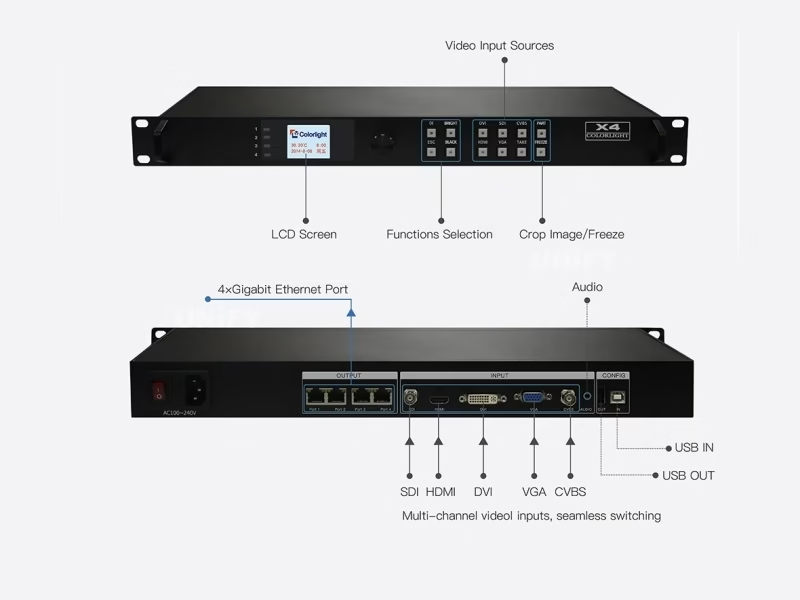
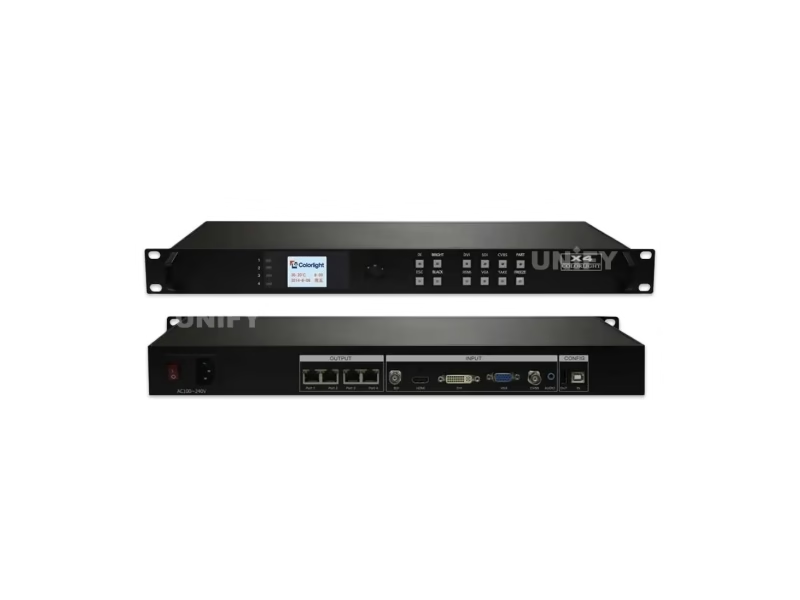
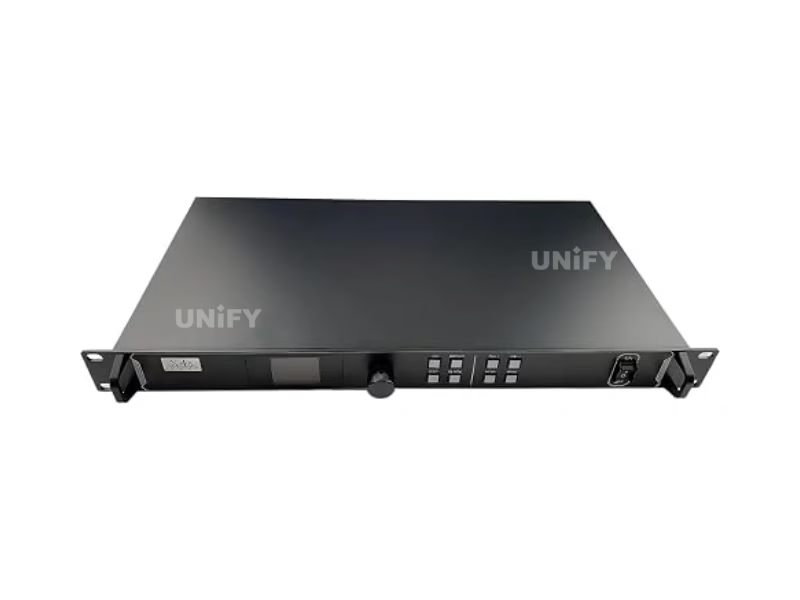
The Colorlight X4 LED Video Controller is Colorlight’s 4-port professional sending controller: five video inputs (SDI, HDMI, DVI, VGA, CVBS), a 2.3-million-pixel loading capacity, four Gigabit Ethernet outputs with arbitrary splicing up to 4096 pixels wide, and a 1.8-inch LCD front panel — a single unit that drives a full 1080p wall, configured with the free LEDVISION software.
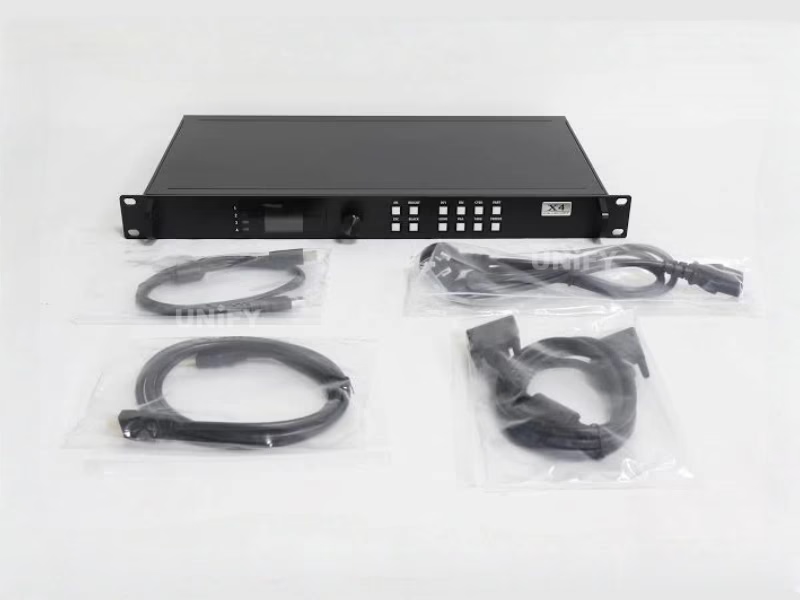
Product Overview
What Is the Colorlight X4 LED Video Controller?
The Colorlight X4 LED Video Controller is a professional LED display sending controller in a 1U rack chassis: it converts five video signal types into Gigabit Ethernet data for Colorlight receiving cards, with a loading capacity of 2.3 million pixels and four independently routable Ethernet outputs. In the X series lineup it sits above the 2-port Colorlight X2 LED Video Controller (1.3M pixels) and below the X4m generation — the capacity class where one unit finally drives a complete 1920×1080 wall, which is the single most common LED wall format in commercial projects.
Short answer: The Colorlight X4 is a 1U LED display controller with 5 video inputs (SDI, HDMI, DVI, VGA, CVBS), a maximum input of 1920×1200@60Hz, a loading capacity of 2.3 million pixels, 4 Gigabit Ethernet outputs and a maximum canvas of 4096 pixels wide by 2560 pixels high. It drives a full 1080p LED wall from one unit, supports HDCP 1.4, and is configured with the free LEDVISION software.
The X4’s 2.3M/4-port class is the workhorse tier for full-HD walls, wide strips and multi-cabinet arrays. All figures on this page come from the official Colorlight X4 Specification V1.2 — the marketplace listings for this product carry more wrong numbers than any other X series model, and the correction table below documents them. For the control-chain fundamentals behind a sending controller, see synchronous vs asynchronous LED control; for the scaling/processing layer above transport, see LED video processor.
Colorlight’s official introduction of the X4 family:
Colorlight Official — X4m Video Controller introduction video, X4 family
Specifications
What Are the Colorlight X4 LED Video Screen Controller Specifications?
All data from the official Colorlight X4 Specification V1.2 — the authoritative revision of this product’s documentation.
Video I/O & Processing (Official V1.2)
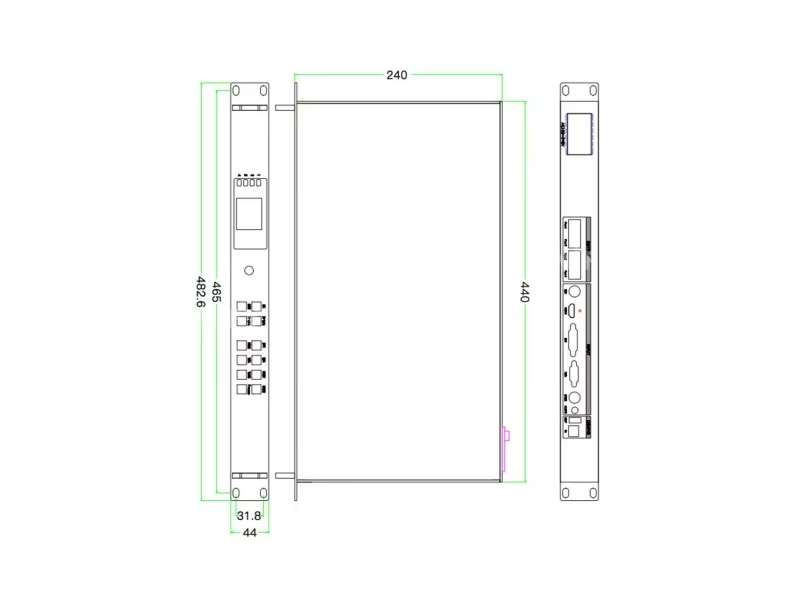
Physical & Electrical (Official V1.2)
Exclusive — Data Verification
Why Do Colorlight X4 LED Screen Controller Spec Sheets Disagree?
We checked the top marketplace and distributor listings for the X4 in August 2026 against the official Colorlight X4 Specification V1.2. Three recurring errors circulate, each one large enough to change a purchasing decision:
Why these errors cost money: A wall planned against “2.6M” capacity is 13% beyond the X4’s real ceiling; a design relying on “2560×2560” never uses the 4096-pixel width the X4 actually provides (forcing an unnecessary second controller on wide strips); freight quotes built on 8.5 kg per unit over-order five-fold on volume shipments. The countermeasure is the same as always: verify against the official Colorlight X4 Specification V1.2, or ask the supplier to state the specification revision they quote.
Model Selection
How Does the Colorlight X4 LED Video Wall Controller Compare to the X2 and X4m?
The three mid-to-upper X series models divide on capacity, outputs and input count. X4 data from official Specification V1.2; X2 from its official user manual V1.0; X4m from Colorlight’s official product introduction.
The decision in four numbered differences:
- Capacity class. 1.3M on the X2 versus 2.3M on the X4 — the X4 loads 77% more pixels and is the smallest unit that drives a complete 1080p wall alone.
- Output count. Two Gigabit ports on the X2 versus four on the X4. Four ports split a wide wall into independent zones with arbitrary splicing — the difference between one rack unit and a cascaded pair.
- Width ceiling. 2560 pixels on the X2 versus 4096 on the X4. Strip walls, ticker formats and ultra-wide canvases belong to the X4 class.
- Generation. The X4m adds USB playback and a sixth input on the same 4-port architecture; choose it when media files must play without an external source. Otherwise the X4 delivers the same canvas at a lower cost.
The 2-port side of this comparison lives on the Colorlight X2 LED Video Controller page; for the receiving cards the controller feeds, see the receiving card selection guide.
Engineering Advantages
What Are the 6 Core Capabilities of the Colorlight X4 LED Display Controller?
Five Independent Video Inputs
SDI (1080P), HDMI, DVI, VGA and CVBS plus audio — broadcast cameras, PCs and legacy analog sources on one chassis.
2.3M Pixels — One 1080p Wall per Unit
A 1920×1080 wall is 2.07M pixels — inside one X4’s capacity. One rack unit replaces the cascaded pair the 1.3M class needs.
4 Gigabit Ports, Arbitrary Splicing
Four RJ45 outputs splice the canvas up, down, left or right — 4096-pixel strips, portrait arrays and L-shaped layouts from a single unit.
On-Device Control Panel
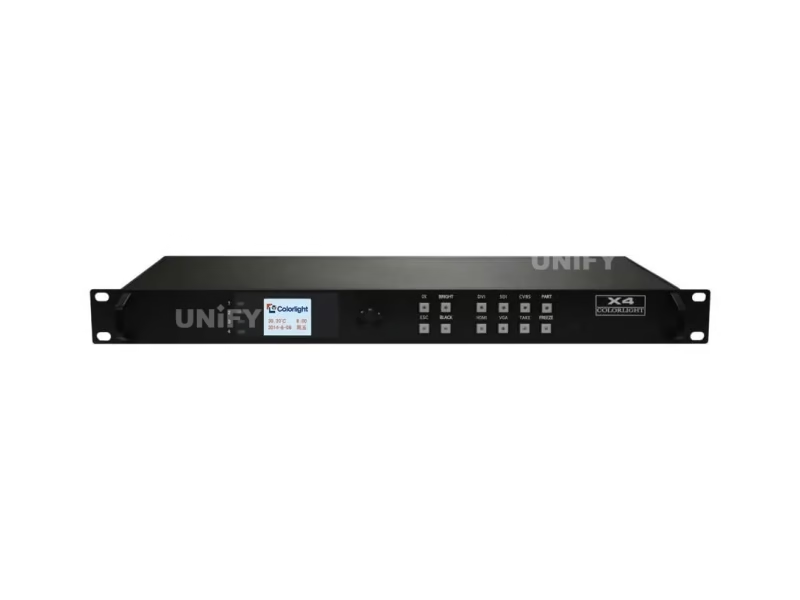
1.8-inch LCD, knob and dedicated FREEZE / TAKE / BLACK / PART / BRIGHT keys — daily operation without a PC.
Low-Brightness Grayscale Improvement
The grayscale-enhancement mode preserves gradation on walls dimmed for conference, studio or night-time environments.
HDCP 1.4 + Ecosystem Compatibility
HDCP 1.4 protects playback content on HDMI/DVI, and the X4 drives every Colorlight receiving card, multifunction card and fiber transceiver. For 4K60 input needs, see 4K60 HDCP HDR LED controllers.
On-Device Operation
How Do You Operate the Front Panel of the Colorlight X4 LED Screen Controller?
The X4 carries the X series standard front panel: a 1.8-inch LCD, a rotary knob and eight menu functions covering everything daily operation needs. The knob selects, OK confirms, ESC exits — adjusted parameters auto-save within one second.
Display Setting
Brightness, color temperature (default 6500), black screen, Better Gray, test mode, video-change mode.
EDID Setting
HDMI/DVI/VGA EDID: conventional resolutions or custom width, height, frame rate.
Input Setting
Enable/disable VGA/CVBS. VGA and CVBS cannot be active sources at the same time.
Input Clip Setting
Clip any input by X, Y, width and height — crop source regions for the wall.
Output Setting
Output X, Y, width and height — position and scale the image window on the wall.
Output Shift
Shift the whole image or per-port X/Y — aligns content across port boundaries.
Language Setting
Switch the LCD menu language with one knob press.
System Setting
Date and time, factory reset, and current firmware information.
The function keys: FREEZE holds the current frame; TAKE switches the source after selection; BLACK blanks the wall instantly; PART clips the screen; BRIGHT opens brightness control. The main LCD screen shows company name, image resolution, screen brightness and the current signal source.
Official walkthrough of the X series front panel:
Colorlight Official — X Series Front Panel Setting tutorial video
Sizing Guide
How Big a Screen Can the Colorlight X4 LED Display Controller Drive?
2.3 million pixels with a 4096×2560 canvas translates into these real wall formats:
Two ceilings bind, and the pixel ceiling is the tighter one in practice: the 4096×2560 canvas describes the coordinate space, but total loading stops at 2.3M pixels. The practical consequence is the headline advantage — a 1080p wall at 2.07M pixels sits comfortably inside one X4, where the 1.3M class needs two cascaded units and a seam. For larger canvases, the USB_OUT/USB_IN daisy-chain links further X4 units with strict frame-level synchronization.
Colorlight’s official course on pixel capacity limits:
Colorlight Official — Controller Pixel Capacity course video
Port Architecture
How Do the Colorlight X4 LED Screen Controller’s 4 Gigabit Ports Enable Arbitrary Splicing?
The four Gigabit outputs are the X4’s structural difference from the 2-port class. Each port carries an independently addressable region of the canvas, and the official specification states the four ports “support arbitrary splicing” — the canvas regions arrange up, down, left or right without a fixed topology.
Ultra-wide strips
A 4096×512 ticker or fascia spans all four ports horizontally — each port feeds a 1024-pixel-wide slice of cabinets. No cascaded pair, no sync seam, one 1U unit in the rack.
Portrait and split layouts
A 1080×1920 portrait wall routes two ports up the left half and two up the right. Mixed-orientation storefront arrays — a horizontal header over two vertical columns — map onto the same four regions.
Fault isolation
Four separate port chains mean a cable fault or a failing receiving card takes down one quarter of the wall, not the whole canvas — and Output Shift per port re-positions the surviving regions while the fault is fixed.
Multi-controller growth
Beyond 2.3M pixels, USB cascading adds more X4 units with strict synchronization — the four-port canvas becomes a building block, and the splicing rules repeat per unit.
Colorlight’s full X series course, covering the multi-controller synchronization behind these layouts:
Colorlight Official — X series processor full course video
Configuration
How Do You Set Up the Colorlight X4 LED Display Controller in LEDVISION?
The X4 configures with the same LEDVISION workflow as the rest of the X series — seven steps from wired hardware to a displaying wall:
Wire the hardware
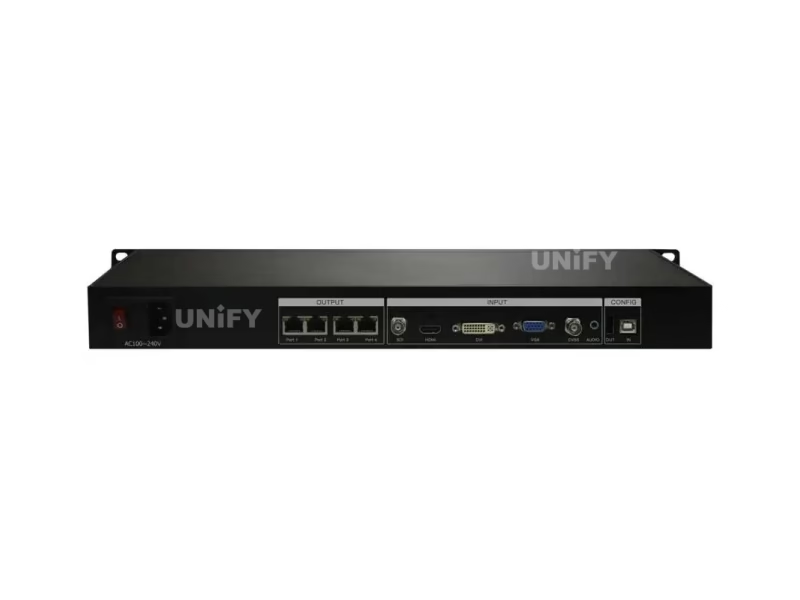
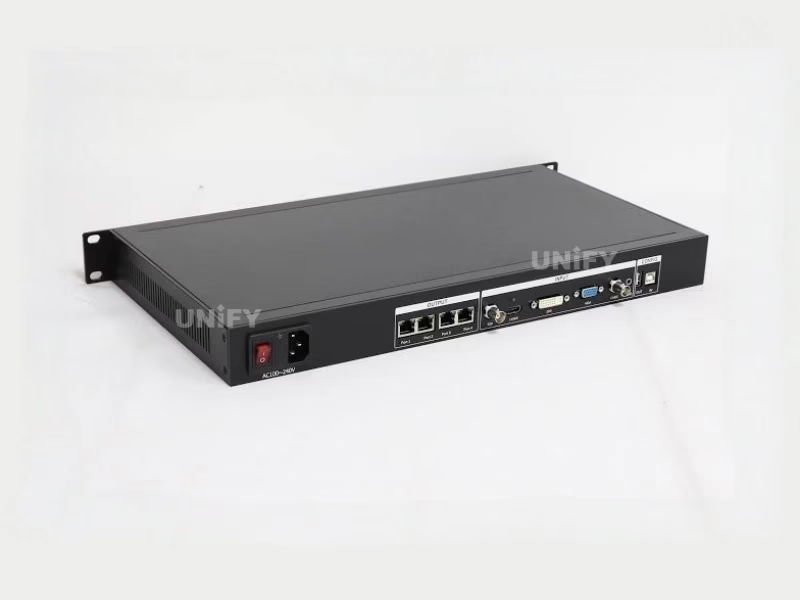
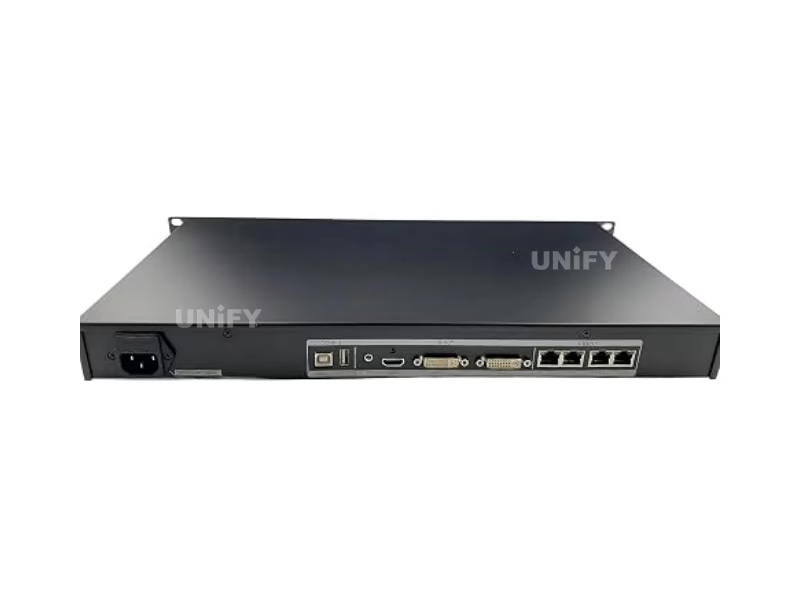
AC 100–240V power, the video source to its input, RJ45 from each of the four ports to the receiving cards (CAT5E or CAT6 only), USB A/B from PC to USB_IN.
Install LEDVISION
Download the free installation package from Colorlight’s official site (colorlightinside.com) and complete the installer.
Detect the sender
LEDVISION → Control → Screen Control. In Sender Settings, click Detect Senders to find the X4.
Detect receiving cards per port
Select each of the four net ports and click Detect Receiver Cards. Mismatched counts point to the specific cable that failed.
Set screen parameters
Sending device (output, EDID, advanced), then screen parameters: Load the module parameter file → Send → Save to Receiver.
Map the four-port connection
Set Row Count / Col Count per port and draw the connection lines in the mapping area — the software auto-calculates each port’s region, which is how the arbitrary splicing layout is defined.
Send & save to cards
Click Send, verify all four regions display, then Save to Receiver — the configuration survives power cycles.
Colorlight Official — LEDVision EP06 Sender and VideoSource Setting tutorial
Background on each configuration layer: control system software and hardware.
Applications
Where Is the Colorlight X4 LED Screen Controller Used?
Rental & Events
One 1U unit runs a full-HD main stage wall — fewer rack units per truck, fewer cascade seams, TAKE/FREEZE keys for live show operation. See LED screen for events.
Fixed Indoor & Conference
1080p meeting-room and lobby walls on a single controller; low-brightness grayscale suits dimmed environments. See the indoor LED display buying guide.
Wide Strips & Commercial Fascia
The 4096-pixel width ceiling makes the X4 the default for storefront tickers, mall fascia and stadium ribbon boards — four ports, one unit.
Broadcast & Studio
Native SDI input takes studio cameras directly; brightness and color-temperature control from the front panel matches studio lighting on the fly.
Factory Strength
Why Buy the Colorlight X4 LED Screen Controller From an LED Display Factory?
The X4’s spec chaos documented above is what happens when hardware moves through unverified listing channels. Buying through a full-line LED screen manufacturer changes the purchase in three ways:
1. Verified hardware against the official specification. Every X4 we ship comes from Colorlight’s authorized channel, is tested on live LED modules before dispatch, and carries serial-number traceability. The first question we answer is the one most listings cannot: which specification revision the unit matches.
2. Commissioning that finishes the four-port layout. Our engineers configure the X4 with LEDVISION end to end — including the four-port connection mapping that defines arbitrary splicing — against your actual cabinets and receiving cards. Our quality control of LED display process applies the same rigor to every batch.
3. Lifecycle economics. A solid-state 20W design with passive cooling has no wear parts — the control layer typically outlives the modules it drives, which is why LED screen lifespan treats controllers as a fixed cost. We back the X4 with a 2-year warranty and keep spares for the project’s operating life.
B2B Procurement
How Much Does the Colorlight X4 LED Screen Controller Cost?
Price transparency, stated plainly: in August 2026 listings we reviewed, the X4 traded at $324 (eager-led.com), $358 (ledcontrolcard.com) and $380 (led-estore.com) — the spread is channel margin and volume tier, not hardware differences. Factory-direct tiers for B2B buyers:
For context: the LED display control system market reached US$659 million in 2025, projected at 13.6% CAGR to US$1.59 billion by 2032 (QYResearch, Global LED Display Control System Market Report 2026). Controller pricing in this category scales with volume — ask for a factory-direct quote at your quantity, and compare the total with a LED video processor only if the project needs scaling/PIP beyond transport.
FAQ
What Do Buyers Ask About the Colorlight X4 LED Display Controller?
What Certifications Does the Colorlight X4 LED Screen Controller Carry?
Every batch ships with Colorlight original packaging and compliance documentation.
Ready to Source the Colorlight X4 LED Display Controller?
Factory-direct pricing, genuine stock, four-port LEDVISION commissioning support and 2-year warranty.
unifyledscreen@gmail.com | +86-191-18802497
Technical Deep-Dive
What Should Engineers Know Before Buying the Colorlight X4 LED Video Controller?
Published: August 2026 | 14 min read | UnifyLED Engineering Team
The Colorlight X4 LED Video Controller occupies the most contested slot in the X series: the capacity class where one unit finally drives a complete 1080p wall. That single fact drives most of the X4’s sales — and most of the confusion around it, because marketplace listings for this model disagree on the three numbers that matter: the loading capacity, the maximum canvas, and the weight. This guide resolves all three against the official Colorlight X4 Specification V1.2, then walks the engineering decisions that follow.
Short answer: The Colorlight X4 is a 1U professional LED display controller with 5 video inputs, 1920×1200@60Hz maximum input, a 2.3-million-pixel loading capacity, 4 Gigabit Ethernet outputs with arbitrary splicing and a 4096×2560 maximum canvas. It drives a complete 1920×1080 wall from one unit, costs roughly $324–$380 depending on channel and volume, supports HDCP 1.4, and is configured with the free LEDVISION software. For 1.3M-pixel projects the 2-port X2 is the smaller option; for USB playback and a sixth input the X4m is the newer one.
Chapter 1 — Definition: What the X4 Is and What It Does
The Colorlight X4 LED Video Controller is a synchronous sending controller: a 1U rack device that takes a video signal — SDI, HDMI, DVI, VGA or CVBS — processes it, and transmits the result over four Gigabit Ethernet outputs to the receiving cards attached to the LED modules. Synchronous means the wall displays what the source delivers frame by frame, which is why this class of hardware is mandatory for video walls and optional for simple signage. If the project runs scheduled content without live video, the synchronous vs asynchronous LED control comparison tells you whether a controller is needed at all.
Inside the X series, the X4 sits between the 2-port X2 and the X4m generation. Its defining combination is capacity plus port count: 2.3 million pixels across four independently routable Gigabit outputs, with a canvas of 4096×2560. The official specification (V1.2, the authoritative revision) states the four outputs “support arbitrary splicing” — the canvas regions can arrange in any direction, which makes the X4 the workhorse for wide strips and mixed-orientation layouts as well as standard 16:9 walls.
Two boundary facts matter for procurement. First, the X4 is a transport-and-switching controller: no PIP, no 4K scaling — those live in a dedicated LED video processor or a higher controller class. Second, it drives the Colorlight ecosystem only: Colorlight receiving cards, multifunction cards and fiber transceivers. The controller decision is a chain decision.
Chapter 2 — Loading: What 2.3 Million Pixels Buys
The X4’s official loading capacity is 2.3 million pixels — the number the correction table exists to defend, because the market’s most common figure is 2.6 million. That 300,000-pixel difference is 13% of the real ceiling: a wall specified against the wrong number arrives 13% over capacity, and the fix is a second controller nobody budgeted.
The headline arithmetic: a 1920×1080 wall is 2,073,600 pixels. It fits inside one X4 with roughly 226,000 pixels of headroom. In the 1.3M class — the X2’s territory — the same wall needs two cascaded units, a synchronization seam and twice the rack space. That is the X4’s entire business case in one sentence, and it is why the 2.3M figure is the first number an integrator should verify on any quote.
The second ceiling is dimensional: 4096 pixels wide by 2560 high. The width ceiling is what separates the X4 from the 2-port class in practice — a 4096×512 strip (2,097,152 pixels) sits inside one X4, where an X2 tops out at 2560 wide. Ticker walls, mall fascia and stadium ribbon boards are X4-class formats not because of their pixel totals but because of their aspect.
The practical formats the X4 handles alone: any wall up to 2.3M pixels whose dimensions stay inside 4096×2560 — 1080p walls, 1080×1920 portraits, 4096×512 strips, and roughly a 13 m² P2.5 wall. Beyond that, the USB_OUT/USB_IN daisy-chain links further X4 units with strict frame-level synchronization, each adding another 2.3M-pixel canvas to the wall.
Chapter 3 — Four Ports, Arbitrary Splicing: The Architecture Difference
The four Gigabit outputs change how a wall fails as much as how it displays. Each port carries an independently addressable region of the canvas, so a cable fault or a failing receiving card takes down one quarter of the wall instead of the whole canvas — and Output Shift per port re-positions the surviving regions while the fault is fixed. For installed signage where downtime is measured in revenue, that isolation is an engineering argument on its own.
The layout flexibility is the visible half of the same architecture. A 4096×512 fascia routes one port per 1024-pixel slice. A 1080×1920 portrait routes two ports up the left half and two up the right. Mixed storefront arrays — a horizontal header over two vertical columns — map onto the same four regions. None of these layouts require a second unit; all of them are the “arbitrary splicing” the specification promises.
The splicing discipline behind multi-controller growth has evolved steadily since the X4’s specification was written — Colorlight’s official overview of where video splicing now stands:
Colorlight Official — ISLE 2026 Video Splicing and Control Solutions video
Chapter 4 — X4 vs X2 vs X4m: The Numbered Differences
The three models above the entry tier divide on four differences that change decisions:
- Capacity class. 1.3M (X2) versus 2.3M (X4) versus 2.6M (X4m). The X4 loads 77% more pixels than the X2; the X4m adds another 13% on top of the X4.
- Output count. Two Gigabit ports on the X2, four on the X4 and X4m. Wide strips and fault-isolated layouts need four.
- Width ceiling. 2560 pixels on the X2 versus 4096 on the X4 and X4m. Ultra-wide formats are X4-class.
- Generation features. The X4m adds USB playback and a sixth input on the same 4-port architecture. When media files must play without an external source, choose the X4m; otherwise the X4 delivers the same canvas at a lower cost.
The 2-port comparison in full lives on the Colorlight X2 LED Video Controller page — read the two pages together and the X series decision reduces to three questions: how many pixels, how wide, and whether media files need onboard playback.
Chapter 5 — The Spec Errors That Cost Money
In August 2026 we checked the top marketplace and distributor listings for the X4 against the official specification and found three recurring errors — each large enough to change a design:
“2.6 million pixels.” The X4’s official capacity is 2.3M; 2.6M is the X4m’s. One Chinese listing even prints “2.3万像素” — 23,000 pixels, three zeros short. A wall planned against 2.6M exceeds the X4’s real ceiling by 13%.
“2560×2560 maximum.” The official canvas is 4096 wide by 2560 high. The 2560×2560 figure copies the X2-class ceiling — and under-sells the X4’s real strength, pushing buyers toward unnecessary cascaded pairs for wide strips the X4 handles alone.
Weights of 7 kg or 8.5 kg. The official specification states 2 kg for the 1U chassis. The inflated figures are store-database shipping weights; freight quotes built on 8.5 kg per unit over-order the budget five-fold on volume shipments.
The pattern behind all three is the same as the X2’s: listing authors copy the X series family datasheet and assign figures to whichever model the URL mentions. The buyer-side countermeasure is unchanged — verify against the official Colorlight X4 Specification V1.2, or ask the supplier to state the revision they quote. A supplier who cannot answer in seconds is sourcing blind.
Chapter 6 — Commissioning: LEDVISION and the Four-Port Map
The X4 commissions in LEDVISION with the same seven-step sequence as the rest of the X series: wire the hardware, install the software, detect the sender, detect the receiving cards per port, load the screen parameters, map the connections, send and save. The X4-specific step is the four-port map — Row Count and Col Count per port define the regions, and the mapping screen’s connection lines are where arbitrary splicing becomes a saved configuration. Getting the map right the first time is why the sequence ends with Send before Save: saving before sending leaves cards holding stale parameters.
Day-to-day operation then moves to the front panel. The 1.8-inch LCD holds eight menus — Display, EDID, Input, Input Clip, Output, Output Shift, Language and System — and the knob edits every parameter with auto-save within one second. The five function keys cover show-critical actions: FREEZE holds the current frame when a source drops, BLACK blanks the wall before unwanted content reaches it, TAKE switches sources cleanly, PART clips on the fly, BRIGHT pulls up brightness control. Operators who know those five keys run a show wall without a laptop.
One habit prevents most field problems: after every commissioning or change, read the configuration back and store the file with the project documentation. Controller swaps, power events and firmware updates reset state in their own ways, and a stored configuration turns “reconfigure from memory” into “load the file.” See control system software and hardware for the full documentation set.
Chapter 7 — Price and Total Cost of Ownership in 2026
The X4’s street price in August 2026 listings spans $324 to $380, and the spread is channel economics, not hardware differences — the same controller sits at every point of that range. What changes is what comes with it: test reports, pre-loaded configurations, four-port mapping support, warranty handling and spare-stock access. Procurement math that compares controller price alone is comparing the smallest line on the BOM.
The market context supports that view. The LED display control system market reached US$659 million in 2025, projected at a 13.6% CAGR to US$1.59 billion by 2032 (QYResearch, Global LED Display Control System Market Report 2026). Within the video wall controller segment, Futuresource Consulting measured US$316 million in 2024 growing at 17% annually toward US$693 million by 2029 — with third-party controllers holding 84.5% of market value and Novastar and Colorlight together commanding roughly three-quarters of that third-party segment. The X4 sits inside the duopoly that defines the standard, which keeps spare cards, receiving cards and software support available for the wall’s whole life.
Lifecycle costs are where the X4 earns its place. A solid-state 20W design with passive cooling has no wear parts; controllers in this class typically outlive the LED modules they drive, and LED screen lifespan is set by the modules, not the electronics. A 2-year warranty with genuine-channel stock means the realistic failure path — a defective unit discovered at commissioning — resolves in days, not months.
Chapter 8 — When Colorlight X4 Beats Novastar for the Chain
Colorlight and Novastar define the third-party LED controller market together, and most integrators work in both ecosystems. The X4’s case for Colorlight rests on three structural differences at this capacity class:
First, the front panel. The X4’s LCD-and-knob design is the X series signature; comparable Novastar units in the same tier are primarily software-driven. If the wall is operated by non-technical staff — a church, a school, a retail chain — the front panel reduces training cost directly.
Second, the four-port splicing behavior at this price point. The X4’s 4-port/2.3M combination targets exactly the wide-strip and full-HD formats that dominate commercial fixed installs; the equivalent Novastar sending tier is the Novastar LED display controller range, with the MCTRL4K as the closest capacity comparison.
Third, the installed base. If the project’s receiving cards, spare stock or maintenance team already sit in one ecosystem, the sending controller follows — mixing chains is unsupported by both vendors. Teams standardized on Novastar should make the mirror decision with the Novastar receiving card selection guide in hand.
The ecosystem decision is a one-time cost that compounds. Pick the ecosystem your receiving cards, technicians and spares already speak — and buy the controller that matches, from a channel that verifies hardware instead of relisting it.
Conclusion
The Colorlight X4 LED Video Controller holds the X series’ most practical slot in 2026: the smallest unit that drives a complete 1080p wall, on four fault-isolating Gigabit ports, with a 4096-pixel width ceiling the 2-port class cannot reach. Specify it with the three official numbers in hand — 2.3M pixels, 4096×2560 canvas, 2 kg — verify every listing against Specification V1.2, and buy through a verified LED screen manufacturer that tests hardware on live modules and maps the four ports against your actual cabinets. Choose it when the wall is 1080p, ultra-wide, or simply bigger than 1.3 million pixels — and the controller layer becomes the part of the project nobody thinks about again, which is exactly what a control chain is for.
LED Control System Range
Which LED Video Controllers Should You Compare With the Colorlight X4?
Colorlight and Novastar control products, receiving card guides and free software resources on UnifyLED.
Where Can You Download Colorlight X4 LED Video Controller Resources?
The official Colorlight X4 Specification V1.2 — the data source for every figure on this page — plus the free LEDVISION configuration software.