
The Ultimate P2.6 Rental LED Screen Buying Guide for Indoor Events
Before you finalize any big B2B purchase, it’s very important to look at a P2.6 rental LED screen buying guide. The guide should care more about engineering details than marketing talk. For an indoor event, the screen must show perfect visuals. The normal viewing distance is from 3 to 8 meters. The pixel pitch is 2.6 mm. It gives a pixel density of about 147,928 pixels per square meter. This density makes individual pixels indistinguishable to people. It makes a smooth, high – resolution space for dynamic presentations and live feeds.
What Is the P2.6 Rental LED Screen Buying Guide? Pixel Pitch & Viewing Distance Explained
Pixel Pitch and Viewing Distance: Why P2.6mm rental LED display is the Optimal Choice
Pixel pitch: For an indoor event, the main goal is to give a visually immersive experience. Text, graphics, and video should look sharp and continuous from every seat in the place. The P2.6 rental LED screen buying guide has to start with a strict analysis of pixel pitch and viewing distance. The pixel pitch is 2.6 mm, so the pixel density is calculated as (1000 / 2.6)^2, which is about 147,928 pixels/m². This density is a key factor to get rid of the “screen – door effect”. The “screen – door effect” is the visible grid between pixels. It can be avoided at distances as close as 3 meters.
Viewing distance: At a typical gala dinner, guests sitting at tables 3 to 8 meters away from the screen will see a seamless image. A larger pitch like P3.9 would make pixels visible at 3 meters. A smaller pitch like P1.9 would be too much and cost a lot more. It won’t give any extra visible benefit at 8 meters. The P2.6mm rental LED display is the best balance between resolution and cost for this use.
When looking for the best P2.6 LED panel for events, buyers need to check. The LED Screen Manufacturer should give a certified pixel pitch measurement, not just a normal value. A 0.1 mm difference can lower the effective resolution. It can also cause moiré patterns in camera shots. The P2.6 stage rental LED screen must be tested in controlled lighting. It should be checked that the pixel pitch tolerance is within ±0.05 mm of the 2.6 mm stated value.
Where Can You Use P2.6 Rental LED Screens? Complete Application Guide
P2.6 Rental LED Screen for Concerts
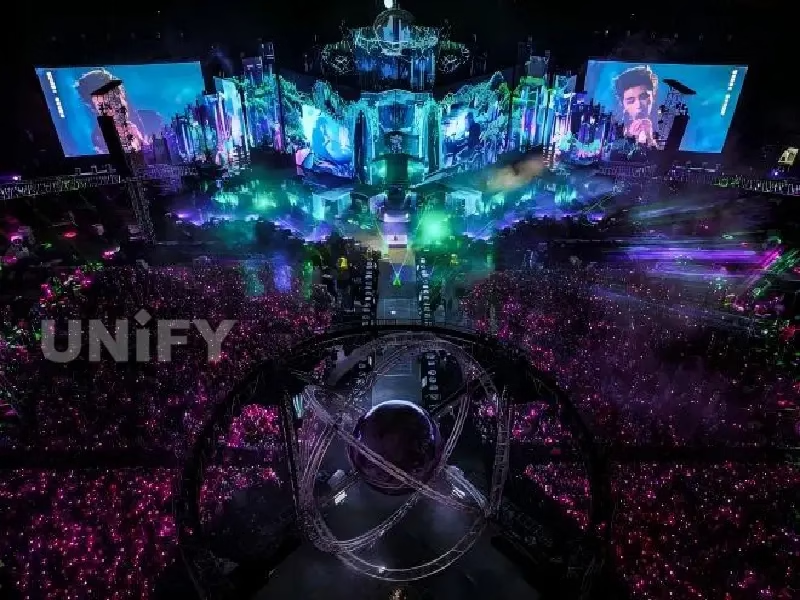
As the main or side screen of the stage, it switches between different images according to the singer’s performance and the rhythm of the song, such as creating a fantastic virtual world scene, enhancing the stage visual effects and bringing a shocking audio-visual experience to the audience.
P2.6 Rental LED Screen for Exhibition
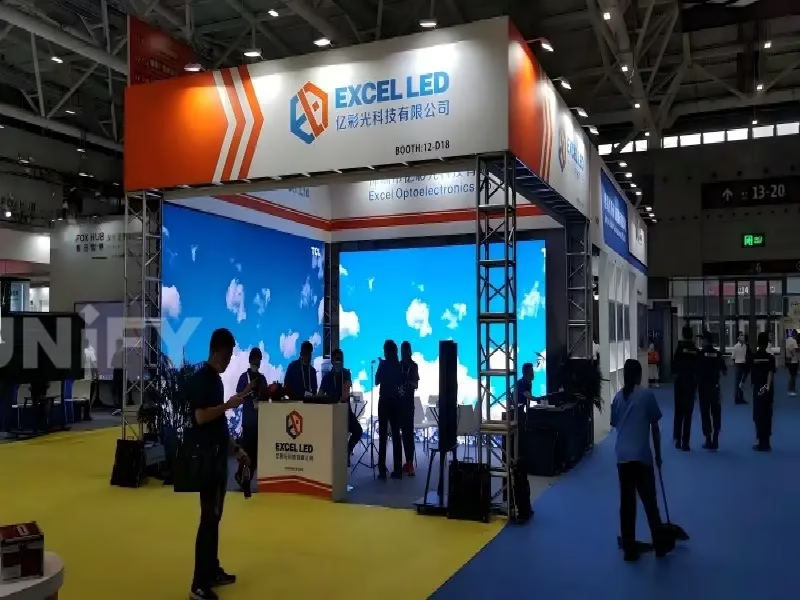
It can play background stories of exhibits, product introduction videos, and even educational animations. Leveraging its flexible rental advantages, it creates an immersive exhibition atmosphere for different themed exhibitions, attracting visitors’ attention.
P2.6 Rental LED Screen for Party & Wedding
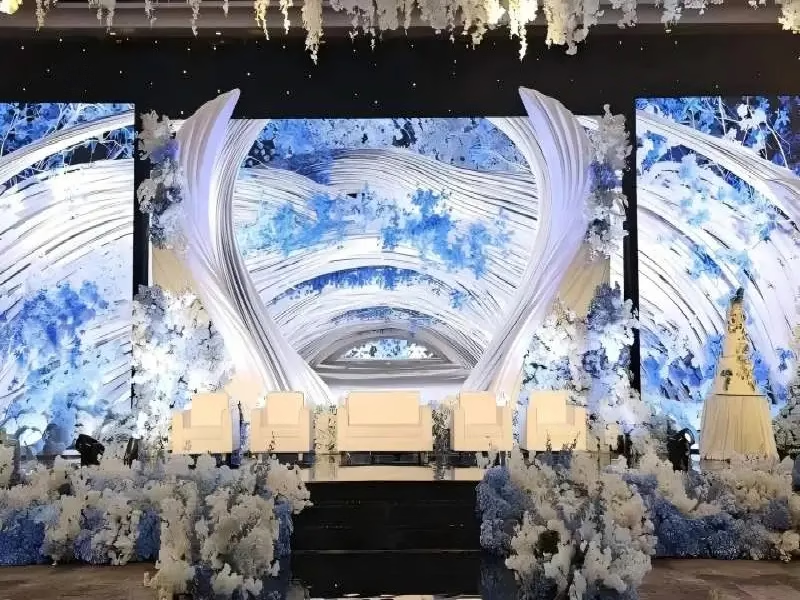
For events like wedding, birthday parties and holiday parties, display corresponding visuals based on the party theme. For example, display horror elements for Halloween and Christmas snow scenes for Christmas to add to the festive atmosphere of the party.
P2.6 Rental LED Screen for Conference & Education
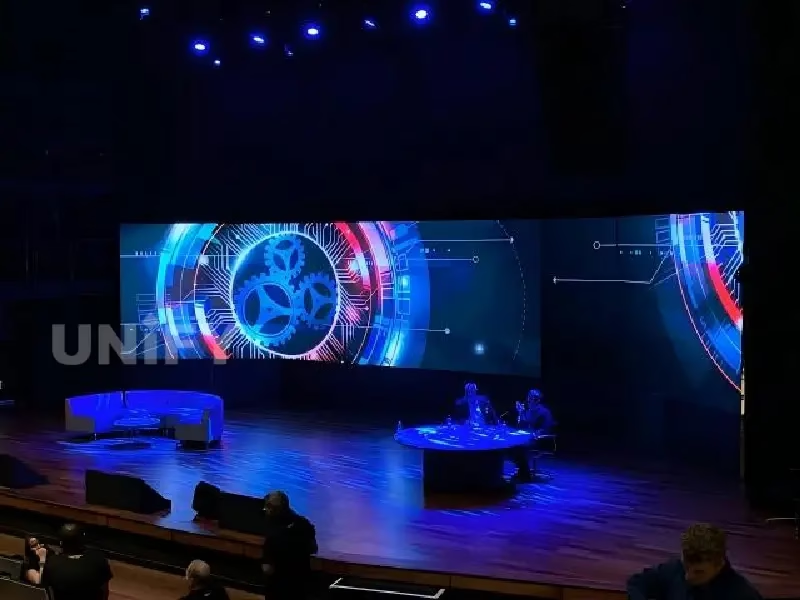
In conference rooms, it clearly displays data and charts, facilitating efficient communication and decision-making; in the education field, whether it’s school lectures or training seminars, it vividly presents teaching content, enhancing interaction and understanding.
How Does P2.6 Rental LED Screen Compare to Other Pixel Pitches? Complete Buying Guide
Pixel density and clarity
P2.6 refers to a pixel pitch of 2.6mm, with a pixel density of approximately 147,928 pixels/㎡. Compared to products with larger pixel pitches such as P3 and P3.9, P2.6 has a higher pixel density, resulting in a clearer image when viewed up close, smoother edges for text and images, and less noticeable pixelation. Compared to displays with smaller pixel pitches such as P1.9 and P2.0, P2.6 offers comparable viewing quality at a certain distance, but at a lower cost.
Optimal viewing distance
Due to pixel density characteristics, the optimal viewing distance for P2.6 rental LED displays is generally around 3-8 meters, suitable for most medium-sized conference rooms, exhibition halls, and event venues indoors. Displays with larger pixel pitch are suitable for longer viewing distances; for example, P5 is often used for viewing from the back row in outdoor plazas or large indoor venues. Displays with smaller pixel pitch are suitable for very close-up viewing; for example, P1.2 is often used in monitoring and command centers.
Price and cost
The smaller the pixel pitch, the more complex the manufacturing process and the higher the cost. P2.6 displays with smaller pixel pitch are cheaper, meeting certain clarity requirements while controlling rental costs, making them suitable for events or venues with limited budgets but seeking good display quality. Compared to displays with larger pixel pitch, although the price per square meter is slightly higher, the display effect is significantly superior in close-to-medium distance viewing scenarios, making them competitive in terms of overall cost-effectiveness.
Application Scenarios
P2.6 rental LED panels are widely used in indoor corporate events, medium-sized conferences, educational training, and small performance stage backdrops, balancing cost and display quality. Larger pixel pitch screens are often used in large outdoor advertisements, stadiums, and other occasions requiring high viewing quality from a distance; smaller pixel pitch screens are commonly found in high-end command centers and studios where extremely high display precision is required.
What Types of P2.6 Rental LED Screens Should You Buy? Complete Buying Guide
The types of P2.6 rental LED screens
- Classified by pixel pitch and density: 6 rentalLED screens have a pixel pitch of 2.6mm and a pixel density of approximately 147,900 dots/㎡. Compared to screens with larger pixel pitches such as P3.91, it offers a more detailed image, is suitable for close-up viewing, and is often used in indoor scenarios where high image quality is required.
- Classified by cabinetmaterial: Common types include die-cast aluminum cabinets and iron cabinet Die-cast aluminum cabinets are lightweight; for example, a single 500×500mm P2.6 die-cast aluminum rental screen panel weighs approximately 7.0kg, making them easy to handle and install. They also offer high strength and corrosion resistance. Iron panels are relatively heavier, but may be cheaper. They offer better structural stability and are suitable for fixed installations.
- Classified by protection level(IP rate): Indoor models typically have an IP30 front-end protection level and an IP20 rear-end protection level, suitable for indoor environments with good conditions, such as conference rooms and exhibition halls. For outdoor or semi-outdoor use, products with an IP65 front-end protection level and an IP54 rear-end protection level can be selected, which can protect against rain and dust and is suitable for outdoor activities and other scenarios.
- Classified by refresh rate: Rental screens are generally categorized into standard refresh rate and high refresh rate. High refresh rate 6 rental LED panels typically have a refresh rate of ≥3840Hz, eliminating scan lines and moiré patterns, meeting the requirements of professional photography, videography, and live streaming, and are suitable for commercial events, press conferences, and other scenarios with shooting needs. Standard refresh rate products are suitable for general display scenarios where shooting requirements are not high.
- Classified by grayscale level: Common products include 16-bit (65,536 levels) grayscale products. The higher the grayscale, the more natural the color transition, the smoother the video image, and the richer the colors and the more delicate the image layers. It is suitable for scenarios with high requirements for color performance, such as art exhibitions and beauty product launches. Some products also have lower grayscale levels, such as 14-bit, which can meet the needs of ordinary displays.
How to Purchase the Right Type Based On Specific Needs?
- Consideringthe usage scenario: For indoor meeting rooms, exhibition halls, etc., an indoor model is sufficient, with an IP30/IP20 protection rating, a brightness of around 600-800 cd/㎡, and a pixel pitch of P2.6 to ensure clear viewing from 3 meters away. For outdoor open-air scenarios, an IP65 protection rating or higher is required, and the brightness needs to reach over 3000 cd/㎡ to withstand direct sunlight.
- Considering viewing distance: If the viewer is close to the screen, such as within 2.5-8 meters, the 6 rentalLED screen provides a good viewing experience, ensuring clear text and images without noticeable pixelation. If the viewing distance is greater, consider a larger screen or a higher resolution product based on the specific circumstances.
- Considering your budget: products with die-cast aluminum cabinets, high refresh rates, high grayscale levels, and high protection ratings are more expensive. For example, a 6 die-cast aluminum rentalLED screen costs between 600 and 1,100 dollars per square meter, including tax. If your budget is limited, you can appropriately lower your requirements for certain parameters, such as choosing products with ordinary refresh rates and lower grayscale levels, or products with iron cabinets, but you must ensure that basic display needs are met.
- Consideringthe installation method: If frequent hoisting or relocation is required, choose lightweight die-cast aluminum cabinets for easy installation and disassembly, improving work efficiency. For fixed installations, iron cabinets are also an option due to their lower price and sturdy structure. Additionally, consider the cabinet splicing accuracy; for example, Unify‘s 6 rental LED screens have a splicing accuracy of ≤0.1mm, ensuring the integrity of the image.
- Considering thecontent display requirements: If primarily displaying static text and images, the refresh rate requirement can be appropriately lowered, and a 1920-3840Hz refresh rate is sufficient. If displaying dynamic videos or conducting live broadcasts, a high refresh rate product with a refresh rate of ≥3840Hz is required. For content with high color requirements, such as displaying clothing or artwork, a product with a wide color gamut coverage of ≥85% NTSC and high grayscale levels should be selected.
Why the P2.6 Rental LED Screen Buying Guide Matters for Your Next Project
In summary, when mentioning a P2.6 rental LED screen buying guide for indoor events, multiple aspects demand consideration. The pixel pitch and viewing distance of P2.6 strike a fine balance between resolution and cost for indoor use. Its diverse types, from cabinet materials to refresh rates and grayscale levels, serve different needs.
Usage scenarios, viewing distance, budget, installation, and content display all influence the choice. Whether for a corporate event or an educational seminar, aligning these factors ensures a suitable screen. For the best P2.6 stage rental LED screen tailored to your indoor event requirements and to get a competitive quote, don’t hesitate to contact us.
FAQ: P2.6 Rental LED Screen Buying Guide
Q: What does P stand for in P2.6?
A: In P2.6, “P” stands for “Pixel Pitch”. It’s the distance between the centers of adjacent pixels. In this case, it’s 2.6mm. This value affects display clarity and viewing distance. Smaller pitches offer sharper close – up views, making P2.6 suitable for indoor setups with near – by viewers.
Q: Is front maintenance better or rear maintenance better??
A: Front – maintenance: Cost more. Good for spaces with little installation area. You can do quick maintenance from the front. Heat dissipation designs are hard.
Rear – maintenance: Cost less. Heat dissipation is better. But they need space at the back. It limits where you can install them.
Q: How to calculate total resolution and controller solution for a P2.6 wall?
A: To calculate the total resolution of a P2.6 wall, measure its width and height in mm. Divide the width by 2.6 for horizontal pixels and height by 2.6 for vertical pixels, then multiply the 2 results.
Controller solution: Determine your input signal type. Select a controller(like Novastar, Huidu, Colorlight…) that can output the calculated resolution, support pixel – mapping, calibration, and offer scalability for potential wall expansions.