Essential P2.6 Rental LED Screen Protection Tips: How to Prevent Corner Pixel Damage During Load-In
- Home
- »
- LED Screen Buying Guides
- »
- Essential P2.6 Rental LED Screen Protection Tips: How to Prevent Corner Pixel Damage During Load-In
P2.6 rental LED screen protection tips are essential for any rental professional who handles fine-pitch LED displays. During load-in, the corners of these precision cabinets face the highest risk of pixel damage from mechanical stress, improper stacking, cable tension, and thermal cycling.
This guide provides practical, field-tested advice on structural tolerances, signal management, durability testing, and operator protocols to help you prevent corner pixel damage and keep your P2.6 rental LED screen performing at its best throughout its rental life.
Whether you manage a rental fleet, work with indoor LED display systems, or serve as a technician on event sites, knowing the specific causes of corner pixel failure will save you time, money, and customer trust. The following sections cover everything from dynamic lock alignment and safe stacking to post-event inspection and staff training. By applying these P2.6 rental LED screen protection tips, you can significantly reduce repair costs and extend the service life of your equipment.
Table of Contents
1. P2.6 Rental LED Screen Protection Tips: Structural Load Tolerances and Safe Stacking
Dynamic Lock Alignment and Load Distribution
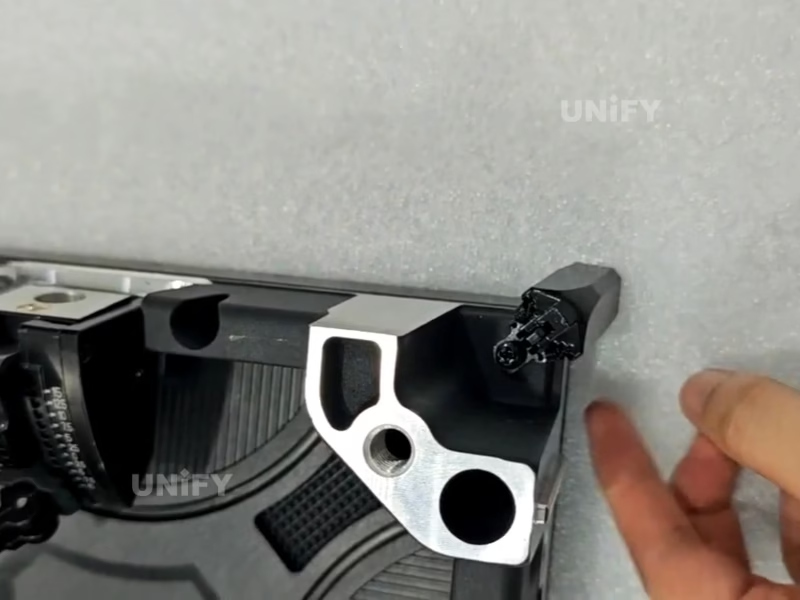
The die-cast aluminum cabinet of a P2.6 rental LED screen depends on high-precision locking mechanisms to maintain a flat, seamless surface. These dynamic locks must achieve ±0.1 mm alignment precision to prevent compressive stress on corner SMD LEDs. When cabinets are stacked vertically, each unit must support a static load of up to 500 kg with a 5:1 safety factor. Exceeding these limits—for example, by leaning equipment against a stack or stacking too high—transfers shear forces directly to corner pixels, causing delamination or cracking.
High-strength die-cast aluminum cabinets are typically tested up to 15.69 KN to validate their structural integrity. Regular inspection of lock engagement surfaces for wear or deformation is essential, as worn locks concentrate stress on the most vulnerable points. Technicians should use a feeler gauge to verify alignment tolerance during every pre-event setup, and any lock showing signs of galling should be replaced immediately rather than adjusted.
Safe Stacking Height and Lifting Protocols
To protect corner pixels, never stack more than ten cabinets high without a dedicated support frame. Industry best practices recommend stacking flight cases no more than three to four high, placing heavier cases at the bottom. Always lift from designated handles or the center of gravity, never from the corner locks. Use anti-static rubber mats under the stack to absorb vibration during transport.
These simple practices are part of effective P2.6 rental LED screen protection tips that drastically reduce mechanical damage. Additionally, ensure floor surfaces are level to avoid uneven load distribution, which can twist cabinets and misalign locks—a common but preventable cause of corner pixel failure during load-in. Crews should also avoid sliding cabinets across the floor, as this can create micro-vibrations that stress corner solder joints over time.
2. Cabling and Port Bandwidth: Avoiding Signal Degradation in Large Walls
Cable Routing to Minimize Corner Tension
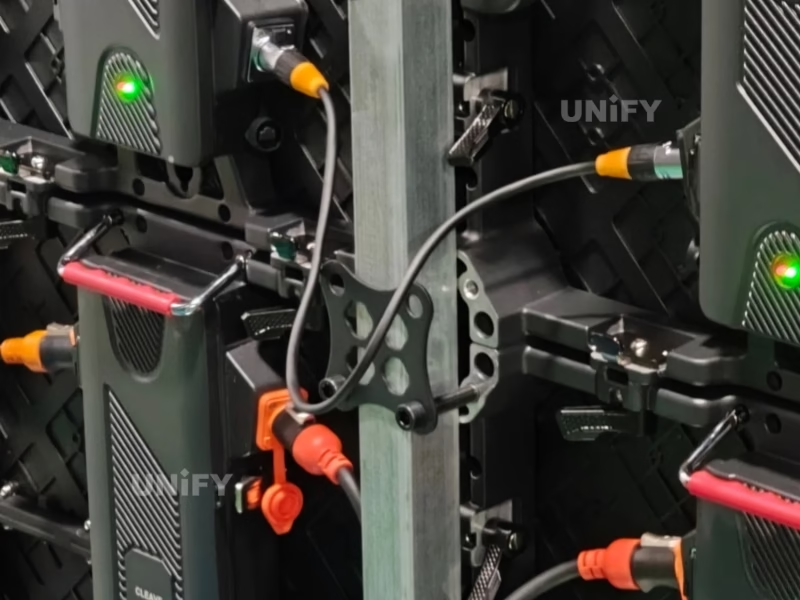
Power and data cables pulled taut during setup can exert lateral force on cabinet corners, misaligning dynamic locks. This P2.6 rental LED display protection measure—recommended by leading outdoor LED screen manufacturer—prevents torque that could crack corner solder joints.
Always route cables through dedicated strain-relief channels integrated into the cabinet frame, not through corner gaps. Use right-angle connectors to reduce the lever arm effect on input ports. Leave a 15 cm service loop at each cabinet to absorb movement during stacking. Velcro straps at 30 cm intervals along the frame further secure cables without stressing the lock interface.
Protruding power and signal connectors are also vulnerable—approximately 25% of transport damage occurs at these points when cabinets shift during transit. For maximum safety, some rental companies now use magnetic breakaway connectors that disconnect cleanly if pulled, preventing frame stress altogether.
HUB75 Port Bandwidth and Pixel Load Calculation
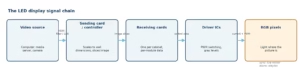
Each Novastar HUB75 port has a maximum throughput of 800 Mbps. At 3840 Hz refresh and 16-bit color depth, each port drives approximately 4,340 pixels. A typical P2.6 cabinet with 256×128 resolution (32,768 total pixels) requires a minimum of eight HUB75 ports. Under-provisioning causes signal degradation, overheating driver ICs at the input corner, and softening solder joints—making corner pixels more susceptible to mechanical damage.
Verify port configuration before each event as part of your P2.6 rental LED panel safeguarding routine. Loose ribbon cables are a common transport failure; hard-wired cabinets eliminate this risk entirely. Use a loopback tester to confirm signal integrity after each setup, paying special attention to the corners where data enters the cabinet.
3. Refresh Rate and Camera Flicker: Ensuring Broadcast-Ready Performance
High Refresh Rate and Thermal Load Reduction
A higher refresh rate, such as 3840 Hz, reduces each LED’s duty cycle, lowering junction temperature—especially at corners where heat dissipation is poorest. Compared to 1920 Hz, thermal load on corner pixels drops by approximately 40%, decreasing solder joint fatigue from repeated expansion and contraction. This thermal benefit is an often-overlooked aspect of P2.6 rental LED screen maintenance tips for events.
Running at maximum brightness for extended periods still generates heat, so balancing refresh and brightness is key. Common cathode technology can further reduce junction temperature by up to 15°C compared to common anode designs, minimizing thermal stress on corner solder joints. For indoor events, setting brightness to 1200-1500 nits rather than 2000 nits provides ample visibility while keeping corner temperatures significantly lower.
Flicker-Free Capture for Broadcast
For camera compatibility, ensure the refresh rate meets the formula: Refresh ≥ 1 / (Shutter Speed × Shutter Angle/360). At 1/50 s and 180°, minimum is 100 Hz, but 3840 Hz eliminates all scan lines. During load-in, test each cabinet with a high-speed camera to detect rolling shutter artifacts, which often appear first at corners due to signal path differences.
Pre-event verification is a vital P2.6 rental LED video wall maintenance step. For broadcast events, cameras often operate at 1/100 s or faster, making refresh rate verification essential to guarantee flicker-free capture. Keep a dedicated test camera in your toolkit and run a quick check on every cabinet before it leaves the warehouse.
4. Durability Testing Standards: Salt Spray, Thermal, and Impact Resistance
ASTM B117 Salt Spray Corrosion Resistance
Aluminum cabinets and steel fasteners must withstand rigorous salt spray testing. Industry standards range from 48 to 240 hours of continuous 5% sodium chloride fog exposure at 35°C without visible corrosion. Micro-cracks in anodized layers, especially at thin corners, become stress concentrators that lead to pixel detachment under vibration. Ensure your rental panels meet these standards; use 304 stainless steel fasteners to avoid galvanic corrosion.
This is a non-negotiable P2.6 rental LED screen protection tips criterion for outdoor-ready fleets, particularly for coastal events and beachside festivals where salt exposure is unavoidable. Request test reports from your supplier and verify that corner-specific corrosion data is included.
Thermal Cycling and Solder Joint Fatigue
Repeated temperature swings (e.g., –20°C to +60°C) induce differential expansion between the aluminum frame and PCB. Corner pixels are most vulnerable because of mismatched coefficients of thermal expansion (CTE). Finite element analysis reveals that maximum equivalent stress concentrates at the solder layer’s outer corners due to thermal mismatch. Quality cabinets include stress-relief slots near corners.
A thermal shock test (100 cycles) should show less than 5% brightness deviation. This testing ensures long-term reliability under real-world conditions. Solder joint fatigue failure is one of the major failure modes during accelerated thermal cycling. Storage in climate-controlled environments between events extends the life of these joints significantly.
Impact Resistance and Corner Protection
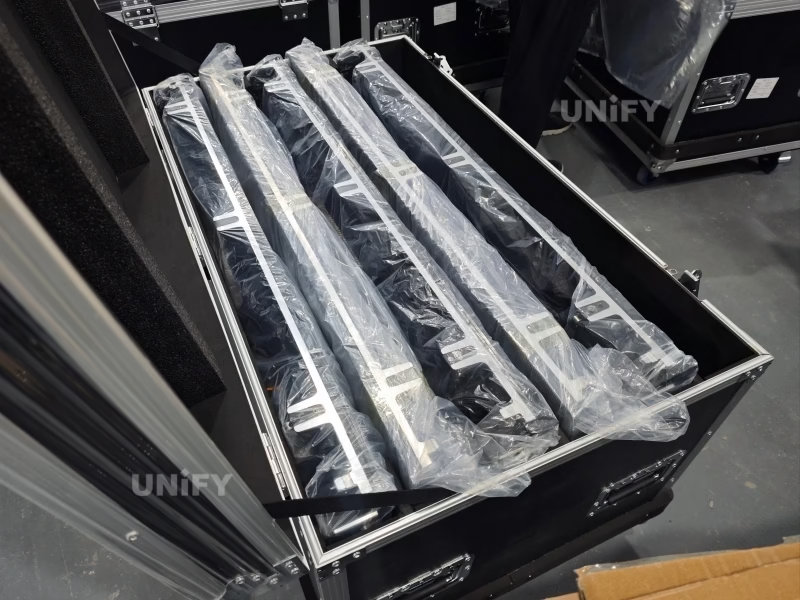
Drop tests and point-load assessments are crucial. Professional manufacturers subject their products to a 1-meter drop test across all six faces. A corner that deflects more than 0.5 mm under a 10 kg load indicates a compromised frame. Use closed-cell polyurethane foam bumpers (Shore A 60-70) in flight cases to absorb shock.
These measures are integral to how to protect P2.6 rental LED screen during transport and should be verified during factory audits. Reinforced aluminum alloy corners and replaceable rubber bumpers act as a “crumple zone,” reducing damage during accidental drops. Check foam condition regularly—compressed foam loses its shock-absorbing ability and should be replaced.
5. Understanding Corner Pixel Vulnerability on P2.6 Cabinets
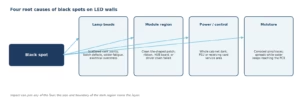
Corner pixels are inherently more fragile due to their location near the cabinet edge, where structural support is minimal. During load-in, they face multiple stressors: compressive forces from stacking, lateral tension from cables, and thermal gradients from poor heat dissipation. Among all structural points, the corners of an LED panel face the highest risk during transportation and handling.
The PCB substrate can warp under humidity changes, applying uneven pressure on corner solder joints. A single accidental drop can shatter expensive LED lamp beads instantly. Recognizing these vulnerabilities is the first step in effective P2.6 rental LED display protection. By understanding the root causes, technicians can implement targeted safeguards—such as using corner bumpers, monitoring humidity, and training crews—to prevent damage before it occurs. This awareness should be part of every operator’s training.
6. Dynamic Lock Alignment and Corner Stress Distribution
Precision locks not only ensure visual seamlessness but also distribute mechanical stress evenly across the cabinet face. When locks are misaligned or worn, the load concentrates on the corners, leading to pixel crushing. Spring-loaded latches with ±0.1 mm alignment precision ensure seamless panel connections. Quick-lock systems with tested load capacity of at least 10 times the cabinet weight provide reliable performance for touring and events.
Regular calibration of lock tension and inspection for deformation are essential. A well-aligned lock system prevents point loads that exceed safe limits. This is a core aspect of P2.6 rental LED panel safeguarding that directly impacts pixel longevity and screen flatness. Keep a calibration log for each cabinet and track lock performance over time.
7. Impact Resistance: Corner Bumpers and Protective Measures
Physical shocks from forklifts, rigging trusses, or uneven stacking are the leading cause of corner pixel failure. Installing removable corner bumpers made of energy-absorbing foam can mitigate these impacts. LED corner protectors on each corner prevent damage to LEDs during transportation, installation, handling, assembly, and disassembly. Using edge protectors and automatic edge protection during handling reduces damage by up to 50%.
For maximum protection, choose flight cases with custom-cut foam that cradles each cabinet without pressing on the pixel modules. These practical solutions are part of the best protective case for P2.6 rental LED panel selection process—a decision that directly affects your repair costs and LED screen lifespan. Invest in cases with reinforced corners and replaceable foam inserts.
8. Pre-Load-In Inspection Checklist for Corner Pixels
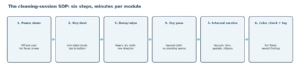
Before loading cabinets onto trucks, perform a systematic check:
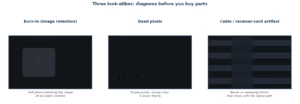
(1) Visually inspect all corner pixels for cracks, delamination, or dead pixels—play solid color test patterns (red/green/blue/white/black) to quickly locate anomalies.
(2) Test lock engagement and measure alignment with a feeler gauge.
(3) Verify cable connectors are free of damage and strain-relief channels are clear.
(4) Check humidity indicators inside cases—the P2.6 rental LED screen storage humidity guidelines recommend 20-60% RH.
(5) Run a signal loopback test to detect any bit errors above 1e-12.
(6) Open and check cabinet corners—the most vulnerable area. This checklist ensures only healthy cabinets go on the road. Document each inspection and flag any cabinet that shows recurring issues.
9. Transport and Flight Case Best Practices
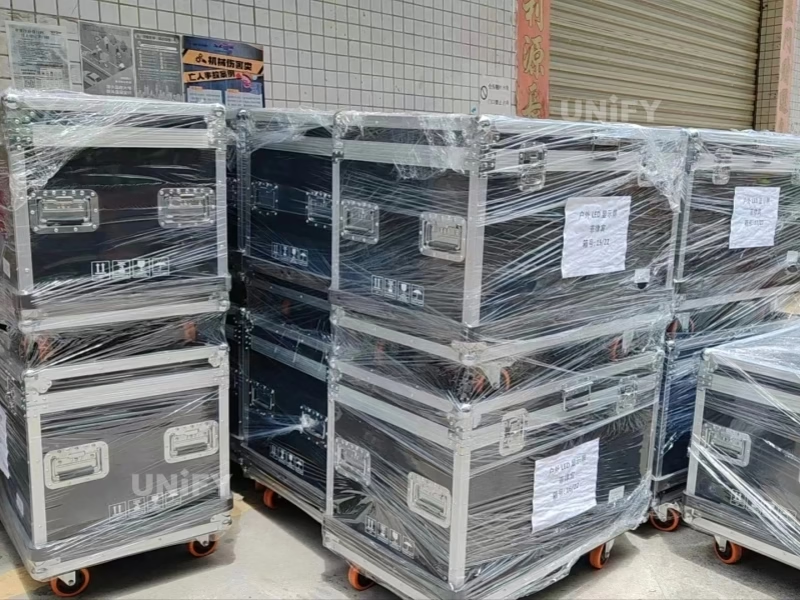
Flight cases should have shock-absorbing corners, desiccant packs to control moisture, and secure latching. Professional cases feature 9 mm birch plywood outer shells, 30 mm aluminum reinforcement frames, reinforced steel corners, and 50 mm high-density EVA foam bases. A typical 500×500 mm case holds eight cabinets; 500×1000 mm holds five to six.
Always stack cases upright and never place heavy items on top. Use padded dividers to prevent cabinet-to-cabinet abrasion. During transport, secure cases with straps to avoid sliding. Following these practices is essential for how to protect P2.6 rental LED screen during transport. Label cases “FRAGILE – ELECTRONICS” to remind carriers to handle with care. Inspect cases regularly for damage to the foam and shell.
10. On-Site Handling and Stacking Protocols
Upon arrival, designate a clean, level area for staging. Use two-person lifts to avoid twisting cabinets. When stacking, align locks carefully and use corner guides to prevent misalignment. Never slide cabinets across the floor. Implement a “no lean” rule—do not rest tools or equipment against stacked screens.
These on-site protocols are a key part of P2.6 rental LED screen protection tips—critical for any rental LED display operation—that reduce accidental damage during the hectic load-in phase. Technicians should avoid gripping the edges or corners when moving individual panels, as these areas are prone to cracking. Use designated handles or lifting points exclusively. Keep a rubber mallet and alignment tools on hand for quick lock adjustments.
11. Post-Event Inspection and Damage Documentation
After teardown, inspect each corner with a magnifying glass or microscope for micro-cracks. Test modules immediately with a quick power-on to catch any dead pixels. Document any pixel anomalies with photos and logs, noting the cabinet serial number and event details. Report damage within 48 hours and document with photographs. This data helps track recurring issues and informs future preventive measures.
Consistent documentation is a professional P2.6 LED screen rental care and cleaning instructions extension, ensuring that maintenance is proactive rather than reactive. Each repair costs time, money, and customer trust—for a busy rental company, a single damaged cabinet can mean an unusable screen and lost revenue. Use a digital tracking system for all inspection records.
12. Operator Training for Corner Pixel Protection
Well-trained operators are the first line of defense. Provide hands-on sessions covering proper lifting techniques, lock alignment, cable routing, and emergency procedures. Emphasize the importance of following the pre-load-in checklist and reporting any anomalies immediately. Training should also cover the P2.6 rental LED screen storage humidity guidelines and cleaning protocols.
Rental LED screen Manufacturers can improve warranty outcomes by training customer operators on how to correctly disassemble, handle, and repair screens. Investing in operator competence significantly reduces accidental corner pixel damage. Proper stacking saves thousands in repairs—a well-trained crew is your most valuable asset. Schedule refresher training twice a year to keep protocols top of mind.
13. Conclusion
Implementing comprehensive P2.6 rental LED screen protection tips is not optional for rental professionals who want to maintain high pixel yield and avoid costly repairs. From structural load management and cable routing to durability testing and operator training, every measure contributes to safeguarding corner pixels during load-in. The cost of a single corner pixel repair—including labor, replacement module, and shipping downtime—often exceeds the expense of these preventative actions. Transport damage is not inevitable—it is preventable with good packaging, proper stacking, and anti-collision design.
Review your current procedures against this guide. For a customized protection plan for your fleet, contact our team or call our technical support line today.
14. FAQs
Physical impact, moisture ingress, and improper stacking are the top causes. Using flight cases and following P2.6 rental LED screen protection tips like limiting stack height, using corner bumpers, and securing cases with straps can prevent most damage. Loose flight cases allow cabinets to shift inside, causing corner impacts.
Inspect before every load-in and after each event. Early detection of micro-cracks or loose solder joints allows for timely repairs, reducing the risk of failure during a show. Use a dead pixel test tool with solid color patterns to quickly locate anomalies.
The recommended P2.6 rental LED screen storage humidity guidelines are 20% to 60% relative humidity. Use desiccant packs in cases (at least 50g per case) and avoid extreme temperature fluctuations to prevent PCB warping. Ideal temperature range is 10-30°C (50-86°F).
Only use a soft microfiber cloth slightly dampened with specialized LED-safe cleaner. Avoid alcohol or corrosive liquids. Always power off before cleaning—this is a basic P2.6 LED screen rental care and cleaning instructions rule. Never wipe directly with a wet cloth.
Higher refresh rates lower thermal load on corner LEDs, reducing solder joint fatigue. At 3840 Hz, the thermal load on corner pixels is approximately 40% lower than at 1920 Hz. It also ensures flicker-free broadcast capture, which is why P2.6 rental LED video wall maintenance includes refresh rate verification.
Damaged LED beads from physical impact during transport and handling are the most common reason. Other causes include soldering defects, power instability, environmental stress, and improper stacking. Most dead pixels can be quickly repaired with proper technique.
Routine maintenance is relatively straightforward when proper training and spare parts are available. Many suppliers also provide technical support and maintenance guidance.
Evaluate supplier experience, product quality, after-sales support, customer references, and long-term partnership potential. A reliable supplier like Unify often provides greater value than the lowest-priced option.
Related Posts