
RGBlink · X Series · HDR Video Wall Processor
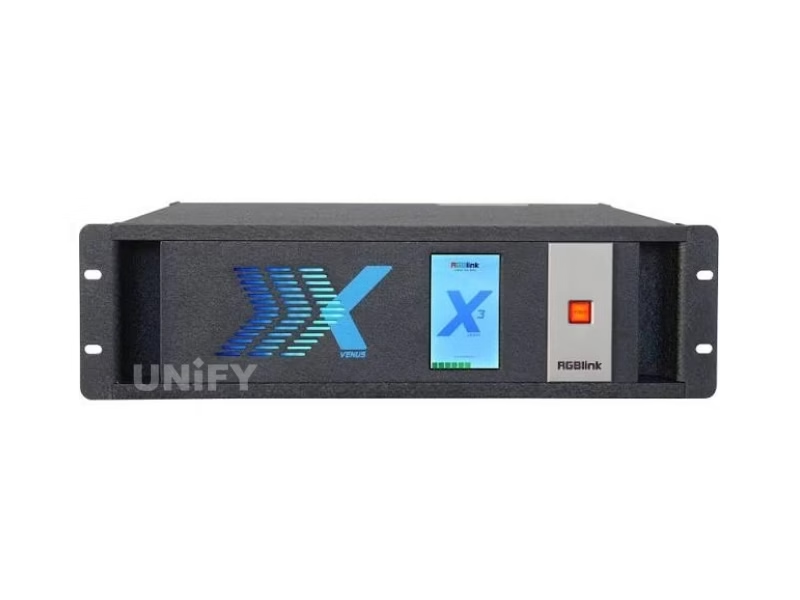
RGBlink X3 LED Display Controller
The RGBlink X3 is the HDR, 4K@60 generation of RGBlink’s X-series video wall processor — a modular LED display controller with four input slots for up to sixteen sources, two output slots for up to eight displays, 12G-SDI and 4K HDR module options, and a 16-layer wall engine under XPOSE control — sold in four builds from the X3 to the touch-panel X3 Touch.
Product Overview
What Is the RGBlink X3 LED Display Controller?
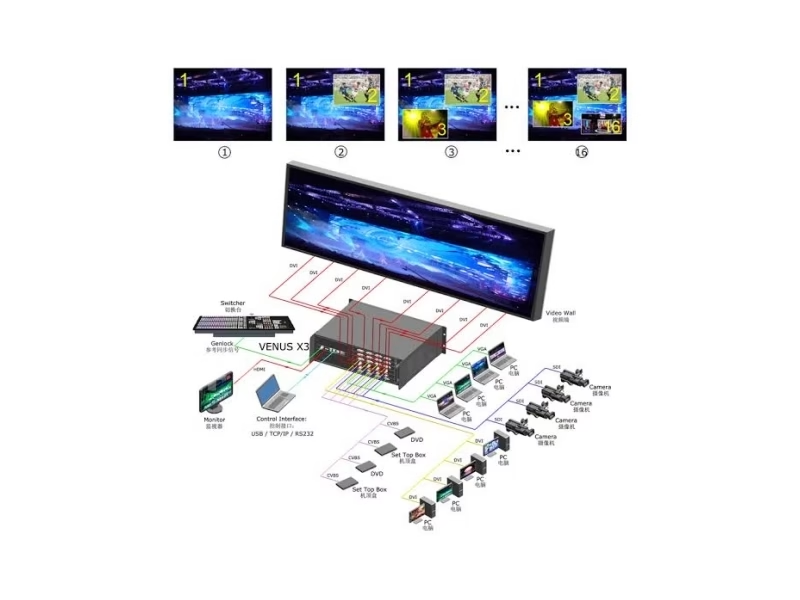
The RGBlink X3 LED Display Controller is the HDR-generation video wall processor of RGBlink’s X series — a modular 16×8 instrument (four input slots for up to sixteen sources, two output slots for up to eight displays) that carries the X2’s wall-processing lineage into the 4K era: 4K@60 inputs over HDMI 2.0 and DisplayPort 1.2, a 4K HDR input module, 12G-SDI with 2SI/SQD encoding safety, dual 4K HDMI 2.0 output modules, HDR support, 3D, and a high-speed video and graphics bus that keeps sixteen layers real-time across eight outputs. RGBlink sells it in four builds — the X3 (310-0003-15-0), X3e, X3 Touch (310-0003-01-0, touch panel) and X3p (310-1003-11-0, streaming preview) — all controlled and configured over XPOSE or the T Series consoles. Official data on this page comes from the X3 Specification V1.6 (November 2023), User Manual V1.8 and Quick Start V1.4 (July 2024) — the current documents on RGBlink’s product page.
Short answer: The RGBlink X3 is the 4K/HDR rung of RGBlink’s X-series video wall processors: four input slots take SmartSlot modules — quad 2K HDMI, 3G-SDI with loop, HDBaseT, H.264, 4K@60 (HDMI 2.0 / DP 1.2 / DVI-I), 4K HDR, 12G-SDI (single 12G, dual 6G or quad 3G) — for up to sixteen inputs; two output slots take quad 2K HDMI/DVI/SDI/H.264 or dual 4K HDMI 2.0 modules for up to eight displays; the engine composites up to 16 layers with clean switching, supports HDR, 3D and multiple operating modes (video wall, presentation, matrix, 3D), applies 2SI/SQD encoding through the 12G-SDI path, and runs under XPOSE or T Series consoles with a redundant hot-swap 400 W PSU option. The family spans X3 (310-0003-15-0), X3e (310-0003-16-0), X3 Touch (310-0003-01-0, 16×8 touch build listing at $9,995) and X3p (310-1003-11-0, standard H.264 streaming with independent preview).
Position in the family is the 4K step. The RGBlink X2 ($3,429) drives sixteen 2K outputs and accepts 4K@30; the X3 accepts 4K@60, carries HDR and 12G-SDI modules, and outputs dual 4K HDMI 2.0 — the processing generation for LED walls and video walls whose sources and displays have moved to 4K. Below it the X1 Gen2 handles single chains, and above it the X7, X14 and X20 scale to mega walls. The “LED Display Controller” name follows the channel usage — resellers list the VENUS X3 in exactly this way — for a processor whose outputs feed LED control systems directly, and this page uses the current X3 name with the channel name stated in its data check.
The X3 is a current, actively documented product — the V1.8 manual was published in July 2024 — sitting in RGBlink’s Universal Processor range beside the X2, X7, X14 and X20, and carrying certification across ETL, 3C, CE, FCC and RoHS. The naming archaeology around it is one of the richest in the catalog: earlier channel material called the platform the VENUS X3, RGBlink’s own 2017 launch video introduced it as the M3 (X3 Live), and current listings use X3, X3e, X3 Touch and X3p for the four builds — the data check section untangles all of it.
Specifications
What Are the RGBlink X3 LED Display Controller Specifications?
Data from the official RGBlink X3 Specification V1.6 (November 2023).
Wall Processing & Control
Official Data Check
What Do Official X3 Documents Say That Older X3 Pages Get Wrong?
The X3 carries the catalog’s richest naming history, and four points deserve the official treatment. First, the names: channel material and older listings call the platform the VENUS X3, RGBlink’s own 2017 launch video introduced it as the M3 (X3 Live), and the current documents use X3 for the family — all describe the same modular wall processor, and a quote should pin the current order code rather than a channel name. Second, the family: X3 (310-0003-15-0, configurable except SDI output modules), X3e (310-0003-16-0, configurable except 4K input and output modules), X3 Touch (310-0003-01-0, touch panel) and X3p (310-1003-11-0, standard with two H.264 streaming output modules and independent streaming preview) are four builds of one platform, and listings that name only “X3” leave the build unspecified.
Third, the configuration: as with the rest of the modular X series, the X3 ships as a chassis whose module kit — input and output choices from the 190-0003 family, PSU option — determines the connector count and the price, which is why reseller listings carry different prices for the same chassis letter. Fourth, the generation: the X3 is the 4K/HDR rung, not a 2K re-badge of the X2 — 4K@60 inputs, 4K HDR and 12G-SDI modules and dual 4K HDMI 2.0 outputs are X3 capabilities the X2 sheet does not carry, and comparisons between the two should use each unit’s own document set.
Family Builds
Which X3 Build Do You Need: X3, X3e, X3 Touch or X3p?
The four X3 builds share one chassis and one engine; the differences are the module constraints and the standard kit. X3 (310-0003-15-0) is the fully configurable reference build — all modules selectable except the SDI output modules. X3e (310-0003-16-0) is configurable across the range except the 4K input and output modules — the value build for 2K-era walls that want the X3 bus. X3 Touch (310-0003-01-0) ships with the touch control panel on the front — the self-contained build for operator desks that want direct control without a laptop, listed at $9,995 as a 16×8 configuration. X3p (310-1003-11-0) is the streaming build — standard with two H.264 streaming output modules and an independent streaming preview module that pushes program and layout views to XPOSE, the choice for venues that monitor and distribute walls over the network.
The selection rule in one line: streaming preview and H.264 outputs point to the X3p; touch operation without a laptop points to the X3 Touch; 4K module flexibility points to the X3; and a 2K-only budget points to the X3e. The order code ends the ambiguity that channel names like VENUS X3, X3 Live or M3 leave open, and the module kit — not the chassis letter — sets the final connector map and price.
Generation Step
What Does the X3 Add Over the X2 for LED and Video Walls?
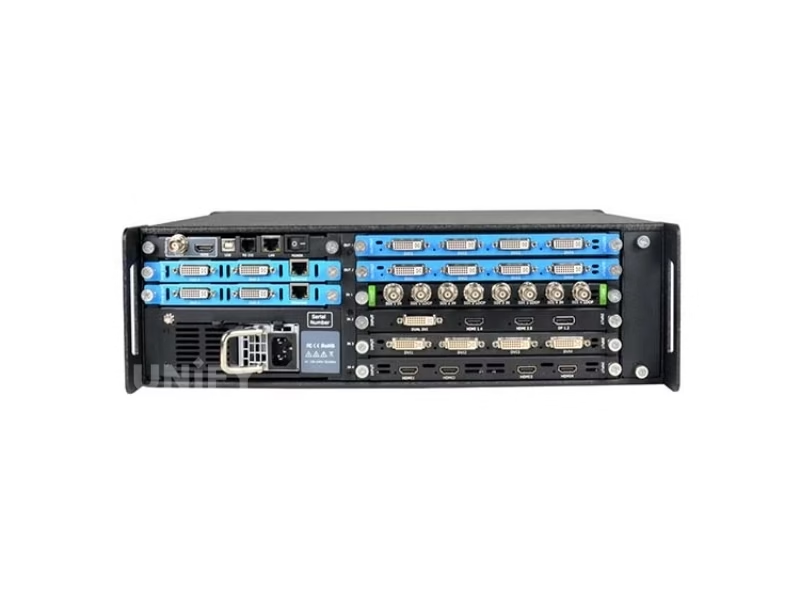
The generation step from the X2 to the X3 is the 4K move. The X2 accepts 2K inputs and 4K@30 through one module and outputs sixteen 2K signals; the X3 accepts 4K@60 natively over HDMI 2.0 and DisplayPort 1.2, adds a 4K HDR input module for HDR sources, carries 12G-SDI for single-cable 4K camera and router paths, and outputs dual 4K HDMI 2.0 — including a multi-layer output build that places windows inside a 4K frame rather than only across 2K outputs. HDR support and the 2SI/SQD encoding control on the 12G path complete the 4K story: a venue whose content, cameras and displays have moved to 4K keeps its wall processor current with the X3 instead of running 4K sources through 2K-era down-conversion.
The bus and the layer count carry the scale. The high-speed dedicated video and graphics bus keeps real-time performance regardless of signal load or type — the specification point that matters when sixteen sources and sixteen layers share one chassis — and the X3 composites up to sixteen layers across its eight outputs with clean switching between inputs, display windows and layers. Outputs form video walls, presentation canvases, matrix routes and 3D configurations from one engine, and multiple X3 processors cascade for display arrays larger than eight screens. The 8-output scale with 4K capability places the X3 between the 2K sixteen-output X2 and the mega-scale X7, X14 and X20.
Modules
What Modules Does the X3 Accept?
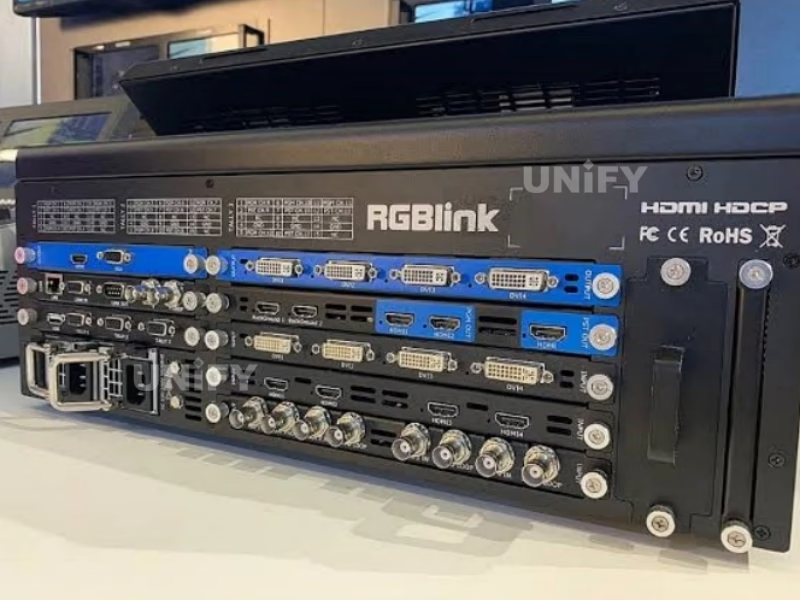
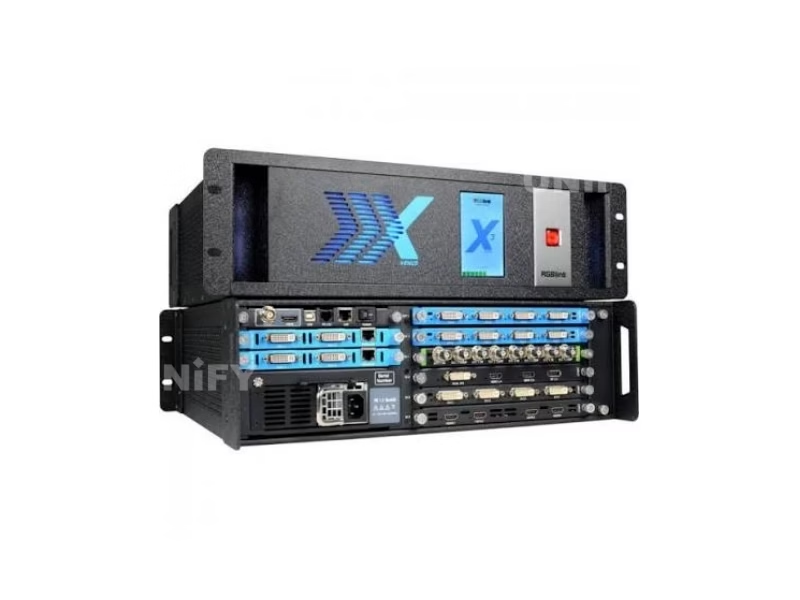
The X3’s six-slot card frame takes RGBlink’s SmartSlot modules, and the 190-0003 family is the largest of the X series. On input: quad 2K@60 HDMI (including a de-interlacing build), quad DVI, quad 3G-SDI with loop-through, quad HDBaseT, quad CVBS backup, quad H.264 over RJ45, the 4K@60 module carrying DVI-I, two HDMI-A and a DisplayPort, the 4K HDR module, and the 12G-SDI module that accepts a single 12G-SDI, dual 6G-SDI or quad 3G-SDI input. On output: quad 2K HDMI, DVI or 3G-SDI modules, quad H.264 streaming, the dual 4K HDMI 2.0 module (with a multi-layer build), the ARO rotation module for independent arbitrary DVI rotation, and the PVW preview module. Power takes a 400 W hot-swap PSU with a redundant option.
Configuration planning follows the same discipline as the X2: the module kit defines the machine. A broadcast studio wall fills input slots with 12G-SDI and 4K HDR modules and output slots with dual 4K HDMI 2.0 modules; a presentation venue runs quad 2K HDMI inputs and quad 2K outputs; a signage operation streams program with the H.264 module. Every module is hot-swappable — a source-fleet change is a slot change, not a processor replacement — and the 190-0003 module numbers in the order are the difference between a generic quote and a working configuration.
Wall Engine
How Does the X3 Composite Layers and Run Multiple Modes?
Compositing on the X3 runs up to sixteen layers across the eight outputs — a full-wall program, a grid of sources, hero windows with supporting feeds — each layer scaling independently with clean switching between inputs, windows and layers. The high-speed bus keeps the layer load real-time at any signal mix, which is the operating guarantee a wall operator needs when a show adds windows mid-event. EDID management covers 4K and 2K inputs so source devices negotiate the intended resolution, and HDR passes through the processing path for HDR-capable sources and displays.
The multiple operation modes make the X3 a multi-application processor rather than a wall-only box: video wall mode for continuous display environments, presentation mode for stage and conference switching, matrix mode for routing, and 3D mode for stereoscopic sources — with simultaneous modes where a venue needs them. The touch build puts the mode and layout control on the front panel, XPOSE handles dynamic configuration from any desktop, and the T Series consoles give hardware control surfaces for live operators — the control breadth this site documented on the X2, extended into the 4K generation.
Broadcast I/O
How Does the 12G-SDI Path Handle 4K Safely?
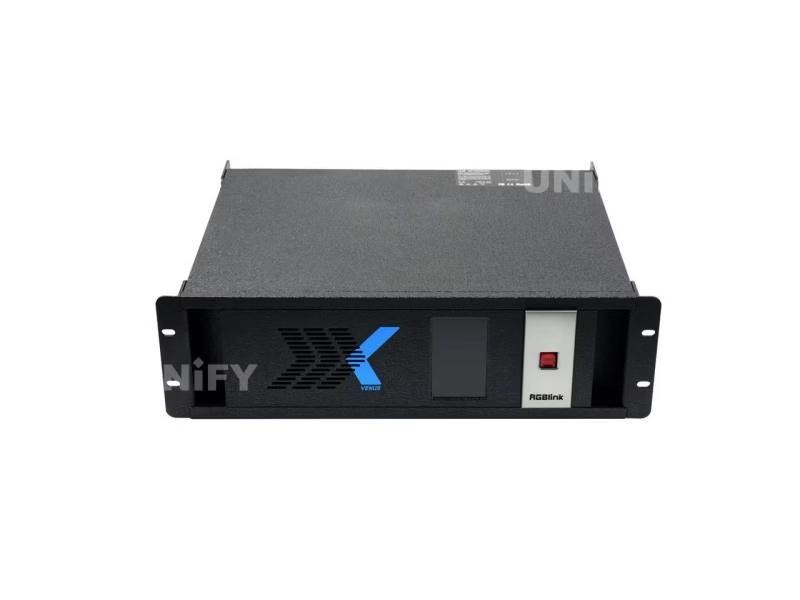
The 12G-SDI input module is the broadcast door into the X3: a single BNC carrying 12G-SDI takes a full 4K signal on one cable, and the module also accepts dual 6G or quad 3G configurations for legacy router topologies. RGBlink’s engineering note on the module is the safety feature that matters for production: the encoding between 2SI (two-sample interleave) and SQD (square division) is switchable on the 12G path, so a 4K signal arriving in either transport standard converts correctly for the wall — the format detail that keeps 4K camera and router feeds glitch-free through processing and transmission. Studio and rental walls whose signal grammar is SDI step to the X3 rather than converting 4K-SDI down for a 2K-era processor.
Preview & Streaming
How Does the X3p Preview and Stream the Wall?
The X3p build answers the monitoring question that every multi-output wall raises: what is actually on the wall, and how do I see it remotely? Its independent preview module streams program and layout views over H.264 to XPOSE on any desktop, or to extended monitoring displays, so an operator verifies a layout before taking it to program and a facility manager checks an unattended wall from anywhere on the network. The two H.264 streaming output modules that ship standard with the X3p carry additional program streams for distribution — the build for venues that distribute wall content over IP as well as displaying it. RGBlink’s own tutorial walks the preview-to-XPOSE workflow end to end.
Official RGBlink video — X3p preview streaming to XPOSE.
Setup & Operation
How Do You Install and Operate the RGBlink X3?
Installation follows the X-series rack pattern: the X3 mounts in a 19-inch rack, takes the module kit specified at order, and powers from the 400 W hot-swap PSU with a redundant unit where the wall cannot drop. Sources wire into the input modules — SDI into the 12G or 3G modules, 4K into the HDMI 2.0 or DP paths, computers into DVI or HDMI — and the outputs feed the display chain: 4K HDMI 2.0 modules drive 4K LED control systems and displays directly, 2K quad modules drive multi-screen 2K walls, and the H.264 modules stream for distribution. XPOSE configures layouts, modes and EDID profiles over the LAN; the T Series consoles operate live; the touch build controls from the panel.
Operation is the wall workflow this site has documented across the X series: count layers against the show design, verify layouts on the preview stream (X3p), and take to program with clean switching. The X3’s document cadence is current — manual V1.8 published July 2024 — and its firmware base is mature, the combination an installed wall wants. For an LED build, the processor sits at the head of the display chain this site sells end to end, and the related links close the quote.
Official RGBlink video — T1 configuration and control of the X3.
Where It Works
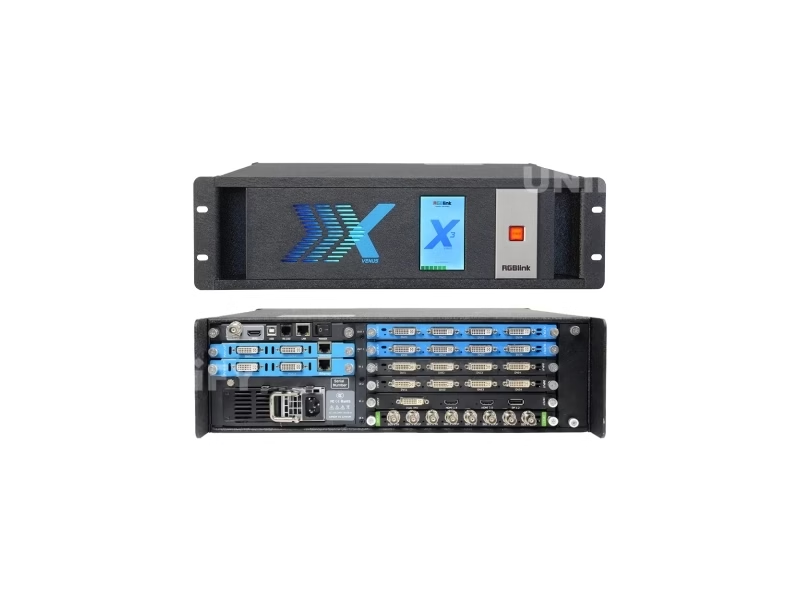
Where Does the RGBlink X3 Fit in LED and Video Wall Work?
4K media servers into the HDMI 2.0 path, HDR content to rental LED screens and stage LED walls through dual 4K outputs — the X3 is the processor rental fleets step to as 4K content becomes the standard load.
12G-SDI camera and router paths with 2SI/SQD safety, HDR virtual sets and 3D mode — the control room and studio LED scale where SDI grammar rules.
A sanctuary wall, overflow displays and 4K media in one processor — the X3p build streams preview and program to campus operators, with the church LED display stage at 4K.
Multi-display control rooms and venue walls feeding outdoor LED screens and event screens, cascaded X3 units for arrays beyond eight displays.
The X3 is the 4K head of the multi-screen LED chain this site documents — processors, control systems and screens quote together from the LED video processor knowledge base to the wall itself.
Pricing
How Much Does a RGBlink X3 LED Display Controller Cost?
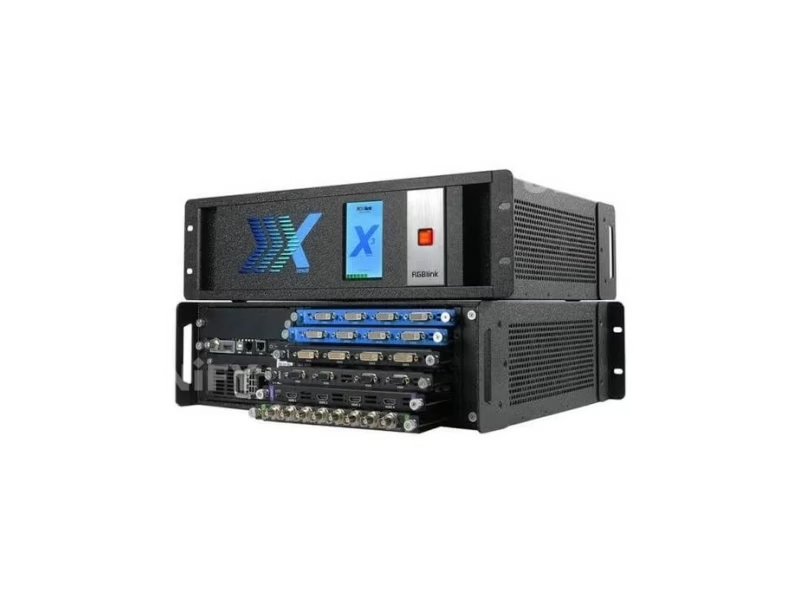
Price transparency, stated plainly: the RGBlink X3 Touch (310-0003-01-0) lists at $9,995.00 at a US specialty reseller (in stock, September 2026) in a 16×8 configuration, and the X3 family is otherwise quoted by configuration — the chassis, the module kit and the PSU option set the price, which is why reseller listings for the same family carry different numbers. The family frame: the X3 Touch at $9,995 sits at the 4K/HDR rung above the X2 at $3,429, and below the mega-wall X7, X14 and X20 classes. Factory-direct tiers for B2B buyers:
Budget the configuration, not the chassis: a 4K/HDR wall quote pairs the X3 with its module kit — 4K@60 or 4K HDR inputs, dual 4K output modules where the displays are 4K, streaming modules for the X3p role — and the PSU redundancy option where the wall cannot drop. Genuine unit, 2-year warranty and ETL, 3C, CE, FCC and RoHS certification ship with every order; ask for a factory-direct quote at your configuration — we are the LED screen manufacturer behind unifyled.com.
FAQ
What Do Buyers Ask About the RGBlink X3 LED Display Controller?
What Assurance Comes With the RGBlink X3 Controller?
Every X3 ships with RGBlink original packaging, the build and module kit specified on your order, and compliance documentation.
Ready to Spec the X3 for Your 4K LED Wall?
Factory-direct pricing, genuine RGBlink stock, builds and module kits configured to your wall, 2-year warranty.
unifyledscreen@gmail.com | +86-191-18802497
Technical Deep-Dive
What Should Engineers Know Before Buying the RGBlink X3 LED Display Controller?
Published: September 2026 | 12 min read | UnifyLED Engineering Team
The RGBlink X3 LED Display Controller is the 4K/HDR generation of RGBlink’s X-series video wall processors — the modular instrument that carries wall processing into the 4K@60 era with 12G-SDI and HDR module paths. This guide is written for engineers, integrators and procurement teams in 2026, using the official X3 Specification V1.6, User Manual V1.8 and Quick Start V1.4 as data sources, with the family-build map, the generation math and the buying arithmetic that distributor pages skip.
Chapter 1 — Definition and the Build Map
The RGBlink X3 (family order codes 310-0003-xx and 310-1003-11-0) is a modular video wall processor with four input slots for up to sixteen sources and two output slots for up to eight displays: 4K@60 inputs over HDMI 2.0 and DisplayPort 1.2, 4K HDR and 12G-SDI input modules, dual 4K HDMI 2.0 output modules, HDR and 3D support, a high-speed video and graphics bus, and up to sixteen layers composited with clean switching under XPOSE or T Series console control. It is the 4K rung of the X-series processing ladder this site documents — above the X2 2K wall engine, beside the single-chain X1 Gen2, and below the X7, X14 and X20 mega-wall classes.
The build map is the first thing procurement should pin down, because four order codes describe four kit policies of one platform. The X3 (310-0003-15-0) is configurable across the module range except the SDI output modules; the X3e (310-0003-16-0) excludes the 4K input and output modules — the 2K-value build; the X3 Touch (310-0003-01-0) adds the front touch panel, self-contained operation without a laptop, listed at $9,995 in a 16×8 configuration; and the X3p (310-1003-11-0) ships two H.264 streaming output modules and an independent streaming preview module as standard — the network-monitoring build. Channel names add noise to the same hardware: older material calls the platform the VENUS X3, RGBlink’s own 2017 launch video introduced it as the M3 (X3 Live), and current listings use the four build names. The order code ends the ambiguity.
Why the platform carries so many names is a small history lesson worth reading before purchase. The X series began under the VENUS brand, and the X3’s 2017 launch video introduced it as the M3 with the working name X3 Live — a product that had outgrown the VENUS-era naming by the time the current X-series identity settled. Channel catalogs that stocked the unit years ago still list those older names, and a buyer searching any of them lands on the same hardware; the current RGBlink documents, the V1.6 specification and the V1.8 manual, use the X3 family names with the four order codes, and this page follows them. The practical rule for spares, quotes and firmware is identical to the rest of the X series: pin the order code, and the name on the listing stops mattering.
Chapter 2 — The 4K Generation Step Over the X2
The generation arithmetic is a 4K story. The X2 accepts 2K inputs with one 4K@30 module and outputs sixteen 2K signals; the X3 accepts 4K@60 natively over HDMI 2.0 and DisplayPort 1.2, adds a 4K HDR module for HDR sources, carries 12G-SDI for single-cable 4K paths, and outputs dual 4K HDMI 2.0 — with a multi-layer output build that places windows inside a 4K frame. HDR passes through the processing path for HDR-capable content and displays, and the high-speed bus keeps the sixteen-layer load real-time at any signal mix. A venue whose media servers, cameras and LED control chains have moved to 4K steps to the X3 rather than down-converting 4K sources for a 2K-era processor, and the X2 remains the sixteen-output 2K workhorse for walls that have not made the move.
The 12G-SDI module is the broadcast door into the 4K world: a single BNC carrying 12G-SDI takes a full 4K signal on one cable, with dual 6G or quad 3G accepted for legacy topologies, and the 2SI/SQD encoding is switchable on the path — RGBlink’s safety feature for 4K processing and transmission, and the format detail that keeps studio feeds glitch-free. A studio or rental wall whose grammar is SDI steps to the X3 instead of bridging 4K-SDI into a 2K processor.
Chapter 3 — Modules, Layers and the Configuration Discipline
The six-slot card frame takes RGBlink’s SmartSlot modules, and the module family is the largest of the X series: input options run from quad 2K@60 HDMI (with a de-interlacing build) and quad DVI through quad 3G-SDI with loop, quad HDBaseT, quad CVBS backup and quad H.264 over RJ45, to the 4K@60 module (DVI-I, two HDMI-A and a DisplayPort), the 4K HDR module and the 12G-SDI module; output options run quad 2K HDMI, DVI, 3G-SDI and H.264 streaming, the dual 4K HDMI 2.0 module with a multi-layer build, the ARO rotation module for independent arbitrary DVI rotation, and the PVW preview module. Configuration planning follows the module math documented on the X2 page: the kit defines the machine, every module is hot-swappable, and the 190-0003 order numbers are the difference between a generic quote and a working wall.
Layer arithmetic deserves the same honest walkthrough as the X2: the X3 composites up to sixteen layers across eight outputs, and every window consumes layer budget and bus bandwidth — the planning rule is to count windows against the show design, keep a layer in reserve for the last-minute insertion, and verify on the preview stream before taking to program. The X3p build answers the verification question directly: its independent preview module streams program and layouts over H.264 to XPOSE or extended monitors, so an operator sees the wall before the wall sees the show, and its two H.264 output modules distribute program over IP as standard.
The processing details that separate the X3 from a bigger switcher live in the module and picture engineering. The de-interlacing build of the quad 2K HDMI input module cleans interlaced camera feeds before scaling — the detail a venue with legacy 1080i cameras needs; the ARO rotation module gives independent, arbitrary rotation on DVI outputs for portrait and unconventional cabinet mounting beyond the fixed 90-degree steps of earlier generations; and the multi-layer 4K output build places PiP windows inside a 4K frame rather than only across 2K outputs, which is the difference between a 4K wall that shows a program with live insets and a 4K wall that can only show one full image. EDID management covers 4K and 2K inputs on every module, and the high-speed bus holds the layer load regardless of signal mix — the operating guarantees a wall operator plans around.
Chapter 4 — Modes, Control and the Multi-Application Processor
The X3 runs multiple operating modes from one engine — video wall, presentation, matrix and 3D — with simultaneous modes where a venue needs them, which makes it a multi-application processor rather than a wall-only box. Control spans XPOSE dynamic configuration over the LAN, the T Series hardware consoles for live operators, and the touch panel on the X3 Touch build for laptop-free desks; multiple X3 units cascade for display arrays beyond eight screens. Redundancy follows the wall rule: a hot-swap 400 W PSU with a redundant option keeps the wall on air through a supply failure, and the current document cadence — manual V1.8 published July 2024 — keeps the platform supported while its firmware base stays mature.
A worked venue example ties the chapters together. A broadcast studio with a 4K LED presentation wall, twelve 3G-SDI camera feeds and a 4K media server steps to the X3: input slots take the 12G-SDI module for the router path and quad 2K HDMI modules for the camera and computer mix, output slots take dual 4K HDMI 2.0 modules driving the 4K LED control chain, and the X3p build streams preview and program to the production office over the network. The operator configures wall layouts in XPOSE, verifies on the preview stream, and runs the studio wall in video-wall mode during broadcasts and presentation mode for briefings — one processor, one control ecosystem, and the 2SI/SQD setting on the 12G path confirmed at commissioning so the 4K router feed never tears. That is the X3’s position in the RGBlink processing family this site now covers end to end, from the mini stream desks to the X-series wall engines.
Acceptance testing before a wall goes live follows the X-series checklist with 4K additions: verify every source format maps and scales on its output, including 4K@60 over HDMI 2.0 and DP 1.2 and 4K over the 12G-SDI path with 2SI/SQD set correctly; confirm HDR content passes through without clipping; count layers against the show design; exercise the PSU failover if redundancy is fitted; and save the wall layout in XPOSE for recall at every event. The display half of the chain — the LED control systems, the screens this site sells — closes the quote, with the X3 at the 4K head of it.
Chapter 5 — The Buying Math
The X3 Touch (310-0003-01-0) lists at $9,995 in a 16×8 configuration at a US specialty reseller (September 2026), and the X3 family quotes by configuration — the chassis letter names the build, the module kit and PSU option set the number, which is why listings for the same family vary. The family ladder frames the value: $3,429 buys the X2 2K sixteen-output engine; $9,995 buys the X3 Touch 4K/HDR eight-output build; the mega-wall classes sit above. An LED wall budget should pair the processor with its 4K module kit and the control system downstream — the processor is the head of a chain whose screens carry the larger line items, and the whole chain quotes together from this site’s processor knowledge base to the wall itself.
Total cost of ownership closes the case. The X3’s modular design keeps upgrades incremental — adding a 4K HDR input or a dual 4K output is a module purchase, not a processor replacement — and its documented, certified platform (ETL, 3C, CE, FCC, RoHS) gives an installed wall a supportable future. For a venue standardizing 4K wall processing across campuses, the four-build family means one chassis type with kit options serves every room, one spares profile and one control ecosystem — the arithmetic that wins the tender, and the reason the build letter and the module list belong in the specification rather than left to the reseller.
Conclusion
The RGBlink X3 LED Display Controller is the 4K/HDR generation of RGBlink’s X-series video wall processors: four input slots for up to sixteen sources with 4K@60, 4K HDR and 12G-SDI module paths, two output slots for up to eight displays with dual 4K HDMI 2.0 options, sixteen layers under a high-speed bus, HDR and 3D support, and XPOSE, T Series and touch control — sold in four builds from the configurable X3 to the streaming X3p, with the X3 Touch listing at $9,995. It is the processor to specify where walls and their sources have moved to 4K.
Planning a 4K LED wall build? Talk to us — we are the LED screen manufacturer behind unifyled.com, and processors, module kits, control systems and screens ship together with 2-year warranty and engineering support.
Related Pages
Build the LED Signal Chain End to End
RGBlink X1 Gen2 LED Video Processor
RGBLINK VSP 628PRO LED Video Scaler
RGBlink M1 NDI Modular Production Switcher
LED video processor
LED display for control room & CCTV
LED display configuration & debugging
500×500 rental LED screen
English · November 2023 · modules, 4K/HDR/12G-SDI paths, family builds and order codes
English · July 2024 · 61 pages · setup, modes, layers, modules, XPOSE workflows