
Mooncell · 2-in-1 Processor · 12-Port Class
Mooncell MVB12E 2-in-1 LED Video Processor
The Mooncell MVB12E 2-in-1 LED Video Processor is the 12-port step in Mooncell’s processor family: a 7.8-million-pixel loading capacity, a 7680×3840 canvas ceiling, four 4K-class inputs, four simultaneous display windows and quick screen mapping — processing and sending in one unit.
Product Overview
What Is the Mooncell MVB12E 2-in-1 LED Video Processor?
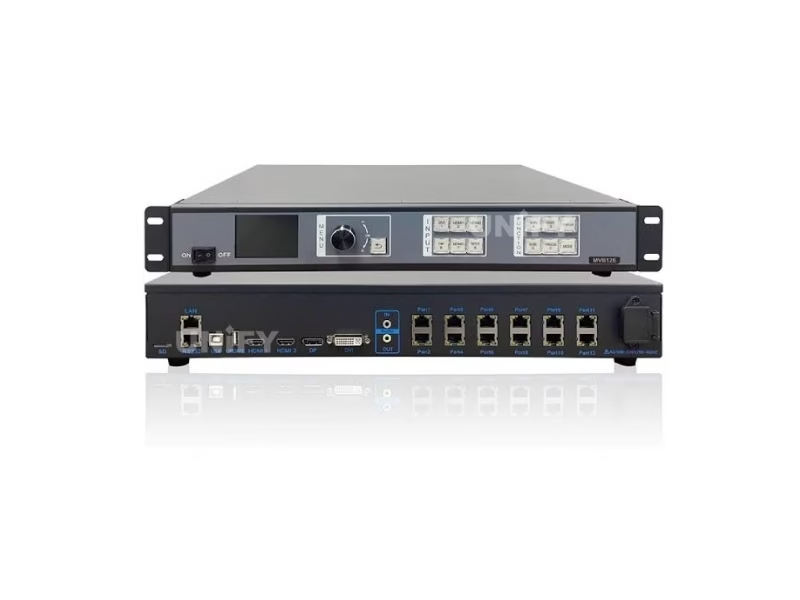
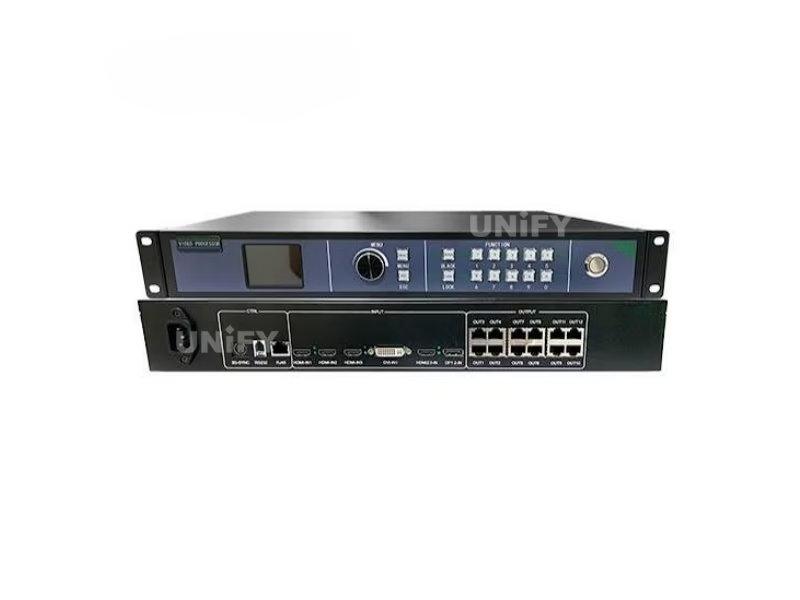
The Mooncell MVB12E 2-in-1 LED Video Processor is a video processor and sending controller in one unit, built for the 3M–8M pixel class: four 4K-class inputs are processed, scaled and mixed into up to four simultaneous windows, and twelve Gigabit Ethernet outputs drive Mooncell receiving cards directly, up to 7.8 million pixels with a 7680-pixel width ceiling and a 3840-pixel height ceiling. The “2-in-1” means processing and sending share one chassis — no separate sending card, no inter-device cable. This page uses the official Mooncell MVB12E Specification V4.1 as its data source.
Short answer: The Mooncell MVB12E is a 2-in-1 LED video processor and sending controller with 4 inputs (HDMI 2.0, HDMI 1.4, DP 1.2, DVI), 4 simultaneous display windows, 12 Gigabit Ethernet outputs, a 7.8-million-pixel loading capacity with a 7680×3840 canvas ceiling, quick screen mapping without PC software, 8 scene templates, a time-task table, SD-card configuration storage and USB upgrade. It costs from roughly $852 in distributor listings and sits between the MVB4S Pro (2.6M) and the M40 (26M) in Mooncell’s processor family.
In the Mooncell lineup the MVB12E is the 12-port middle step: the Mooncell MVB4S Pro 2-in-1 LED Video Processor covers the 2.6M class with four ports, this unit covers the 3M–8M class with twelve, and the Mooncell M40 2-in-1 LED Video Processor carries the 26M class with forty ports plus fiber. On the playback side, the Mooncell C2 LED display control system remains the server-class content companion, and the LED video processor category page maps the wider class. The specification sheet is current — V4.1, released September 2025, updates the loading behavior of the original V4.0 from June 2025 on the same hardware revision V2.1.2.
Specifications
What Are the Mooncell MVB12E 2-in-1 LED Video Processor Specifications?
Data from the official Mooncell MVB12E Specification V4.1 (September 2025; first revision V4.0, June 2025; hardware V2.1.2).
Video Inputs, Processing & Outputs
Commissioning, Maintenance & Physical
Model Selection
Which Mooncell MVB12E Processor Do You Need: MVB4S Pro, MVB12E or M40?
Mooncell’s 2-in-1 family is a ladder of three loading classes. The MVB12E occupies the middle rung — the one most projects land on when the wall outgrows four ports but does not need fiber:
The 7.8M vs 8.3M boundary: a native full-4K wall (3840×2160) is 8.29 million pixels — above one MVB12E’s capacity. Walls at or near full-4K resolution either step up to the M40 (26M) or cascade two MVB12E units. Plan the canvas before the quote: a 4K-input wall is not automatically a 4K-pixel wall, and the difference is exactly this boundary.
Rule of thumb: the MVB4S Pro carries the 2.6M class, the MVB12E carries the 3M–8M class with twelve clean ports, and the M40 with fiber is the step above. All three share the single-port standard of 655,360 pixels (1280×512), so receiving-card math carries over unchanged between them. Full series detail on each sibling lives on its own page: MVB4S Pro and M40.
Exclusive — Canvas & Window Rules
How Many Pixels Can the Mooncell MVB12E LED Video Processor Drive?
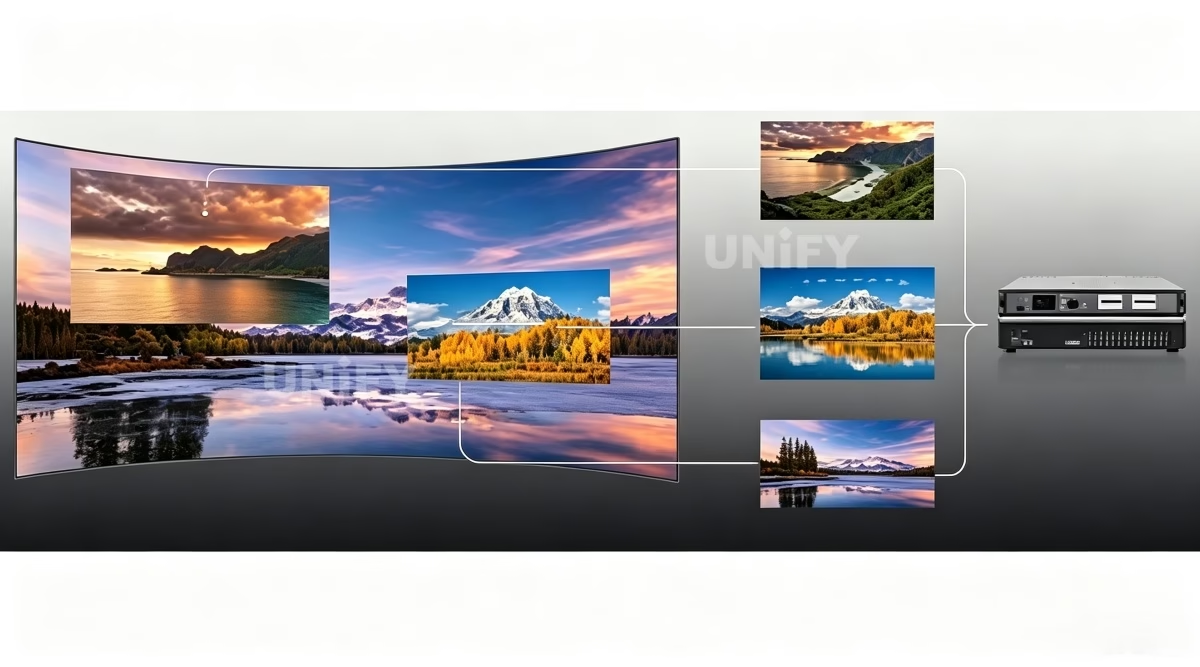
The MVB12E loads 7.8 million pixels with a 7680-pixel width ceiling and a 3840-pixel height ceiling. One rule from the official sheet changes how you plan canvases — multi-window display is available while the output width is at or below 4096 pixels; above 4096 the unit runs single-window. Four windows and an ultra-wide canvas are therefore alternatives, not combinations:
A spec figure that circulates wrong: some distributor listings and review summaries state the MVB12E’s maximum width as 8192 pixels. The official V4.1 specification sheet states 7680. The 8192 figure belongs to a different Mooncell class — verify the width against the V4.1 sheet before designing a canvas, and ask the supplier to state the specification revision they quote.
Each network port carries the standard 655,360 pixels at 1280×512, and flexible wiring counts actual loaded pixels rather than the bounding rectangle — shaped screens keep ports in service. Scaling modes cover the mapping: fullscreen, pixel-to-pixel for point-to-point content, and custom scaling for letterboxed sources. The LED screen for events guide covers pitch and viewing distance before the canvas is locked.
Engineering Advantages
What Are the 6 Core Capabilities of the Mooncell MVB12E 2-in-1 LED Video Processor?
12 Ports, 7.8M Pixels
Twelve Gigabit outputs at the standard 655,360-pixel per-port load — three times the MVB4S Pro’s canvas on the same single-port math.
Four Simultaneous Windows
Up to four windows from four 4K-class inputs, with position, size and crop control — the multi-source studio and venue workflow in one box.
Quick Screen Connection
Wall configuration completes from the front panel without PC software — the commissioning shortcut shared across the Mooncell 2-in-1 family.
Scenes & Time-Task Table
Eight user scenes recall from the MODE key; the time-task table switches programs and partial/fullscreen states on schedule.
SD-Card Storage & USB Upgrade
The SD card stores wall configuration for data patrol; firmware updates load from a U-disk — field maintenance without a laptop or a network.
Test Patterns & One-Key Black
Built-in test patterns via the TEST key and one-key black screen — commissioning aids and show protection on the same panel. See basic debugging of LED displays.
Commissioning & Maintenance
How Does the Mooncell MVB12E Handle Commissioning and Maintenance?
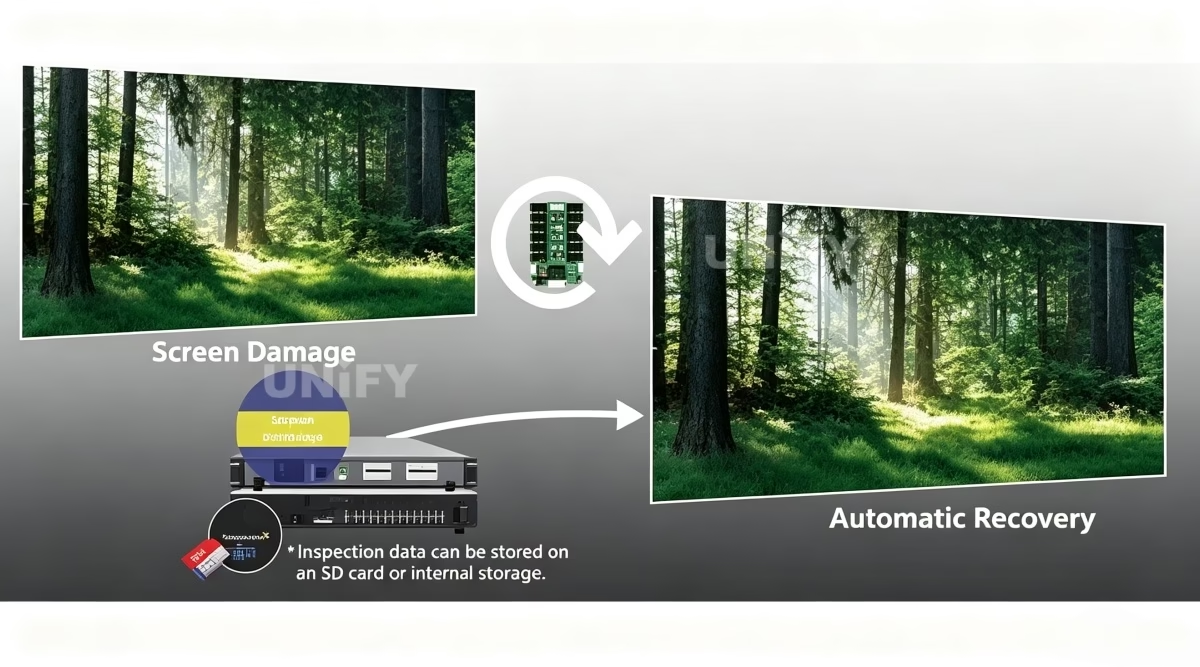
Three workflows make the MVB12E a low-touch unit in the field, per the official manual. First, quick screen connection configures the wall from the front panel — no PC software, no license, no laptop hunt. Second, the SD card stores the wall configuration for data patrol: a technician or a central operator verifies the stored parameters against the live unit without re-commissioning. Third, firmware and configuration updates load from a U-disk through the UPDATE USB port — a depot can refresh units in the rack without network access. The LED display configuration and system debugging guide covers the wider commissioning sequence this unit shortens.
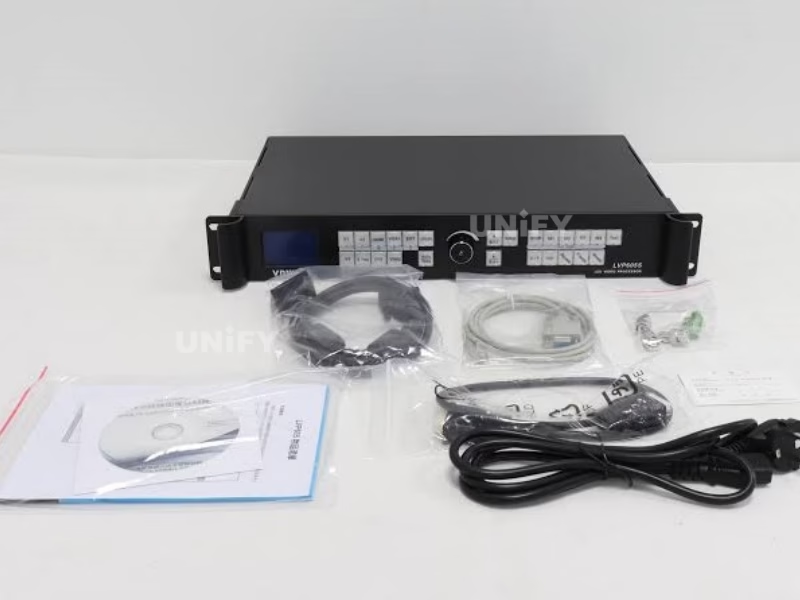
The 320×240 LCD is the highest-resolution panel in the Mooncell 2-in-1 family — menus read clearly from arm’s length, and the source keys carry three-state LEDs: off means not selected, flashing means selected but no signal, solid means selected and live. That one glance tells an operator whether the fault is the source or the wall.
Mooncell’s AutoLED function overview — the full software workflow behind the quick-map shortcut:
Mooncell Official — AutoLED software function introduction
For distributed sites the time-task table runs the venue day — scheduled program switching, partial/fullscreen changes and brightness-level changes without an operator, the pattern documented in cloud-based remote content updates for LED displays.
On-Site Operation
How Do You Operate the Mooncell MVB12E 2-in-1 LED Video Processor on Site?
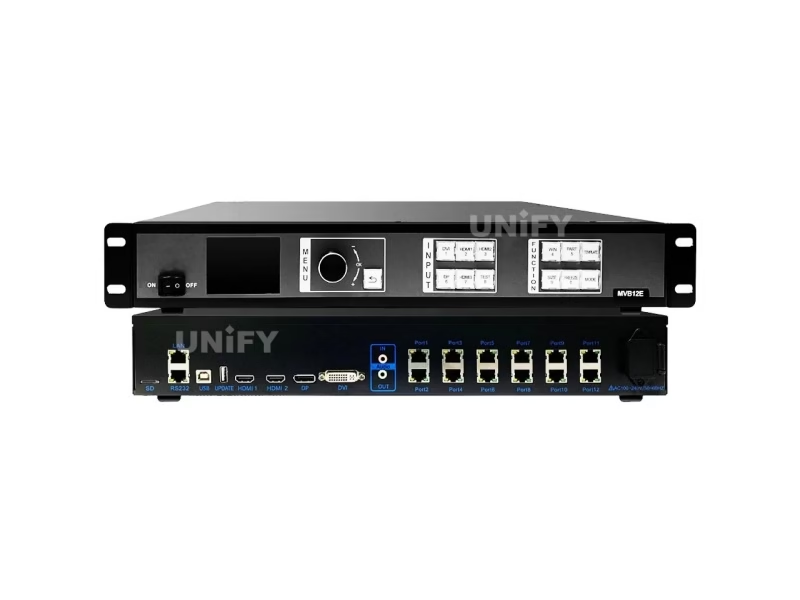
Three control surfaces cover the unit, per the official manual. The front panel runs daily operation and quick mapping; AutoLED handles detailed layout; LAN, RS232 and USB-B open the unit to PCs and control rooms.
LCD & Knob
320×240 LCD with knob navigation — press to enter, rotate to select, long-press to release the menu lock. ESC returns or cancels.
Source Keys
DVI, HDMI1, HDMI2, DP and HDMI3 keys with three-state LEDs — off (not selected), flashing (selected, no signal) or solid (live).
Function Keys
WIN (layer select), PART (partial/fullscreen), TEMPLATE (multi-window templates), SIZE (scaling), FREEZE, MODE (scene recall), TEST (test patterns).
AutoLED Software
Window layout, EDID management and receiving-card configuration over USB-B — the detailed layer under the quick-map workflow.
Protocols
RS232 for central control, LAN for debugging, UPDATE USB for U-disk upgrades. Integration follows control system software and hardware conventions.
Port LEDs & Self-Check
Port LEDs: both on = powered, no receiving card; both off = no power; yellow steady + green flashing = communicating. Voltage and temperature self-check report on the LCD.
The 4-window workflow in practice: WIN cycles the active layer, TEMPLATE recalls a saved multi-window layout, SIZE scales, PART toggles partial or fullscreen, and MODE swaps the whole scene — the panel covers a multi-source show without touching a PC. Fault patterns around this class are covered in basic debugging of LED displays.
Applications
Where Is the Mooncell MVB12E 2-in-1 LED Video Processor Used?
Malls & Hotels
The 7680-wide band carries atrium and concourse strips; the time-task table runs the venue day; quick mapping reconfigures seasonal campaigns without a PC.
Exhibitions & Museums
Four-window mixing pairs content with live camera feeds; SD-card storage keeps show configurations between rentals; LED floor tiles run from the same processor.
TV Studios & Conference
Four 4K inputs into four windows — presenter, slides, replay and data on one wall; point-to-point scaling keeps graphics sharp at close range.
KTV, Bars & Events
Scene templates switch between content segments mid-show; the TEST key verifies the wall before guests arrive; 25W running cost keeps the venue bill small — see LED screen for events.
Mooncell’s case footage for the fixed-installation and entertainment classes this processor serves:
Mooncell Official — outdoor fixed installation case
Mooncell Official — KTV case sharing
Category Comparison
How Does the Mooncell MVB12E Compare to the Huidu VP Series?
The MVB12E competes with the 2-in-1 processors of the other major brands at the 4K-input, multi-port level. The Huidu VP range covers the same architecture at lower port counts: the Huidu HD-VP410 video processor and Huidu HD-VP830 video processor pages document that family in detail. The structural differences that matter for a 3M–8M project:
The honest reading: the VP class wins where the project is already Huidu-standardized; the MVB12E wins on port count, no-PC commissioning and SD/U-disk field maintenance. The ecosystem decision — which receiving cards the site already runs — is the first filter, because the processor drives its own brand’s cards exclusively.
Factory Strength
Why Buy the Mooncell MVB12E 2-in-1 LED Video Processor From an LED Display Factory?
A processor bought from a parts channel arrives as a box. Buying through a full-line LED screen manufacturer adds the three things a 3M–8M project needs:
1. Verified hardware, verified numbers. Every MVB12E we supply is sourced through Mooncell’s authorized channel and tested on live LED modules before dispatch. The 7680-versus-8192 width confusion documented above is exactly the kind of spec drift an unverified channel can sell — we state the V4.1 figure on the quote.
2. Chain commissioning, pre-loaded. We pre-configure the receiving cards and, where the project allows, pre-store the wall configuration on the SD card before shipping — the unit arrives one quick-map away from a live wall. Our quality control of LED display process covers every batch.
3. Lifecycle economics. At 25W and 3.74 kg, the MVB12E is a small line in the venue power budget and a case item in a touring rack. We back it with a 2-year warranty and spare units, and the control layer sits inside the LED screen lifespan math as a fixed cost.
B2B Procurement
How Much Does the Mooncell MVB12E 2-in-1 LED Video Processor Cost?
Price transparency, stated plainly: the MVB12E appears in distributor listings from roughly $852 (distributor listings reviewed August 2026), before receiving hardware. That places the 12-port class at roughly four times the MVB4S Pro’s $198-class entry point for three times the canvas — the step-up arithmetic that decides most mid-size budgets. Factory-direct tiers for B2B buyers:
Market context: the LED display control system market reached US$659 million in 2025 and is projected to grow at 13.6% CAGR to US$1.59 billion by 2032 (QYResearch, Global LED Display Control System Market Report), with mid-size multi-source venues as a steady demand band. For the port-count steps around this unit see the MVB4S Pro and M40 pages. Ask for a factory-direct quote at your quantity.
FAQ
What Do Buyers Ask About the Mooncell MVB12E 2-in-1 LED Video Processor?
What Assurance Comes With the Mooncell MVB12E 2-in-1 LED Video Processor?
Every MVB12E ships with Mooncell original packaging and compliance documentation.
Ready to Specify the Mooncell MVB12E 2-in-1 LED Video Processor?
Factory-direct pricing, genuine Mooncell stock, SD-card pre-loaded configuration and 2-year warranty.
unifyledscreen@gmail.com | +86-191-18802497
Technical Deep-Dive
What Should Engineers Know Before Buying the Mooncell MVB12E 2-in-1 LED Video Processor?
Published: August 2026 | 13 min read | UnifyLED Engineering Team
The Mooncell MVB12E 2-in-1 LED Video Processor is the step most mid-size projects land on: twelve ports and 7.8 million pixels is the point where a wall outgrows four-port processors and does not yet need fiber. This guide is written for engineers and procurement teams specifying the 3M–8M class in 2026, using the official Mooncell MVB12E Specification V4.1 as the data source — including the multi-window width rule and the 7680-versus-8192 confusion that listing copy keeps alive.
Short answer: The Mooncell MVB12E is a 2-in-1 LED video processor and sending controller with 4 inputs (HDMI 2.0, HDMI 1.4, DP 1.2, DVI), up to 4 simultaneous windows, 12 Gigabit Ethernet outputs, a 7.8M pixel loading capacity with a 7680×3840 canvas ceiling, quick screen mapping without a PC, 8 scene templates, a time-task table, SD-card configuration storage and USB upgrade. It costs from roughly $852 in distributor listings and sits between the MVB4S Pro (2.6M) and the M40 (26M) in the Mooncell family.
Chapter 1 — Definition: The 12-Port Middle Step
The MVB12E is a synchronous video processor with the sending stage built in: four 4K-class inputs are processed and mixed into up to four windows, and twelve Gigabit outputs transmit the composed canvas to Mooncell receiving cards. The 2-in-1 architecture — one chassis, one power supply, one configuration surface — is the same argument that carries the MVB4S Pro at 2.6M and the M40 at 26M, sized for the band in between. It is the synchronous side of the synchronous vs asynchronous LED control split: live video in, composed canvas out.
The specification sheet tells the story of a young, actively revised product: V4.0 released June 2025, V4.1 released September 2025 with improved loading behavior, both on hardware revision V2.1.2. A “V4.1” quote and a “V4.0” quote describe the same hardware with a documentation update — worth knowing when comparing distributor sheets.
Why the 12-port class exists at all is a market fact worth understanding. The gap between four-port processors (2.6M class) and forty-port flagships (26M class) is the largest single band in the LED control market — mid-size venues with multi-source programs land there because their walls sit between one concourse screen and a stadium. The MVB12E is Mooncell’s answer for that band, and the twelve-port count is not arbitrary: at 655,360 pixels per port, twelve ports is exactly the 7.8M class, and twelve clean runs is a manageable cable plant for a mid-size equipment room.
Chapter 2 — Loading: The 7.8M Canvas
The MVB12E loads 7.8 million pixels with a 7680-pixel width ceiling and a 3840-pixel height ceiling. The per-port standard is 655,360 pixels at 1280×512 — identical across the Mooncell 2-in-1 family and the Colorlight sending class, which keeps receiving-card math portable between ecosystems. Practical canvases inside both limits: a 7680×1000 band (7.68M) is the widest legal format, roughly 19.2 × 2.5 m at P2.5; a 3840×2000 canvas (7.68M) covers the near-4K class at 9.6 × 5.0 m; and a full 3840×2160 wall is 8.29M — above capacity, needing the M40 or a two-unit cascade. That boundary is the first number to check before the quote.
A spec figure that circulates wrong on listings: some distributors and review summaries state the maximum width as 8192 pixels. The V4.1 sheet states 7680. The 8192 figure belongs to a different Mooncell class, and a canvas designed on it is 512 pixels over the real ceiling — roughly a meter of wall at P2. Verify the width against the V4.1 sheet and ask the supplier to state the revision they quote.
The input stage feeds the canvas at 4K class: HDMI 2.0 and DP 1.2 accept 3840×2160@60Hz, HDMI 1.4 handles 4K at 30Hz or ultra-wide 3840×1080 at 60Hz, and DVI covers legacy PC sources at 1920×1200. EDID management lets each input be told the wall’s exact format, so a media server outputs the canvas resolution directly rather than a standard format the processor then rescales — the pixel-to-pixel path that keeps graphics crisp on close-viewing walls. Scaling modes complete the picture: fullscreen for stretched fills, pixel-to-pixel for point-to-point content, and custom scaling for letterboxed sources.
Chapter 3 — The Multi-Window Rule Most Listings Omit
The MVB12E shows up to four windows simultaneously — four 4K inputs into four windows, each with position, size and crop control, switching partial or fullscreen on the PART key. The rule that changes designs: multi-window display is available while the output width is at or below 4096 pixels; above 4096 the unit runs single-window. A 4096×1900 canvas (7.78M) is the four-window ceiling; a 7680-wide band is single-window by design. Projects that need both four windows and an ultra-wide canvas do not fit one MVB12E — the honest answers are a second unit or the M40 class.
For a studio wall that mixes presenter, slides, replay and data, the four-window mode is the whole point of the unit. For a concourse band that carries one continuous program, the single-window wide format is the whole point. Reading the rule against the application before buying is the difference between a correct spec and a re-spec at load-in. The commissioning context around this class is documented in LED display configuration and system debugging.
Chapter 4 — The Family Ladder: MVB4S Pro, MVB12E, M40
Mooncell’s 2-in-1 family is three loading classes on one architecture:
- MVB4S Pro — 2.6M, 4 ports. The quick-mapping entry class for malls, hotels and single-screen venues. The MVB4S Pro page documents it in full.
- MVB12E — 7.8M, 12 ports, 4 windows. The middle rung: three times the canvas on the same single-port math, with SD-card storage and U-disk upgrades that the entry class lacks.
- M40 — 26M, 40 ports + 4× 10G fiber. The large-format flagship with Genlock and 3D, documented on the M40 page.
The selector is the pixel count: walls up to 2.6M fit the Pro; 3M–8M fits the MVB12E; above 8M — or any project with long fiber runs — steps to the M40. The per-port standard is shared, so receiving-card and cabling math carry over when a project grows across the ladder.
Chapter 5 — Commissioning and Field Maintenance
Three workflows keep the MVB12E low-touch. Quick screen connection configures the wall from the front panel — no PC software, no license, no laptop hunt. The SD card stores the wall configuration for data patrol: a technician or central operator verifies stored parameters against the live unit without re-commissioning. Firmware and configuration updates load from a U-disk through the UPDATE USB port — a depot refreshes units in the rack without network access. The basic debugging of LED displays guide covers the fault patterns around this class.
The front panel is the highest-resolution operator station in the family: a 320×240 LCD, knob navigation with long-press menu release, source keys with three-state LEDs (off, flashing for selected-but-no-signal, solid for live), and function keys — WIN for layers, PART for partial/fullscreen, TEMPLATE for multi-window layouts, SIZE for scaling, FREEZE, MODE for scenes, and TEST for built-in test patterns. A technician who reads the source-key LEDs and the port LEDs has already isolated most wall faults before opening a laptop.
The time-task table closes the unattended loop. A venue programs its day once — content segments, partial/fullscreen states, scene recalls — and the MVB12E switches on schedule without an operator at the panel. For a mall that shows a branded loop by day and a promotional feed after hours, or a KTV that changes ambience per shift, that table is the difference between a processor and a staff member. The remote-operations pattern it pairs with is documented in cloud-based remote content updates for LED displays.
Chapter 6 — The Cross-Brand Comparison
At the 3M–8M level the MVB12E competes with the 2-in-1 processors of the other major brands. The Huidu VP range covers the same architecture at lower port counts — the Huidu HD-VP410 and Huidu HD-VP830 pages document that family — and the sending-card class at the same loading level (the Colorlight X-series pages cover that side). The first filter is ecosystem: the processor drives its own brand’s receiving cards exclusively, so the decision follows the cards the site already runs. After that, the MVB12E’s differentiators are port count, no-PC commissioning and SD/U-disk field maintenance.
Mooncell’s LED floor-tile case — the exhibition-display class this processor drives:
Mooncell Official — LED floor tile display solution
The floor-tile case is the creative end of the same 7.8M canvas: a processor that drives standard walls also drives interactive and floor-tile displays, because the window model and the flexible-wiring rule treat every port the same way — pixels counted, not rectangles assumed. That is the engineering habit behind the whole MVB12E design, and it is the same habit that keeps the twelve-port cable plant simple at site.
Chapter 7 — Price and Total Cost of Ownership in 2026
The MVB12E appears in distributor listings from roughly $852 (distributor listings reviewed August 2026), before receiving hardware — about four times the MVB4S Pro’s $198-class entry for three times the canvas. The spread across channels is volume and support terms, not hardware differences. We quote three tiers — sample (1–2 units), project (3–9 units, SD-card pre-loaded configuration) and volume (10+, factory-direct contract with a spare-unit program).
On the TCO side the numbers are small: 25W rated power, a 3.74 kg unit, no moving parts, and field maintenance that does not need a network or a laptop. The category context is the same one that carries the whole control layer: the LED display control system market reached US$659 million in 2025 and is projected to grow at 13.6% CAGR to US$1.59 billion by 2032 (QYResearch, Global LED Display Control System Market Report). The LED screen lifespan math treats the processor as the long-lived part: we warrant it for 2 years and stock spares for the project’s operating life.
A checklist for the purchase order: the processor, receiving cards sized to the per-port load (655,360 pixels per port), CAT5E/6 for the twelve network runs, and an SD card for the configuration backup. A quote that names the specification revision — V4.1, not V4.0 — and the width figure — 7680, not 8192 — is a quote you can hold a supplier to.
The pattern across the family is consistent: every rung buys capacity and capability together, and the MVB12E is the rung where the maintenance story changes — SD-card storage and U-disk upgrades turn a processor into a field-serviceable asset, which is the difference a multi-site operator notices on the third visit to the rack. For the exhibition and retail applications this class drives, Mooncell’s LED floor-tile case above shows the creative end of the same canvas math.
Conclusion
The Mooncell MVB12E 2-in-1 LED Video Processor is the middle of Mooncell’s ladder, and for the 3M–8M class it is the right rung: twelve ports, four windows, quick mapping and SD-card maintenance in one chassis. Specify it with three numbers in hand — 7.8M pixels, 7680×3840, and the 4096-pixel multi-window boundary — and with the width figure verified against V4.1. Buy it through a verified LED screen manufacturer that pre-loads the configuration and backs the unit with warranty and spares, and the processor becomes the dependable middle of the wall.
LED Control System Range
Which LED Control and Processing Products Should You Explore Next?
Video processors, control servers, sending controllers and free resources on UnifyLED.
Mooncell Series
2-in-1 Processors
Guides & Resources
Where Can You Download Mooncell MVB12E Resources?
The official Mooncell MVB12E Specification V4.1 — the data source for every figure on this page.