
Contact us
- Home
- »
- LED Display Technology
- »
- What Is the Real LED Screen Lifespan? Factors, Reality, and Maintenance
What Is the Real LED Screen Lifespan? Factors, Reality, and Maintenance
If you read the technical specifications of any display, you will almost certainly see a theoretical led screen lifespan of 100,000 hours. But does this mean your screen will look brand new for 11 years? The short answer is no. In the industry, “lifespan” isn’t about when the screen dies; it’s about when it loses its commercial value due to brightness decay and color shifts. Whether you are managing a controlled indoor video wall or a rugged outdoor billboard, understanding the gap between lab data and real-world performance is crucial. This article breaks down the realistic life expectancy of different screen types, analyzes the hidden factors that accelerate aging, and provides you with a professional roadmap to maximize your investment.
Table of Contents
1. What Is the Real Lifespan of an LED Screen?
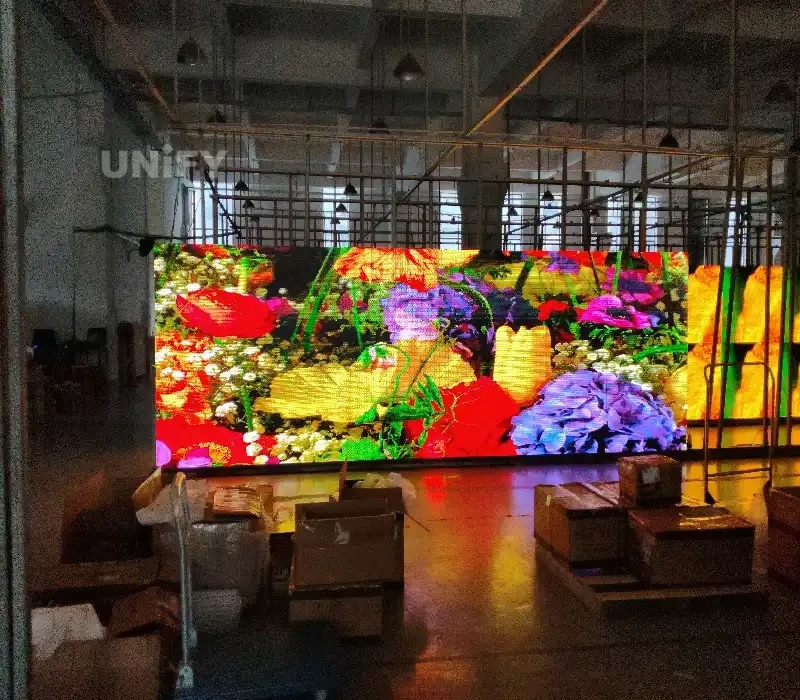
While most manufacturer specifications quote a theoretical lifespan of 100,000 hours (based on MTBF ≥10,000 hours), it is crucial to distinguish between lab data and real-world performance.
In theory, if you ran a screen for 12 hours daily, it could last over 20 years. However, the industry defines the “end of life” not when the screen goes black, but when its brightness decays to 50% (Half-Life)—which typically occurs around the 50,000-hour mark.
Think of “Lifespan” as “Commercial Usability”. Even if a screen still lights up after 7 years, if the colors have shifted or the brightness can no longer compete with the midday sun, its “useful life” for advertising is effectively over.
In practical applications, environmental factors and maintenance significantly influence longevity:
Indoor Screens: Generally last 6 to 10 years. In controlled environments with proper maintenance, this can be extended.
Outdoor Screens: Due to harsh exposure (UV radiation, rain, dust), the typical lifespan is 3 to 8 years.
Market Average: For most commercial projects, you can expect a realistic service life of 6 to 8 years.
2. Key Factors Influencing LED Screen Lifespan
The operational lifespan of an LED display is not determined by a single variable. It is the result of a complex interplay between the product’s build quality and the external environment. From the precision of the manufacturing process to the material selection of the LED screen cabinet, every detail plays a critical role in determining how long your screen will perform at its peak.
2.1 LED Chip Quality
The LED chip is the core component of any display, acting as the primary determinant of durability and performance. It is directly responsible for maintaining consistent LED screen brightness over years of operation.
Top-Tier Chips: Premium brands utilize high-quality imported chips known for superior light efficiency. These chips maintain stable output, often retaining more than 50% of their initial brightness even after 5 years of regular use.
Low-End Chips: Inferior chips suffer from rapid degradation. They may lose half their luminosity within just 3 years, resulting in dull colors, uneven lighting, and accelerated screen failure.
2.2 Packaging Technology (SMD vs. COB/GOB)
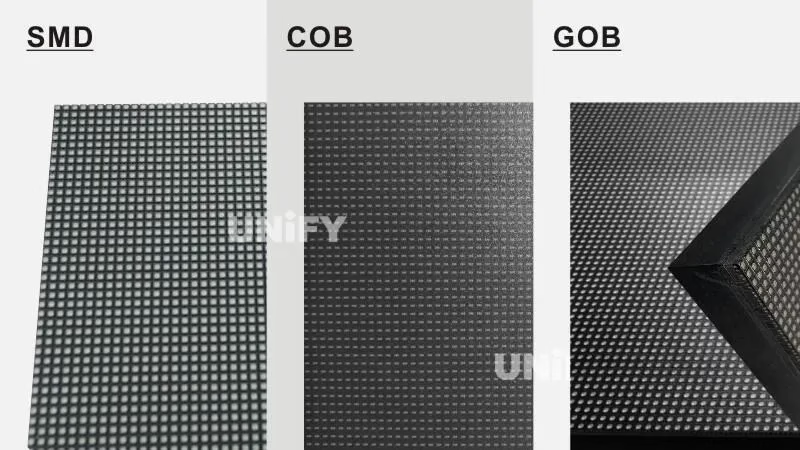
The encapsulation method significantly affects an LED’s resistance to physical damage and environmental stress. Understanding the evolution of LED packaging technology is key to predicting longevity.
SMD (Surface Mounted Device): While SMD is the industry standard for many applications, it is generally more susceptible to moisture ingress and physical impact, which can lead to dead pixels over time.
COB and GOB: Advanced technologies like Chip on Board (COB) and Glue on Board (GOB) offer enhanced reliability. These methods improve waterproofing and dust resistance, creating a sealed surface that is ideal for high-traffic areas or harsh outdoor environments.
2.3 Environmental Conditions
The installation environment is a major variable in the survival rate of your display.
Indoor Stability: A clean, temperature-controlled, and well-ventilated room minimizes stress on internal circuits, promoting a longer service life.
Harsh Elements: High humidity, conductive dust, and corrosive gases are detrimental to electrical components, accelerating oxidation and causing short circuits.
Thermal Threats: In outdoor settings, extreme temperature fluctuations can cause thermal expansion and contraction, potentially cracking solder joints. Additionally, dust accumulation inside the screen can act as an insulator, trapping heat and overheating the system.
2.4 Protection for Outdoor LED Screens
Outdoor displays face far greater challenges than their indoor counterparts, battling heavy rain, direct sunlight, and even saline air in coastal regions.
IP Ratings: To ensure longevity, outdoor screens must meet IP65 or higher standards, confirming robust resistance against water jets and fine dust particles.
Material Durability: A professional outdoor display utilizes corrosion-resistant materials, anti-UV coatings, and high-grade sealing. Without these protective measures, even high-spec screens will degrade rapidly under environmental exposure.
2.5 Usage Time and Frequency
Like any electronic device, the intensity of usage directly correlates with wear and tear.
Operational Duty: Screens operating 24/7 (such as in command centers) will naturally reach their typical 50,000-hour threshold faster than conference displays used intermittently.
Daily Load: Operating 16 hours a day places significantly more heat stress on the diodes than operating 8 hours a day. High-usage scenarios require stricter cooling protocols and maintenance schedules.
2.6 Power Supply and Heat Management
Electrical stability and thermal management are often the “silent killers” of LED screens.
Power Stability: The quality of the power supply unit (PSU) is paramount. Poor-quality units can cause voltage spikes that permanently damage diodes. It is essential to understand LED display power consumption to ensure your electrical infrastructure provides stable, clean power.
Heat Dissipation: Heat is the enemy of electronics. For every 10°C rise in internal temperature, the lifespan can drop by roughly 30%. Effective designs must utilize aluminum heat sinks, ventilation holes, and active cooling fans to protect sensitive components.
2.7 Maintenance and Cleaning
Routine care is the most effective way to extend a screen’s life beyond its warranty period.
Proactive Inspections: Regularly checking for loose wires, cleaning dust filters, and inspecting modules for discoloration can prevent minor issues from becoming major failures.
Content Best Practices: Avoid displaying static, pure white, or high-brightness images for extended periods. This “full-load” state maximizes current pressure and accelerates diode aging. A well-maintained screen with proper usage habits can easily outlast a neglected one.
3. How LED Screen Lifespan Affects ROI?
Many buyers make the mistake of focusing solely on the initial purchase price. However, for a long-term investment like an LED display, the Total Cost of Ownership (TCO) is the only metric that truly matters.
A “cheap” screen that fails after 3 years is far more expensive than a premium screen that performs flawlessly for 7 years. Here is how lifespan directly impacts your Return on Investment (ROI).
(1) Cost Per Year of Operation
The simplest way to evaluate ROI is to calculate the yearly cost.
Low-End Screen: Costs $10,000 but only lasts 3 years.
Cost per year = $3,333.
High-Quality Screen: Costs $15,000 but lasts 8 years.
Cost per year = $1,875.
A quality screen effectively costs 40% less annually, despite the higher upfront tag.
(2) Energy Efficiency and Operational Costs
Lifespan isn’t just about the hardware surviving; it’s about efficiency. Premium screens with high-quality driver ICs and power supplies are often 20–30% more energy-efficient. Over a 5-year lifespan, the electricity savings alone can often offset the price difference of the hardware.
(3) The Hidden Cost of Downtime
When a short-lifespan screen fails, the cost isn’t just repairs—it’s lost revenue and brand damage.
For an advertiser, a black screen means lost ad revenue.
For a retail store, a glitching screen hurts brand image.
Reliable screens with longer lifespans ensure 99.9% uptime, protecting your business reputation.
When budgeting, always ask suppliers for the MTBF (Mean Time Between Failures) data to estimate real-world longevity.
4. How to Extend LED Display Lifespan?
Maximizing the return on your LED display investment requires a proactive approach. The longevity of a screen is determined not just by how it is built, but by how it is operated and maintained. By following these best practices, you can ensure your display delivers superior visual performance for years to come.
4.1 Prioritize High-Quality Components
Longevity begins at the procurement stage. Always select trusted brands that enforce strict quality control over the core components: LED chips, driver ICs, and power supplies.
Build Quality: High-grade lamp beads and reliable power sources are the first line of defense against early failure.
Advanced Packaging: For demanding environments, consider screens utilizing COB (Chip on Board) or GOB technologies. These offer superior resistance to impact and moisture compared to standard SMD.
Outdoor Standards: For exterior installations, ensure the cabinet meets IP65 or higher standards to guarantee waterproofing and durability.
4.2 Effective Thermal Management
Heat is the primary enemy of electronic components. Ensuring your display operates within a safe temperature range is critical.
Ventilation: Ensure the installation site allows for adequate airflow.
Active Cooling: In hotter climates or for high-brightness screens, equip the display with exhaust fans or air conditioning units to dissipate heat effectively and prevent thermal throttling.
4.3 Control Humidity Levels
Moisture is a silent killer that can lead to catastrophic short circuits and component oxidation.
Indoor Care: In high-humidity environments, use dehumidifiers to keep the air dry and protect internal circuits.
Outdoor Sealing: Regularly check that waterproof seals are intact to prevent moisture ingress, especially in coastal or rainy regions.
4.4 Protection Against Dust and Corrosion
Physical contaminants can degrade performance over time by trapping heat and corroding contacts.
Regular Cleaning: Dust accumulation acts as an insulator. Clean the screen surface regularly with a soft cloth to maintain heat dissipation efficiency.
Anti-Corrosion: Outdoor screens should utilize anti-rust coatings and materials resistant to acid rain and salt air to prevent structural degradation.
4.5 Optimize Usage Cycles
While LED screens are built for endurance, running them at maximum capacity 24/7 without breaks can accelerate the aging process.
Scheduled Rest: If the application allows, schedule downtime to let the components cool down.
Duty Cycle: Avoid unnecessary continuous operation at peak load, which significantly shortens the lifespan of the diodes.
4.6 Smart Brightness Adjustment
Running a screen at 100% brightness constantly is rarely necessary and causes rapid chip degradation.
Adaptive Settings: Adjust brightness according to ambient light conditions.
Energy Efficiency: Use light sensors to automatically dim the screen during darker hours. This not only saves energy but also reduces thermal stress on the LEDs.
4.7 Correct Power Sequencing
Incorrect power cycles can send damaging voltage surges through the system. Adhere to the standard operating procedure:
Power On: Start the control computer or system first, then turn on the LED screen.
Shut Down: Turn off the LED screen first, then shut down the control computer.
This strict sequence prevents current spikes that can damage the driver ICs.
4.8 Routine Maintenance and Inspection
Proactive maintenance is far more cost-effective than repairs.
Visual Checks: Regularly inspect for flickering modules, loose cables, or color inconsistencies.
Safe Cleaning: Never spray water directly onto the screen surface. Use recommended cleaning solutions and gentle wiping motions to avoid damaging the mask or lamps.
4.9 Software Updates and Calibration
Hardware is only half the equation; keeping your system software healthy is equally important.
System Integrity: Keep your control software updated to fix bugs and improve operational efficiency.
Calibration: Periodic color calibration ensures that white balance and color uniformity remain accurate, keeping the image sharp even as the LED diodes age.
5. Lifespan of Different Types of LED Screens
Not all LED displays are engineered equally. The expected operational life of a screen varies significantly based on its manufacturing technology, intended application, and the environment in which it operates. Understanding these differences is key to planning your investment.
The table below outlines the average lifespan for common LED display categories:
LED Screen Type | Average Lifespan | Primary Applications | Key Longevity Factors |
Indoor Fixed LED | 6 – 10 Years | Retail Malls, Corporate Offices, Conference Rooms | Benefits from stable, climate-controlled environments with minimal temperature fluctuation. |
Outdoor Fixed LED | 3 – 8 Years | Digital Billboards, Stadiums, DOOH Advertising | Lifespan is heavily dependent on weatherproofing (IP65+) and UV resistance. Harsh elements accelerate aging. |
4 – 6 Years | Touring Concerts, Exhibitions, Live Events | Frequent assembly, dismantling, and transportation increase physical wear and tear, reducing lifespan. | |
Flexible LED Screen | 5 – 8 Years | Creative Installations, Curved Columns, Museums | While versatile, the flexible PCB materials are sensitive to handling and complex installation stresses. |
Transparent LED Screen | 5 – 7 Years | Retail Windows, Glass Curtain Walls | Requires a dust-free, dry environment to maintain transparency and prevent circuit oxidation. |
LED Video Wall | 8 – 10 Years | Command Centers, Broadcast Studios | Typically high-end builds installed in stable indoor conditions, allowing for maximum longevity. |
COB / GOB Screen | 8 – 10 Years | High-Traffic Public Spaces, Interactive Touchscreens | Advanced encapsulation (Chip/Glue on Board) provides superior impact and moisture protection, extending life. |
The lifespan figures above are industry averages. While a high-quality Indoor or COB screen can easily exceed a decade of service, an outdoor unit battling extreme weather may require component replacement within 3 to 5 years.
6. Identifying Signs of LED Screen Aging
Even premium LED displays have a finite operational lifecycle. Over time, physical and electronic components will naturally degrade. Identifying these signs early is crucial for planning maintenance or replacement, ultimately saving costs and preventing unexpected downtime.
Common Symptoms of Degradation
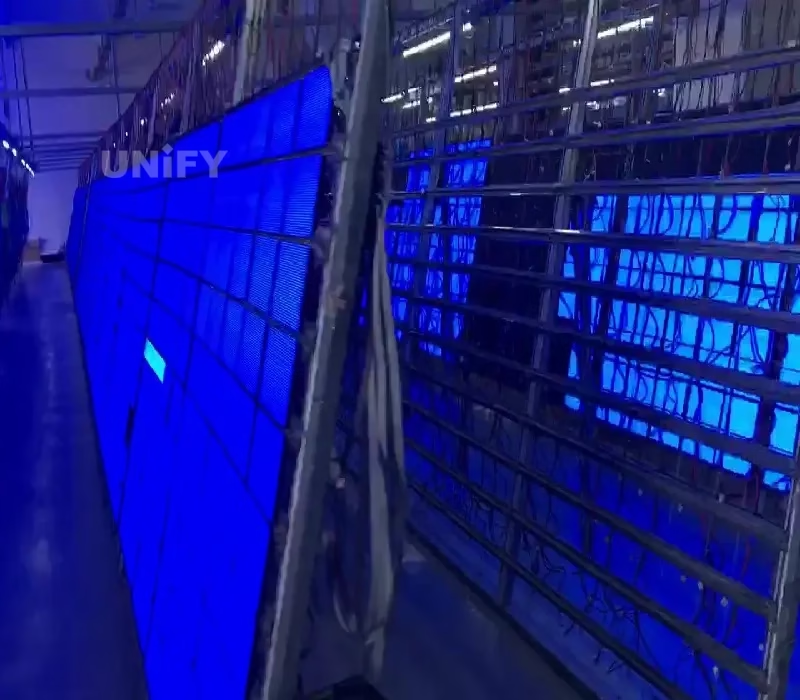
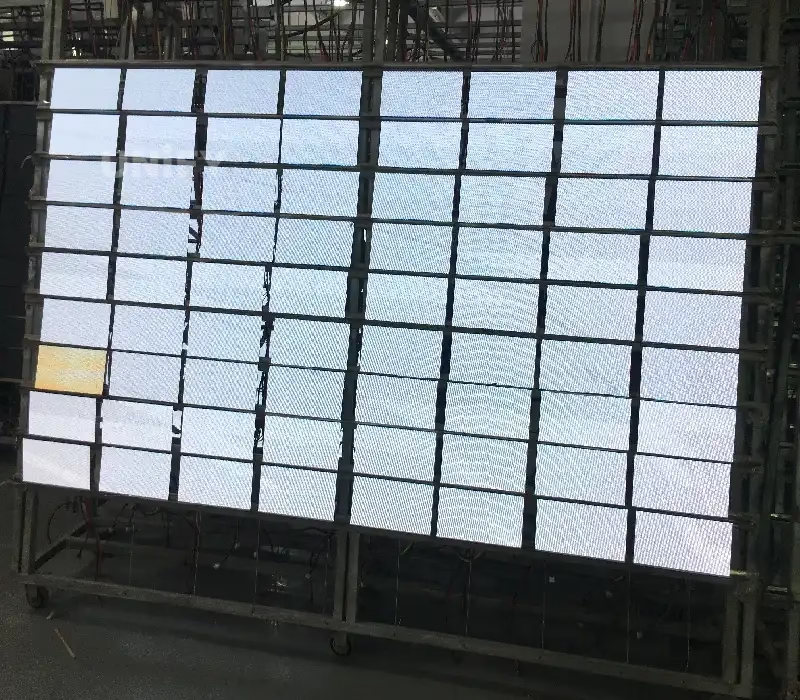
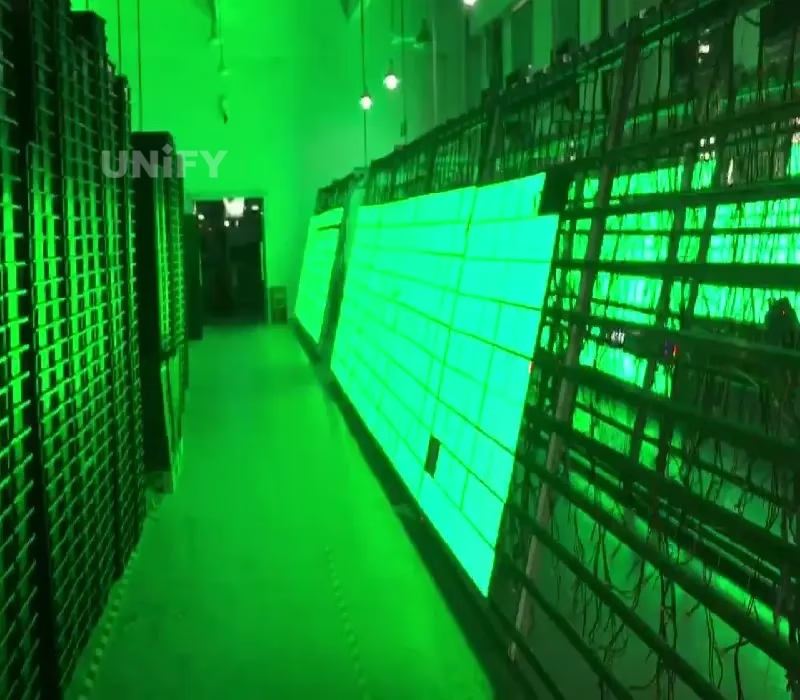
(1)Luminance Decay (Brightness Drop)
The most obvious sign of aging is a generalized reduction in brightness. LED diodes naturally lose efficiency over time (attenuation). If your screen lacks its original punch or struggles to compete with ambient light, it is likely approaching its brightness half-life.
(2)Color Shift and Non-Uniformity
Red, Green, and Blue LEDs age at slightly different rates. As they degrade, the white balance may drift, causing the screen to look yellowish, pinkish, or bluish. You may also notice “patchy” areas where color consistency has failed.
(3) Dead Pixels and Blind Spots
Black spots or singular distinct dots that remain stuck on one color are known as dead or stuck pixels. While a few are normal over a long lifespan, a rapidly increasing number indicates that the LED lamp beads or the bonding within the module are failing.
(4) Flickering and Ghosting
If the screen blinks, flashes intermittently, or shows “ghost” trails behind moving images, this points to internal component fatigue. It is often a symptom of failing driver ICs (Integrated Circuits) or instability in the power supply units (PSUs).
(5) Signal Latency
If video playback becomes jittery or animations fail to transition smoothly, it may indicate that the receiving cards or control system hardware are degrading or becoming obsolete compared to modern content demands.
Basic Troubleshooting for Aging Screens
When these issues arise, use the following guide to identify the root cause and potential solutions.
Symptom | Probable Cause | Recommended Solution |
Partial Dark Blocks | Cold solder joints or micro-cracks in the PCB circuit. | Resolder the specific joint or replace the affected module. |
Color Deviation | Driver IC parameter drift or differential aging of LED diodes. | Perform pixel-level calibration or replace the aging receiving card. |
Frequent Flickering | Unstable output from the Power Supply Unit (PSU) or signal interference. | Inspect/replace the power supply; use shielded signal cables. |
High-Temp Failure | Thermal throttling due to dust buildup or poor heat dissipation. | Clean ventilation paths and optimize the cooling system (fans/AC). |
Spotting these indicators early allows for targeted repairs—such as replacing specific modules or power supplies—rather than a full system overhaul. Regular diagnostic inspections are the key to extending the usable life of your display.
7. Repair vs. Replace: Making the Right Decision
As your LED screen shows signs of aging, you face a critical decision: should you invest in repairs or upgrade to a new system? This choice depends on cost, parts availability, and performance gaps.
Use this guide to determine the best path forward.
(1) The “50% Rule”
Industry experts generally follow the 50% Rule: If the estimated cost of repairs (including parts and labor) exceeds 50% of the price of a brand-new, modern screen, it is financially smarter to replace it. Investing heavily in an old system often leads to diminishing returns.
(2) The Spare Parts Dilemma
LED screens require batch-matched modules to ensure color uniformity.
Repairable: If you still have original spare modules from the initial purchase, repair is usually the best option.
Replace: If you have run out of spares, buying new modules from a different batch will likely result in visible color blocks (a “patchwork” look). If calibration cannot fix this, it is time for a new display.
(3) Technology Obsolescence
LED technology evolves rapidly. A screen bought 5 years ago likely consumes more power, is heavier, and has a lower refresh rate than today’s models.
Replacing an aging screen often gives you access to:
Higher Energy Efficiency (Lower electric bills).
Better Protection (COB/GOB technology).
Higher Resolution (Upgrading from P4 to P2.5 for sharper visuals).
(4) Check the “Heart” of the Screen
If the failure is isolated to power supplies or receiving cards, these are generic parts and are cheap to replace. However, if the LED lamp beads themselves are dimming extensively or falling off in large numbers, the screen has reached the end of its useful life.
8. Essential Maintenance Guide for LED Displays Lifespan
Proper maintenance is the backbone of operational longevity. Whether installed indoors or outdoors, a rigorous care routine is the most effective way to prevent component failure, preserve image quality, and maximize the return on your investment. Follow these ten professional protocols to keep your LED display in peak condition.
(1) Surface Cleaning Protocol
Accumulated dust does more than just dull the image; it acts as an insulator that traps heat, leading to thermal stress. Clean the screen surface regularly using a soft, lint-free cloth. For stubborn dirt, use a slightly damp cloth, but ensure no excess moisture seeps into the modules.
(2) Chemical Safety
The protective mask and LED lamp faces are sensitive to solvents. Never use alcohol, ammonia, or abrasive cleaners. These substances can erode the protective coating and damage the plastic housing. Stick to neutral cleaning solutions designed for electronics.
(3) Electrical Stability Check
Voltage fluctuations are a primary cause of hardware failure. regularly inspect the power distribution box. Ensure the power supply voltage is stable and grounding is secure to prevent surges from damaging the driver ICs and power units.
(4) Environmental Control
Extreme temperatures and humidity are the enemies of electronics. Maintain a well-ventilated environment. Use air conditioning to prevent overheating and dehumidifiers in damp areas to lower the risk of short circuits caused by condensation.
(5) Cable and Port Inspection
Vibration and thermal expansion can loosen connections over time. Periodically check internal flat cables and external signal cables. Replace any wires that show signs of wear or oxidation to prevent signal loss and screen flickering.
(6) Prevent “Burn-In”
LEDs age based on usage intensity. Displaying static, high-brightness content for long periods causes uneven aging (burn-in). Use dynamic content or run a screensaver during downtime. Avoid keeping the screen purely white or on a static image for hours on end.
(7) Adhere to Power Sequencing
Improper startup and shutdown sequences can send damaging current spikes through the system. Follow the standard rule:
Startup: Turn on the control computer first, then the LED screen.
Shutdown: Turn off the LED screen first, then the control computer.
(8) Professional Audits
Surface cleaning is not enough for long-term health. Schedule a professional maintenance check every 6–12 months. Technicians can open the cabinet to test internal circuits, clean fans, and tighten structural components.
(9) Firmware Updates and Calibration
Hardware degrades, and software evolves. Keeping both in sync is vital. Keep your control software updated to patch bugs. Perform point-by-point color calibration periodically to correct any color shifts and maintain visual uniformity.
(10) Weatherproofing (Outdoor Specific)
Outdoor screens face constant elemental threats. Inspect waterproof seals and cabinet doors regularly. Ensure surge protection devices are active to shield the screen from lightning strikes and electrical storms.
9. FAQs
Theoretically, yes. However, in real-world use, the practical lifespan is typically 50,000 to 80,000 hours (about 5–9 years) before the brightness drops to 50% of its original level.
Yes. operating at maximum brightness generates excess heat, which accelerates chip aging. We recommend running screens at 60–70% brightness to balance visibility and longevity.
You can, but it may cause a "patchwork" effect. New modules will be brighter and colorful than aged ones. It is best to use spare modules from the original production batch or perform pixel calibration.
Not exactly, but they can suffer from differential aging. If a static logo is displayed for months, those specific LEDs wear out faster, leaving a faint ghost image. Always use dynamic content.
This is caused by uneven decay of the Red, Green, and Blue diodes over time. It is a common sign of aging that can often be corrected through professional color re-calibration.
10. Summary
In conclusion, maximizing your led screen lifespan is not about luck; it is a strategic combination of selecting high-quality components (like COB/GOB technology) and adhering to a rigorous maintenance schedule. While the initial cost of a premium screen may be higher, the long-term TCO analysis proves that durability and energy efficiency offer far greater value than a “cheap” alternative that fails prematurely. Don’t let a fading screen damage your brand image or revenue stream.
Ready to invest in a display built to last? Contact our team today for a consultation on high-durability LED solutions that guarantee the best ROI for your business.
11. Recommend
Jumbotron vs. Modular LED Video Wall: Which is Better for Your Project?
Compare Jumbotron vs. Modular LED Video Walls for your next project. Discover the differences in cost, installation, and visual performance. Which technology offers the best ROI?
Video Wall vs. Projector: Best Investment for Churches & Large Venues in 2026
Compare the performance and ROI of an led screen vs projector for your church in our 2026 guide. Discover why LED walls offer superior brightness and lower long-term costs for modern sanctuaries.
IPS Display vs LED Display: 2026 Ultimate Comparison Guide
Compare IPS display vs LED displays to find the perfect screen for gaming, professional design, or retail. Explore 2026 updates on color accuracy, brightness, and energy efficiency to maximize your ROI.