
Understanding LED Display Grayscale: A Complete Engineering Guide for Image Quality
- Home
- »
- LED Display Technology
- »
- Understanding LED Display Grayscale: A Complete Engineering Guide for Image Quality
In the world of professional LED displays, brightness is often the most touted metric, yet it is grayscale performance that truly defines visual fidelity. Grayscale determines the depth of shadows, the precision of color transitions, and the overall naturalness of an image. If your display struggles with grayscale, you will inevitably face technical challenges like low-brightness banding, jarring color stepping, and significant shadow detail loss. These issues don’t just degrade the viewing experience; they undermine the credibility of the content being displayed. This guide dives deep into the engineering behind LED screen grayscale, helping you identify why these common visual flaws occur and, more importantly, how to optimize your display system to achieve smooth, professional-grade gradients.
Table of Contents
1. What Is Grayscale in LED Displays?
At its core, grayscale in LED displays refers to the number of discrete brightness levels an LED can produce, ranging from absolute black to full-scale white. In the context of digital imaging, the term grayscale represents a range of monochromatic shades from black to white. When applied to LED technology, this range acts as the foundational “palette” of brightness. The higher the number of these levels, the more granular the control over light intensity, resulting in smoother and more realistic image transitions.
The Role of Bit Depth
The capability to produce these grayscale levels is defined by the system’s LED display bit depth. Bit depth determines how much color and brightness information the control system can process:
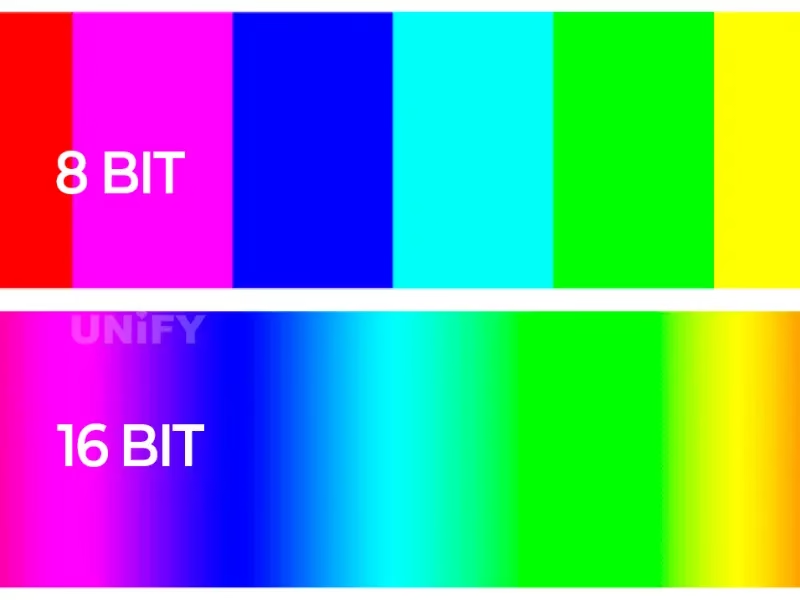
- 8-bit: Offers 256 levels of brightness per color channel. While standard for basic monitors, it often falls short in high-end LED applications.
- 10-bit: Increases this to 1,024 levels, totaling over 1.07 billion colors. This provides a noticeable jump in gradient smoothness.
- 12-bit to 16-bit: Represents the professional standard. With 4,096 to 65,536 levels per channel, these systems can handle complex visual data, ensuring that even the most subtle changes in shadow or light are rendered without banding or stepping.
In practical terms, a display with higher bit depth doesn’t just look “brighter”; it looks more sophisticated. By expanding the grayscale range, you effectively eliminate the digital “stair-stepping” effect, allowing your content to transition naturally from deep, detailed shadows to vibrant, clear highlights.
2. Why Grayscale Matters in LED Displays?
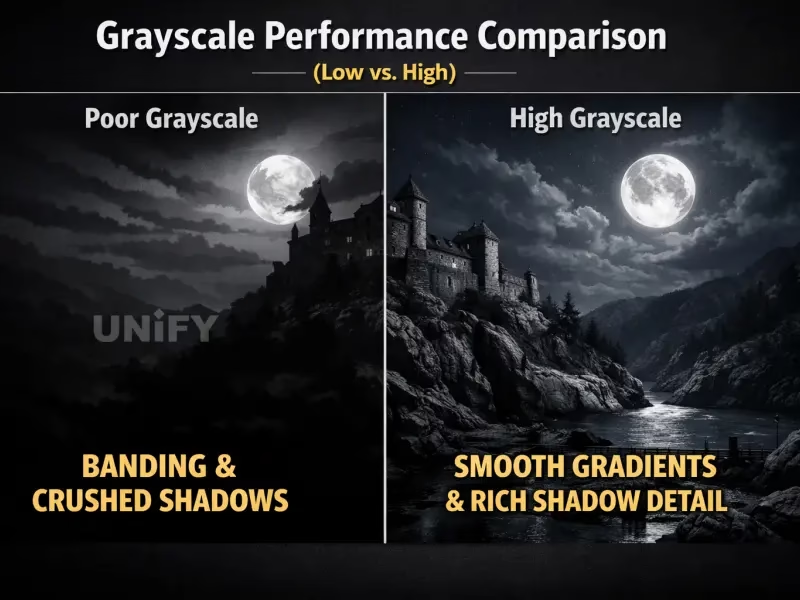
Grayscale is not merely a theoretical parameter; it is the primary engine behind LED display image quality. When grayscale performance is optimized, the difference in user experience is immediate.
Here is why grayscale matters across high-stakes commercial environments:
- Smoother Gradients and Transitions: High grayscale levels ensure that light-to-dark transitions are fluid. Without this, viewers see “banding”—distracting lines where color levels jump abruptly. Smooth gradients are essential for maintaining the high-end aesthetic of digital signage and corporate branding.
- More Accurate and Realistic Color: Color accuracy is intrinsically linked to grayscale. When a system lacks the necessary grayscale depth, it struggles to reproduce the subtle variations in color, leading to “posterization.” A robust grayscale performance ensures that deep reds or dark blues retain their richness without turning into flat, undefined blocks of color.
- Superior Low-Brightness Performance: This is critical for broadcast, live events, and conference rooms. In these settings, screens are often dimmed to prevent camera flicker or eye strain. A display with poor grayscale will “crush” shadows at low brightness, causing dark details to vanish into black. Conversely, high-grayscale displays maintain texture and shadow detail even when operating at a fraction of their maximum brightness.
In summary: Whether you are managing an outdoor advertising screen, a live television broadcast, or a premium indoor commercial display, grayscale is the deciding factor in whether your content looks “real” or “digitally compressed.”
3. Grayscale vs. Brightness vs. Refresh Rate: The Performance Trio
It is common for users—and even some engineers—to confuse LED display grayscale, brightness, and refresh rate. While these three metrics are closely linked, they serve very different functions in your screen’s performance. Understanding the balance between them is key to troubleshooting image quality issues like flickering, banding, or washout.
Understanding the Roles
- Brightness: This is the “volume” of your display. It dictates the total light output (measured in nits) and determines how well your content can compete with ambient light (e.g., direct sunlight vs. indoor dim lighting).
- Grayscale: This is the “detail” or “resolution” of light. As discussed, LED display grayscale levels determine the depth and transition smoothness of your brightness. It allows for the subtle shifts between deep shadows and highlights.
- Refresh Rate: This is the “stability” of your display. Measured in Hertz (Hz), it determines how many times per second the display updates its image. A higher refresh rate ensures flicker-free motion, which is vital for professional broadcast and mobile recording.
The Performance Comparison
Metric | Primary Function | Impact on Visual Experience |
Brightness | Total luminous intensity | Visibility in ambient light |
Grayscale | Brightness level depth | Smooth gradients & shadow detail |
Refresh Rate | Image update stability | Eliminates flicker & motion blur |
Why They Must Work Together
A high-performing LED screen requires a perfect synergy of all three. For instance, LED display low brightness image quality often suffers if the grayscale levels are not properly calibrated with the refresh rate. If you crank up the brightness but neglect the grayscale, you’ll get a bright image that looks washed out and lacks texture. Conversely, a high refresh rate is useless if the system lacks the bit-depth to render smooth color transitions.
When selecting a display for high-end commercial use, don’t focus on one metric in isolation. The most sophisticated screens—often those used in live broadcast or high-end retail—are those that maintain high-grayscale performance even when adjusted to lower brightness settings or high refresh rates.
4. What Affects LED Display Grayscale Performance?
Understanding the technical factors that influence LED display grayscale is the first step toward troubleshooting image quality. Grayscale performance isn’t just about the display itself; it is the result of a complex interplay between hardware components and software processing.
Key Technical Factors
- Driver IC (Integrated Circuit): The driver IC is the brain behind each pixel. A high-performance driver IC capable of high-bit processing is essential. If the IC cannot interpret the data signal with high precision, you will experience “stepping” or “banding” in the dark areas of your image.
- PWM Control (Pulse Width Modulation): PWM is the method used to control the brightness of each LED. For high-quality grayscale, the PWM control frequency must be high and linear. Non-linear PWM performance is a common culprit for inconsistent brightness levels.
- Gamma Correction: The raw data signal sent to the screen often does not match the human eye’s perception of brightness. Gamma correction is the software process that maps these input levels to the hardware output to ensure transitions appear smooth and natural to the viewer.
- Pixel-Level Calibration: Every LED module has slight manufacturing variances. Precise LED display grayscale calibration ensures that every pixel is uniform. Without it, even a high-bit system will show “patchy” shadows or color inconsistencies.
The Challenge of Low-Brightness Scenarios
Beyond the hardware and software above, there is a practical reality: low-brightness LED display image quality is the ultimate test of grayscale performance.
In low-brightness scenes, the current driving the LEDs is significantly reduced. At these low-current levels, many displays struggle to maintain precise control, causing “crushed shadows” or a loss of detail. A professional-grade display should incorporate advanced current-control circuitry to ensure that even at 5% or 10% brightness, the grayscale levels remain distinct and free of banding.
5. How to Improve LED Display Grayscale Performance?
Achieving professional-grade visual depth requires a holistic approach to engineering. Whether you are debugging an existing setup or designing a new one, here are the actionable steps to improve LED screen grayscale and eliminate common issues like banding and crushed shadows.
Actionable Strategies for Optimization
- Upgrade to Higher-Bit Driver ICs: The hardware foundation is critical. Utilize driver ICs that support 16-bit or 24-bit processing to ensure the system can handle higher data granularity, preventing the “color stepping” often seen in lower-bit architectures.
- Optimize PWM Technology: Implement advanced Pulse Width Modulation algorithms that allow for finer pulse control at low current levels. This is the most effective way to ensure smooth transitions in dark image areas.
- Apply Precise Gamma Correction: Configure custom gamma curves to match the specific LED display hardware. Proper mapping ensures that the input signal is linearly converted to visual brightness, significantly improving LED display grayscale and color accuracy.
- Implement Pixel-Level Calibration: Calibration isn’t just for initial setup; it’s an ongoing necessity. Using high-precision camera-based systems for pixel-level correction balances brightness and chromaticity across every module, which is essential for maintaining uniform grayscale.
- Increase Refresh Rate: A higher refresh rate, combined with optimized scan modes, reduces visual artifacts during motion. It helps the display maintain consistency and reduces the perception of flickering, which can often be mistaken for poor grayscale performance.
- Improve Heat Dissipation: Heat significantly impacts LED stability. Improved thermal management ensures that the driver IC and LED chips operate within their optimal temperature range, preventing color shifts and maintaining consistent grayscale stability over long operational hours.
- Optimize Scan Mode: For high-density displays, choosing an efficient scan mode (such as 1/16 or 1/32) is vital. Balancing the scan rate with the data processing speed prevents the grayscale “sag” that happens when the control system is overloaded.
The Professional Advantage
Improving LED display grayscale is not a one-time fix but a commitment to system integrity. By moving beyond standard parameters and focusing on the synergy between the driver IC, PWM modulation, and precise calibration, you can achieve that sought-after “filmic” quality that separates premium displays from standard signage.
6. Common Grayscale Problems and Solutions
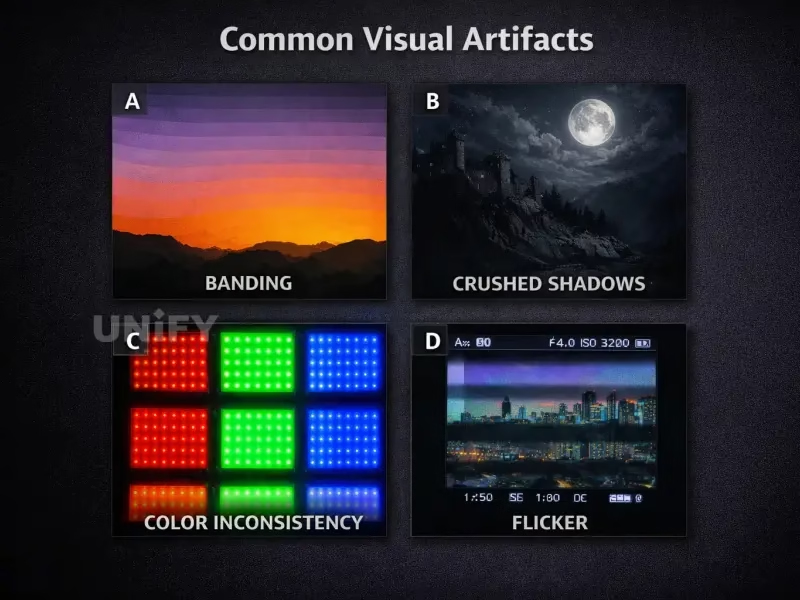
Even with the best hardware, various issues can degrade the visual fidelity of an LED screen. Below is a diagnostic guide to help you identify the root causes of poor grayscale performance and the corresponding technical optimizations required.
Common Problem | Likely Root Cause | Recommended Solution |
Banding (Visible lines) | Low bit-depth processing | Upgrade to a 14/16-bit control system |
Crushed Shadows | Inaccurate Gamma curve | Apply custom Gamma correction |
Color Inconsistency | Module-level variance | Perform pixel-level calibration |
Low-Light Loss | Insufficient current control | Use high-contrast Driver ICs |
Visible Stepping | Inefficient PWM frequency | Optimize PWM technology & Scan Mode |
Deep-Dive into Troubleshooting
If you are facing these issues in a professional environment, here is how to isolate the problem:
- Banding & Visible Stepping: This is usually a sign that your control system is unable to process the incoming video signal’s full dynamic range. Ensure that your processor and sending card support high-bit depth input.
- Crushed Shadows & Low-Light Loss: Often caused by improper current management in the driver IC. In low-light scenes, the current drops below the threshold needed for consistent light emission. Implementing advanced driver ICs designed for “low-current, high-grayscale” performance is the industry-standard fix.
- Color Inconsistency: This is rarely an electrical issue and almost always a calibration issue. As LEDs age, they shift in brightness and chromaticity. Periodic calibration is essential to maintain a uniform grayscale across the entire display surface.
- Thermal Instability: If color/grayscale issues emerge after the screen has been running for a few hours, your system is likely suffering from heat accumulation. Improving the airflow or upgrading the heat sink assembly will stabilize the semiconductor performance, ensuring consistent output.
7. How to Choose a Display with Better Grayscale?
When sourcing an LED screen for high-end B2B applications, it is easy to get distracted by “maximum brightness” (nits). While brightness is important, it is only half the story. If your display lacks depth, your content will fail to deliver the impact your brand requires.
When evaluating your next LED investment, look beyond the surface and demand technical transparency on these five critical criteria:
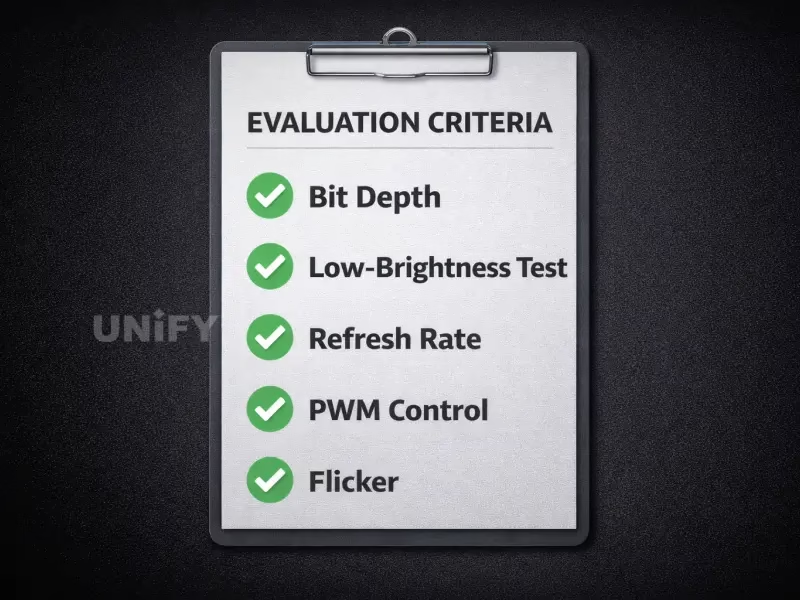
The Essential Checklist for Grayscale-Optimized Displays
- Effective Bit Depth: Don’t just ask if the display is “HD.” Ask for the effective bit depth (aim for native 14-bit or 16-bit processing). A display with low bit depth cannot be “fixed” with software; the limitation is baked into the control system and driver IC.
- Low-Brightness Performance: This is the ultimate test of quality. Ask for a demonstration of the screen at 10% or 20% brightness. If the shadows look “crushed” or the image shows visible banding in dark areas, the grayscale performance is insufficient for professional environments.
- Refresh Rate vs. Grayscale Balance: Ensure the control system allows you to maintain high refresh rates (3840Hz+) without sacrificing grayscale levels. Many systems force you to choose between smooth motion and smooth gradients—the best displays provide both.
- Control System Capability: The control system is the heartbeat of your screen. Verify that it supports high-dynamic-range (HDR) data inputs and complex color space management, which are necessary to leverage the display’s full potential.
- Calibration & Maintenance Support: A screen is only as good as its calibration profile. Confirm that your supplier provides professional-grade calibration tools or services that cover both brightness and chromaticity uniformity over the screen’s lifespan.
Why Surface Parameters Are Misleading
Marketing materials often highlight peak brightness because it is easy to measure. However, LED display grayscale is harder to quantify and often omitted. By prioritizing the factors above, you ensure that your investment performs reliably in real-world scenarios—whether that is a broadcast studio, a corporate boardroom, or a high-end retail installation.
Pro-Tip: Always request a sample or a technical whitepaper that highlights the display’s performance under low-ambient-light conditions. A reputable supplier will be able to provide clear data on their grayscale linearity.
8. FAQs About LED Screen Grayscale
While they are distinct, they are linked. Grayscale essentially "manages" the brightness output. A display with high brightness but low grayscale levels will often appear harsh, washed out, and flat. A superior display uses grayscale management to ensure that even at peak brightness, the image retains texture and detail without clipping the highlights.
9. Conclusion
In summary, LED display grayscale is the fundamental backbone of high-fidelity visual displays, acting as the critical bridge between raw technical specs and immersive visual impact. Throughout this guide, we’ve explored how factors like bit-depth, PWM modulation, and pixel-level calibration interact to eliminate visual artifacts such as banding, crushed shadows, and color stepping.
Achieving superior LED screen grayscale performance requires moving beyond simple brightness metrics; it demands a focus on high-performance driver ICs, precise gamma correction, and robust control system capabilities. By prioritizing these engineering standards, you ensure that your display delivers the depth, clarity, and natural transitions your content deserves.
As a leading LED screen manufacturer, we understand that high-quality visual integrity is non-negotiable for professional applications. Don’t settle for surface-level specs—invest in display technology that puts grayscale performance at the forefront.
Need expert advice on your display project? Contact our technical team at UnifyLED for a professional consultation and custom LED solutions tailored to your specific technical requirements.
Related Posts
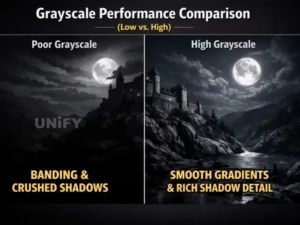
Understanding LED Display Grayscale: A Complete Engineering Guide for Image Quality
Master LED display grayscale performance. Discover how bit-depth, PWM, and calibration determine shadow detail and gradient smoothness.

Why is The LED Rental Screen Philippines Your Best Event Business Investment?
Maximize ROI with our LED rental screen Philippines guide. Learn P3.91 profit secrets, labor-saving setup, and DDP shipping. Contact our factory for 2026 wholesale prices!
How to Choose Typhoon-Proof Outdoor LED Billboards for Philippine Climate
Master the market with a durable Outdoor LED billboard Philippines. 2026 technical guide on typhoon-proof design, ROI analysis & factory-direct pricing for Manila & Cebu.
How to Choose the Best Church LED Screen in the Philippines?
Upgrade your worship with a high-quality Church LED screen Philippines. Guide for PH ministries on P2.5/P3 walls, 3840Hz for Facebook Live, and factory-direct DDP shipping to Manila & Cebu.
2026 LED Screen Price Philippines: The Ultimate Factory-Direct Cost Guide
Get the real LED screen price Philippines with our 2026 cost guide. Save 40% on church walls & billboards in Manila/Cebu. Factory direct with DDP shipping.
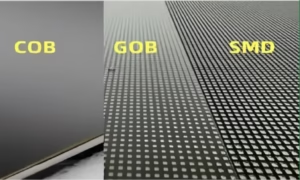
5-Minute Guide: SMD vs COB vs GOB LED Displays
SMD vs COB vs GOB LED Display: A complete comparison of visual comfort, anti-collision, and repairability. Find the best LED solution for boardrooms, retail, and command centers.